
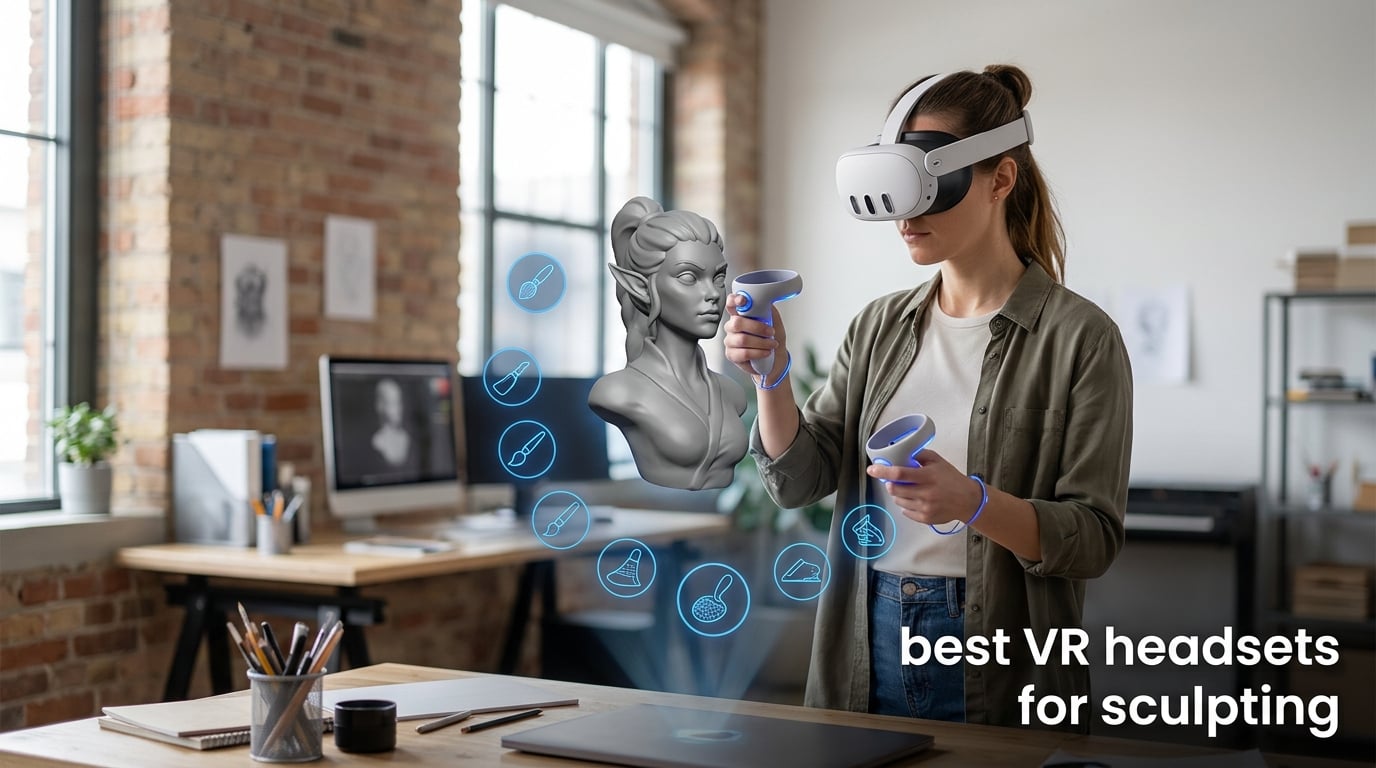
The best VR headsets for sculpting give you a convincing way to work around a model at human scale, but not every headset sold as VR can do that job. For digital clay, the key distinction is tracked input: a standalone headset, a PCVR headset, or a viewer with verified hand tracking can translate movement into an action; a phone holder cannot replace that system.
VR sculpting is a form of 3D modeling in which artists shape virtual material with tools in a headset. It can feel closer to working with clay than moving a mouse, which is why artists use it for characters, product forms, game assets, and early concepts.
I ranked the 12 analyzed listings by what their supplied data actually says about resolution, tracking, controllers, fit adjustment, storage, PC connection, and display behavior. That matters because forum discussions repeatedly point to tracking accuracy, comfort during long sessions, software availability, and PC power as the practical issues—not a marketing spec in isolation.
There are a few phone viewers in this group. They can be enjoyable for 3D videos and basic VR media, but their listings do not establish the tracked input or sculpting-app support needed for serious virtual sculpting; I call that out plainly rather than treating every product as equally capable.
Table of Contents
Meta Quest 3, HTC Vive Focus Vision, and Quest 3S Lead the Top Three Picks (September 2026)
Meta Quest 3 is my broadest pick from these listings because it combines a 512GB configuration, 2064 by 2208 pixels per eye, a 120Hz refresh rate, mixed-reality cameras, and wireless operation. Its listed 400-gram weight is also a useful starting point for an artist who cares about headset fatigue.
HTC Vive Focus Vision is the specialist choice when the plan includes a PC: it lists DisplayPort mode, 2448 by 2448 pixels per eye, eye tracking, low-light hand tracking, and submillimeter tracking accuracy. Meta Quest 3S is the more straightforward all-in-one route, with 256GB storage, the Snapdragon XR2 Gen 2 processor, 120Hz output, and dual RGB cameras.

These 12 VR Headsets Show Which Options Fit Sculpting in 2026
The overview keeps the differences in view. Resolution figures are quoted as listed, and a higher figure does not by itself prove better sculpting results; input tracking, software support, and fit still decide whether a headset works in a real session.
| Product | Specifications | Action |
|---|---|---|
 Meta Quest 3 512GB Meta Quest 3 512GB |
|
View Product |
| HTC Vive Focus Vision |
|
View Product |
 Meta Quest 3S 256GB Meta Quest 3S 256GB |
|
View Product |
 Meta Quest Pro Meta Quest Pro |
|
View Product |
 HTC Vive XR Elite HTC Vive XR Elite |
|
View Product |
 Oculus Quest 2 128GB Oculus Quest 2 128GB |
|
View Product |
 Sony PlayStation VR Bundle Sony PlayStation VR Bundle |
|
View Product |
 Mryzzsf Phone VR Headset Mryzzsf Phone VR Headset |
|
View Product |
 LamTrancail Phone VR LamTrancail Phone VR |
|
View Product |
 REALITEX Phone VR REALITEX Phone VR |
|
View Product |
 Haptique Phone VR Haptique Phone VR |
|
View Product |
 LVOERTUIG Phone VR LVOERTUIG Phone VR |
|
View Product |
1. Meta Quest 3 Is the Best Broad All-in-One Choice
- Wireless operation
- 120Hz refresh rate
- 512GB storage
- Dual RGB cameras
- Battery listed at 2.2 hours
- Listing does not state sculpting app support
The Meta Quest 3 listing supplies the most rounded core specification set here: 2064 by 2208 pixels per eye, a 120Hz refresh rate, 512GB of storage, a Snapdragon XR2 Gen 2 processor, and 8GB of RAM. It is also described as mixed-reality compatible, with dual RGB color cameras and wireless use.
For a sculptor, I see those details as a strong foundation for an untethered workspace rather than a guarantee about any one app. The listing does not name Shapelab, Gravity Sketch, Adobe Substance 3D Modeler, or Blender, so check the relevant platform storefront before making software part of the decision.
Wireless Freedom Is the Main Workspace Advantage
A cable-free headset changes the physical workflow because an artist can step around a large form without managing a tether. The stated 400-gram item weight and 2.2-hour average battery life are practical limits to weigh against that freedom.
The reported 4K+ Infinite Display and nearly 30 percent resolution increase are useful context for viewing surface detail. I would still judge clarity with a short live demo, since face shape, IPD, and lens position affect what each person sees.
Mixed Reality Is Useful for a Desk-Based Studio
Dual RGB cameras and mixed-reality compatibility may help when you need to find a keyboard, stylus, or reference object without fully leaving the headset experience. That is a workflow convenience, not a substitute for software integration.
Customer feedback is substantial for this listing: 5.9k+ reviews and a 4.5 rating, with an 81 percent five-star summary. Those signals support the choice as a widely used general headset, while the sculpting workflow still needs app-specific confirmation.
2. HTC Vive Focus Vision Is the Strongest Verified PCVR Detail Tool
HTC Vive Focus Vision Wired Bundle — XR Headset with DisplayPort PC VR Streaming Kit
- 5K listed resolution
- DisplayPort mode
- Eye tracking
- 26-point hand tracking
- Only 24 reviews
- Mixed 3.7 rating
The Vive Focus Vision supplies several sculpting-relevant claims that the other listings do not: 2448 by 2448 pixels per eye, DisplayPort mode for PCVR streaming, built-in eye tracking, low-light hand tracking, and a listed 120-degree field of view. Its technical details also claim submillimeter tracking accuracy and 26-point hand tracking.
That makes it the most direct fit for a creator who already expects to work through a PCVR pipeline. The supplied information calls DisplayPort visuals lossless and high fidelity, but it does not name specific modeling packages, so I would verify the headset mode and PC requirements against the intended software.
DisplayPort Is the Key Professional Workflow Feature
DisplayPort mode is the major reason to look at this wired bundle for a VR headset for 3D modeling. A direct PC connection is materially different from relying only on a standalone library, particularly when your planned tools live on a Windows computer.
The headset also lists 128GB storage, 90Hz output, and a hot-swappable battery. Those details suggest flexible session planning, though the product data does not quantify the duration supplied by a replacement battery.
Eye Tracking Can Help With Fine Detail Review
Eye tracking does not sculpt a model for you, but it can be relevant when inspecting fine areas because the headset can account for where you look. It is a rare verified feature in this group and a sensible differentiator for detail-focused artists.
I would balance those specifications with the smaller feedback base: the listing has 24 reviews and a 3.7 rating, including a reported 17 percent one-star share. A hands-on comfort check and a return-policy check are wise before committing to a specialist setup.
3. Meta Quest 3S Is the Simple Standalone Starting Point
- Wireless use
- 120Hz refresh rate
- 256GB storage
- Dual RGB cameras
- 3-pound listed weight
- Listing does not name sculpting software
Meta Quest 3S is a standalone headset with 256GB storage, the Snapdragon XR2 Gen 2 processor, 8GB RAM, LCD screens, and a stated 120Hz maximum refresh rate. The listing reports 1832 by 1920 resolution and a 110-degree field of view, alongside dual RGB color cameras for mixed reality.
I would choose it for an artist who wants to set up a self-contained headset before deciding whether a PCVR workflow is necessary. The 2.5-hour average battery figure is slightly longer than the Quest 3 listing reports, but actual session time changes with the app and workload.
Standalone Setup Keeps the First Session Straightforward
Wireless operation removes the need to connect a cable for basic use, and the listing calls out Wi-Fi, Bluetooth, and USB Type-C. That is helpful for a beginner learning the space and tool controls before adding a computer to the desk.
The supplied package information identifies a controller, while it does not explicitly list hand tracking. If your chosen VR sculpting software expects bare-hand input, confirm that exact feature and app support before you buy.
Storage and Refresh Rate Support Longer Creative Sessions
The 256GB configuration gives more room than a minimal starter device for apps and files, although the listing does not state how much space any sculpting package needs. A 120Hz maximum refresh rate can make head movement look smoother where the application supports it.
With 2.3k+ reviews and a 4.6 rating, this listing has a far broader customer signal than many alternatives in the roundup. That does not answer every artist-specific question, but it reduces the uncertainty around general headset adoption.
4. Meta Quest Pro Is the Controller-Focused Productivity Option
Meta Quest Pro Headset with Virtual Reality Field Trips 1-Month Subscription
- Self-tracking controllers
- Precision haptics
- Pancake lenses
- 256GB storage
- 90Hz refresh rate
- Lower 4.2 rating
Meta Quest Pro stands out in the supplied data because of its Touch Pro controllers with self-tracking cameras and multi-point haptics. It also lists pancake lenses, local dimming, quantum dot technology, 12GB RAM, 256GB storage, full-color mixed-reality passthrough, and real-time facial tracking.
For sculpting, controller tracking is more meaningful than facial expressions. I would look at this model when controlled tool input and a productivity-oriented set of hardware features matter more than pursuing the highest listed refresh rate in this group.
Self-Tracking Controllers Are the Deciding Input Feature
The listed Touch Pro controllers use their own cameras, which is relevant to precise tool work because controllers are the input device named by the product data. Multi-point haptics may also make tool contact feel more distinct, though the listing does not describe sculpting-specific haptic behavior.
Its sensor list is broad, including accelerometer, gyroscope, magnetometer, and proximity sensing. No product description can replace testing your dominant-hand grip and wrist reach with the actual controllers.
Pancake Lenses Can Make Fit Adjustments Easier to Judge
Pancake lenses and local dimming are display-related attributes worth testing with dense reference imagery and a small model. The listing reports a 110-degree field of view and 1920 by 1080 pixels per eye, so do not infer a resolution figure beyond that claim.
Feedback is less enthusiastic than the Quest 3 alternatives: the listing has a 4.2 rating from 136 reviews and an AI summary of 66 percent five-star ratings. I would treat it as a targeted controller and lens choice rather than an automatic upgrade.
5. HTC Vive XR Elite Is the Adjustable PCVR and Standalone Hybrid
HTC Vive XR Elite with Deluxe Pack — Mixed Reality and PC VR Headset + Controllers
- Hand tracking
- Stepless IPD
- Diopter dials
- Hot-swappable battery
- 5.91-pound listed weight
- 3.9 rating
The Vive XR Elite is explicitly listed as both a standalone and base-station-free PCVR headset, with a 3840 by 1920 combined resolution, 90Hz refresh rate, 110-degree field of view, and 19 pixels per degree. It also specifies optical inside-out tracking, four wide-FOV tracking cameras, hand tracking, and a depth sensor.
Those verified details make it a flexible candidate for an artist trying both headset-native and PC-connected work. The supplied item weight is 5.91 pounds, so I would not assume its Deluxe Strap and battery counterweight solve comfort for every head shape.
IPD and Diopter Dials Address Personal Vision Fit
Stepless IPD adjustment changes lens spacing, while diopter dials can matter for users who need vision correction. Both are concrete fit tools that deserve more attention than a generic claim that a headset is comfortable.
PPD, or pixels per degree, describes image detail across your field of view; the listing gives this model a 19 PPD figure. It is useful for comparing stated clarity, but it cannot predict how a particular person will perceive a small sculpted edge.
Hybrid Operation Makes Software Checking Essential
The ability to use standalone and PCVR modes offers two possible paths, but it also means you need to identify which mode your intended software supports. The data names Windows as the operating system and USB Type-C connectivity, which points toward checking computer-side requirements early.
Its 75-review, 3.9-rating signal is mixed, with a reported 19 percent one-star share. I would try the fit, confirm the software path, and study the included accessories before treating the hybrid design as the easiest answer.
6. Oculus Quest 2 Is the Older All-in-One With Listed Hand Tracking
Oculus Quest 2 VR Headset 128GB Holiday Set – Advanced All-in-One Virtual Reality Headset Cover Set, White
- Listed hand tracking
- High-resolution per-eye display
- 128GB storage
- Accessory set included
- Older platform
- Limited stock status reported
The Oculus Quest 2 listing names a top hand-tracking system, 1832 by 1920 pixels per eye, 90Hz LCD output, 128GB storage, and inside-out tracking cameras. It includes two Touch controllers, a silicone cover, glasses spacer, charging cable, power adapter, grip covers, and adjustable knuckle straps.
That list makes it materially more useful for VR sculpting than a phone viewer because it identifies tracked headset hardware and hand tracking. It remains an older hardware option, so I would first confirm the availability and support status of the specific creation app you want.
Hand Tracking Is Its Strongest Sculpting-Relevant Claim
The product data directly identifies hand tracking, which matters because artists often want a natural way to inspect and manipulate a virtual object. Fine-detail accuracy still depends on the software, light conditions, and the type of tool interaction it supports.
Controllers come in the box as well, giving a creator an alternate input method when an application is designed around physical controls. That flexibility is more helpful than relying on a vague assumption that every VR app uses hands the same way.
The Included Accessories Help With First-Time Fit
The glasses spacer, silicone cover, grip covers, and adjustable knuckle straps address common first-session friction. I would use the spacer only as intended and make short adjustments before a longer creative session.
The listing reports a 4.6 rating from 621 reviews, with an 82 percent five-star summary. It also reports limited stock, so availability may change; verify that point at checkout rather than planning around a fixed supply.
7. Sony PlayStation VR Is a Console Bundle Rather Than a Sculpting Tool
- OLED display
- Move controllers
- Camera included
- PS4 and PS5 compatible
- Console-focused platform
- No sculpting software listed
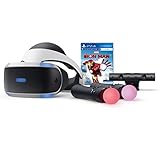
This PlayStation VR bundle includes the headset, PlayStation Camera, two Move motion controllers, HDMI and USB connectivity, and an Iron Man VR game. The supplied display information is OLED at 1920 by 1080, with a 90Hz refresh rate and a 110-degree field of view.
It is a complete console VR package, but its listing names gaming as the use case and does not state PCVR capability, standalone operation, hand tracking, or VR sculpting software. I would not choose it as a dedicated 3D art workstation based on the available data.
Console Compatibility Is the First Decision Gate
The bundle is listed for PlayStation, PS4, PS5, and PlayStation VR. If your modeling tools are computer-based, that platform boundary is more important than the fact that motion controllers are included.
Two Move controllers and the camera provide the input arrangement described by the product. The listing does not establish how that arrangement works with any sculpting application, so it cannot be assumed to cover a virtual clay workflow.
OLED and 90Hz Serve Entertainment Before Creation
An OLED display and 90Hz refresh rate can support immersive games and media. Those features do not resolve the missing software and platform evidence needed for this article’s core use case.
The customer signal is also modest: a 3.9 rating across 219 reviews, with 54 percent five-star feedback and 14 percent one-star feedback in the supplied summary. The listing reports limited stock, which is another reason to treat it as a narrow, console-based option.
8. Mryzzsf Phone VR Is Only a Media Viewer for Sculpting Research
- Wide phone compatibility
- FD and OD adjustments
- Adjustable headband
- Controller included
- No tracked input listed
- No sculpting software listed
The Mryzzsf unit is a smartphone VR viewer for 5.0 to 7.0-inch phones, with a stated 120-degree field of view, an adjustable headband, FD and OD adjustments, and a connected controller. Its declared uses are gaming and immersive 3D movie viewing.
It can show phone-based VR video, but the listing does not identify head tracking, controller position tracking, hand tracking, a PC connection, or an artist app ecosystem. I would use it to sample 3D media, not as a serious answer to the best VR headsets for sculpting question.
Phone Compatibility Is the Central Requirement
Before use, measure the phone against the stated 5.0 to 7.0-inch range. The product data says Android is the operating system and smartphone VR is the platform, so check your own handset and intended media source first.
FD and OD adjustments can help tune the view, and the head strap may make the viewer easier to hold in place. They do not create the spatial tracking needed to manipulate a virtual model in room-scale VR.
The Controller Is for Media Control, Not Tracked Sculpting
The supplied review data says the controller handles play, stop, music, and volume functions. That is helpful for a film or a casual demo, but it is not evidence of motion-tracked 3D sculpting input.
The listing has a 5.0 rating from 14 reviews, and the feedback mentions comfortable fit and 3D viewing. The small review base and media-first description keep this firmly in the viewer category.
9. LamTrancail Phone VR Is a Comfortable Viewer With Fit Limits
- iPhone and Android support
- Adjustable fit
- Anti-blue lenses
- Two-year warranty
- Phone size restriction
- No tracked creation input listed
LamTrancail’s headset supports Android and iOS phones within a stated 6.3-inch screen limit, with Bluetooth connectivity, a 110-degree field of view, anti-blue lenses, and pupil-distance and focal-length adjustments. The listing calls it a beginner headset for games, video, movies, and education.
Those are sensible media features, but no data here establishes VR sculpting software, tracked hand input, tracked controllers, PCVR, or mixed reality. It is a phone viewer with a more adjustable optical setup, not a creation headset.
Lens and Headband Adjustment Help With Viewing Comfort
Adjustable pupil distance, focal length, and headband position are useful when a phone screen needs to sit correctly in front of the eyes. The anti-blue lens is presented as an eye-protection feature, though it does not replace breaks during extended viewing.
Its two-year manufacturer warranty is another recorded consideration for a beginner viewer. I would still try a short session first, because fit and focus are personal.
Phone Dimensions Can Rule It Out Immediately
The listing specifically excludes phones longer than 6.3 inches and names some large phone versions as incompatible. Check the exact physical device size rather than relying on the diagonal screen size alone.
It has a 5.0 rating from 11 reviews, and the supplied review notes praise comfort and adjustment. That is encouraging for its stated viewer role, yet it is too small a feedback pool to establish an art-production recommendation.
10. REALITEX Phone VR Is a Guided Beginner Media Set
- Tutorial included
- Free apps and videos
- Face padding
- iOS and Android support
- No tracked input listed
- Entertainment-focused design
The REALITEX viewer supports iPhone and Android phones and includes a controller, cleaning cloth, fabric case, beginner tutorial, and links to VR apps and videos. The product listing emphasizes entertainment, gaming, video, larger lenses, face padding, and a built-in button.
I can see why this may be an easy way to explain VR to a child or a first-time viewer. For sculpting, however, the product data does not list position tracking, hand tracking, PCVR access, or a verified modeling app, so it cannot substitute for a true 3D VR headset.
Guided Content Makes the First Viewer Session Less Intimidating
The tutorial and included app and video links are the most useful parts of this package for beginners. They help a person learn how a phone viewer feels before they decide whether a tracked headset is worth pursuing.
The listing calls it compatible across iOS and Android, which broadens basic media access. Compatibility with a phone operating system is different from compatibility with an artist’s modeling software.
Comfort Features Support Short Media Sessions
Bigger lenses, face padding, and a fabric case are all included or described. These are welcome quality-of-use details for video viewing, but the listing does not quantify display resolution, tracking, or latency.
The rating is 4.9 across 55 reviews, with supplied feedback that highlights free content, comfort, and an approachable setup. Treat that customer enthusiasm as evidence for the beginner media use case, not proof of sculpting readiness.
11. Haptique Phone VR Is a Basic Adjustable Movie Viewer
- Adjustable focus
- Soft PU mask
- Remote included
- Anti-blue light lens
- No tracked sculpting input
- Lower 4.1 rating
Haptique’s smartphone headset is described with a 120-degree field of view, adjustable focal distance, double spherical optical lenses, a soft breathable PU leather mask, anti-blue light protection, and a remote controller. It accepts 4.5 to 6.7-inch smartphones and is marketed for gaming and video.
Its 360-degree panoramic-view language describes the visual presentation, not tracking capability. Because the listing does not establish hand tracking, motion-tracked controllers, standalone apps, or PCVR support, I would not select it for virtual sculpting.
Focal Adjustment Matters More Than Panorama Claims
The adjustable focal distance is the feature I would prioritize when evaluating a phone viewer, along with fit against the 4.5 to 6.7-inch compatibility range. Optical fit can make a media demo more pleasant, but it cannot add missing input sensors.
The PU leather mask and remote are tangible convenience features. The remote is described for phone control such as playback and volume, not for moving a sculpting tool in a 3D scene.
Review Distribution Calls for a Careful Expectation
The supplied customer summary gives this model a 4.1 rating from 25 reviews, with 47 percent five-star ratings and a notable share of three-star feedback. That is a reason to keep expectations aligned with a basic viewer rather than demanding studio reliability.
Phone VR remains a low-complexity way to watch immersive content. Artists who want to build models should move directly to the tracked standalone and PCVR options earlier in this guide.
12. LVOERTUIG Phone VR Is the Lightest Viewer, Not a Modeling Platform
- Lightweight
- IPD adjustment
- Myopia support
- Anti-blue lens
- 90 degree FOV
- No tracked input or app platform
The LVOERTUIG headset is a 0.18-kilogram phone viewer with a 90-degree field of view, adjustable interpupillary distance, anti-blue optical lenses, myopia support, a T-shaped adjustable headband, and compatibility with 4.5 to 7-inch phones. Its listed uses are gaming and entertainment.
It is the lightest explicitly weighted product in this roundup, which can make it convenient to pack or try briefly. Still, the supplied data gives no confirmed hand tracking, tracked controllers, PCVR path, mixed reality, or sculpting software support.
Low Weight and IPD Adjustment Are Its Practical Strengths
The 0.18-kilogram item weight and adjustable IPD are relevant to fit and portability. Users with myopia may appreciate the stated support, but a personal vision need deserves confirmation before purchase.
A 90-degree field of view is narrower than the 110- and 120-degree figures listed on several other products here. That comparison reinforces its role as a simple phone accessory instead of an immersive creator tool.
Mixed Feedback Makes This a Trial-Only Option
The listing reports a 3.6 rating from 49 reviews, with 45 percent five-star ratings and 17 percent one-star ratings. The review distribution suggests more variability than the higher-rated phone viewers above.
I would reserve it for casual 360-degree video and basic phone VR experiments. It does not meet the recorded hardware criteria that make a headset suitable for sculpting software and precise virtual-tool control.
Tracking and Software Fit Matter More Than the Box Label
Choose the input and software route before comparing small spec differences. Forum discussions from VR artists consistently place hand-tracking quality, long-session comfort, and app availability above an isolated resolution claim, and that matches the product data in this roundup.
A headset listed only for smartphone media is not the same thing as a PCVR headset or a standalone VR computer. The difference decides whether you can do meaningful work in a VR sculpting app, not just view a stereoscopic video.
Tracked Controllers or Verified Hand Tracking Are the Starting Requirement
For making a model, look for controllers with tracking or explicit hand tracking. Quest 2 explicitly lists hand tracking; Vive XR Elite lists hand tracking; Vive Focus Vision lists eye tracking, low-light hand tracking, and 26-point hand tracking; Quest Pro lists self-tracking Touch Pro controllers.
Do not replace a confirmed feature with an assumption based on a brand name. Where a listing does not name hand tracking or a sculpting application, treat that as an unanswered question and verify it with the platform’s official information.
PCVR Is the Right Route When Your Creation Tools Live on a Computer
PCVR means the headset is used with a computer, while standalone means the headset runs its own operating environment. Vive Focus Vision supplies DisplayPort PCVR streaming and lists Windows; Vive XR Elite lists base-station-free PCVR and Windows; these are the clearest computer-oriented options in the data set.
Before selecting PCVR, compare the software’s computer requirements against your graphics hardware, ports, and cable path. Community posts repeatedly identify an adequately powerful PC as a real constraint, so a headset alone is not the full workstation.
Display Detail Needs Context Beyond One Resolution Number
Resolution describes the number of pixels shown, while PPD describes pixels spread across each degree of your view. Vive XR Elite is the only listing here that supplies a 19 PPD value; Vive Focus Vision lists 2448 by 2448 pixels per eye, and Quest 3 lists 2064 by 2208 per eye.
For sculpting, use a detailed reference image, a small object, and a large object during a short trial. Check whether you can see edges comfortably and read your interface without leaning forward, then adjust IPD or diopter controls where the headset provides them.
Comfort Comes From Fit Controls and Session Habits
Weight tells only part of the comfort story. Straps, counterweights, face gaskets, lens spacing, glasses spacers, and the way a headset sits on your cheekbones can change the result more than a single published number.
Use the 20-20-20 rule in VR: about every 20 minutes, look away from the near display at something about 20 feet away for 20 seconds. It is a simple pause that helps manage visual fatigue, and it is especially useful while learning a new sculpting workflow.
Software Confirmation Prevents the Most Expensive Mistake
Shapelab and Gravity Sketch were the sculpting apps most often mentioned in the gathered forum discussions. That is useful direction, but an app name in a community discussion is not proof that it supports every headset, controller, or platform variant.
Make a three-part checklist: name the creation app, name the headset operating mode, and name the computer or standalone platform it requires. Only then should display, storage, passthrough, and accessory choices break a tie.
Start With a Small First Project and a Clear Export Goal
Begin with a simple object such as a stylized head, a toy form, or a rough prop rather than a detailed production character. Work at broad scale first, then make a single detail pass after you know the tool gestures and navigation.
Decide how the model will leave the app before you start. A game asset, product visualization, or Blender refinement step may require a different export format and PC workflow, which can change the best headset choice.
These Answers Cover the Most Common VR Sculpting Questions
Can you sculpt in VR?
Yes. VR sculpting uses a headset and compatible 3D creation software to let you shape virtual material at real-world scale. For practical work, choose a headset with tracked controllers or verified hand tracking and confirm that the chosen software supports its platform.
Is VR dying or growing?
The research for this guide shows active shopping results, forums, and artist discussions, but it does not provide a market-growth statistic. For an artist, the more useful question is whether the headset has the tracking and software support needed for the work you plan to do.
What is the 20 20 20 rule for VR?
The 20-20-20 rule means taking a break about every 20 minutes to look at something about 20 feet away for 20 seconds. It is a practical eye-comfort habit during VR work, especially when you are concentrating on small details.
Which VR headset is the most realistic?
Among the listings analyzed, Vive Focus Vision has the most specialist display and tracking claims for PCVR: 2448 by 2448 pixels per eye, DisplayPort mode, eye tracking, low-light hand tracking, and a 120-degree field of view. Realism is personal, so test fit, clarity, and the exact app workflow when possible.
Meta Quest 3 Is the Best Starting Point for Most VR Sculptors
For most people comparing the best VR headsets for sculpting in 2026, Meta Quest 3 offers the most balanced verified mix of per-eye resolution, 120Hz output, wireless operation, storage, and mixed-reality cameras. HTC Vive Focus Vision is the sharper specialist recommendation for a creator who needs the listed DisplayPort PCVR path, eye tracking, and low-light hand tracking.
Quest 3S is the uncomplicated standalone alternative, while Quest Pro and Vive XR Elite offer more specific controller, fit, or hybrid-workflow reasons to compare. Skip the phone viewers for production sculpting: their listings describe media viewing, not the tracked creation input that virtual clay work needs.
Pick your software route first, confirm tracking support second, and use a short fitting session to decide the rest. That order will give your studio a more useful headset than chasing a headline specification.