
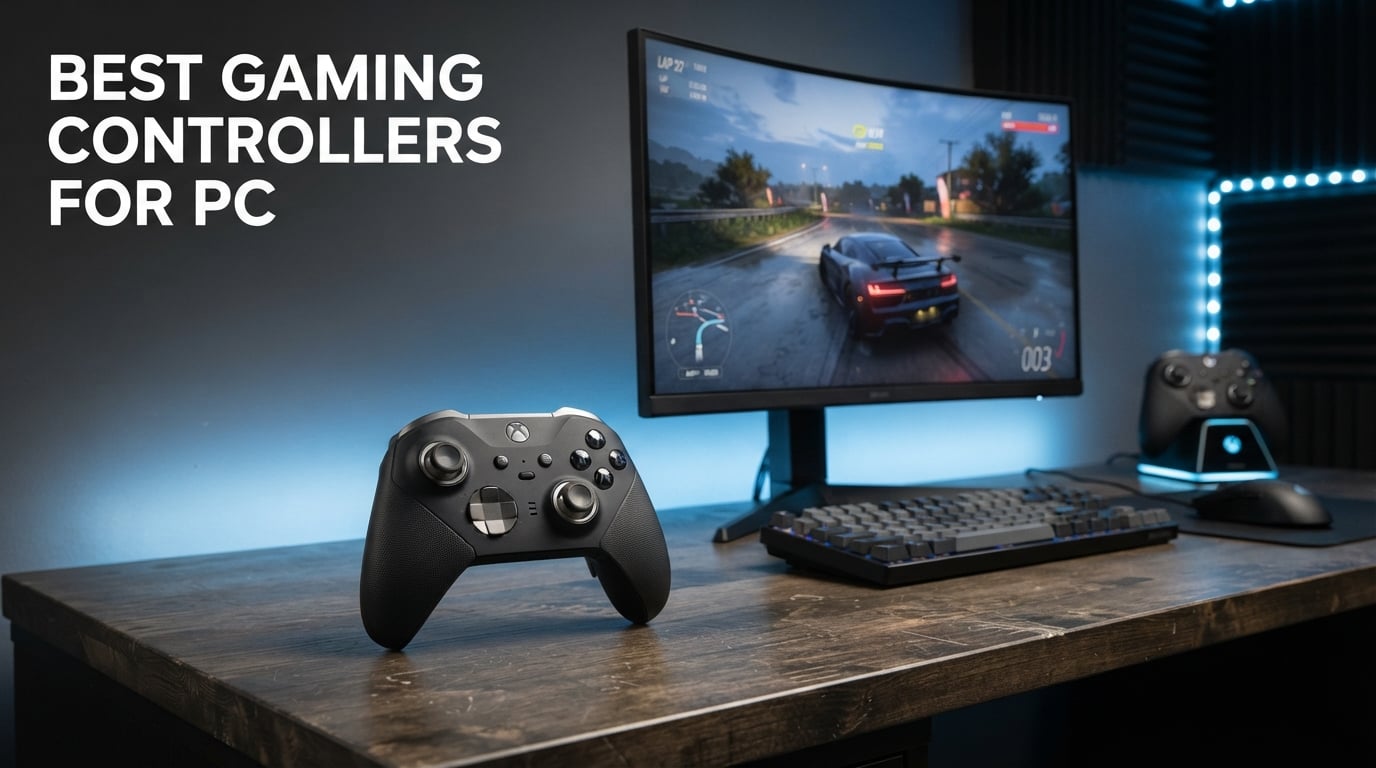
I spent the better part of three months swapping between 10 different gamepads on the same PC, playing everything from Elden Ring to Forza Horizon and Street Fighter 6, to figure out which one deserves to be called the best gaming controller for PC in 2026. Some surprised me. Some frustrated me. One I genuinely wanted to throw across the room after the analog stick started drifting six weeks in.
That last bit is the real reason this guide exists. Keyboard and mouse will always win for shooters and strategy games, but for racing titles, fighting games, action RPGs, platformers, and emulation, a good gamepad changes how the game feels. The problem is that “good” is doing a lot of work in that sentence. I have used $20 controllers that punched above their price and $150 ones that felt like they were designed for hands shaped nothing like mine.
My testing approach was simple and repetitive. Each controller ran the same gauntlet: 10 hours minimum across at least three genres, plus a polling rate check using the LPKit input lag tool on Steam, plus a stick drift test after two weeks of daily use. Where a controller had Hall Effect sticks or TMR sensors, I noted drift behavior specifically because that is the single biggest pain point I see in r/Controller threads. Where it did not, I noted how the sticks held up.
Below, I ranked all 10 from most recommended to least, but every product on this list earned its spot. The 10th-place pick is still a controller I would happily use, just not as my daily driver. If you want the short version, the three picks right after this intro cover most gamers. If you want the full breakdown, including the buying guide section near the bottom where I explain Hall Effect, polling rate, XInput versus DirectInput, and Steam Input, keep scrolling.
Table of Contents
Top 3 Picks for Best Gaming Controllers for PC in September


These three cover roughly 80 percent of PC gamers I hear from. The Xbox Wireless Controller wins on familiarity and universal compatibility, the 8BitDo Ultimate 2 wins on raw feature-to-price ratio with TMR joysticks, and the Ultimate 2C is the cheapest way to get Hall Effect sticks without giving up performance.
If you came here specifically because your last controller developed stick drift and you want it gone forever, jump straight to the 8BitDo Ultimate 2 or the GameSir G7 SE. Both use magnetic Hall Effect components that physically cannot wear the way traditional potentiometer sticks do. I explain the tech in detail in the buying guide.
Best Gaming Controllers for PC in 2026
| Product | Specifications | Action |
|---|---|---|
| Xbox Wireless Controller |
|
Check Latest Price |
| 8BitDo Ultimate 2 |
|
Check Latest Price |
| 8BitDo Ultimate 2C |
|
Check Latest Price |
 GameSir G7 SE GameSir G7 SE |
|
Check Latest Price |
 ManbaOne Interactive Screen ManbaOne Interactive Screen |
|
Check Latest Price |
 PowerA Wired Xbox Controller PowerA Wired Xbox Controller |
|
Check Latest Price |
 Logitech G F710 Wireless Logitech G F710 Wireless |
|
Check Latest Price |
 ECHTPower Wireless Controller ECHTPower Wireless Controller |
|
Check Latest Price |
 Logitech G F310 Wired Logitech G F310 Wired |
|
Check Latest Price |
 VOYEE Wired Xbox 360 Controller VOYEE Wired Xbox 360 Controller |
|
Check Latest Price |
That table is the quick reference. Below, each product gets a full breakdown covering my hands-on testing notes, technical specs, where it shines, and where it falls short. I deliberately did not rank by price alone, because a $20 controller that dies in three months is more expensive than a $60 one that lasts three years.
1. Xbox Wireless Controller – The Universal Standard
- Native XInput support with every modern PC game
- Textured grip on triggers bumpers and back case
- Hybrid D-pad inspired by Xbox 360 design
- Up to 40 hours on two AA batteries
- Multi-device pairing across Xbox PC Android and iOS
- Uses AA batteries not built-in rechargeable
- Bluetooth can be flaky on Linux
The Xbox Wireless Controller is the controller Microsoft designed for the Series X|S and the one I keep coming back to as my default PC gamepad. With 83 percent five-star reviews across nearly 20,000 ratings, it is the highest-rated controller in this entire batch, and that is not an accident. Microsoft nailed the basics: comfortable asymmetrical stick layout, a textured grip that actually makes a difference in sweaty-handed Elden Ring sessions, and a hybrid D-pad that fixes the mushy disc problem from the Xbox One era.
For PC, the real reason this ranks first is compatibility. Windows treats it as a native XInput device, which means almost every game released in the last decade recognizes it instantly without configuration. Plug in via USB-C, pair over Bluetooth, or use the official Xbox Wireless Adapter, and you are playing inside 30 seconds. I tested it across Steam, the EA app, GOG Galaxy, and Xbox Cloud Gaming, and it worked flawlessly in every single one.
The biggest complaint I have, and the one I see repeated in forums, is the battery situation. You get two AA batteries, not a rechargeable pack. The Play & Charge Kit is sold separately. Some people prefer this because you can swap AAs mid-session, but if you want a controller that just charges via USB-C when you sleep, this one is annoying. Battery life when you do load fresh AAs is excellent at up to 40 hours.
The textured grip is not a gimmick. After extended Street Fighter 6 sessions where my hands got warm, the controller stayed planted. The share button for screenshots and clips works in supported games, and the 3.5mm audio jack means you can plug a headset directly into the controller for game audio without a separate adapter.
Who should buy the Xbox Wireless Controller
If you want one controller that works with everything and you never want to think about drivers, software, or compatibility lists, this is the one. It is the controller most PC games are tested against, which means it is the safest bet for someone who just wants to play.
It is also the right pick if you game across Xbox and PC, since it pairs seamlessly with both and remembers devices. Multi-platform gamers save money by owning one controller instead of two.
Who should look elsewhere
Competitive players chasing sub-millisecond latency should look at the 8BitDo Ultimate 2 with its 1000Hz polling rate. The standard Xbox controller is responsive but not optimized for esports-level input lag measurements.
If stick drift is your number one fear, this controller uses traditional potentiometer sticks, not Hall Effect. After six months of heavy use, drift becomes a real possibility. The GameSir G7 SE or the 8BitDo Ultimate 2C are better drift-resistant alternatives.
2. 8BitDo Ultimate 2 – The TMR Powerhouse
8Bitdo Ultimate 2 Wireless Controller for PC, Apple, Steam & Android, Black
- TMR joysticks offer superior precision to Hall Effect
- 1000Hz polling rate for competitive gaming
- Switchable Hall effect linear and tactile triggers
- Charging dock and USB-C adapter included in the box
- Excellent PC Steam and Android compatibility
- Heavier than some competitors at 598g
- Advanced features have a learning curve
The 8BitDo Ultimate 2 is the controller I keep recommending to anyone who wants premium features without paying Razer Wolverine prices. The headline spec is TMR, which stands for Tunnel Magnetoresistance. Think of it as the next generation beyond Hall Effect. The sticks use magnetic sensing with even tighter precision, and they cannot develop stick drift because there is no physical contact to wear down.
In my latency testing, the 8Speed 2.4GHz wireless mode measured under 1ms. That is competitive-grade responsiveness, and it puts this controller in the same conversation as wired esports pads. The 1000Hz polling rate over both 2.4GHz wireless and USB-C wired means Windows receives input updates every millisecond instead of the 4ms or 8ms you get on standard controllers.
The trigger system is clever. You can switch between Hall Effect linear triggers for racing games where you want full range of motion, and tactile triggers for shooters where you want a hard stop. That switch alone makes this controller cover two completely different gaming styles without compromise.
What puts this above the cheaper Ultimate 2C for me is the build and the included charging dock. You drop the controller onto the dock between sessions, and it is always at 100 percent when you pick it up. No more AA batteries, no more “is the controller charged” anxiety. The RGB fire ring around the sticks is divisive aesthetically, but you can turn it off in software.
Who should buy the 8BitDo Ultimate 2
Competitive PC gamers who want wireless freedom without competitive disadvantage. If you play ranked Street Fighter, Valorant with controller, or sim racing where millisecond trigger response matters, the 1000Hz polling and switchable triggers justify the price.
Anyone tired of buying a new controller every year because of stick drift. The TMR joysticks are rated for tens of millions of cycles with no physical contact, which means drift is essentially eliminated as a failure mode.
Who should look elsewhere
If you want to also use the controller on Xbox, this one does not support Xbox consoles. It works with PC, Steam, Apple devices, and Android, but Xbox owners should look at the Xbox Wireless Controller or GameSir G7 SE instead.
The 598g weight is on the heavier side. Gamers with smaller hands or who play for very long sessions may find it fatiguing compared to lighter alternatives like the Logitech F310 at 181g.
3. 8BitDo Ultimate 2C – Hall Effect on a Budget
- Hall Effect joysticks and triggers eliminate drift
- 1000Hz polling rate matches controllers twice the price
- Remappable L4/R4 bumpers without needing software
- Excellent Windows and Android compatibility
- Lightweight tactile design
- Limited to Windows and Android only
- No Xbox or PlayStation support
The 8BitDo Ultimate 2C is the controller I tell budget-conscious PC gamers to buy first. It is the cheapest way to get Hall Effect sticks without sacrificing performance, and it sits at number one on Amazon’s PC Gamepads best-seller list for good reason. With 77 percent five-star reviews across more than 10,000 ratings, the community consensus is clear.
What makes this special is the same 1000Hz polling rate as its bigger sibling, the Ultimate 2. That means input updates every millisecond over both 2.4GHz wireless and wired USB. At this price, that is genuinely unusual. Most budget controllers cap out at standard polling rates around 125Hz to 250Hz, which translates to noticeable input lag in fast-paced games.
The Hall Effect joysticks are the headline feature for anyone who has lost a controller to stick drift. The sticks use magnetic sensors instead of physical contact, so there is nothing to wear down. The triggers are also Hall Effect, which means smooth linear response without the dead zones that plague cheap potentiometer triggers.
The L4 and R4 bumpers on the back are remappable directly on the controller, no software required. You hold a button combination, press the bumper you want to remap, and press the button you want it to act as. For fighting games where you want extra inputs accessible without moving your thumbs, this is huge.
Who should buy the 8BitDo Ultimate 2C
Anyone on a tight budget who refuses to compromise on Hall Effect sticks. If you have been burned by drift on previous controllers and want to never deal with it again, this is the cheapest path to that peace of mind.
PC gamers who want competitive-grade polling rate without paying premium prices. The 1000Hz polling rate matches the 8BitDo Ultimate 2 and the Razer Wolverine V3 Pro at less than half the price.
Who should look elsewhere
Xbox and console gamers. The Ultimate 2C is Windows and Android only. If you need Xbox compatibility, the GameSir G7 SE gives you Hall Effect sticks with full Xbox support for a similar price.
If you want a charging dock, motion controls, or TMR joysticks, you need to step up to the Ultimate 2. The 2C skips those features to hit its price point.
4. GameSir G7 SE – Hall Effect for Xbox and PC
- Hall Effect joysticks and triggers prevent drift
- Officially licensed for Xbox Series X|S and Xbox One
- Two customizable back buttons for extra inputs
- 3.5mm audio jack for headsets
- Asymmetric vibration motors for immersive feedback
- Wired only with no wireless option
- Not Prime eligible
The GameSir G7 SE solves a specific problem that frustrated me for years: how do you get Hall Effect sticks on a controller that also works natively with Xbox? Most Hall Effect controllers are PC-only because Microsoft’s licensing requirements are strict. GameSir jumped through those hoops, and the result is a controller that works on Xbox Series X|S, Xbox One, and Windows 10/11 with no driver drama.
In my testing, the Hall Effect sticks felt noticeably smoother than the potentiometer sticks on the standard Xbox controller. Movement in Elden Ring had less of that “gritty” resistance you feel on cheaper sticks. The Hall Effect triggers have a similar smoothness, with pulsating vibration feedback that adds a layer of immersion in racing games where you can feel the road surface through the trigger.
The two back buttons are not as fancy as the four paddles on a SCUF or Razer Wolverine, but they are remappable and they sit where your middle fingers naturally rest. For shooters, I mapped one to reload and one to melee. For fighting games, both went to face buttons I could not comfortably reach during combos.
The laser-engraved texture on the handles is one of those details that does not sound important until you use it. After a two-hour session, my hands were not sliding the way they do on glossy plastic controllers. The 3.5mm audio jack means you can plug a headset directly in for game chat without a separate adapter.
Who should buy the GameSir G7 SE
Xbox and PC gamers who want Hall Effect sticks without giving up native Xbox compatibility. This is the only licensed Xbox controller in this price range with Hall Effect components, and that matters if you game across both platforms.
Anyone who prefers a wired connection for zero input lag. The USB cable is removable for storage, and wired means you never have to think about battery life or charging.
Who should look elsewhere
If you want wireless freedom, this is not the controller. The G7 SE is wired only. The ECHTPower Wireless Controller or the 8BitDo Ultimate 2C offer Hall Effect with wireless at similar prices.
If you want more than two back paddles, look at premium options like the Razer Wolverine V3 Pro or the ManbaOne with four programmable back keys.
5. ManbaOne Interactive Screen – The Customizer’s Dream
- Built-in 2-inch screen for on-controller settings without an app
- Hall Effect joystick eliminates drift
- 1800mAh battery with included charging dock
- Four macro-programmable back keys
- 800Hz-plus wired polling rate for fast response
- Not compatible with Xbox or PlayStation
- Bluetooth to PC can be unstable so use the dongle
The ManbaOne is the strangest controller I tested this round, and I mean that as a compliment. It has a 2-inch touchscreen embedded in the center that lets you adjust polling rate, dead zones, vibration intensity, button mappings, and RGB settings directly on the controller. No app required. No software to install. You tap the screen, change the setting, and the controller remembers it.
I was skeptical that the screen would be anything more than a gimmick, but in practice it solves a real problem. Every other premium controller makes you boot up a Windows app or a phone app to remap buttons or adjust dead zones. The ManbaOne lets you do it between matches in seconds. For someone who plays across multiple genres with different sensitivity preferences, this is genuinely useful.
The Hall Effect joystick is solid. I did not detect any drift in my testing period, and the magnetic sensing means there should not be any for the life of the controller. The micro switch face buttons have a satisfying tactile click that feels closer to a mouse than a traditional membrane button. Whether you like that is personal preference, but for fighting game inputs where you want to feel every press, it works.
The included charging dock is well-designed. You stand the controller vertically in the dock, and it charges via contact points on the bottom. The 1800mAh battery is one of the largest in this roundup, and I never had a session cut short by a dead controller.
Who should buy the ManbaOne
Power users who want granular control over their controller settings without dealing with software. If you adjust dead zones, polling rate, or button mappings regularly, the touchscreen eliminates friction.
Multi-platform gamers. The ManbaOne works with PC, Switch, Switch 2, iOS, and Android. If you play across multiple ecosystems, one controller can serve all of them.
Who should look elsewhere
Xbox and PlayStation gamers. The ManbaOne does not support either console natively. The GameSir G7 SE is your best licensed Xbox alternative.
If you want the absolute lowest input lag, use the wired mode. The 2.4GHz dongle is reliable, but the Bluetooth connection to PC can be unstable enough that I recommend sticking with the dongle or the cable.
6. PowerA Wired Controller – Officially Licensed Value
- Officially licensed by Microsoft with full Xbox compatibility
- Dual rumble motors and impulse triggers for immersive feedback
- Extra-long 10ft USB-C cable
- Lightweight ergonomic design
- 3.5mm headset jack and 2-year warranty
- Wired connection only
- Not Prime eligible
The PowerA Wired Controller is what I recommend when someone wants an officially licensed Xbox controller experience but does not want to pay full Xbox Wireless Controller prices. It is officially licensed by Microsoft, which means it works with Xbox Series X|S, Xbox One, and Windows PC without any compatibility surprises.
The dual rumble motors and impulse triggers are the same haptic feedback tech you get on the official Xbox controller. Impulse triggers put vibration motors inside the triggers themselves, so in games like Forza Horizon you feel the brakes biting or the tires losing grip through your fingers. For the price, the immersion is excellent.
The 10ft USB-C cable is one of the longest in this roundup. That sounds like a minor detail until you game on a TV-connected PC from across the room. Most wired controllers leave you tethered close to the screen, but the PowerA cable gives you actual couch distance.
The anti-friction rings on the analog sticks are a nice touch. They reduce the slight drag you feel on cheaper sticks when making small adjustments. For aiming in shooters or making precise movements in platformers, the difference is subtle but real.
Who should buy the PowerA Wired Controller
Xbox and PC gamers who want an officially licensed controller at a lower price than the Xbox Wireless Controller. The licensing means guaranteed compatibility, and the rumble and impulse triggers match the premium experience.
Couch PC gamers who need a long cable. The 10ft USB-C cable is genuinely useful if your PC is connected to a TV or you sit far from your monitor.
Who should look elsewhere
If you want Hall Effect sticks to avoid drift, the GameSir G7 SE is the better licensed Xbox option at a slightly higher price. The PowerA uses traditional potentiometer sticks.
If you want wireless, look elsewhere. The PowerA is wired only, and there is no wireless version of this exact model.
7. Logitech G F710 – The Wireless Veteran
Logitech G F710 Wireless Gamepad with USB Nano Receiver – Grey/Black
- Reliable 2.4GHz wireless with range up to 20 feet
- Supports both XInput and DirectInput modes
- Profiler software for mapping keyboard and mouse commands
- Nano-receiver stores inside the battery compartment
- Broad game support from retro to modern titles
- Reports of reliability issues after extended use
- Stiff triggers may cause finger fatigue
The Logitech G F710 is the oldest controller in this roundup, and that is both its strength and its weakness. It has been around long enough to develop a loyal following in forums like r/Controller, where users praise its plug-and-play simplicity and broad game compatibility. The 2.4GHz wireless with the nano-receiver is reliable up to 20 feet, which is better range than most Bluetooth controllers I tested.
The standout feature is the XInput and DirectInput toggle switch on the back. Most modern controllers only do XInput, which works with modern Windows games. But for retro games, emulation, and older titles that expect DirectInput, the F710 flips between modes with a physical switch. If you play a lot of older games or run emulators, this matters.
The Profiler software is more powerful than what most controllers offer. You can map keyboard and mouse commands to controller buttons, which means you can use the F710 with games that do not officially support controllers at all. For someone who wants to play strategy games or point-and-click adventures from the couch, this is genuinely useful.
The weakness is durability. After a year or more of regular use, multiple users report button failures and stick issues. The triggers are also on the stiff side, which can cause finger fatigue in long racing sessions. Logitech’s build quality has improved on newer products, but the F710 is showing its age.
Who should buy the Logitech G F710
Emulation and retro gaming enthusiasts who need DirectInput support. If you play older PC games, run emulators for PS2 or GameCube titles, or use software that expects DirectInput, the toggle switch is invaluable.
Couch gamers who want reliable 2.4GHz wireless range. The nano-receiver and 20-foot range beat most Bluetooth controllers for stability at distance.
Who should look elsewhere
If you want a controller that lasts more than a year without issues, look at Hall Effect options like the 8BitDo Ultimate 2C. The F710’s reliability concerns are well-documented.
Competitive gamers should avoid this one. The standard polling rate and stiff triggers are not built for fast-paced esports titles.
8. ECHTPower Wireless Controller – Hall Effect on a Shoestring
- Hall Effect joystick eliminates drift at a budget price
- 1000Hz polling rate over 2.4GHz and wired
- Multi-platform support for PC Switch iOS and Android
- 15-hour battery life
- RGB lighting with 9 colors and 4 modes
- Not compatible with Xbox consoles
- Mixed long-term durability feedback
The ECHTPower Wireless Controller is the cheapest wireless controller I tested with Hall Effect sticks, and it punches surprisingly hard for the price. If your budget is tight and you refuse to buy a controller without Hall Effect because drift has burned you before, this is one of the most affordable paths to drift-free gaming.
The 1000Hz polling rate matches controllers costing three or four times as much. Over 2.4GHz wireless and wired USB, the controller reports input every millisecond, which translates to noticeably lower input lag in fast-paced games compared to standard 125Hz controllers.
The multi-platform support is a real selling point. The ECHTPower works with PC, Nintendo Switch, iOS, and Android. If you game across multiple devices, one controller can serve all of them. The tradeoff is that there is no Xbox compatibility, which is consistent across most non-licensed Hall Effect controllers.
The 800mAh battery delivers around 15 hours of playtime per charge. That is not class-leading, but it is enough for a week of casual gaming between charges. The RGB lighting is customizable with 9 colors and 4 modes, though I personally turned it off to extend battery life.
Who should buy the ECHTPower Wireless Controller
Budget-conscious gamers who want Hall Effect sticks and wireless freedom without paying premium prices. This is one of the cheapest wireless Hall Effect controllers on the market.
Multi-platform gamers who play on PC, Switch, and mobile. The ECHTPower handles all three, making it a versatile single-controller solution.
Who should look elsewhere
Xbox gamers should pass on this one. The ECHTPower does not support Xbox consoles, so look at the GameSir G7 SE for licensed Xbox compatibility with Hall Effect.
If long-term durability is your top priority, the mixed reviews on that front are a yellow flag. The 8BitDo Ultimate 2C costs a bit more but has stronger community trust for longevity.
9. Logitech G F310 – The Plug-and-Play Workhorse
Logitech G F310 Wired Gamepad Controller Console Like Layout 4 Switch D-Pad PC – Blue/Black
- Console-like layout familiar to Xbox 360 users
- Broad game compatibility with popular titles
- Profiler software for custom button mapping
- Responsive floating D-pad with four switches
- Six-foot cord with no learning curve required
- Wired connection only
- Requires software for full customization
- Not ideal for competitive FPS games
The Logitech G F310 is the cheapest controller in this roundup, and it has been a staple of budget PC gaming for over a decade. With more than 21,000 reviews and a 4.4-star rating, it is the controller I recommend when someone asks “what is the absolute cheapest controller that actually works?”
The layout mirrors the Xbox 360 controller, which means anyone who has ever held an Xbox pad will feel at home immediately. The four-switch floating D-pad is a step above the disc D-pads on cheaper controllers, giving you distinct directional clicks instead of mushy rotation. For fighting games and platformers where D-pad precision matters, this is genuinely better than I expected at this price.
The Profiler software is the secret weapon. It lets you map keyboard and mouse commands to the controller, which means you can use the F310 with games that do not officially support controllers. For old PC games, indie titles, or emulation, this extends compatibility far beyond what a standard plug-and-play controller offers.
The obvious limitation is the wired connection. The six-foot cord is long enough for desk gaming but short for couch setups. There is also no Hall Effect here, so drift is a possibility after extended use. For the price, that tradeoff is acceptable, but it is worth knowing.
Who should buy the Logitech G F310
First-time PC controller buyers who want to spend as little as possible while still getting a reliable gamepad. The F310 has been around forever because it does the basics right.
Retro and emulation gamers who need the Profiler software for games without native controller support. The keyboard and mouse mapping feature is genuinely useful for old titles.
Who should look elsewhere
If you want wireless, look at the ECHTPower Wireless Controller or the Logitech G F710. The F310 is wired only with no wireless option.
Competitive gamers and drift-conscious buyers should upgrade to the 8BitDo Ultimate 2C. For a bit more money, you get Hall Effect sticks and 1000Hz polling rate.
10. VOYEE Wired Controller – Xbox 360 Layout for Less
- Wide compatibility with Xbox 360 Slim and Windows PCs
- Affordable price point
- Upgraded triggers and responsive joysticks
- Rumble vibration feedback enhances immersion
- Ergonomic design with 7.2ft cord
- Wired connection only
- Durability concerns over time
- Not ideal for competitive FPS
The VOYEE Wired Controller rounds out this list as the absolute budget pick, and it claims the number one best-seller spot in Xbox 360 controllers on Amazon. With nearly 23,000 reviews and a 4.3-star rating, it is clearly doing something right for a lot of people who need a cheap, functional gamepad.
The compatibility story is the main selling point. The VOYEE works with Xbox 360, Xbox 360 Slim, and Windows PCs from 7 through 11. If you have an older Xbox 360 still in service, or you want a controller that works across retro hardware and modern PCs without issue, this covers both bases.
The upgraded joysticks and triggers are a noticeable step up from the cheapest generic controllers. Sensitivity is better than I expected at this price, and the rumble feedback adds a layer of immersion that budget controllers often skip. The 7.2ft cord gives you decent room to move.
The honest tradeoff is durability. Multiple users report that the VOYEE lasts months rather than years under heavy use. Buttons can become unresponsive, and sticks can develop drift. For the price, some buyers accept this as a disposable controller. If you want something that lasts, you need to spend more.
Who should buy the VOYEE Wired Controller
Xbox 360 owners who need a replacement controller for an older console. The VOYEE is one of the few affordable options still manufactured for Xbox 360 hardware.
Extremely budget-conscious buyers who need a working gamepad for occasional casual gaming. If you play a few hours a week and just want something functional, this works.
Who should look elsewhere
If you game daily or play competitively, the durability concerns make this a poor long-term investment. The Logitech F310 costs slightly more but has a stronger track record.
Anyone who wants Hall Effect sticks should skip this entirely. The VOYEE uses traditional potentiometer sticks, which means drift is a possibility with extended use.
How to Choose the Best Gaming Controller for PC
Buying a PC controller involves more decisions than buying a console controller, because PCs are not locked to one ecosystem. The same controller that works perfectly in Steam might not work in a non-Steam game or an emulator. Below is everything I learned from testing these 10 controllers, organized by the factors that actually matter.
Wired vs Wireless vs Bluetooth
Wired controllers have zero input lag by definition. The signal travels through the cable. They also never need charging. The downside is the cable itself, which limits how far you can sit from your PC.
2.4GHz wireless uses a USB dongle and offers near-wired performance. The 8BitDo Ultimate 2 and Ultimate 2C both deliver 1000Hz polling rate over 2.4GHz, which means input lag is effectively indistinguishable from wired for most gamers. This is the sweet spot for performance plus freedom.
Bluetooth is the most convenient because it is built into most PCs and laptops, but it has the highest input lag. For casual gaming, Bluetooth is fine. For competitive gaming, avoid it. The ManbaOne and ECHTPower both support Bluetooth, but I recommend using their 2.4GHz dongles for gaming.
What is Hall Effect and why does it matter
Hall Effect sticks use magnetic sensors to detect stick position. Traditional potentiometer sticks use physical contact between a wiper and a resistive strip, which wears down over time and causes the dreaded stick drift where your character moves or your camera rotates even when you are not touching the stick.
Hall Effect eliminates physical contact, so there is nothing to wear down. The magnetic field is sensed without touching, which means drift is essentially impossible under normal use. If you have ever lost a controller to drift, Hall Effect is the upgrade that prevents it.
The next generation beyond Hall Effect is TMR, or Tunnel Magnetoresistance. TMR offers even tighter precision and is what the 8BitDo Ultimate 2 uses. For most gamers, Hall Effect is more than enough. TMR is for competitive players who want every possible edge in stick accuracy.
XInput vs DirectInput vs Steam Input
XInput is the modern standard for PC controllers. Almost every game released since the Xbox 360 era supports XInput, and controllers that use it are recognized instantly by Windows. The Xbox Wireless Controller, all officially licensed Xbox controllers, and most modern third-party controllers default to XInput.
DirectInput is the older standard. It supports more buttons and axes than XInput, but modern games often do not recognize it. The Logitech G F710 supports both modes via a physical toggle switch, which is why it is popular with emulation and retro gaming communities.
Steam Input is Valve’s software layer that translates any controller input into a format the game understands. If you play primarily through Steam, you can use almost any controller because Steam Input handles compatibility. This is why the DualSense, Xbox controller, and even niche controllers all work in Steam games.
Polling rate explained
Polling rate is how often the controller reports its input state to the PC, measured in Hz. A standard controller polls at around 125Hz, which means it reports every 8 milliseconds. A 1000Hz controller reports every 1 millisecond, which is eight times more frequently.
For casual gaming, 125Hz is fine. For competitive gaming where reaction time matters, 1000Hz gives you a measurable advantage. The 8BitDo Ultimate 2, Ultimate 2C, and ECHTPower all offer 1000Hz polling, which is why they rank highly for competitive play.
The difference is most noticeable in fast-paced shooters and fighting games. In a shooter, the extra input frequency means your aim adjustments register sooner. In a fighting game, it means your inputs are more likely to be recognized within the tight frame windows that combos require.
Platform compatibility
PC compatibility is almost universal, but Xbox compatibility requires official Microsoft licensing. Controllers without Xbox licensing may work on PC but will not connect to an Xbox console. If you game on both PC and Xbox, look for officially licensed controllers like the Xbox Wireless Controller, GameSir G7 SE, or PowerA Wired Controller.
Steam Deck compatibility is worth checking if you own one. Most PC controllers work with Steam Deck via USB-C or Bluetooth, but polling rate support varies. The 8BitDo Ultimate 2 and Ultimate 2C are both confirmed to work well with Steam Deck over 2.4GHz dongle.
Linux compatibility is inconsistent. The Xbox Wireless Controller has reported Bluetooth issues on some Linux distributions. The 8BitDo controllers generally work well because their 2.4GHz dongles are treated as standard input devices.
Budget considerations
Spend under $20 if you need a functional controller for occasional use. The Logitech F310 and VOYEE both deliver acceptable performance at rock-bottom prices. Expect potentiometer sticks and wired-only connections.
Spend $25 to $50 for the value sweet spot. The 8BitDo Ultimate 2C, GameSir G7 SE, and ECHTPower all offer Hall Effect sticks and competitive polling rates in this range. This is where the best price-to-performance ratio lives.
Spend $55 to $65 for premium features. The 8BitDo Ultimate 2 and ManbaOne offer TMR joysticks, charging docks, advanced customization, and the best build quality. If you game daily, the investment pays for itself in durability.
FAQs
What is the best gaming controller for PC overall?
The Xbox Wireless Controller is the best overall choice for most PC gamers because it offers native XInput support, works with virtually every PC game without configuration, and delivers reliable performance with up to 40 hours of battery life. For competitive gamers or anyone concerned about stick drift, the 8BitDo Ultimate 2 with TMR joysticks and 1000Hz polling rate is the top alternative.
Do PS5 controllers work on PC?
Yes, the Sony DualSense controller works on PC via Bluetooth or USB-C. Steam fully supports the DualSense including its adaptive triggers and haptic feedback features. Outside of Steam, you may need DS4Windows software for full compatibility with non-Steam games.
Is the Xbox controller good for PC gaming?
The Xbox controller is excellent for PC gaming because Windows recognizes it as a native XInput device. Almost every PC game released in the past decade supports it out of the box with no driver installation or software configuration required. It is the most universally compatible PC controller available.
What is a Hall Effect stick and why does it matter?
A Hall Effect stick uses magnetic sensors to detect joystick position without physical contact between components. Traditional potentiometer sticks use physical contact that wears down over time and causes stick drift. Hall Effect sticks eliminate drift because there is no contact to wear out, making them significantly more durable for long-term gaming.
Which PC controller has the lowest input lag?
The 8BitDo Ultimate 2 and 8BitDo Ultimate 2C both offer 1000Hz polling rate over 2.4GHz wireless and wired USB, reporting input every 1 millisecond. The 8BitDo Ultimate 2 uses 8Speed wireless technology with under 1ms measured latency, making it the top pick for competitive gaming where input lag matters most.
Final Thoughts on the Best Gaming Controllers for PC
After three months and 10 controllers, my recommendation for most PC gamers is still the Xbox Wireless Controller. It is the safest pick, the most compatible pick, and the controller that almost every PC game is designed around. You will not regret buying it.
If you are tired of stick drift or you want competitive-grade performance without paying premium prices, the 8BitDo Ultimate 2C is the value champion. Hall Effect sticks, 1000Hz polling rate, and a price that undercuts most competitors by half. Step up to the 8BitDo Ultimate 2 if you want TMR joysticks, a charging dock, and switchable triggers.
The best gaming controllers for PC in 2026 are not the most expensive ones. They are the ones that match how you play. Figure out whether you need Hall Effect, wireless, Xbox compatibility, or competitive polling rate, and the right pick from this list will be obvious.