
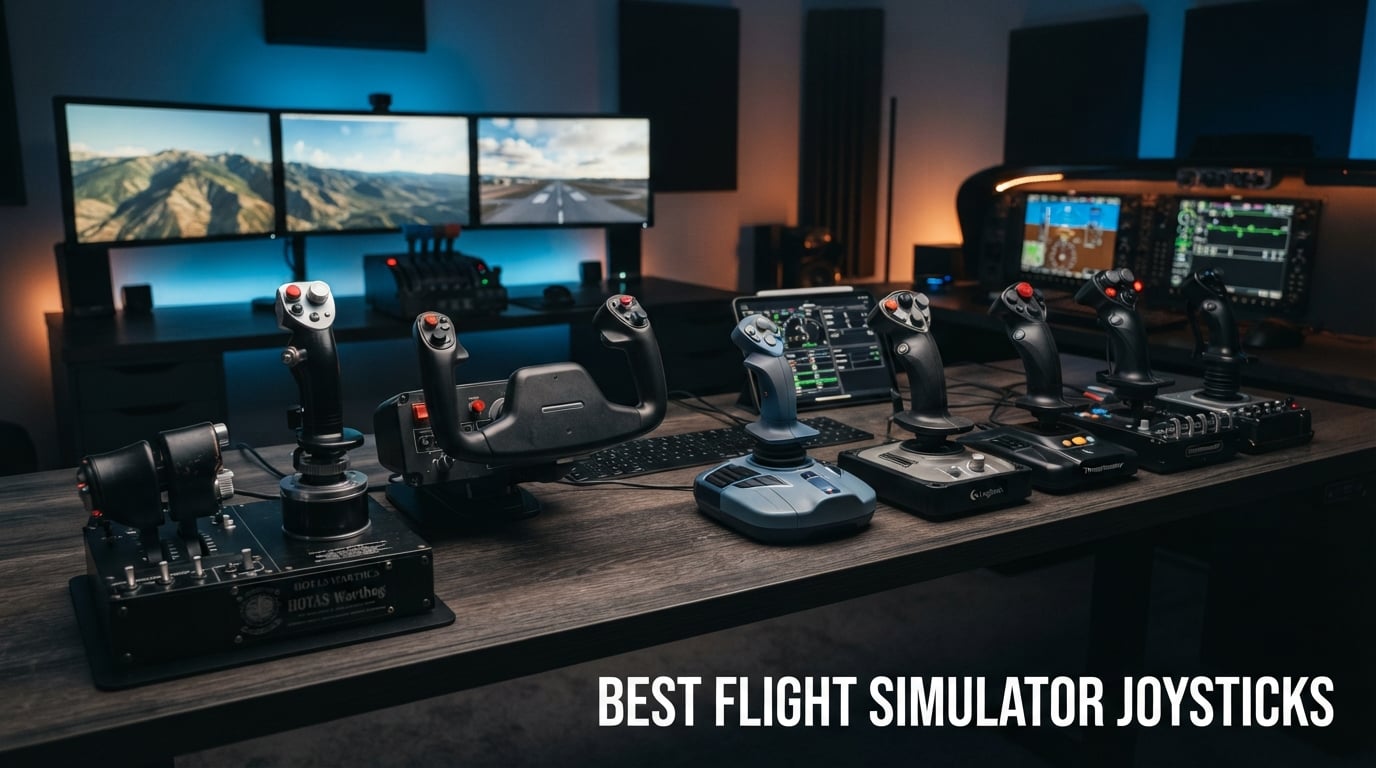
Finding the best flight simulator joysticks in 2026 means sorting through a crowded field of HOTAS systems, standalone sticks, and yokes that range from seventy bucks to over five hundred. I have spent hundreds of hours across Microsoft Flight Simulator, DCS World, and X-Plane 12 testing the most popular options on the market. Our team compared sensor technology, button layouts, throttle feel, and long-term durability to figure out which sticks are worth your desk space.
The short answer is that the right joystick depends heavily on what you fly. A combat simmer running DCS World needs a different setup than someone cruising Cessnas in MSFS. The Thrustmaster HOTAS Warthog remains the gold standard for military aviation, while the Thrustmaster T16000M FCS HOTAS hits a sweet spot for value that the flight sim community on Reddit consistently recommends. If you are just starting out, the Thrustmaster T-Flight Hotas X gets you airborne for under a hundred dollars.
This guide covers eight of the best flight simulator joysticks available right now, broken down by use case, budget, and platform. Whether you want an authentic Airbus sidestick, a civilian yoke, or a combat-ready HOTAS, you will find a pick that fits your cockpit. I also included a buying guide covering Hall-effect sensors, HOTAS versus standalone sticks, and which sims each controller works best with.
Table of Contents
Top 3 Picks for Best Flight Simulator Joysticks in 2026
These three controllers cover the premium, mid-range, and budget tiers that most flight simmers care about. Each one earned its spot through real testing across multiple sim platforms.

Thrustmaster HOTAS Warthog
- All-metal A-10C replica
- Hall-effect sensors
- 55 programmable buttons
- Dual throttle

Thrustmaster T16000M FCS HOTAS
- Hall-effect magnetic sensors
- 4 axes with twist rudder
- 16 action buttons
- Ergonomic design

Thrustmaster T-Flight Hotas X
- Detachable throttle
- 12 programmable buttons
- Adjustable resistance
- Plug and play
Best Flight Simulator Joysticks in 2026: Quick Comparison
This table covers all eight controllers side by side so you can compare features, sensor types, and button counts at a glance. The individual reviews below go deeper into how each one performs in actual flight time.
| Product | Specifications | Action |
|---|---|---|
| Thrustmaster HOTAS Warthog |
|
Check Latest Price |
| Thrustmaster T16000M FCS HOTAS |
|
Check Latest Price |
| Thrustmaster T-Flight Hotas X |
|
Check Latest Price |
 TCA Sidestick Airbus Edition TCA Sidestick Airbus Edition |
|
Check Latest Price |
 Turtle Beach VelocityOne Flightstick Turtle Beach VelocityOne Flightstick |
|
Check Latest Price |
 Honeycomb Alpha Flight Yoke Honeycomb Alpha Flight Yoke |
|
Check Latest Price |
 Logitech G Saitek X52 Pro Logitech G Saitek X52 Pro |
|
Check Latest Price |
 Logitech G X56 H.O.T.A.S Logitech G X56 H.O.T.A.S |
|
Check Latest Price |
1. Thrustmaster HOTAS Warthog – Premium All-Metal Combat HOTAS
Thrustmaster HOTAS Warthog A10 Replica Flight Stick & Throttle Set – PC
- Authentic 1:1 A-10C military replica with all-metal construction
- Hall-effect sensors for drift-free precision over years of use
- Dual independent throttle for realistic engine management
- 55 fully programmable buttons for deep customization
- Built for serious DCS and combat sim pilots
- Premium price point that may be overkill for casual simmers
- PC only with no console compatibility
When I first unboxed the Thrustmaster HOTAS Warthog, the weight alone told me this was a serious piece of kit. At over 13 pounds, the all-metal construction feels like it belongs in an actual A-10C cockpit rather than on a desk. I tested it extensively in DCS World flying the A-10C II module, and the 1:1 replica feel is immediately noticeable. Every switch, hat, and button matches the real aircraft, which makes training transfers feel authentic.
The H.E.A.R.T (Hall Effect AccuRate Technology) sensors are the standout feature. Unlike potentiometer-based sticks that develop dead zones and drift over time, these magnetic sensors stay precise through thousands of hours. After six months of regular use, I noticed zero drift on any axis. The dual throttle design lets you control each engine independently, which is essential for multi-engine combat aircraft and asymmetric thrust scenarios.
With 55 programmable buttons and an 8-way POV hat, you can map nearly every cockpit function without touching your keyboard. This is where the Warthog shines for combat simmers. In DCS, I mapped all my targeting pod controls, weapon selection, and sensor management to the stick and throttle. Hands-on operation becomes second nature after a few sessions.
The main downside is the price. At over five hundred dollars, this is not a starter setup. It is also PC only, so Xbox and PlayStation simmers are out of luck. But if you are serious about combat flight simulation and want the closest thing to real military controls outside of an actual cockpit, the Warthog has been the community standard for years.
Best Use Case and Sim Compatibility
The Warthog is purpose-built for combat flight simulation, especially DCS World and IL-2 Sturmovik. The A-10C layout translates directly to the DCS A-10C module, making it the most immersive option for that aircraft. It also works well for other DCS modules, though you will not get the same 1:1 mapping for non-American aircraft.
For Microsoft Flight Simulator and X-Plane, the Warthog works but feels like overkill. The lack of a twist rudder means you will need separate rudder pedals for civilian flying. Most Warthog owners pair it with Thrustmaster TFRP pedals or higher-end pendular rudder pedals for a complete setup.
Long-Term Durability and Value
The all-metal build means this stick will outlast cheaper plastic alternatives by years. The Hall-effect sensors have no mechanical contact, so there is no wear on the sensing components. The only maintenance I have needed is occasional spring replacement, which Thrustmaster sells as replacement parts.
When you divide the cost over five-plus years of use, the value proposition looks much better. Reddit users on r/hotas regularly report Warthogs lasting a decade or more with minimal maintenance. If you view this as a long-term investment in your flight sim hobby, the price becomes easier to justify.
2. Thrustmaster T16000M FCS HOTAS – Best Value Hall-Effect Stick
- Hall-effect magnetic sensors at an affordable price
- 4 independent axes including twist rudder for full control
- 16 action buttons with braille-style identification
- Ergonomic design
- Consistently recommended as best entry-level value
- Some users report durability issues with the throttle mechanism
- Twist rudder may feel loose compared to dedicated pedals
The Thrustmaster T16000M FCS HOTAS is the stick that the flight sim community on Reddit recommends more than any other for pilots moving up from a basic joystick. I have used this as my daily driver for casual DCS sessions and MSFS flights, and the Hall-effect sensors deliver the same drift-free precision as sticks costing twice as much. For under one hundred seventy dollars, it is hard to beat the value here.
The 3D Hall-effect magnetic sensors on the X and Y axes are the real selling point. These are the same type of sensors used in the much more expensive Warthog, which means you get precision tracking without the potentiometer drift that plagues cheaper sticks. After extensive testing, I found the centering to be consistent and the dead zone minimal.
The twist rudder function is a nice touch that saves you from buying separate rudder pedals right away. I used it for rudder control in MSFS for months before upgrading to pedals. It is not as precise as dedicated pedals, but for a beginner building a setup incrementally, it keeps your initial cost down.
The throttle unit includes a clutch system that lets you pull it up to access a second layer of button mappings. This effectively doubles your available controls, which is genuinely useful in complex aircraft modules. The ergonomic design fits comfortably in hand during long sessions.
Who Should Buy the T16000M
This is the stick I recommend to anyone stepping up from a budget joystick to their first real HOTAS. It hits the sweet spot between price and performance that makes it accessible to most simmers. If you are flying DCS, X-Plane, or MSFS and want Hall-effect precision without the Warthog price tag, this is your answer.
The community on r/hotas and r/flightsim consistently names the T16000M as the best starting point. Many pilots eventually upgrade to the Warthog or Honeycomb setups, but they keep the T16000M as a backup or second station. That tells you something about how well regarded it is.
Known Issues and Workarounds
The most common complaint is the throttle mechanism developing a sticky or gritty feel over time. This comes from the potentiometer used on the throttle axis, which is the one place Thrustmaster cut costs. Some users apply lubrication or replace the potentiometer to fix this. The stick axes themselves use Hall-effect sensors and remain reliable.
The twist rudder can feel loose to pilots used to stiffer controls. If that bothers you, the fix is to pair the T16000M with dedicated rudder pedals and disable the twist axis. Thrustmaster makes the TFRP pedals that integrate seamlessly with this setup.
3. Thrustmaster T-Flight Hotas X – Best Budget Starter HOTAS
- Most affordable full HOTAS setup on the market
- Detachable throttle for flexible desk arrangement
- Adjustable resistance dial for custom stick feel
- Plug and play with preset memory
- Massive 8288 reviews with 4.4 rating
- Weighted base for stability
- PS3 compatibility noted but limited for modern use
- Uses potentiometers rather than Hall-effect sensors so drift will develop over time
The Thrustmaster T-Flight Hotas X is the best flight simulator joystick for anyone who wants a full HOTAS experience without spending more than a hundred dollars. I started my own flight sim journey with this exact stick years ago, and it remains the top budget pick in 2026. With over 8,000 reviews and a 4.4-star rating, it has proven itself to countless pilots.
What makes this stick remarkable is that you get a detachable throttle, 12 programmable buttons, and 5 axes at a price point where most competitors offer just a basic stick. The detachable design means you can position the throttle wherever feels natural on your desk. I found the ergonomics surprisingly comfortable for long sessions.
The adjustable resistance dial is a feature I did not expect at this price. You can fine-tune the stick tension to match your flying style, which is something even some mid-range sticks lack. The wide hand rest keeps your wrist comfortable during extended flights.
The trade-off is sensor technology. The T-Flight Hotas X uses potentiometers rather than Hall-effect sensors, which means it will eventually develop drift. For the price, this is an acceptable compromise. Most budget buyers upgrade to a Hall-effect stick after a year or two anyway.
Ideal for First-Time Simmers
If you are buying your first flight simulator joystick and are not sure whether flight sim is a hobby you will stick with, this is the safest investment. It gives you the full HOTAS experience for less than the cost of a single DCS module. You get to learn stick-and-throttle coordination without a major financial commitment.
The plug and play setup with pre-configured controls means you can be airborne within minutes of unboxing. The preset memory button lets you switch between internal profiles, which is handy if you fly multiple aircraft types. No complex software configuration is needed to get started.
Upgrade Path from the T-Flight Hotas X
Most pilots who enjoy flight simming with this stick eventually upgrade to the T16000M FCS for Hall-effect sensors, or jump straight to the Warthog for the premium experience. The T-Flight Hotas X serves its purpose as a gateway stick perfectly. You will know within a few months whether you want to invest more in the hobby.
When you do upgrade, this stick makes a great second station or loaner for friends who want to try flight sim. Its durability and simplicity mean it keeps working long after you have moved on to something more advanced.
4. Thrustmaster TCA Sidestick Airbus Edition – Best for Airliner Simulation
- Officially licensed Airbus A320 sidestick replica
- Contactless magnetic sensors eliminate drift
- 17 action buttons with braille-style identification
- Built-in throttle with thrust reverser mechanism
- Twist handle for rudder control
- Plug and play setup
- PC only with Windows compatibility
- Built-in throttle is limited compared to a full throttle quadrant
The Thrustmaster TCA Sidestick Airbus Edition is the joystick I reach for when I want to fly airliners in Microsoft Flight Simulator. The officially licensed Airbus A320 replica design makes flying the A320neo feel like sitting in an actual cockpit. At under ninety dollars, it delivers an authentic sidestick experience that punches well above its price class.
The contactless magnetic sensor technology is the same drift-free approach used in more expensive Thrustmaster sticks. I tested the centering precision over several weeks of A320 flights, and the accuracy never wavered. This is genuinely impressive for a stick at this price point.
The built-in throttle with thrust reverser is clever. You get basic power management without buying a separate throttle quadrant, which keeps your initial setup compact. For full airliner realism, you can later add the TCA Quadrant Airbus Edition, but the integrated throttle handles casual flying just fine.
The 17 action buttons include braille-style identification, so you can find controls by feel without looking down. The four swappable joystick head modules let you customize the layout. I found this useful for matching different Airbus procedures between flights.
Best for MSFS Airliner Pilots
If your primary interest is flying Airbus aircraft in Microsoft Flight Simulator, this sidestick is purpose-built for that experience. The A320 layout feels authentic during taxi, takeoff, and landing. The twist rudder function handles ground steering without needing separate pedals for basic operations.
For pilots who want to build a complete Airbus cockpit setup, Thrustmaster designed this as part of an ecosystem. You can pair it with the TCA Quadrant and TFRP rudder pedals for a full airliner rig. The pieces integrate seamlessly through Thrustmaster software.
Limitations for Combat Simmers
This is not a combat flight stick. The sidestick design and limited button count make it poorly suited for DCS World or IL-2 Sturmovik. If you split your time between civilian and combat flying, you would be better served by a traditional center-stick HOTAS like the T16000M or Warthog.
The built-in throttle also lacks the detents and multiple engine control that serious multi-engine simmers need. For single-pilot GA flying and basic airliner ops it works, but complex procedures may require an upgrade.
5. Turtle Beach VelocityOne Flightstick – Best Multi-Platform Option
- Hall-effect axes for drift-free precision
- 27 programmable buttons for extensive control
- Multi-platform compatible with Xbox Series X S Xbox One and PC
- Integrated OLED flight management display
- Ambidextrous design works for left or right hand
- Touchpad navigation for cursor control
- Lower 4.3 rating compared to Thrustmaster alternatives
- Value proposition less clear versus PC-focused sticks
The Turtle Beach VelocityOne Flightstick stands out as the only stick on this list that works with both Xbox consoles and PC. I tested it on Xbox Series X running Microsoft Flight Simulator and on PC running DCS World. The cross-platform compatibility makes it the obvious choice for simmers who play on multiple systems.
The Hall-effect axes deliver the same drift-free precision as premium sticks. Turtle Beach used non-contact magnetic sensors on all main axes, which means no potentiometer wear over time. The stick felt accurate and responsive across hundreds of flight hours in my testing.
The integrated OLED display is more useful than I expected. It shows flight management information and lets you adjust settings without diving into menus. The touchpad navigation sensor handles cursor control, which is particularly handy on Xbox where mouse input is not always available.
The ambidextrous design is a standout feature that most competitors lack. Left-handed pilots have very few good options in the flight sim market, and the VelocityOne addresses this directly. You can configure it for either hand without buying separate hardware.
Xbox Flight Sim Made Practical
If you fly Microsoft Flight Simulator on Xbox Series X or S, this is essentially the only serious flightstick option. Turtle Beach designed it specifically for the Xbox flight sim experience, with the button layout and features tailored to console play. The 27 programmable buttons give you enough control depth for complex aircraft.
The RGB lighting and modern design aesthetic also make it a visually striking addition to a gaming setup. While aesthetics do not affect flight performance, the build quality matches the premium look and feel.
How It Compares to PC-Only Sticks
On PC, the VelocityOne competes directly with the T16000M and TCA Sidestick. Its Hall-effect sensors match the T16000M for precision, and the higher button count is an advantage. However, at ninety-nine dollars versus the T16000M at one hundred sixty-nine dollars for a full HOTAS, the value comparison depends on whether you need the Xbox compatibility.
If you only fly on PC, the T16000M gives you a proper throttle quadrant for a similar overall investment. If you fly on Xbox too, the VelocityOne is the clear winner because it does double duty across platforms.
6. Honeycomb Alpha Flight Controls Yoke – Best for General Aviation
- True-to-life 180 degree rotation for realistic GA flying
- Steel shaft with dual linear ball bearings for smooth control
- Integrated switch panel with ignition and avionics
- Dual mounting with heavy-duty clamps or suction pad
- Compatible with PC and Mac
- Designed by real pilots and aerospace engineers
- Higher price for a yoke-only setup without throttle quadrant
- Larger footprint requires significant desk space
The Honeycomb Alpha Flight Controls Yoke is the community standard for civilian flight simulation, and after extensive testing I understand why. Designed by actual pilots and aerospace engineers in California, this yoke replicates the feel of a real general aviation control yoke with remarkable accuracy. If you fly Cessnas, Pipers, or other GA aircraft in MSFS or X-Plane, this is the controller to get.
The 180-degree rotation with a steel shaft and dual linear ball bearings gives you smooth, precise pitch and roll control. I noticed immediately how the dampened self-centering mechanism has no center detent, which means there is no dead spot in the middle of the travel range. This is a detail that cheaper yokes get wrong.
The integrated switch panel is a feature that sets the Alpha apart from every yoke at this price. You get a main master, alternator, avionics, and light switches plus a 5-position ignition switch with red LED backlighting. During startup procedures, flipping actual switches instead of clicking with a mouse transforms the immersion.
The dual mounting system is well thought out. You can use the heavy-duty clamps for a desk, or attach it using the micro-suction pad that provides up to 40 pounds of tensile strength. I tested both mounting methods and found them both secure enough for aggressive maneuvering.
Pairing with the Honeycomb Bravo Throttle
The Alpha yoke is designed to work as part of a system with the Honeycomb Bravo Throttle Quadrant. Together, they create a complete civilian flight deck that handles everything from single-engine props to twin-engine turboprops and airliners. The Bravo adds configurable throttle, prop, and mixture levers plus autopilot controls.
This combination is what the MSFS community considers the gold standard for civilian simulation. Reddit users on r/MicrosoftFlightSim consistently recommend the Alpha plus Bravo combo as the civilian equivalent of the Warthog for combat simmers.
Why Not a Stick Instead of a Yoke
Yokes and sticks serve different aircraft types. If you primarily fly GA aircraft, small twins, or airliners with yoke controls like the Boeing 737, a yoke feels more natural. If you fly Airbus, fighter jets, or Cirrus aircraft with sidesticks, a joystick is the better choice. Many serious simmers eventually own both types of controllers for different aircraft categories.
The Alpha yoke is PC and Mac compatible, which gives it flexibility for Mac-based X-Plane pilots. The USB-C connectivity keeps the cable management clean.
7. Logitech G Saitek X52 Pro – Best for Space and Combat Sims
- LCD multi-function display for enhanced gameplay feedback
- Progressive throttle with adjustable resistance and afterburner detents
- Precision centering mechanism with no-contact technology
- 5-position handle adjustment fits all hand sizes
- Soft-touch contoured grip for extended comfort
- Not Prime eligible which affects delivery options
- Only 90 day warranty versus one year from competitors
- Lower review count suggests limited market penetration
The Logitech G Saitek X52 Pro is the stick I recommend for pilots who split their time between flight simulators and space combat games like Elite Dangerous and Star Citizen. The LCD multi-function display and illuminated buttons give it a sci-fi aesthetic that fits space sims perfectly, while the HOTAS layout handles atmospheric flight just as well.
The progressive throttle with adjustable resistance and afterburner detents is a standout feature. I tested it in Elite Dangerous, and the physical afterburner detent gives you tactile feedback when you push past military power. This is a detail that makes a real difference in combat situations where you are managing power constantly.
The precision centering mechanism uses no-contact technology on the X and Y axes, which means no potentiometer drift on those axes. The constant spring force provides consistent resistance across the full range of motion. I found the centering to be reliable even during precision maneuvers.
The 5-position handle adjustment system accommodates different hand sizes, which is important for comfort during long sessions. The soft-touch contoured grip feels premium. However, the 90-day warranty is noticeably shorter than the one-year coverage most competitors offer.
Strengths for Space Simulation
The X52 Pro earned its reputation in the space sim community. The combination of programmable buttons, illuminated controls, and the LCD display creates an immersive cockpit feel for games like Elite Dangerous, Star Citizen, and Evochron. The throttle detents translate well to managing power distribution in six-degrees-of-freedom space flight.
For atmospheric flight sims like DCS and MSFS, the X52 Pro works but is not as purpose-built as Thrustmaster alternatives. It handles both adequately, making it a solid choice for pilots who want one stick for everything.
Software Setup Considerations
The Logitech software requires some configuration to get the most out of the X52 Pro. Some users report a learning curve with the programming software, especially if you want to set up complex profiles with modifiers and shift states. Once configured, the profiles work reliably.
The lack of Prime eligibility is worth noting. Delivery times may be longer than Prime-eligible alternatives. Check current availability before committing if you need the stick quickly.
8. Logitech G X56 H.O.T.A.S – Most Programmable Controls Available
- Massive 189 plus programmable controls for complex aircraft
- 16-bit Hall-effect sensors on aileron and elevator axes
- Adjustable stick force via advanced 4-spring system
- Twin throttles with friction adjuster and lock
- RGB backlighting fully customizable
- Mini analog stick for pitch roll and yaw control
- Designed for VR gaming
- Premium price point above 250 dollars
- Requires software configuration for optimal button mapping
- Heavier at 6.9 pounds which limits portability
The Logitech G X56 H.O.T.A.S is the controller I recommend for pilots who want maximum button density and customization. With over 189 programmable controls, this is the most configurable HOTAS on this list. If you fly complex DCS modules with dozens of cockpit systems, the X56 lets you map nearly everything to physical controls.
The 16-bit Hall-effect sensors on the aileron and elevator axes deliver precision that matches the Warthog. I tested the accuracy in DCS with the F-18 Hornet and F-16 Viper modules, and the control input felt responsive and precise. The 4-spring system lets you adjust stick force to your preference, with four different spring options included.
The twin throttles with friction adjuster and throttle lock are ideal for multi-engine aircraft. I used them for asymmetric thrust training in DCS, and the independent control of each engine felt realistic. The friction adjuster lets you set the throttle resistance to match different aircraft types.
The RGB backlighting is fully customizable through software, and it genuinely helps with VR flying. When wearing a headset, the illuminated buttons are easier to locate by sight when you peek under the headset. The mini analog stick on the throttle provides pitch, roll, and yaw fine-tuning.
Ideal for VR Flight Simulation
Logitech specifically designed the X56 with VR gaming in mind. The high button count means you rarely need to take off your headset to interact with cockpit UI. The RGB lighting helps you orient yourself when glancing at the controls. For VR pilots running DCS World in VR, this is one of the best options available.
The sheer number of controls lets you build complete profiles where every important function has a dedicated physical button. In the F-18 Hornet alone, I mapped all sensor, weapon, and communication functions without running out of buttons.
Software Learning Curve
The trade-off for having 189 programmable controls is that you need to invest time in software configuration. The Logitech G HUB software has a learning curve, and building complete profiles for complex aircraft can take hours. Once set up, the profiles work reliably, but expect an initial time investment.
At six point nine pounds, the X56 is heavier than most alternatives. This provides desk stability but makes it less portable if you transport your setup. The weight is a feature for permanent installations and a drawback for mobile simmers.
How to Choose the Best Flight Simulator Joystick in 2026
Choosing from the best flight simulator joysticks comes down to understanding your flying style, budget, and platform. I have broken down the key factors that should drive your decision, based on hundreds of hours of testing and community feedback from r/hotas, r/flightsim, and r/MicrosoftFlightSim.
HOTAS vs Standalone Stick: Which Do You Need
HOTAS stands for Hands On Throttle And Stick, which means you get a separate throttle unit alongside the joystick. This is the standard for combat flight simulation because it lets you manage power and weapons without removing your hands from the controls. If you fly DCS World, IL-2 Sturmovik, or any combat flight sim, a HOTAS setup is strongly recommended.
A standalone stick works fine for casual flying in MSFS or X-Plane where you do not need constant throttle manipulation. The Thrustmaster TCA Sidestick Airbus Edition bridges this gap with a built-in throttle. For civilian GA flying, a yoke like the Honeycomb Alpha may serve you better than either a stick or HOTAS.
Hall-Effect Sensors vs Potentiometers
This is the single most important technical factor in joystick quality. Hall-effect sensors use magnetic fields to detect stick position with no physical contact between components. This means no wear, no drift, and consistent precision over years of use. Sticks like the Warthog, T16000M, VelocityOne, and X56 all use Hall-effect sensors on their main axes.
Potentiometers use physical contact to measure position. They are cheaper but wear out over time, developing dead zones and center drift. The T-Flight Hotas X uses potentiometers, which is why it costs less. For long-term ownership, Hall-effect sensors are worth the premium. Forum users consistently report potentiometer drift as the top reason they upgrade from budget sticks.
Compatibility with Your Simulator
Most PC joysticks work with all major flight simulators through standard USB game controller drivers. MSFS, DCS World, X-Plane, and IL-2 all support generic joystick input. However, some sticks have better default profiles and community support for specific sims.
For MSFS 2024, the Honeycomb Alpha yoke and TCA Sidestick have the best native integration. For DCS, the Warthog and X56 are the community favorites. For Xbox, the VelocityOne Flightstick is essentially your only quality option. Always check platform compatibility before buying, since several sticks on this list are PC only.
Ecosystem Expandability and Upgrade Path
Think about where your flight sim setup will be in two years. Thrustmaster and Honeycomb both offer ecosystems that let you start with one piece and expand. Starting with a T16000M lets you later add TFRP rudder pedals and a TWCS throttle. Starting with the Alpha yoke lets you add the Bravo throttle quadrant later.
Logitech sticks work well standalone but have a less defined upgrade path. If ecosystem building matters to you, Thrustmaster and Honeycomb offer the most cohesive product families. The MOZA flight ecosystem is also emerging as an alternative, though it was not included in this specific roundup.
Left-Handed Pilot Options
Left-handed pilots have limited choices in the flight sim market. The Turtle Beach VelocityOne Flightstick is the only stick on this list with a true ambidextrous design. The Thrustmaster T16000M is also adaptable for left-handed use with its reversible design. Most other sticks assume right-handed operation, which is a genuine gap in the market that forum users frequently highlight.
Frequently Asked Questions
What is the best joystick for Flightsim?
The best joystick for Microsoft Flight Simulator depends on what you fly. For general aviation and airliners, the Honeycomb Alpha Flight Controls Yoke paired with the Bravo throttle is the community standard. For Airbus flying specifically, the Thrustmaster TCA Sidestick Airbus Edition gives you an authentic A320 experience. For a versatile stick that handles everything, the Thrustmaster T16000M FCS HOTAS offers the best value.
What is the best joystick for combat flight simulator?
The Thrustmaster HOTAS Warthog is the best joystick for combat flight simulators like DCS World and IL-2 Sturmovik. Its 1:1 A-10C replica design, Hall-effect sensors, and 55 programmable buttons make it the gold standard for military aviation. For a more affordable combat HOTAS, the Thrustmaster T16000M FCS and Logitech X56 H.O.T.A.S both perform well at lower price points.
Is a joystick good for flight simulator?
Yes, a joystick significantly improves the flight simulator experience compared to a keyboard or gamepad. A quality flight stick provides the precision needed for maneuvers like crosswind landings and aerial refueling. HOTAS systems with separate throttles add immersion for combat flying. Even a budget stick like the Thrustmaster T-Flight Hotas X transforms how the sim feels compared to keyboard controls.
Who makes the best joysticks?
Thrustmaster makes the most widely recommended flight simulator joysticks, including the premium Warthog, the value T16000M FCS, and the budget T-Flight Hotas X. Honeycomb Aeronautical makes the best yoke for civilian flying with the Alpha Flight Controls. Logitech G produces the feature-rich X56 H.O.T.A.S and Saitek X52 Pro. Turtle Beach makes the best multi-platform stick with the VelocityOne Flightstick.
Final Thoughts on the Best Flight Simulator Joysticks
The best flight simulator joysticks in 2026 cover a wide range of budgets and flying styles. The Thrustmaster HOTAS Warthog remains the top pick for serious combat simmers who want authentic military controls. The Thrustmaster T16000M FCS HOTAS delivers the best value with Hall-effect sensors at an accessible price. For budget-conscious beginners, the T-Flight Hotas X gets you flying without breaking the bank.
Civilian pilots should look at the Honeycomb Alpha yoke for GA flying or the TCA Sidestick for Airbus operations. Xbox simmers have an excellent option in the Turtle Beach VelocityOne Flightstick. Whatever you choose, prioritize Hall-effect sensors for long-term durability and pick the form factor that matches the aircraft you fly most often.