
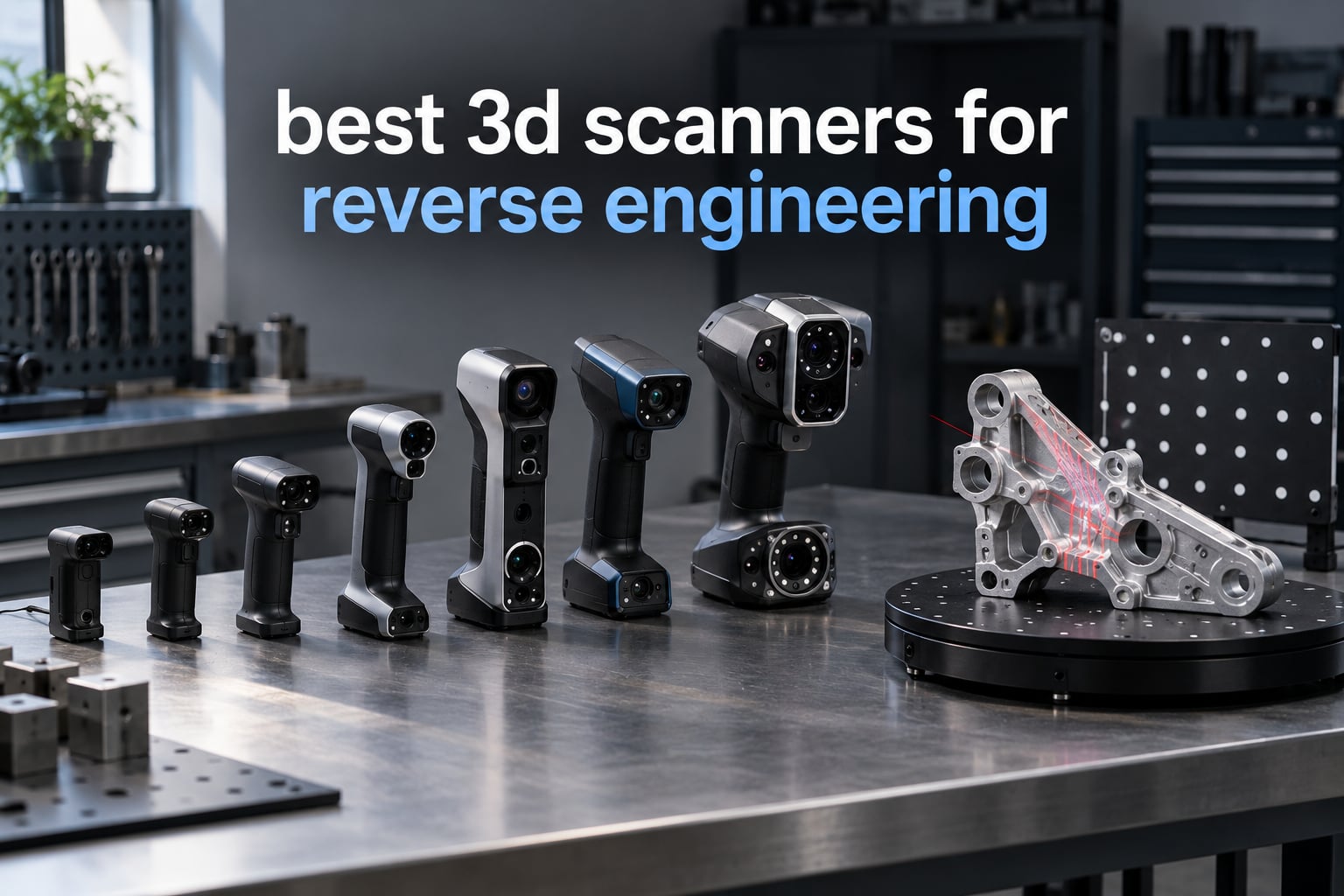
Reverse engineering with a 3D scanner means capturing the as-built geometry of a physical part as a dense point cloud, then rebuilding it as an editable parametric CAD model so you can change dimensions, reproduce the part, or machine a replacement. It is the fastest route back to accurate dimensions when the original drawings no longer exist.
The scanners that do this job well fall into two families. Blue laser triangulation sweeps narrow laser lines across a surface and reads the deformation, which is how you get fine accuracy on hard machined metal. NIR structured light floods the part with infrared patterns and reconstructs shape from how they distort, which captures faster and handles color better but softens on shiny or black finishes. The best 3D scanners for reverse engineering combine both sensing modes and hand the finished mesh to tools like Geomagic Design X, Geomagic Essentials, Autodesk Fusion 360, or SolidWorks.
That last step is where most buyers underestimate the work. A scanner gives you a triangle mesh, not a solid model, and the gap between the two is where hours disappear. We weighed every unit below on accuracy figures, surface handling, mesh quality out of the software, and how honestly the vendor documents volumetric accuracy rather than a best-case single-frame number. The ten scanners here cover the full range from a low-cost first purchase to a professional handheld that handles a 4 m assembly.
If you are coming from an art or color-capture background, our picks for best 3D scanners for artists cover a different set of priorities. Once you have a clean scan, the printers in our guide to the best 3D printers for engineering prototypes turn the mesh into a finished part.
Table of Contents
Top 3 Picks: Best 3d Scanners For Reverse Engineering (October 2026)

Revopoint MetroX Pro
- 0.01mm precision and 0.02mm accuracy
- 30 cross-line lasers plus 62-line full-field structured light
- Auto turntable mode with HD RGB color

Revopoint POP 4
- Five scan modes including 30-cross blue laser
- 10 mm to 2 m scan volume
- Four hours of cordless scanning on the battery grip

Creality Sermoon S1
- 5 mm to 4000 mm scanning range in one unit
- 34 crossed plus 7 parallel blue laser lines
- Deep hole detection down to 0.1mm
Best 3D Scanners for Reverse Engineering Compared in 2026
| Product | Specifications | Action |
|---|---|---|
| Revopoint MetroX Pro |
|
Check Latest Price |
| Revopoint POP 4 |
|
Check Latest Price |
| Creality Sermoon S1 |
|
Check Latest Price |
 Creality CR-Scan Raptor Pro Creality CR-Scan Raptor Pro |
|
Check Latest Price |
 Creality CR-Scan Otter Creality CR-Scan Otter |
|
Check Latest Price |
 Shining 3D EINSTAR Rockit Shining 3D EINSTAR Rockit |
|
Check Latest Price |
 Shining 3D Einstar Shining 3D Einstar |
|
Check Latest Price |
 Revopoint INSPIRE 2 Revopoint INSPIRE 2 |
|
Check Latest Price |
 Creality CR-Scan Ferret Pro Creality CR-Scan Ferret Pro |
|
Check Latest Price |
 3DMakerpro Fox 3DMakerpro Fox |
|
Check Latest Price |
1. Revopoint MetroX Pro – the best 3D scanner for precision reverse engineering
Revopoint MetroX Pro 3D Scanner, Blue Laser Scan, for 3D Printing, Advanced
- 0.01 mm single-frame precision and 0.02 mm accuracy
- Four scanning modes covering large to small and dark to shiny objects
- Handles shiny and dark surfaces without spray at high capture rates
- Comes as a complete kit with markers turntable and reference objects
- Fast setup and teardown from modular packed components
- Wired only with no cordless option
- Struggles on glossy or black surfaces unless scanned nearly perpendicular
- Loses tracking in deep cavities
The MetroX Pro is the only unit in this roundup that publishes a single-frame precision below 0.02 mm, and that gap matters more than the headline accuracy figure suggests. Reverse engineering a legacy fuel rail or a transmission housing means matching a bore to an existing surface, so every 0.01 mm you do not lose is tolerance you keep. Volumetric accuracy is published as 0.02 mm plus 0.04 mm per meter of length, which is the honest way to state that a long part accumulates more error than a small one.
Four scanning modes cover the awkward cases. Thirty cross-line lasers and fifteen parallel lines handle the shiny and dark hardware that stalls cheaper units, while the sixty-two-line full-field blue structured light mode pushes up to seven million points per second for marker-free work. Auto Turntable mode with the dual-axis table and HD RGB camera is a genuinely useful addition for legacy mechanical parts, since much of what people reverse engineer sits flat on a bench.
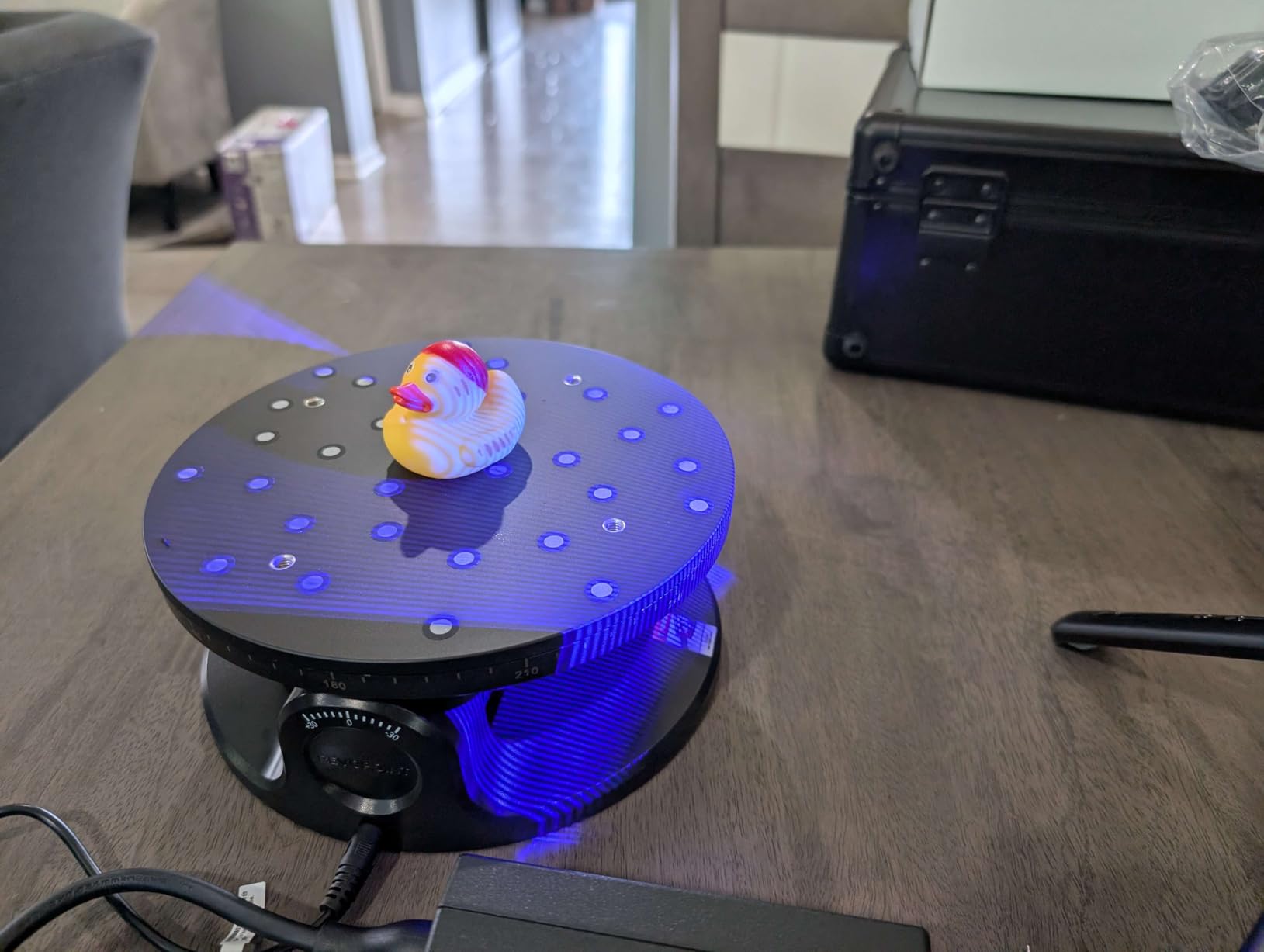
The reviews are unusually consistent about where it wins and where it does not. Owners working on full-size commercial objects, including furniture and people, report that the spec sheet translates into finished models, and the kit includes markers, the turntable, reference objects and UV lens filters in a latching case. Setup and breakdown are fast because the components are packed modularly rather than scattered across a foam tray.
Track this one against what you already own. If you have spent real time cleaning up point clouds from a cheaper handheld, the seven million point per second full-field mode is where the processing time disappears. The carry-over tracking and automatic alignment in the software handle the stitch between separate passes, and reviewers report clean imports into other 3D packages once the mesh is finished.
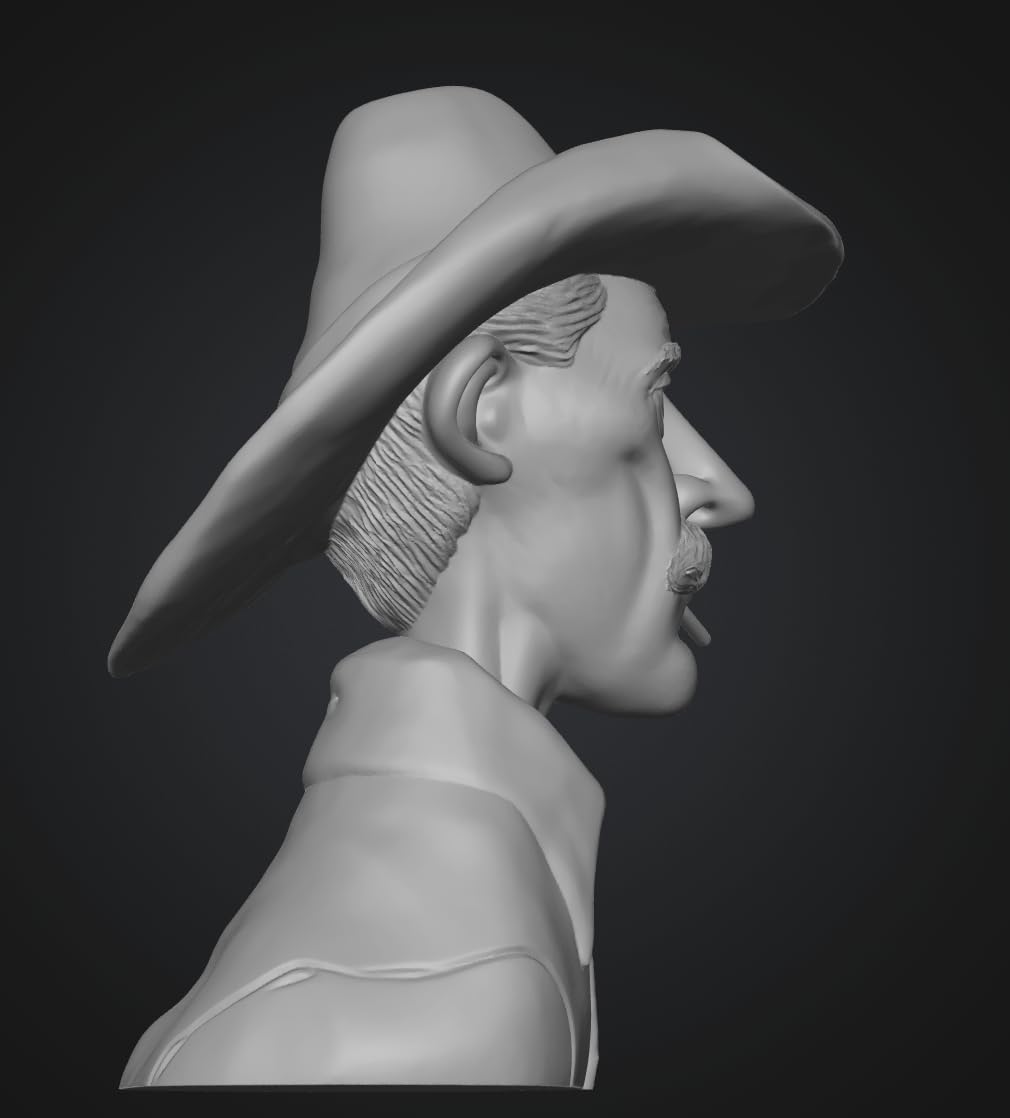
How it handles the surfaces that stop cheaper scanners
Shiny and dark surfaces are the normal condition of a mechanical part, and the MetroX Pro is built around that reality rather than around a clean presentation object. The cross-line and parallel line modes read shiny and dark surfaces without spray at up to two million points per second, which means you are not dusting a transmission case with matte developer before every pass.
Feature, marker and global marker tracking give you three ways to hold registration. Feature tracking is fastest on a rigid part that stays in one spot, markers solve a part that has no surface detail to lock onto, and the global marker route is the fallback when a scan wanders. Reviews do flag that auto-aligning overlapping passes captured from different sides sometimes needs a manual nudge.
Where the MetroX Pro falls short
Cavity depth is the real limitation, and it is a geometry problem rather than a sensor problem. Reviewers report that tracking is lost in deeper cavities, and that when tracking returns, the point cloud can restart in the wrong orientation, which leaves you stitching manually. Single-line deep hole work is not the strength here that it is on the Creality units further down.
It is also wired only, and reviewers who work on large assemblies wish for cordless operation. Glossy or black objects need to be scanned close to perpendicular, full-color capture took several hours of experimentation to dial in, and some configurations arrive without a USB-C adapter. Budget for those small parts before the first job, not after.
2. Revopoint POP 4 – the best 3D scanner for reverse engineering value
- Five scanning modes covering infrared structured light VCSEL and blue laser
- 0.03 mm single-frame accuracy with published volumetric formula
- Scans from a 10 mm cube to a 2 m object with one device
- Up to four hours of cordless scanning on the included battery grip
- Two-year warranty with handoff to measurement and CAD software
- AI object segmentation is Windows-only
- Revo Design and Revo Measure are paid Windows-only add-ons
- VCSEL mode accuracy drops at longer working distances
The POP 4 carries a sales rank of number one in the 3D Scanners category, and the reason is the mode list. Five modes let you match the sensor to the part instead of forcing one capture strategy across every job: full-field HD infrared, hybrid HD, VCSEL rapid, thirty-cross laser lines, and a single-line deep hole mode. That last mode is the one reverse engineers care about, because re-entrant geometry is where cheap scanners leave holes.
Accuracy is stated as 0.03 mm single-frame with volumetric accuracy of 0.03 mm plus 0.05 mm times length in meters. Publish the formula and you can size the error for your own part, which is more useful than a single flattering number. Multi-line laser mode runs up to 105 fps with NVIDIA GPU acceleration, and full-field structured light captures up to five million points per second.
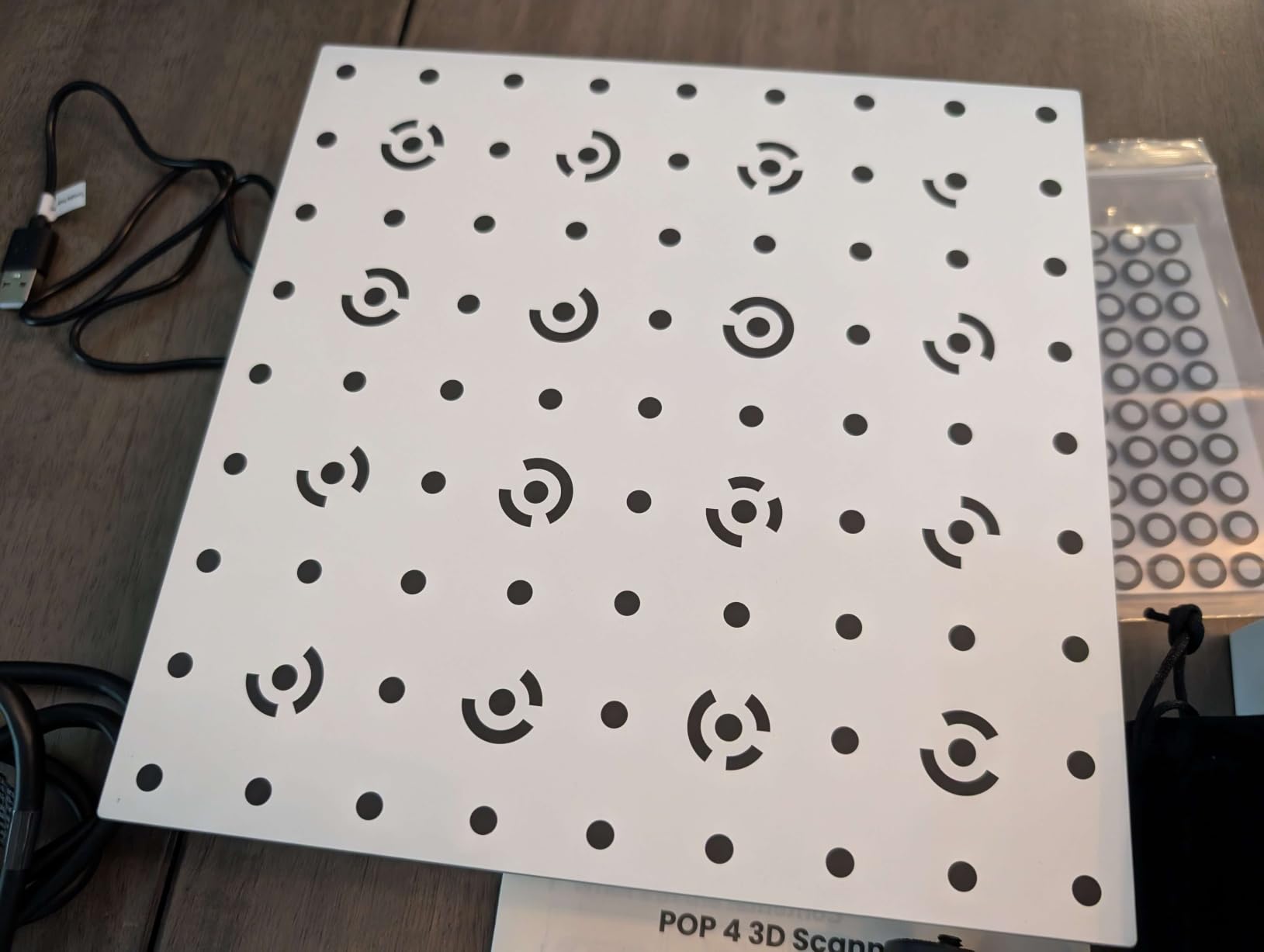
For restoration work, the ten millimeter to two meter scan volume is the reason this sits at number two. The same device covers a broken plastic trim clip and a full door assembly, and the 5500mAh battery grip delivers up to four hours of cordless scanning with WiFi 6.0 for live phone preview. Outdoor work holds up to 50000 lux, or 100000 lux with the filter.
Software is where the friction lives. Revo Scan 6 handles capture and hands off to Revo Measure and Revo Design, both paid and Windows-only, and AI object segmentation is also limited to Windows. Reviewers treat the mode list as the deciding feature and accept the VCSEL mode as the fast option for general objects, but the paid tiers are the most common complaint across the reviews.
Where the five scan modes earn their keep
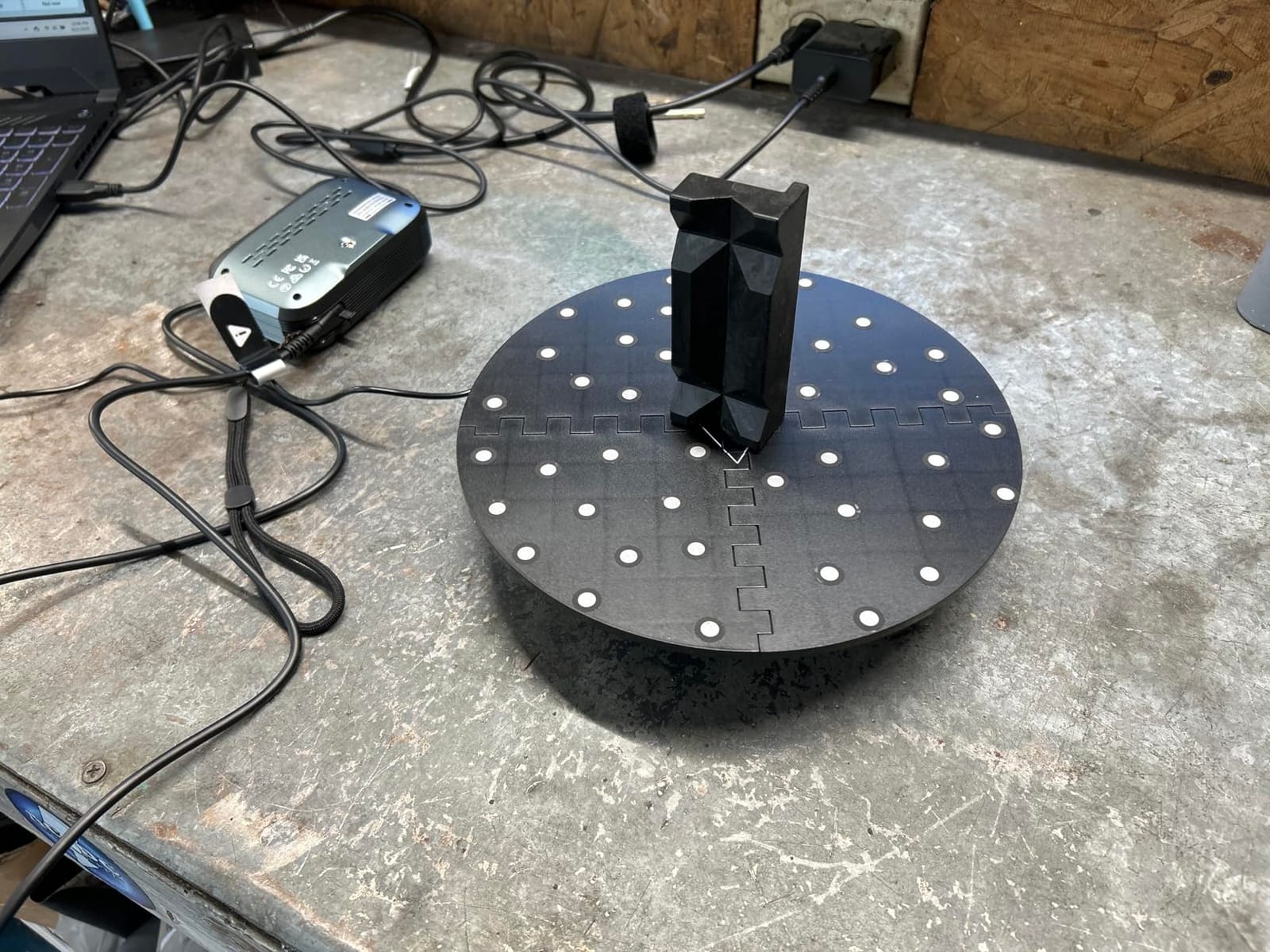
Each mode solves a specific problem on a real part. Full-field HD infrared handles general geometry with the widest coverage, hybrid HD blends sensors for a balanced capture, VCSEL rapid is the fast sweep for rough shape work, thirty-cross blue laser lines cover shiny metal and dark objects without spray, and the single-line deep hole mode reaches into the cavities that would otherwise be holes in the mesh.
Scan volume from 10x10x10 mm to 2x2x2 m is unusual at this level. The smaller units here top out around 200 mm, and the professional models get there by giving up portability. AI object segmentation strips the background so you isolate the part from the bench, and 3D Gaussian Splatting produces a photorealistic result when you want to share the capture rather than model from it.
Accuracy numbers you should not misread
The headline laser figure is the best of the modes, not the whole device. Full-field structured light accuracy is 0.08 mm, and VCSEL mode gives 0.10 mm at 300 to 500 mm and 0.20 mm at 500 to 800 mm. If you dimension a tolerance-critical feature, use a laser mode and work close. If you are capturing shape for a printed replacement, the fast modes are fine.
The software cost is the second number to model. Revo Design and Revo Measure are separate purchases on Windows only, so the scanner price is not the whole cost of scan-to-CAD. Recommended hardware is an Intel i7 13th Gen or Ryzen 7 5800 with 16GB RAM and an RTX 3060, or an Apple M1 Pro or better. Check what you already have before committing.
3. Creality Sermoon S1 – one handheld for a 5 mm part and a 4 m assembly
- Single unit covers jewelry and dental sizes through full automotive parts
- Single-line laser mode reaches into deep holes and narrow grooves
- 0.02 mm accuracy at 90 FPS cuts rescans on large jobs
- Marker-free four-lens stereo vision reduces setup time
- AI-assisted alignment and cleanup shorten mesh work
- Highest cost in this lineup
- Only 29 reviews so the perfect rating is provisional
- Mac software maturity less proven than Windows
The Sermoon S1 exists to remove a compromise. Where most handhelds force a choice between a small-part mode and a large-object mode, this one scans 5 mm to 4000 mm in a single unit, which means a shop can scan a turbine-adjacent fitting in the morning and a vehicle frame in the afternoon without a second device on the bench.
Triple blue laser modes cover the work: thirty-four crossed lines for general capture, seven parallel lines for speed, and a single line dedicated to deep holes and narrow grooves. Accuracy is 0.02 mm with volumetric precision of 0.08 mm per meter, and capture runs up to ninety frames per second, which matters when the alternative is re-scanning a large object because you ran out of battery mid-session.
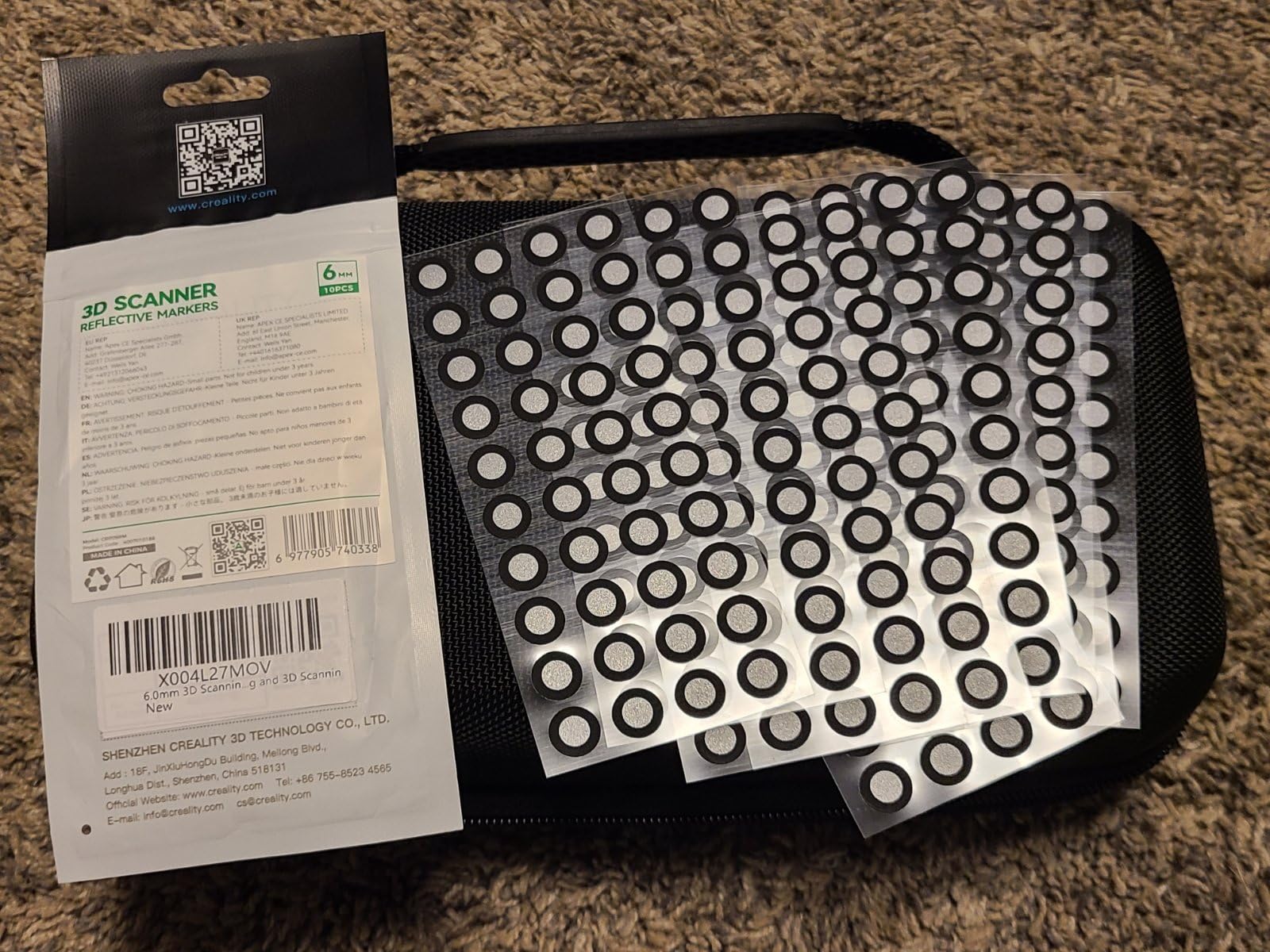
Deep hole detection to 0.1 mm is the feature that separates it from the Revopoint units for mechanical work. Reviewers highlight the single-line deep hole mode and the 5 mm to 4 m range as the two things that let one device replace smaller scanners, and the marker-free four-lens stereo vision cuts the setup time that otherwise dominates short scans.
Treat the rating carefully. The five-star average comes with only five percent of four-star reviews and no ratings below four, which is the least negative feedback in this group but also comes from a small, recent sample. Mac support is listed, though software maturity is less proven than on Windows, and there is no published detail on battery or wireless operation despite the price.
Why the deep hole mode matters for reverse engineering
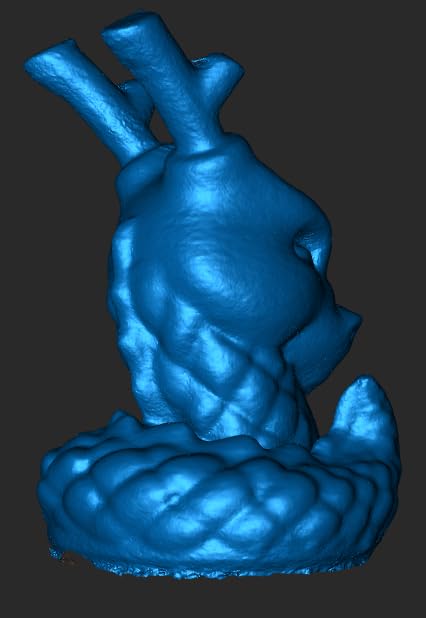
Most of the time lost in reverse engineering is not capture, it is the geometry you cannot reach. A bore, a cast internal passage, or the gap between a bracket and a mounting face will not register if the scanner cannot place a line inside it. The single-line laser mode on this unit is built for exactly that, and it is the reason the 0.1 mm deep hole detection figure matters to a machinist rather than to a hobbyist.
The four-lens stereo vision with marker-free scanning is the quiet win for repeat jobs. Markerless tracking removes the step of dotting a part before every capture, and on small precision work that step was eating a meaningful share of the total time. AI-assisted alignment, mesh generation and data cleanup then handle the unglamorous part of the workflow.
Where the rating and the price deserve a second look
This is the most expensive scanner in this lineup, and the five-star average rests on twenty-nine reviews with zero ratings below four stars. New hardware with a small sample is exactly when a clean rating means least, so we would want a few hundred reviews before treating that number as settled. Budget for that uncertainty rather than assuming the score is permanent.
Recommended hardware is a Windows i7 Gen10 with 32GB RAM or an Apple M1, M2 or M3 with 16GB RAM, with an i7 Gen7 and 16GB minimum. Export targets CAD, CAM, printing, reverse engineering and inspection software directly, so the mesh lands where your parametric rebuild already happens.
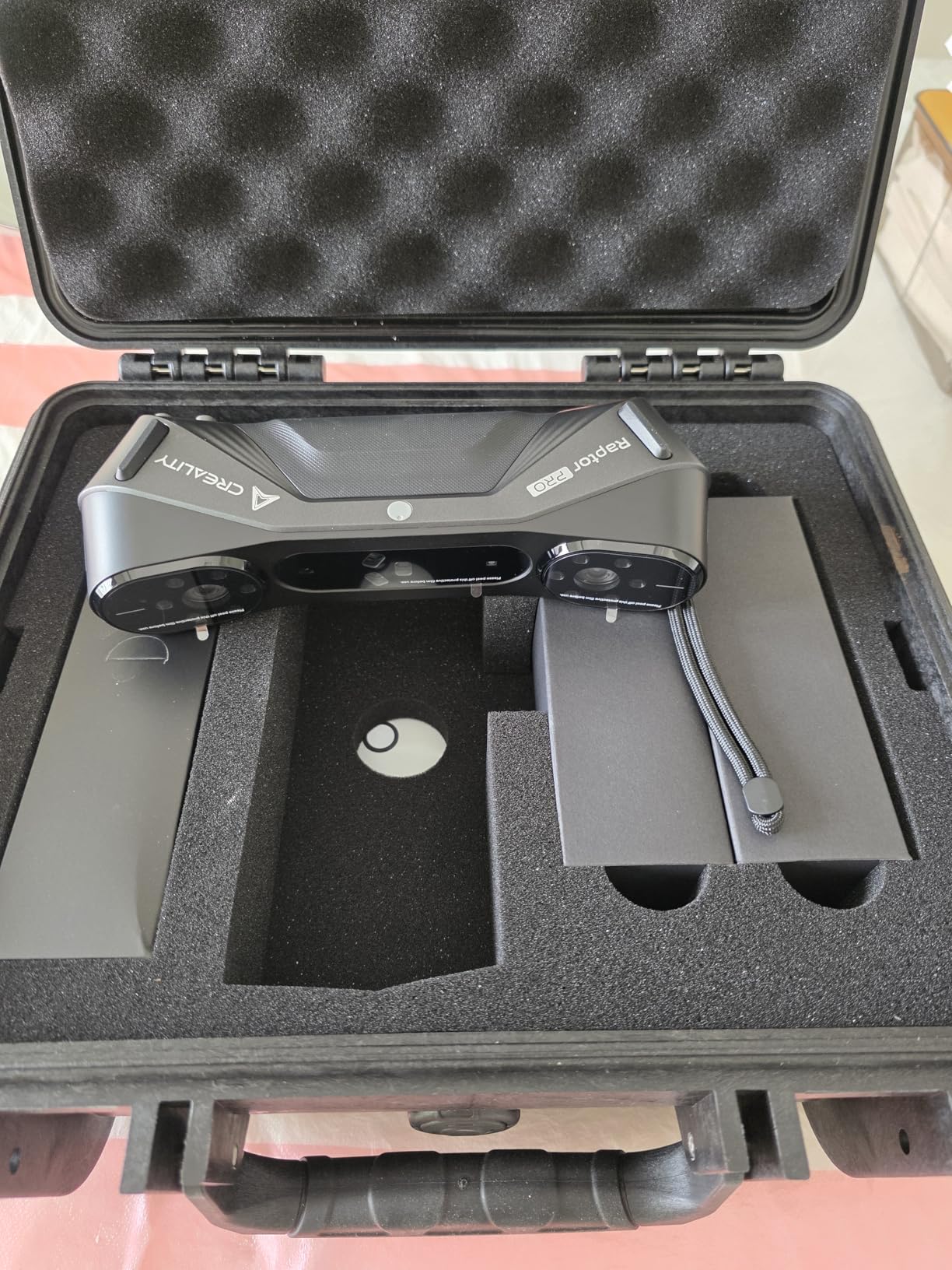
4. Creality CR-Scan Raptor Pro – powder-free capture of black, metal and glass
Creality 3D Scanner CR-Scan Raptor Pro for 3D Printing, 22+7 Blue Laser & NIR Handheld Scanner 0.02mm Accuracy, 60fps High-Speed & 5MM to 4M Objects, 24-Bit Full-Color Scanning for Windows macOS
- 0.02 mm accuracy from a 29-line blue laser plus infrared array
- Scans black metallic and 71% transparent glass with no powder
- 5 mm to 4000 mm range with full-body scan in about two minutes
- Direct compatibility with Geomagic Rhino ZBrush Maya and SolidWorks
- Heaviest body relative to the other handhelds here at 9.06 lb
- Only 22 reviews so the rating is weakly supported
- Wireless scanning needs a separately purchased handle
- Demanding recommended PC specifications
The Raptor Pro is the one in this group that publishes transparent-surface capability as a headline. It scans black, metallic, and 71% transparent glass without powder, which is not a small claim in a workshop full of polycarbonate guards, black-anodized brackets, and injection-molded parts that other scanners either reject or fill with holes.
Twenty-two crossed blue lasers plus seven parallel blue lasers sit alongside NIR infrared structured light, capturing up to 660000 points per second at sixty frames per second in laser mode and thirty in infrared. Accuracy is 0.02 mm with volumetric accuracy of 0.02 mm plus 0.08 mm per meter, and the object range runs from 5 mm to 4000 mm with a full-body scan in about two minutes.
Compatibility is the underrated feature here. The vendor names Geomagic, Rhino, ZBrush, Maya and SolidWorks directly, so a scan of a legacy bracket can move straight into the toolchain you already run rather than into a separate viewer. For shops standardizing on SolidWorks or Fusion that removes a translation step and the rework it causes.
The caveat is the sample size. Twenty-two reviews is a very thin base, so the 3.8 average is weakly supported and the twelve percent of two-star ratings deserve attention rather than dismissal. The enthusiasm in the reviews concentrates on the hardware specification, while the softer spots are physical weight, the extra-cost wireless handle, and high recommended computer specifications.
Transparent and dark parts without scanning spray
Scanning spray solves a real problem, and users dislike it for good reason: it adds a cleanup step to every capture and leaves residue on parts you may need to return to service. A scanner that reads black plastic and partially transparent glass without a coating removes that step entirely, which on production inspection work is the difference between a scanner you use and a scanner you avoid.
The twenty-nine laser lines are the reason it works where infrared-only units fail. Multiple crossed lines give the software redundant angle information, so a surface that reflects one line cleanly can still be triangulated from the others. That is a physical explanation for a spec sheet claim, and it is why laser counts matter more than point-cloud totals on dark hardware.
Where the Raptor Pro asks more of you
At 9.06 lb it is the heaviest body relative to its handheld competitors here, and that weight shows up in long sessions where the rest of your body is already tired. The wireless handle is a separate purchase, so the cordless capability people see in the marketing is not in the box. Neither is cheap.
Recommended hardware is a Windows i7 Gen10 with a GPU carrying 8GB of VRAM and 32GB of RAM, or macOS on M1 through M4 with 16GB. Most current workstations clear that, but a laptop bought for CAD might not, and a machine that falls short shows up as dropped frames and tracking errors rather than a clear warning.
5. Creality CR-Scan Otter – the best 3D scanner for car panels and large parts
- Very wide object range from coin-sized to car-sized in one device
- Handles black and metal objects and car parts without scanning spray
- 24-bit full-color capture that works in low light
- Marker tracking mode produces clean meshes that import well
- Scanning range of 110 mm to 1200 mm with a wide field of view
- Only 19 reviews so the average rests on a small base
- Marker setup consumes a large share of workflow time
- Wireless bridge accessory runs slowly and hangs frequently
- Hard limits on reflective black surfaces
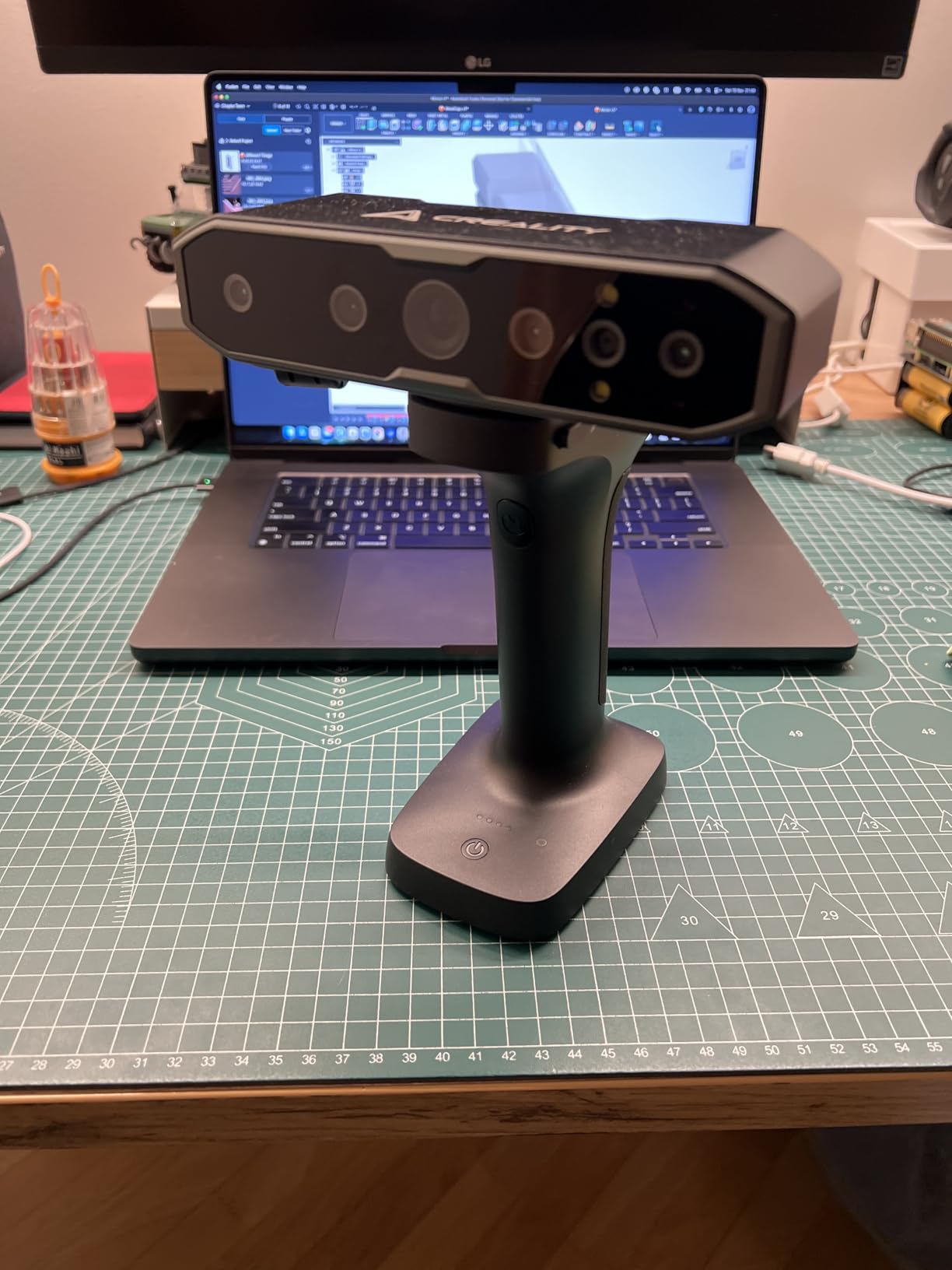
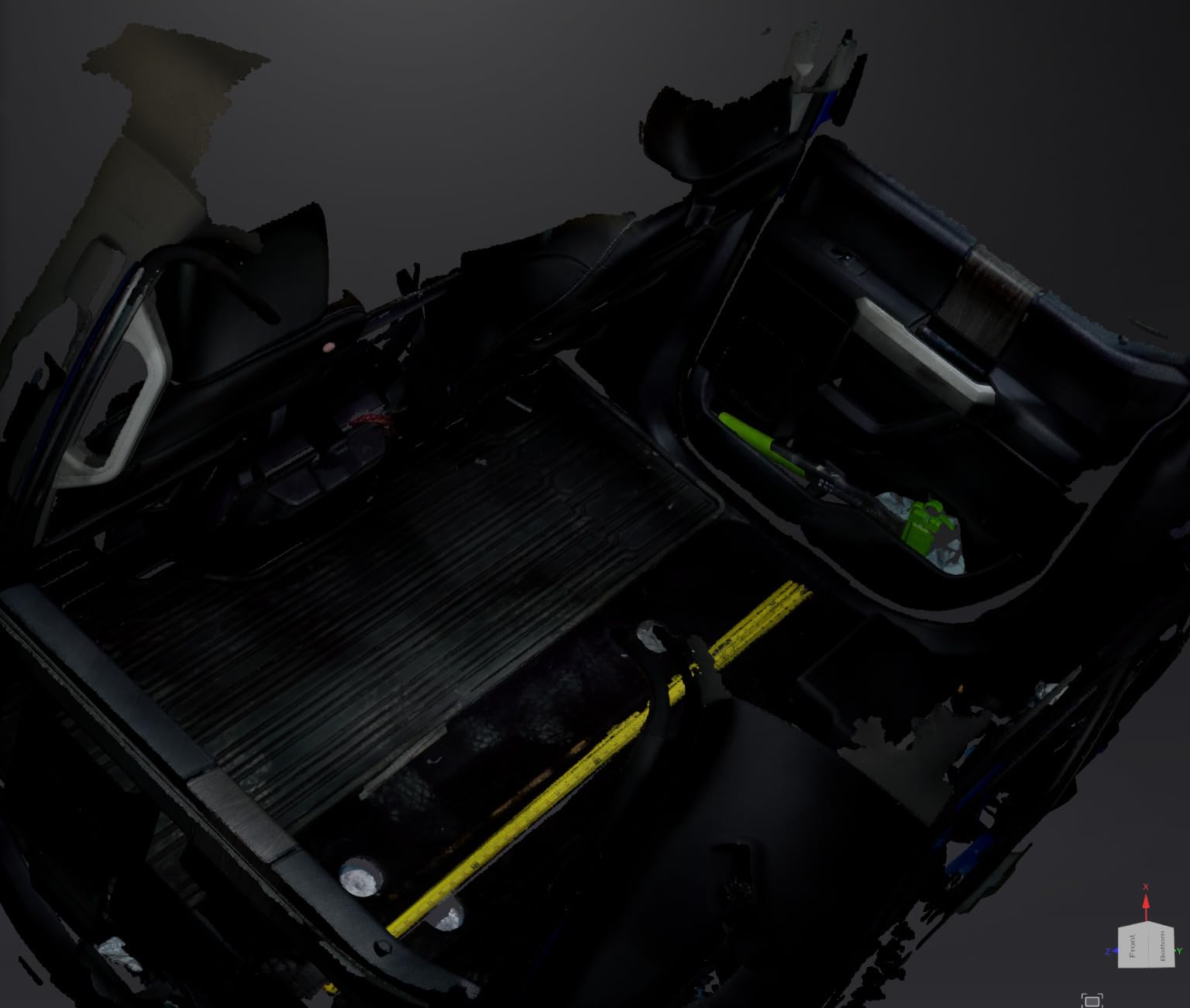
Restoration is where a scanner either earns its place or does not, and the Otter is built for the scale of the job. Dual long and short focal lenses cover 10 mm to 2000 mm, so the same device captures a trim clip and a bumper. Reviewers scanning large automotive parts rate the results as outstanding, and the claim that it handles black and metal car parts without spray is the one that matters most in a garage.
Sensor array is eight infrared LEDs, two white LEDs, four stereo depth cameras and one RGB camera, capturing up to twenty frames per second with one-shot 3D imaging for stabilization. The million-pixel RGB camera with its color mapping algorithm produces 24-bit color that holds up in low light, and operation holds below 30000 lux in direct sun.
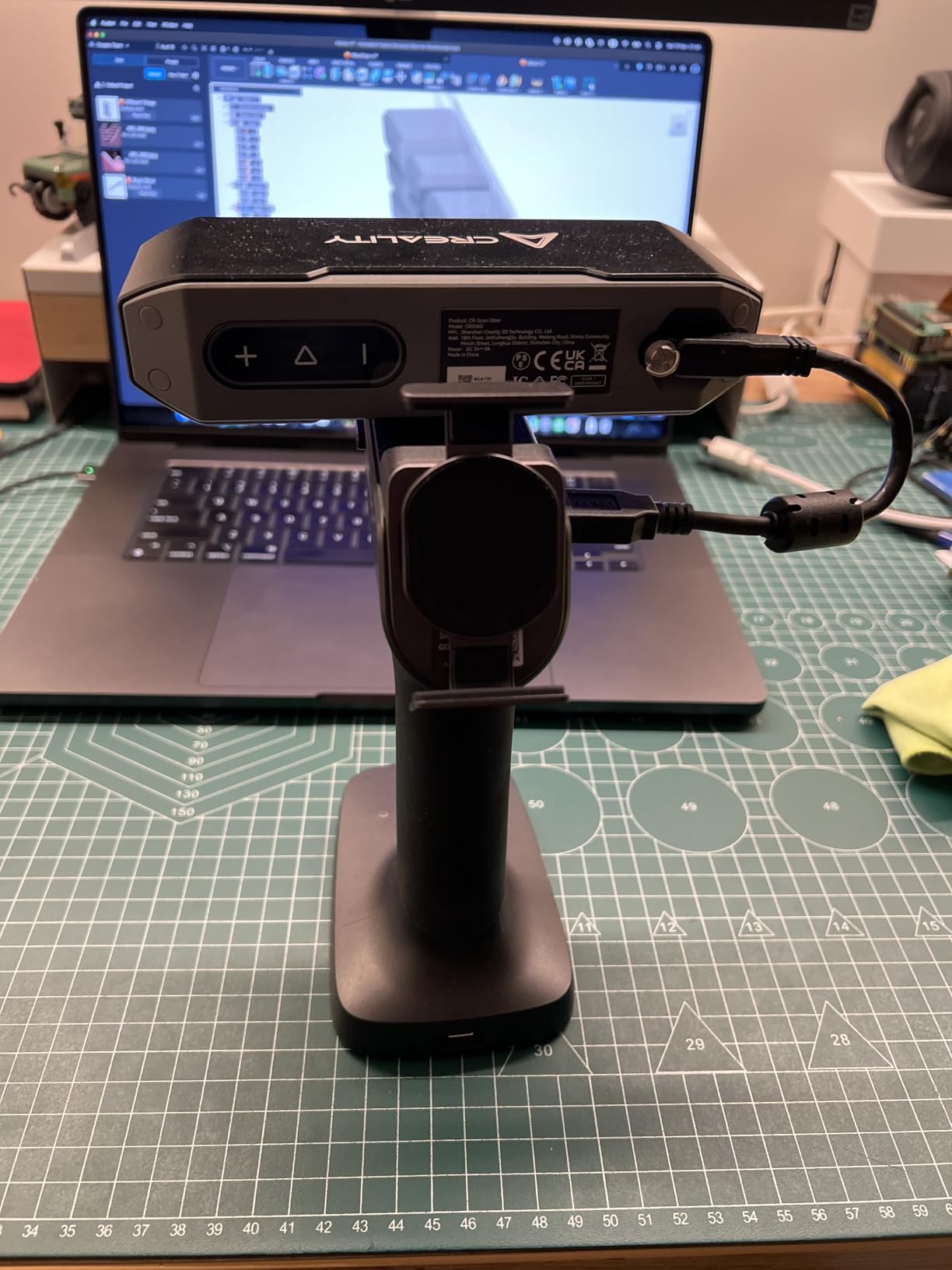
What stands out in the ratings is what is missing. Across nineteen reviews there are zero one-star and zero two-star ratings, which almost never happens on a marketplace listing. Reviewers with an engineering mindset report good accuracy and clean meshes once they commit to marker tracking, and the wide object range is repeatedly called the standout for parts work. Equally, the flat distribution cuts both ways: it suggests consistent results rather than a wide spread, but with a base this small there is no long record of daily use behind it.
The recurring caveats are workflow rather than hardware. Attaching and removing markers consumes roughly four fifths of the time in a typical session, feature and texture tracking are unreliable enough that the unit is effectively marker-dependent, and serious trouble is reported on black objects with major trouble on reflective black surfaces. Plan sessions around markers rather than around a quick grab-and-go scan.
Getting large parts into a clean mesh
The dual focal length design is the answer to a real physical problem. A short focal lens gives resolution on a small object but loses the far side of a bumper, and a long focal lens captures the depth but flattens small detail. Carrying both means you can move from one part of a vehicle to another without a second scanner or a mode change that loses registration.
One-shot 3D imaging with anti-shake stabilization is what makes handheld work on a vertical panel viable. It captures a complete frame and registers it as a unit, so a momentary hand movement does not tear a hole in the point cloud. Combined with marker tracking for the passes themselves, that is the reason the meshes import cleanly into other software.
Where the Otter will disappoint you
Wireless is not included. The Otter Scan Bridge is a separate accessory, and it runs at eight to nine frames per second with frequent hangs, plus the viewfinder mirrored on an iPhone 13s in at least one report. Software can also lock up the machine, and firmware updates are not always available immediately after release, so check the update cadence before committing to it for production work.
Feature and texture tracking are unreliable enough that the unit is effectively marker-dependent, and reflective black surfaces remain a hard limit. Build your workflow around markers on the bench or the tripod, and treat this as capable hardware with a short track record until more owners have put it through daily use.
6. Shining 3D EINSTAR Rockit – cordless scanning for field and shop work
EINSTAR Rockit Wireless Handheld 3D Scanner for Full Color 3D Design
- Integrated rechargeable battery for up to three hours of cordless scanning
- Hybrid blue laser and VCSEL infrared covers detail and large objects
- Lightweight 1.1 lb body is comfortable for long sessions
- Handles dark and moderately reflective surfaces with less spray
- Marker Helper Set supports automated small-object scanning
- Lowest sales rank in the group
- Only three hours of battery limits large job coverage
- No published headline accuracy figure
Field scanning is a different problem from bench scanning, and the Rockit is one of the few units here built for it. The integrated rechargeable battery gives up to three hours of cordless operation, which is enough to walk a customer’s vehicle, capture the failed components, and have the data before you load the parts. At 1.1 lb it is also one of the lightest scanners to hold overhead or inside an engine bay.
The hybrid blue laser and VCSEL infrared combination is what makes cordless viable, since a battery-powered unit has to make do with whatever the sensor draws rather than what a mains supply would allow. The optical approach minimizes the need for scanning spray on dark and reflective surfaces, and built-in color imaging captures full-color texture in the same pass.
Output formats are STL, OBJ, PLY, 3MF and ASC, which covers CAD import, print slicing, and DCC work without a conversion step. The Marker Helper Set in the box is aimed at automated small-object scanning, a detail that matters for repair shops capturing the same fastener or bracket across a fleet of machines.
The honest concern here is the distribution of ratings. Sixteen percent one-star reviews is among the highest negative concentrations in this group, while the sales rank is the lowest of the ten, which together point to a software and support experience rather than a hardware problem. Reviewers value the wireless design and the hybrid sensor combination consistently; the losses cluster around everything after the capture.
Why cordless changes the job description
A tethered scanner defines the shape of the work. The part comes to the bench, the laptop sits next to it, and anything that cannot be carried to the bench does not get scanned. Cordless operation inverts that, and for automotive, agricultural, and restoration work where the failing part is still attached to a machine three miles away, that is the difference between a scan happening and not happening.
Three hours is roughly a working session rather than a full shift, which means a battery in the grip is worth budgeting for on large jobs. The lighter body also reduces the fatigue that ends a long capture session early, and reviewers consistently cite comfort over extended scanning as a practical benefit rather than a spec.
What the missing accuracy figure means for you
Unlike the laser units in this roundup, the Rockit publishes no headline accuracy number, and that absence is informative. Without a volumetric figure you cannot size the error for a given part length, so it is harder to use in a tolerance conversation with a customer or a quality inspector. Budget for that uncertainty rather than assuming it matches the laser-based units.
The low sales rank also suggests a thinner support community and fewer third-party workflows to copy. If you are new to scan-to-CAD, a scanner with a large user base produces more troubleshooting answers when something goes wrong at eleven at night on a deadline job. Pair it with a well-documented software path before committing.
7. Shining 3D Einstar – a proven hobby scanner for real parts
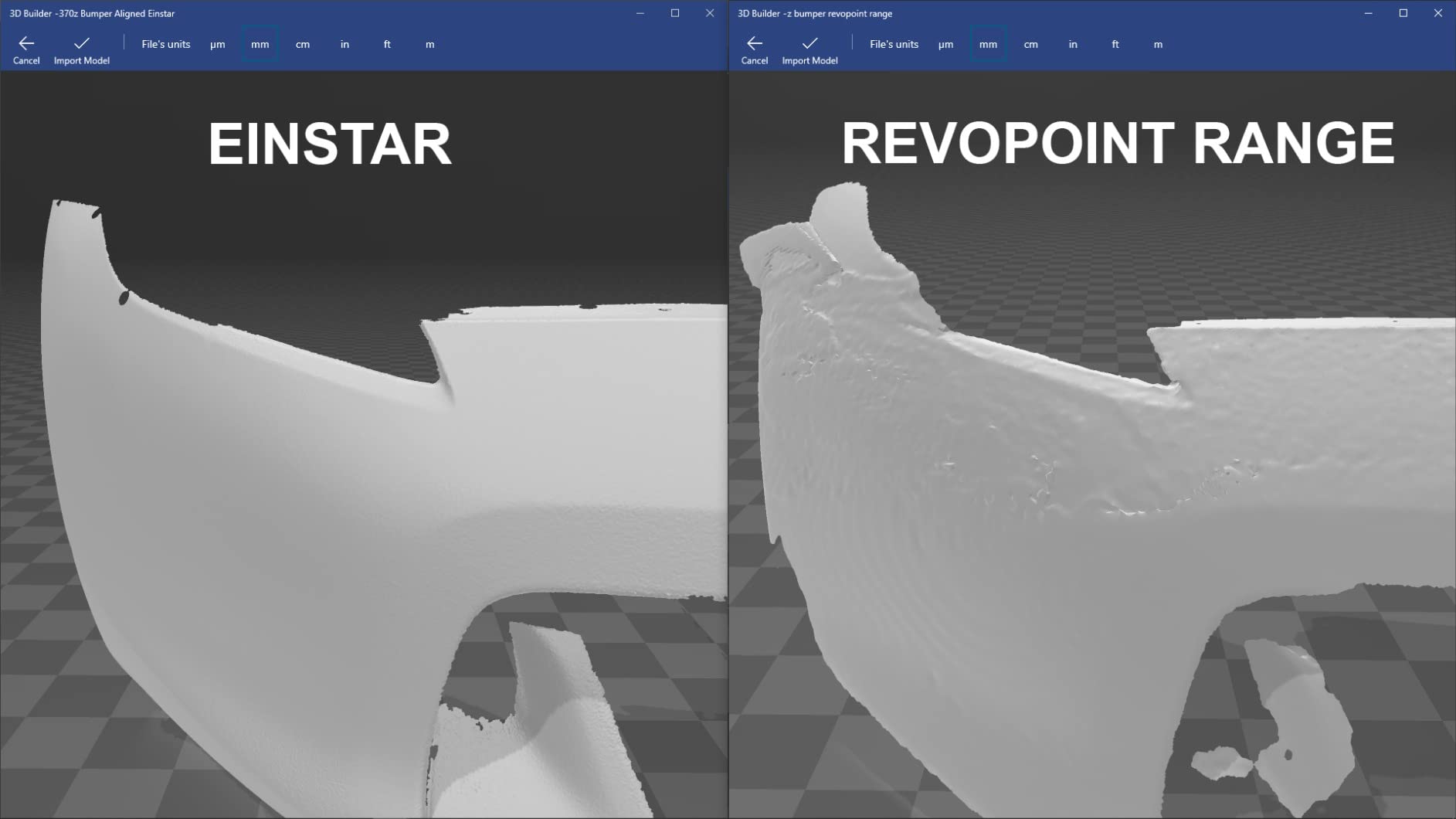
- Tracking stability rated clearly above cheaper Revopoint units
- Software quality and EXstar interface rated better than budget competitors
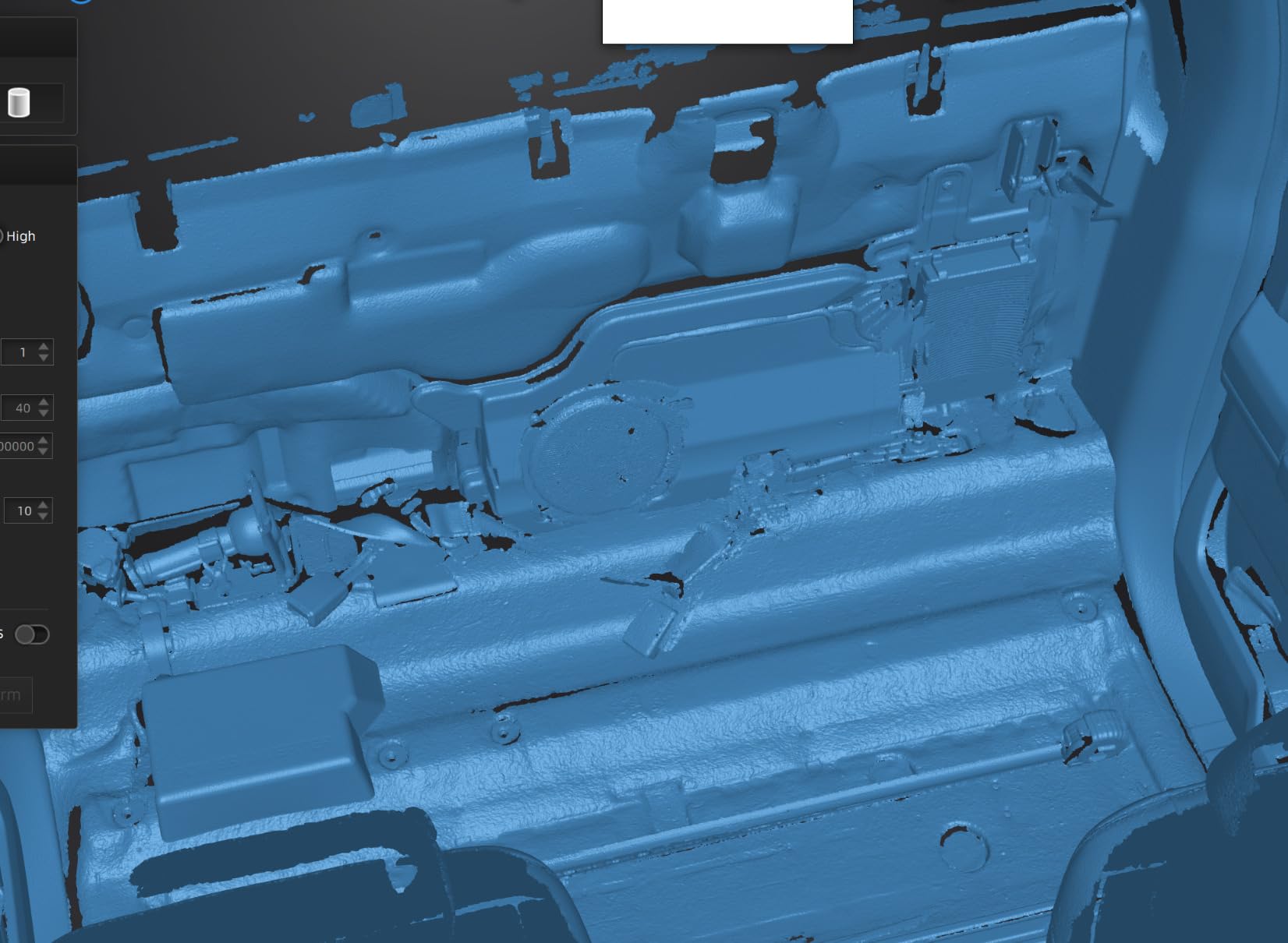
- Handles dark glossy car surfaces with tracking dots or spray
- One owner captured a full vehicle underside in eight stitched scans
- Hair Mode and no projector light make body scanning comfortable
- Mac software unstable with crashes and lost tracking
- Requires a powerful PC because all processing runs on the computer
- Struggles to track small objects regardless of setup
- USB-A connector needs an adapter on modern machines
The Einstar has the most useful track record on this list for anyone learning reverse engineering on a budget. Reviewers repeatedly compare its tracking stability favorably against cheaper Revopoint units, and one owner captured an entire vehicle underside in eight stitched scans. That is the kind of result that tells you the stitching holds up on a real, awkward, greasy object rather than a demonstration model.
Sensor layout is three infrared VCSEL projectors, two stereo depth cameras and one RGB camera, running up to fourteen frames per second with point distance up to 0.1 mm. EXstar handles automatic alignment and smart tracking, detail enhancement technology cleans the data as you capture, and a data quality indicator shows you when a region is under-sampled before you waste the pass.
Outputs are OBJ, STL, PLY, ASC, 3MF and P3, which covers most print and CAD pipelines. No projector light is emitted during scanning, and Hair Mode captures fine hair detail on human subjects, so the same unit handles a mechanical part and a full body scan without swapping software.
The critical split in the reviews is operating system. Windows users report a good experience, while Mac users report crashes, lost tracking and ghost point clouds. The USB-A connector also needs an adapter on a modern USB-C-only machine. If you are on a Mac, treat the software stability as the deciding factor rather than the hardware.

What good tracking actually buys you
Tracking stability is the quiet foundation of every successful reverse engineering scan. When the scanner holds registration, you can move the part freely between passes and the software merges them without manual alignment. When tracking breaks, you get overlapping-but-offset surfaces, and the fix is re-scanning the part rather than cleaning the mesh, which is the worst possible outcome on a deadline job.
The detail enhancement technology and the data quality indicator work together here. Rather than discovering a hole in a deep recess after you have walked away from the part, the indicator shows which areas are thin so you can go back and add coverage. On a dark glossy car surface, reviewers report good results when paired with tracking dots or spray, which is the honest version of the spray-free claim.
Where the Einstar asks for compromise
All processing runs on the computer, and it needs a capable one, which is the first thing to check against your existing machine. Small objects are a genuine weakness: the scanner struggles to track them regardless of indexing or lighting setup, so precision fixtures need a marker-based approach or a different tool. The output is a mesh rather than a solid model, which means conversion work before CAD.
The sixteen percent of one-star reviews come from buyers who expected point-and-shoot simplicity rather than from hardware failure. Software export workflow and interface are also described as poorly documented and unintuitive. If you are willing to learn the workflow, this is one of the better values here; if you want the software to hold your hand, look elsewhere.
8. Revopoint INSPIRE 2 – light, wireless and built for outdoor light
Revopoint INSPIRE 2 3D Scanner, Outdoor Scan, for 3D Printing, Standard
- Lightest unit here at 190 g in an aerospace-grade aluminum body
- Eleven infrared laser lines handle dark and reflective surfaces without spray
- WiFi 6.0 supports wireless scanning and PC-to-mobile live streaming
- Outdoor scanning holds up to 20000 lux
- Includes tripod markers mini turntable calibration board and filters
- 3.3 average here signals inconsistent results
- Optical zoom limited to 1.5x and 2x
- Revo Design software is sold separately and Windows-only
The INSPIRE 2 is the most-reviewed scanner in this group, with 337 reviews and a sales rank near the top of the 3D Scanners category. At 190 g in an aerospace-grade aluminum body, it is the unit you can hold overhead or reach into a tight engine bay without thinking about your grip, and that is not a minor feature when you are positioning a scanner over an intake manifold.
Eleven infrared laser lines are the core of the spray-free claim. Dark and reflective surfaces are the normal condition of the parts people reverse engineer, and reviewers confirm the infrared array handles them where cheaper single-mode units produce holes. Accuracy is stated as 0.05 mm with precision up to 0.03 mm, and the included calibration board is claimed to improve point cloud accuracy by 75 percent when used for field calibration.
Wireless operation runs on WiFi 6.0, supporting both handheld scanning and PC-to-mobile live streaming so a colleague can see progress from across a car. Outdoor operation holds to 20000 lux, which covers an open garage door or a shaded yard. A built-in RGB camera captures full-color texture for reference and archival purposes.
The rating tells the honest story: 3.9 across 337 reviews, with 13 percent one-star. A large review base makes that average meaningful, and it points to occasional tracking and consistency complaints rather than a broken product. The 0.05 mm accuracy figure also trails some rivals in the same money range, which is the trade for the weight and the wireless streaming.
Portability as a real workflow feature
At 190 g this is the difference between scanning a part where it sits and not scanning it at all. Reverse engineering projects often start with a component still bolted into an assembly, and a heavier handheld turns that into a two-job task: unbolting first, scanning second. The aluminum body also survives the drop-and-retrieve cycle of field work better than a plastic shell.
The box contents support the field claim. A tripod, markers, a mini turntable, a calibration board and outdoor filters cover the cases that usually cause a return trip to the shop, and the calibration board is what turns a scanner into a repeatable measurement tool rather than a shape capture device. Budget thirty minutes to learn the calibration routine properly.
Where the INSPIRE 2 falls behind newer units
The optical zoom is limited to 1.5x and 2x, which is a narrow range when you are filling a frame with a small feature on a large part. More significant, the 0.05 mm accuracy and 0.1 mm fused point distance trail newer units that publish lower figures in similar categories, so this is a step back on precision in exchange for the low weight.
Revo Design is a separate purchase and Windows-only, and Revo Metro sends scans there for measurement and modeling. Minimum system requirements are an Intel i7 13th Gen or Ryzen 7 5800 with 16GB RAM and an RTX 3060, which is a real constraint if your current machine is a few years old.
9. Creality CR-Scan Ferret Pro – handheld scanning through a phone or tablet
Creality CR-Scan Ferret Pro 3D Scanner for 3D Printing, Upgrade Wireless Handheld Scanner with WiFi 6 Bridge, Anti-Shake Tracking, 30FPS Fast Full Color Scan, 0.1mm Accuracy for iOS/Android & PC
- 30 FPS scanning speed at an entry price point
- One-shot 3D imaging with anti-shake tracking steadies handheld scans
- Small objects scan well once the basics are learned
- Multi-part scans stitch together reasonably in software
- Works across Windows Mac Android and iOS
- Software is hard to learn and scan quality disappoints on simple objects
- Calibration tool not included and must be ordered separately
- Needs a capable PC and performs better on Intel processors
- Poor results on reflective transparent or extremely dark surfaces
The Ferret Pro exists for people who do not own a workstation. The WiFi 6 bridge sends scans to an Android or iPhone instead of a laptop, and the bridge transmits three times faster than WiFi 5, which is the difference between a usable live preview and a stalled connection. For a maker scanning a broken part on a kitchen table, that removes the largest barrier to starting.
Sensitivity specifications are 0.1 mm accuracy and 0.16 mm resolution at thirty frames per second, with one-shot 3D imaging and anti-shake tracking that helps beginners hold tracking through hand movement. Outdoor operation holds to 30000 lux, and output is OBJ, STL or PLY across Windows, Mac, Android and iOS.
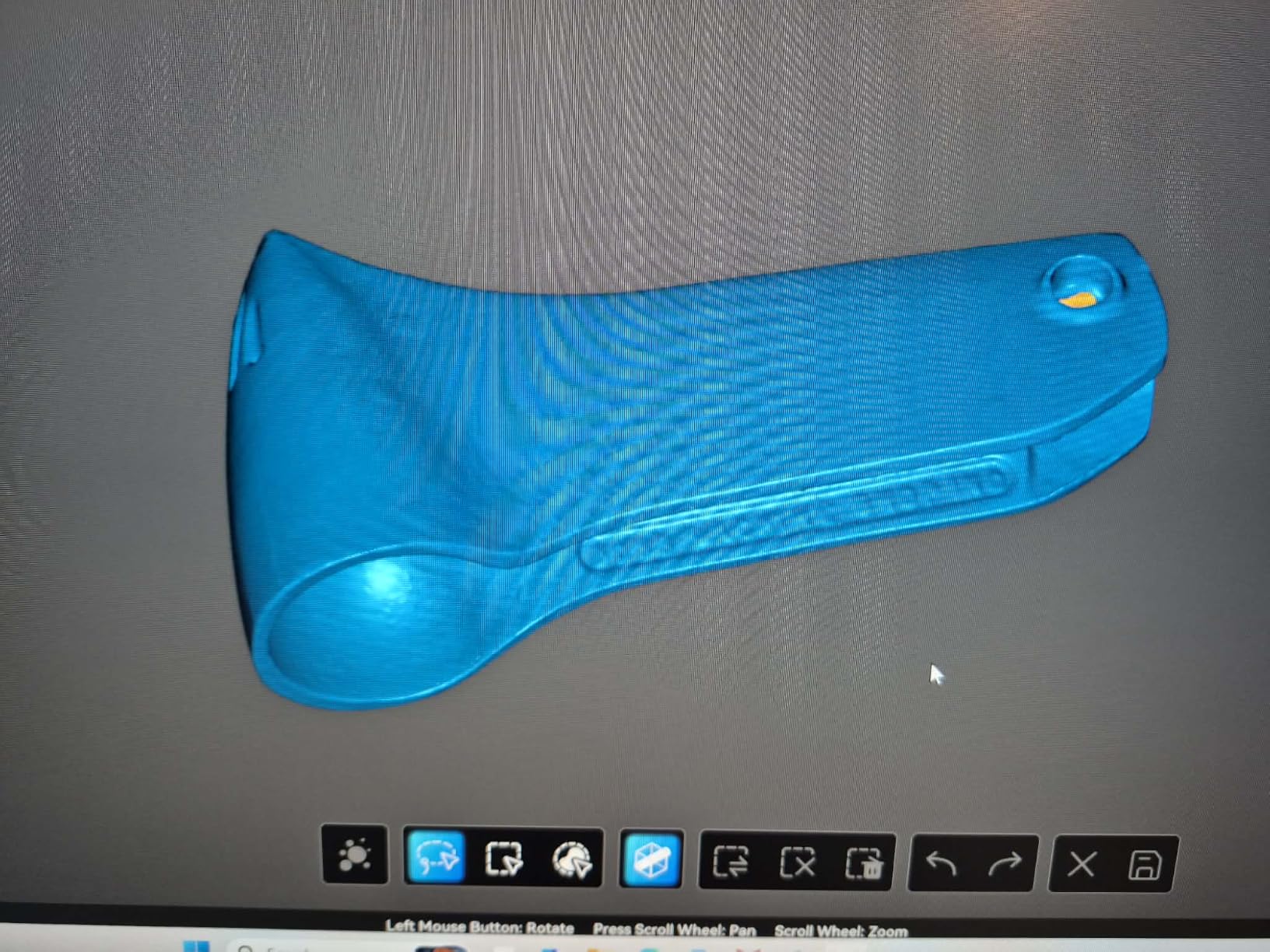
The reviews split along an environmental line rather than a quality line. Buyers with a decent PC and a controlled lighting setup get usable small-object scans and report that multi-part scans stitch together reasonably well. Buyers without those two things report bad results on simple objects and a difficult software workflow, and the two-star and one-star share reflects that split precisely.
Two practical items before you start: the calibration tool is not included and has to be ordered separately, and the system performs better on Intel processors than on AMD. Neither is a dealbreaker, but both cost an afternoon and a phone call to resolve, and discovering them mid-project is how a first scan turns into a frustrating one.
When a phone-based scanner makes sense
Phone and tablet scanning is the right call when the work is one-off or occasional. Capturing a broken bracket, a replacement knob, or a prototype before it is destroyed does not justify a workstation, and the Ferret Pro handles that job at a cost that does not. The 30,000 lux outdoor figure also means a car bonnet or a garden part is within range.
Anti-shake tracking matters more than it sounds for beginners, because the instinct is to move the scanner to see what it is seeing. One-shot imaging registers a whole frame as a unit, so a wobble does not tear the point cloud. Exports cover the three formats most print and CAD tools read without complaint.
Where the Ferret Pro falls short
This one rates lowest of the group at 3.7, with a 21 percent one-star share, the highest negative concentration here. The complaints cluster on software learning curve and on reflective, transparent, or extremely dark surfaces, where results are poor. For reverse engineering on a chrome exhaust tip or a black plastic cover, that is a direct limitation.
One reviewer also had the WiFi bridge fail, which forced wired use and removed the main advantage of the design. If wireless is why you are considering this scanner, verify the bridge works with your specific phone before committing. Multi-part scans need patience in the stitcher, and the resolution figure will not support tight tolerance work.
10. 3DMakerpro Fox – the cheapest way to start scanning
- Lowest cost entry into handheld scanning in this lineup
- Compact 2.39 lb body is easy to handle and to store
- Markerless AI visual tracking relocks onto the object after fast movement
- JMStudio combines scanning editing and optimization in one process
- Includes turntable cable and power brick in the box
- Lowest average rating here at 3.3 with 31% one-star reviews
- Narrow scanning distance band and scans stop outside it
- Cannot see black objects reliably
- JMStudio stitching across sessions is weak for complex work
The Fox is the cheapest route into handheld scanning here, and it is target-dependent in a way no other unit on this list is. Buyers scanning white or plain objects on a tripod and turntable get detailed, useful models. Buyers scanning black, colored, or small items hit the tight working-distance window and lose tracking entirely, which is why the rating distribution is the most polarized in the group at 47 percent five-star and 31 percent one-star.
Specifications are 0.07 mm accuracy and 0.10 mm resolution, with markerless AI visual feature recognition that relocks onto the object within seconds after you move too fast. That relock feature is genuinely valuable, because losing tracking and restarting is the single most common way a beginner session wastes an afternoon.
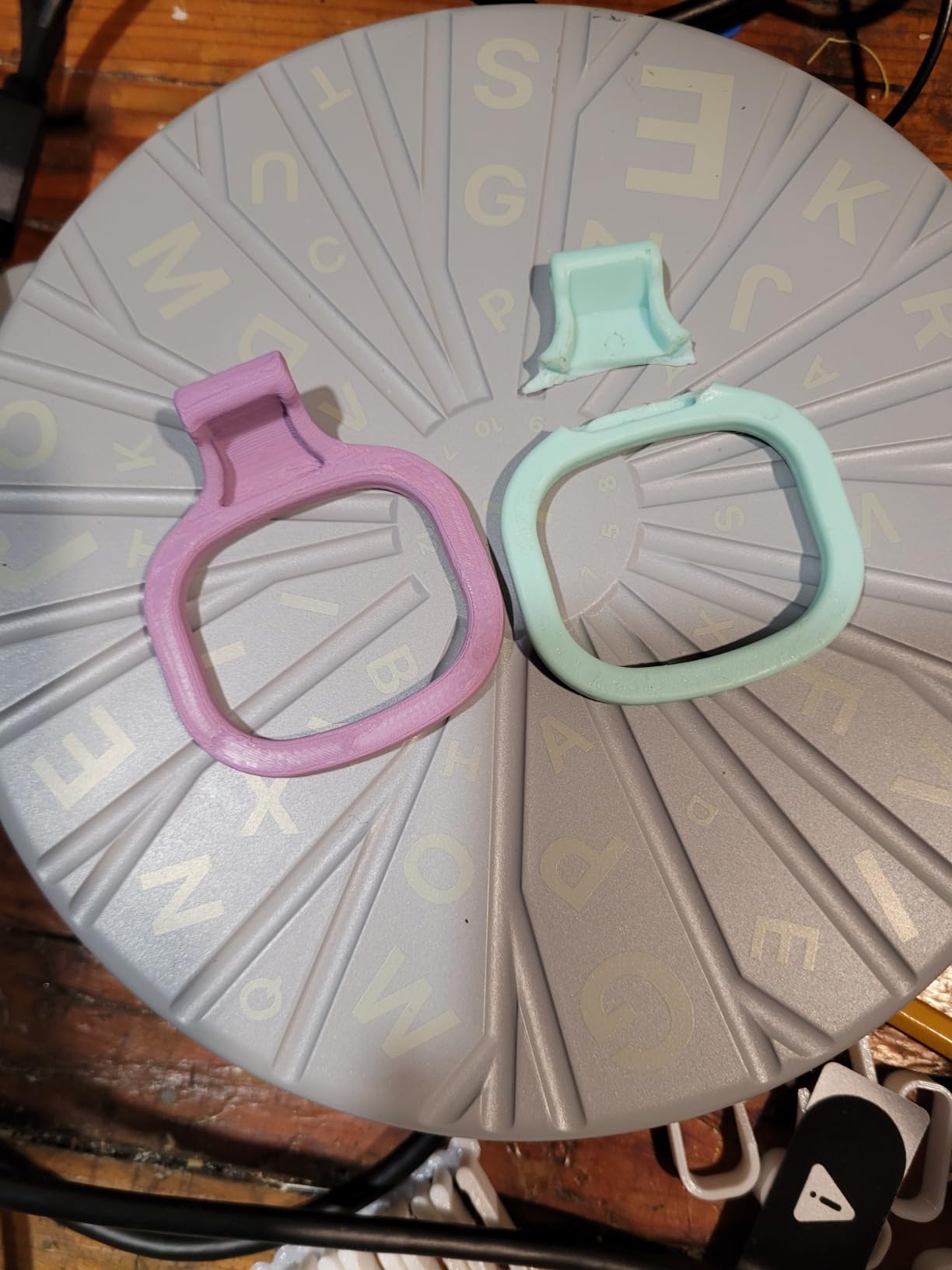
Software is JMStudio, which combines scanning, editing and optimization in one process and is praised for identifying scan data, performing alignment, and filling holes on clean scans. Post-processing is free inside JMStudio, and the software exports to Geomagic Design X, so a scan can start as a cheap capture and end in a professional parametric workflow.
The limitation to plan around is the working distance. The usable band is roughly three inches at about two feet, and scans simply stop outside it, which means large parts need the turntable rather than a handheld sweep. One reviewer disputes the advertised accuracy entirely, estimating about 2 mm at best, so treat the figure as a specification rather than a measurement for your specific setup.

What you can realistically capture on this budget
Plain white and matte objects on a turntable, where the geometry is the point rather than the surface. That covers a great deal of practical reverse engineering: a broken plastic housing, a mounting bracket, a cast part that has already been cleaned and primed. The included turntable plus the stationary scanning method turns the narrow working band into less of a problem on those parts.
JMStudio is the reason the low entry point is not wasted money. Free post-processing and a direct export path to Geomagic Design X mean you can learn the scan-to-CAD workflow on this unit and move to a more capable scanner later without abandoning the software chain. Learning the workflow on a cheap device is a reasonable trade for a few sessions of imperfect capture.
Where the Fox will cost you time
Black objects are the hard limit. Only plain white targets scan reliably, so if your reverse engineering work involves black plastic or dark anodized metal, this is the wrong tool and no amount of technique will fix it. The narrow working band also means the scanner stops returning data rather than degrading gracefully, which is frustrating to learn.
Stitching across multiple sessions is weak for complex work, the unit is tethered to the PC with no wireless option, and software download and account sign-up problems are reported repeatedly with slow support responses. The 31 percent one-star share is not mysterious; it is buyers who expected a general-purpose tool and got a target-specific one.
How to Choose a 3D Scanner for Reverse Engineering
Match the accuracy to the job, not to the spec sheet
Most buyers overbuy on accuracy and underbuy on workflow. How much precision you need depends almost entirely on what you are doing with the result, and the tolerance you are measuring toward should drive the choice rather than the smallest published number.
For a printed replacement part that only has to fit, sub-0.1 mm accuracy is more than enough, and any of the entry and hobby scanners here will do the job. Custom fabrication of a mating component needs better than 0.1 mm, which puts the prosumer laser units in range. Quality inspection against a nominal model, first-article inspection, and any aerospace or turbine work need published volumetric accuracy and a repeatable calibration routine, which is a different class of purchase.
Buyers overpaying is a documented pattern in this category: hobbyists buying professional units for figurine scanning, and small shops buying inspection-grade systems they never calibrate. Ask what tolerance your customer will accept, write it down, and buy the least expensive scanner that holds it.
Volumetric accuracy is the number that matters
Single-frame accuracy is measured on one stable frame with the part stationary and the scanner fixed. Volumetric accuracy is measured on a finished object across multiple orientations, and it is always worse than the single-frame figure, because error accumulates as the part moves and as the tracking chains passes together.
This is the single most decision-relevant distinction in the category, and almost no competitor explains it. Two scanners can both claim 0.02 mm accuracy and perform very differently on a 500 mm casting, because one published a volumetric formula and the other published a headline. The convention is to state volumetric accuracy as a base term plus a length coefficient, and every professional scanner on this list does it: 0.02 mm plus 0.04 mm per meter, 0.03 mm plus 0.05 mm per meter, 0.02 mm plus 0.08 mm per meter.
If a vendor publishes only a single-frame number, treat the real-world error as several times worse and ask what the volumetric figure is. If they will not say, plan for calibration checks against a known artifact and keep a margin in your tolerance.
Surface finish decides whether you need scanning spray
Shiny, dark, and transparent surfaces are the top recurring complaint in scanning forums, and they are the normal condition of a mechanical part. Matte plastic and primed castings scan cleanly on almost anything. Polished aluminum, chrome, black anodized parts, and clear polycarbonate are where the failures concentrate, and each failure mode looks different on screen.
Loss of tracking looks like the scanner wandering off the surface. Holes in the mesh look like missing data where light bounced away instead of returning to the sensor. Spurious surface noise appears as a rough texture where the sensor picked up reflections from the bench. The fix for all three is a matte coating, which is why scanning spray exists, and why buyers dislike it: it adds a cleanup step and leaves residue on parts that may go back into service.
Blue laser triangulation is the best technology for hard surfaces because multiple crossed lines give redundant angle information, so a surface that defeats one line can still be triangulated from the others. NIR structured light reads faster and colors better but softens on reflective finishes. The multi-line and full-field structured light scanners here are the practical compromise, and the ones that publish powder-free black, metal, and glass capability are the ones to shortlist if your parts are shiny.
Standalone versus PC-tethered, and what wireless actually means
Wireless is the most misleading word in the category. Some scanners have an onboard GPU and process independently, some hand off to a local server over WiFi, and some need a USB-C cable for power while calling themselves wireless. For a bench workflow in a shop, none of that matters. For field work at a customer’s vehicle, it is the whole question.
None of the ten units here carries a full onboard GPU in the sense an industrial scanner does. What you get instead is a battery grip, a bridge, or a phone connection, and each has limits: battery life of three to four hours, bridges that run at eight to nine frames per second and hang, and phone previews that mirror incorrectly. Software tiers from Revopoint are also commonly Windows-only, which matters if you are on a Mac.
The practical test is simple. If the parts come to your bench, buy the most accurate tethered unit you can afford and put the savings into a workstation. If the parts will not move, buy cordless and accept the accuracy figure you give up for it.
Pairing scanners with scan-to-CAD software
The scanner produces a triangle mesh. CAD needs a parametric solid model with editable dimensions. That conversion is where beginners stall, and choosing the software path before you buy hardware is the cheapest decision you will make.
Feature-recognition tools do the heavy lifting on mechanical parts. Geomagic Design X detects planes, cylinders, holes and fillets in a scan and constrains them into a parametric solid automatically, which is the fastest route from mesh to editable model for a mechanical engineer. Autodesk Fusion 360 and SolidWorks both import scans and offer surface and solid modeling tools, and Fusion 360’s scan-to-CAD workflow is the common choice for small shops without a dedicated seat. Quicksurface and ExModel build surfaces from point data and mesh, which suits organic or freeform shapes rather than machined features.
Mesh editors belong at the front of the chain, not the end. MeshLab is free and handles decimation, hole filling, and filtering on the raw scan before it ever reaches CAD, and it is the right tool for deciding whether a capture is good enough to keep. Autodesk Meshmixer handles mixing scanned and modeled geometry for quick fit checks and visualization. For learning without spending, MeshLab plus a Quicksurface trial is the path most beginners should start on.
Watch the licensing model before you commit. GD&T reporting and some export formats sit behind paid annual tiers in several ecosystems, and buyers report being surprised by those add-ons after the hardware purchase. Confirm that you can open native files and export STEP without an ongoing subscription before you buy.
Who should not buy a professional scanner yet
Skip this category if you want to scan figurines, busts, or props for 3D printing. That is a color, texture, and surface-quality job rather than a dimensional one, and a different product category serves it better. If you only need to copy one broken plastic part once, a hobby unit and a free software path will deliver a printable mesh before you finish evaluating a professional purchase.
Also skip it if the part will not come to the bench and you cannot work with cordless limits. And skip it if you have no way to calibrate. A scanner without a documented calibration routine produces shapes, not measurements, and an uncalibrated professional unit is a more expensive mistake than a well-used entry unit.
How to Convert a 3D Scan to CAD
Scanning is the easy half. This eight-step sequence is the workflow that turns a raw capture into a parametric model you can actually modify, and following it in order saves the rework that comes from skipping to step six on a mesh that was never clean.
1. Prepare the part. Degrease it, remove loose paint and rust, and fill deep scratches. Scanners read surface, not shape, so every dent and burr lands in your mesh. If the part is black or chrome, decide now whether you will use a matte coating.
2. Scan with the right mode. Match the sensor to the surface. Cross-line laser for shiny metal, structured light for general geometry, single-line for deep cavities, and a turntable for flat parts. Overlap passes by roughly a third, and scan slower than you think you need to.
3. Align and merge passes. Let the software register each pass to the previous one before you finish the object. Check that overlapping regions agree; a misaligned pass is far cheaper to delete and re-shoot now than to repair in the mesh.
4. Clean the mesh. Remove stray geometry, decimate to a workable point count, fill small holes, and smooth noise. This is the single longest step, and using markers deliberately to give the stitcher solid features cuts it substantially.
5. Scale and orient. Apply a known dimension and set the units before anything else, because every downstream measurement inherits an error here. Put the part in a sensible coordinate frame and align flat reference faces to axes.
6. Recognize features. In Geomagic Design X, Fusion 360, or SolidWorks, detect planes, cylinders, and fillets. Constrain the dominant ones to the parametric axes first; dimensioning a feature before the reference geometry is constrained produces a model that will not move correctly later.
7. Build the parametric model and export. Once the feature tree is constrained, edit dimensions and the geometry updates. Export STEP for mechanical exchange, and keep the mesh only as an as-built reference. Verify the rebuilt model against the original scan with a deviation map.
8. Verify against the original. Measure the same features on the scan and on the new model, and record the deviation. A reverse engineered part that matches visually is not necessarily dimensionally correct, and the deviation map is the only proof that the rebuild is usable.
Frequently Asked Questions
Can a 3D scanner help with reverse engineering?
Yes. A 3D scanner captures the as-built geometry of a physical part as a dense point cloud or mesh, which you then rebuild as an editable parametric CAD model. Without original drawings, scanning is the fastest way to recover accurate dimensions so you can reproduce the part, machine a replacement, or modernize a legacy design. It is far quicker and more accurate than re-drafting from calipers and tape measures.
How much does a 3D scanner cost for reverse engineering?
Budget tier follows the scope of the job rather than the badge on the box. Entry-level scanners cover printed replacements and one-off hobby scanning. A step up from there handles plastic, painted parts and small legacy components well. The prosumer tier is where blue laser accuracy and powder-free capture of dark and shiny surfaces begin, and it covers most professional reverse engineering work. Above that you are buying capture speed, object size range, and deep hole reach rather than raw accuracy, so match the tier to the size of the parts you actually scan.
What is the best 3D scanner for industrial use?
For industrial part work, the Revopoint MetroX Pro is the strongest all-round choice here, with 0.01 mm single-frame precision, 0.02 mm accuracy, and published volumetric accuracy of 0.02 mm plus 0.04 mm per meter. Four scanning modes and an auto turntable cover small precision parts through large assemblies. Shops prioritizing range rather than precision may prefer the Creality Sermoon S1 for its 5 mm to 4000 mm coverage in one unit.
What is the best software for converting 3D scans to CAD models?
For mechanical parts, Geomagic Design X is the strongest single answer because it detects planes, cylinders, and fillets and constrains them into a parametric solid automatically. Autodesk Fusion 360 and SolidWorks both import scans and offer solid modeling for shops already standardized on them. MeshLab handles mesh cleanup before CAD, and Quicksurface or ExModel suit freeform and organic shapes rather than machined features.
How to convert a 3D scan to CAD?
Scan, then align and merge your passes, then clean the mesh by removing stray geometry, decimation, hole filling, and noise reduction. Apply a known scale and orient the part before measuring anything. Import into a feature-recognition tool, constrain the dominant planes to parametric axes, then dimension features and let the model rebuild. Export STEP, and finish with a deviation comparison against the original scan to confirm the rebuild is dimensionally correct.
Do I need scanning spray for precision 3D scanners?
Usually not for matte plastic, primed castings, and unfinished metal. You do need a matte coating, or a scanner with multi-line blue laser capability, for polished aluminum, chrome, black anodized parts, and transparent polycarbonate. Scanning spray is the universal fix and it adds a cleanup step plus residue on parts that may go back into service. Check whether the scanner you are considering publishes powder-free black and metal capability before deciding.
Final Verdict: The Best 3D Scanners for Reverse Engineering in 2026
After working through all ten units, the Revopoint MetroX Pro is the best 3D scanner for reverse engineering. It is the only one publishing single-frame precision below 0.02 mm, it states volumetric accuracy as a formula you can apply to your own part length, and its four scanning modes plus auto turntable cover the range of work a real shop actually sees.
The Revopoint POP 4 is the value pick for anyone who wants the same laser-line approach with cordless working and a five-mode toolkit, while the Creality Sermoon S1 covers a 5 mm to 4 m range in one unit if you need depth of field more than absolute precision. For restoration and large panels, the CR-Scan Otter handles the scale, with the marker overhead priced into your workflow.
Start with the software before the hardware. Pick your scan-to-CAD path, confirm you can export STEP without an annual subscription, and then choose the scanner whose accuracy matches the tolerance your job demands rather than the smallest number on a spec sheet.