
The power went out eleven minutes into a ranked match, and the last thing I saw was my monitor cutting to black mid-firefight. Everything after that was a blue screen, a spinning fan, and roughly forty minutes of checking whether a 1700X, a 3080 and a spinning rust bucket had survived an unclean shutdown. The fix was not a better graphics card. It was a battery backup for gaming PC sitting between the wall and the tower, sized so the machine had just enough time to save and shut itself down.
That experience is the entire reason this guide exists. A UPS, which is what most people mean when they say battery backup, does one narrow job extremely well: it turns a sudden outage into a controlled few-minute window. This roundup covers eight of them, from a compact 850VA model to two pure sine wave 1500VA flagships and a lithium unit rated for a decade of service.
Before anything else, the short answer. The CyberPower CP1500PFCLCD is the best battery backup for gaming PC use in 2026 — 1500VA/1000W, pure sine wave output that is safe with modern Active PFC power supplies, 12 outlets, and a colour LCD that doubles as a watt meter. If your build has a beefy GPU and you want the most outlets and the lowest failure risk in the same box, that is the one to buy.
We compared all eight units on the things that actually decide whether a gaming PC survives a brownout: waveform type, real continuous wattage, how many outlets are genuinely battery-backed, how long the runtime claim holds up, whether the battery is user-replaceable, and what happens to your file system when the lights come back. If you are still choosing a machine, our picks for gaming PCs for digital art and mini PCs for digital artists cover the hardware side of the desk.
Table of Contents
Top 3 Best Battery Backups For Gaming Pcs (October 2026)

CyberPower CP1500PFCLCD
- 1500VA/1000W pure sine wave
- Active PFC safe
- 12 outlets with 6 battery-backed
- Colour LCD with live watt draw

APC BX1500M
- 1500VA/900W
- 68 min runtime at 100W
- 10 outlets plus coax and Ethernet
- ENERGY STAR at 92% efficiency

CyberPower CP1500AVRLCD3
- 1500VA/900W simulated sine wave
- 12 outlets with 6 battery-backed
- AVR
- USB-A and USB-C charging
Those three cover almost every realistic buyer. The CP1500PFCLCD is the safest pairing with a modern power supply, the APC BX1500M is the one with the deepest review history and the most generous stated runtime, and the CP1500AVRLCD3 is the sensible pick when your build uses a conventional, non-PFC power supply and you would rather spend the difference elsewhere.
The 8 Best Battery Backups for Gaming PCs Compared in 2026
| Product | Specifications | Action |
|---|---|---|
| CyberPower CP1500PFCLCD |
|
Check Latest Price |
| APC BX1500M |
|
Check Latest Price |
| CyberPower CP1500AVRLCD3 |
|
Check Latest Price |
 APC BR1500MS2 APC BR1500MS2 |
|
Check Latest Price |
 GOLDENMATE 1000VA Pro GOLDENMATE 1000VA Pro |
|
Check Latest Price |
 CyberPower EC850LCD CyberPower EC850LCD |
|
Check Latest Price |
 Eaton Tripp Lite OMNI1500LCDT Eaton Tripp Lite OMNI1500LCDT |
|
Check Latest Price |
 Eaton 5S1500LCD Eaton 5S1500LCD |
|
Check Latest Price |
What a Gaming PC Battery Backup Actually Does?
A battery backup for a gaming PC is an uninterruptible power supply: a battery, an inverter and a surge circuit sitting between your wall outlet and your rig. While mains power is normal, the unit charges its internal battery and passes power through. The moment it detects a dropout, a brownout or a severe sag, it switches to battery in milliseconds and keeps your PC, monitor and network gear alive until you shut down or the grid returns.
That is genuinely all it does, and the gap between that description and the marketing on the box is where most buyer confusion lives. Three separate functions get bundled into one plastic box, and they are not equally important for a gaming PC.
Battery backup, surge protection and AVR are three different jobs
Battery backup is the runtime function. It gives you minutes, not hours, and its job is a clean shutdown. Surge protection is the clamping function: it absorbs the voltage spike that can arrive when power comes back or when a switch closes badly. That spike is the thing most likely to fry a motherboard or a graphics card, and it is why a UPS is better than a plain power strip.
AVR, automatic voltage regulation, is the quiet third job. It detects a brownout or over-voltage and corrects it with a small boost or cut instead of dumping you onto the battery. That matters more than it sounds, because every second spent on battery is runtime you lose. The APC BX1500M corrects brownouts from 88V, the Eaton Tripp Lite OMNI1500LCDT works between 92V and 150V, and both CyberPower LCD models advertise the same behaviour. If your grid sags often, AVR is doing more for you than the extra battery minutes would.
Pure sine wave vs simulated sine wave and Active PFC
This is the single most important specification on the list, and it is the one most product pages bury. Pure sine wave output is a smooth wave that looks like the wall power your PC expects. Simulated sine wave, also called modified or stepped sine wave, is a flattened approximation built from fewer, cheaper parts. On a normal desktop with a basic power supply, simulated wave usually works fine. On a modern power supply with Active Power Factor Correction, it is a gamble.
Active PFC supplies regulate their input current to match the incoming waveform, and they behave unpredictably when the waveform is a staircase instead of a sine curve. The symptoms are specific and worth memorising, because most owners blame the wrong component: audible clicking from the UPS relays that repeats on a cycle, a power supply that will not start until the unit is power-cycled, coil whine that appears only during a battery event, or a system that shuts itself down moments after the handover instead of running on.
If you see any of that, the fix is not a bigger UPS. It is a pure sine wave model. Three of the eight units here are pure sine wave: the CyberPower CP1500PFCLCD, the APC BR1500MS2, and the GOLDENMATE 1000VA Pro. The APC BX1500M is marketed as Active PFC compatible, but reviewers of that model consistently note its output on battery is a stepped waveform, which makes it a step down from a genuinely pure unit if you own expensive hardware.
Standby, line-interactive and online topologies in one paragraph
Every product in this roundup is line-interactive, which is the right choice for a desk. A standby UPS waits for power to actually fail before switching, which saves money but means brownouts reach your PC. A line-interactive unit uses AVR to correct small voltage problems and only reaches for the battery on real events. An online, double-conversion unit runs your gear from the battery continuously and the wall only charges it, which is bulletproof and far too expensive and loud for a gaming desk. Ignore online units unless you are running racks.
How Big of a UPS Do You Need for a Gaming PC?
You need a unit whose continuous wattage is roughly 1.5 times your measured wall draw, and in practice that means a 1500VA model for almost any mainstream gaming PC. A 1500VA unit delivers 900W to 1000W depending on the brand, so it covers a mid-range or high-end rig plus a monitor and router. Step down to 1000VA if your draw is under about 500W, and treat 600VA and 850VA models as network and small-system protection rather than desktop backup.
VA is not watts: the number on the box is not your wattage
Volt-amps is apparent power, watts is real power, and the gap between them is the power factor. A 1500VA label does not mean 1500W, and a PSU nameplate does not mean that either. Your power supply is rated for its maximum theoretical output, which a gaming PC essentially never pulls — a 1200W PSU in a system that idles at 180W is not drawing 1200W.
This is why forum users consistently ask for a wattage number rather than a VA number. They are right to. If you know your real draw in watts, divide by about 0.6 to get VA, and you have your answer.
Measure your real wall draw, then add headroom
Two practical ways to get the number. First, most of the units here have an LCD that reports live watt draw or power consumption, so you can read your actual load from the unit itself after a few minutes of gaming. Second, if your UPS has no readout, a cheap inline plug meter between the wall and the PC works perfectly well.
Then apply headroom. Multiply your peak number by 1.5. Peak matters more than average here, because a modern graphics card draws in short spikes and a unit running near its ceiling is the scenario where you get an abrupt cut instead of a graceful shutdown. Headroom also means the fan stays off, which matters for the quiet-setup pick later in the list.
What a 1500VA model really buys you at real loads?
Here is the honest version of the runtime claims, using only published figures for these specific products. The APC BX1500M states up to 68 minutes at a 100W load, and the APC BR1500MS2 states up to 73 minutes at the same 100W load. Those are light-load numbers: a PC, a monitor and networking gear, nothing close to a full gaming system under load.
For the CP1500PFCLCD, owners running real gaming hardware report roughly 40 minutes of gaming runtime, and around 20 to 40 minutes for a mixed load of roughly 560W. That is the number to plan around. Runtime roughly halves as you approach full output, so a 1500VA unit that claims over an hour at 100W will not give you an hour with an RTX-class card running, and treating these as long-duration runtime devices is the single biggest mistake buyers make.
CyberPower 1500VA vs APC 1500VA: which flagship to buy?
The head-to-head almost always comes down to the two CyberPower models, because they occupy the same price bracket as the APC pure sine wave unit. Between the CP1500PFCLCD and the CP1500AVRLCD3, the difference is the waveform and nothing else. Same 1500VA class, same 12-outlet layout with 6 battery-backed, same colour LCD, same 3-year warranty and the same 500,000 connected equipment guarantee.
Pick the PFC pure model if your PC has a modern Active PFC power supply, which is most builds from the last several years. Pick the simulated model only if you know your power supply is older or conventional, or if the price difference is large enough to matter to you and you intend to also buy protection elsewhere.
CyberPower vs APC vs Eaton vs GOLDENMATE: the brand question
Community consensus across gaming hardware forums is that APC and CyberPower are the only two brands worth serious consideration, with Eaton treated as a quieter, more niche option and smaller brands as a calculated risk. That view is broadly fair, and the review volumes in this roundup support it: the CyberPower and APC flagships here carry four-figure review counts in the thousands, while the Eaton models sit below a thousand and GOLDENMATE sits in between.
Where they differ is warranty length, software and battery philosophy. CyberPower ships free PowerPanel software for Windows and Mac, and its warranty includes the battery. APC backs its batteries with a user-replaceable cartridge and a 3-year warranty, with pure sine wave models listing battery life around 5 years. Eaton created the open-source NUT project, which makes its units the easiest to integrate with Linux, Proxmox and Synology setups. GOLDENMATE is the outlier with a LiFePO4 battery rated beyond 10 years, offset by a shorter 2-year warranty.
1. CyberPower CP1500PFCLCD: Best Overall Battery Backup for a Gaming PC
- Pure sine wave output suits Active PFC power supplies
- 1000W continuous beats the 900W 1500VA rivals
- 12 outlets means the whole desk fits on one unit
- Color LCD shows live load and doubles as a watt meter
- Works immediately with no setup
- Costs more than simulated sine wave units of the same class
- No external battery expansion terminal
- Display sleeps after about 90 seconds
This is the unit we ended up recommending to everyone, and the reason is unglamorous: it has the highest continuous wattage in the group, genuine pure sine wave output, and as many outlets as the most generous rival here. At 1500VA/1000W it is the only model here that gives a high-end graphics card real headroom without sitting at the ceiling the moment you load a scene.
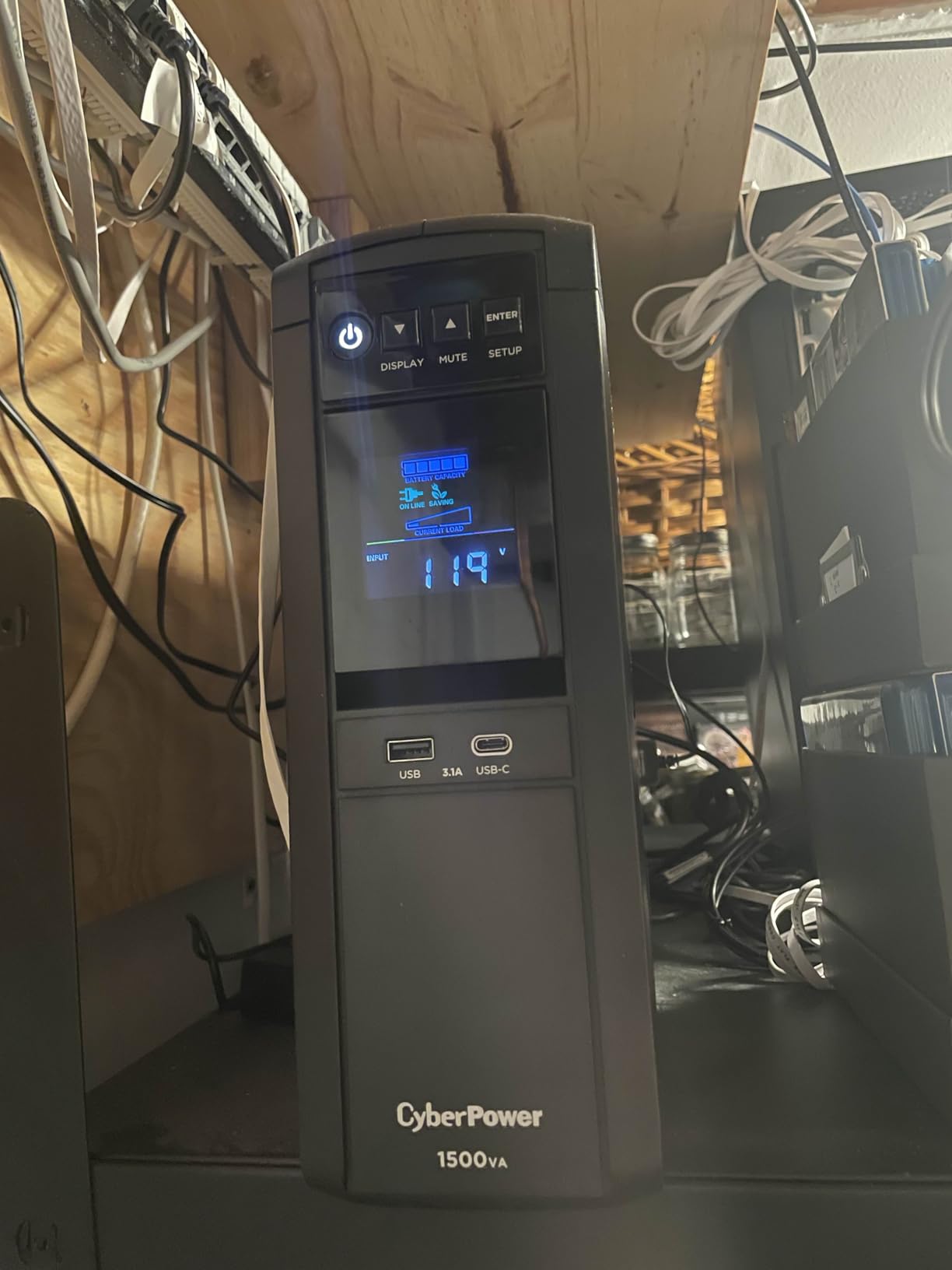
Owners with Active PFC builds report that it switches to battery instantly and holds roughly 40 minutes of gaming runtime, comfortably more than the few minutes you need to save and shut down. The colour LCD is tilted up to 22 degrees so it stays readable on a floor-mounted unit, and it reports live watt draw, which turns it into a permanent Kill-A-Watt for your rig. That readout alone justifies the purchase for anyone who has ever wondered what their system actually pulls.
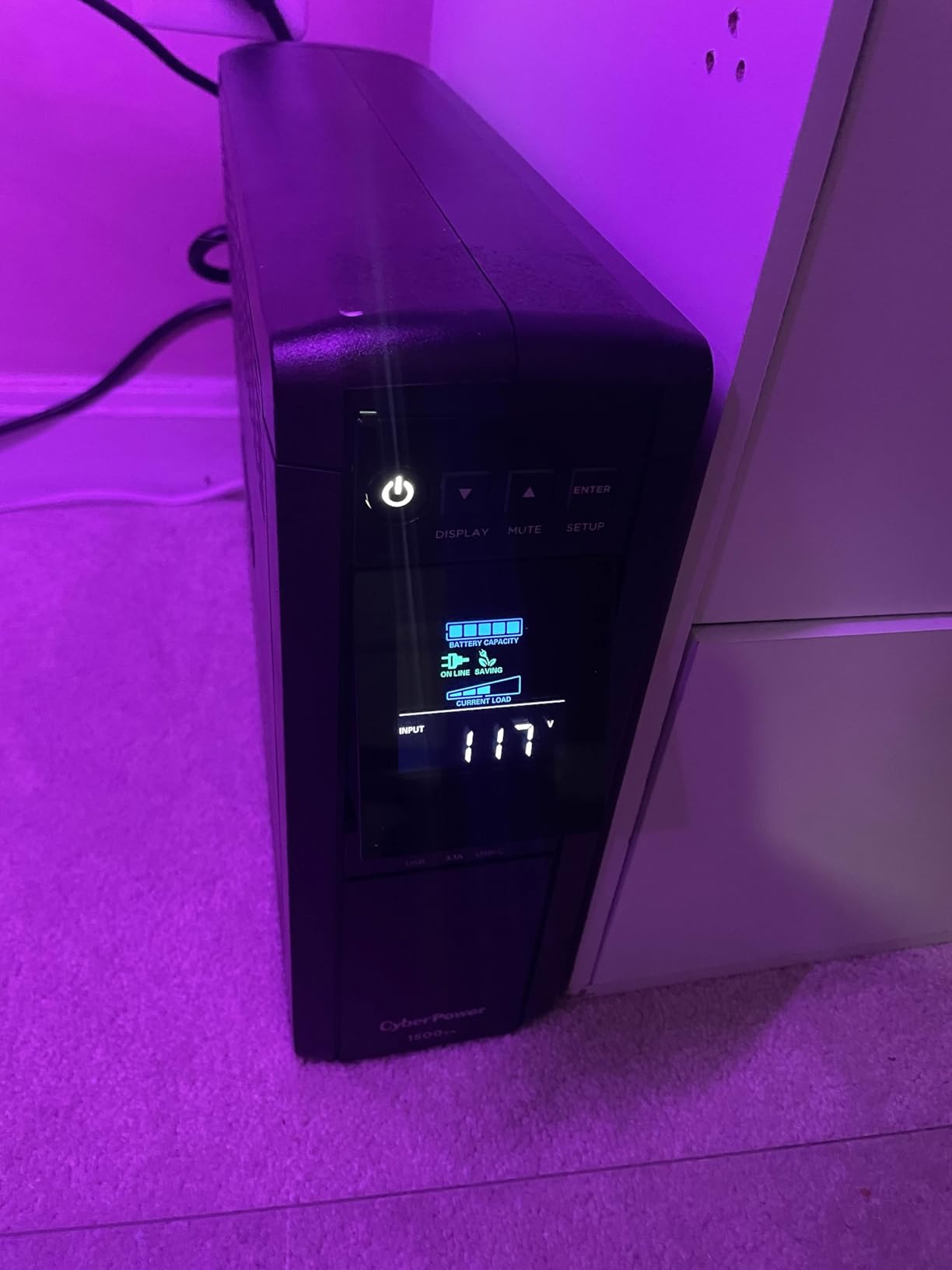
The outlet layout is the quiet hero. Twelve NEMA 5-15R sockets, six of them battery-backed and surge protected, six surge-only. You can put the tower, a monitor, the router and the modem on the battery side and still have peripherals on surge protection alone. Two USB charge ports, one Type-A and one Type-C, are a small touch that saves an outlet on a crowded desk.
Warranty is 3 years including the battery, with a 500,000 connected equipment guarantee, and PowerPanel management software is included free. It is UL certified, weighs 24.9 pounds, and measures 14 by 3.9 by 11 inches, which is compact relative to APC units of the same class.
What you gain by spending up to this model?
You stop worrying about the power supply entirely. Pure sine wave output removes the whole class of Active PFC weirdness, and the 1000W ceiling means the system rarely approaches overload even during a GPU spike. The watt readout also lets you size your next upgrade honestly, which is genuinely useful if you plan to swap graphics cards.
If your grid is unstable enough to be planning this purchase, the 500,000 connected equipment guarantee and the 3-year battery-inclusive warranty are the parts that make the ownership risk manageable.
Where the cheaper models are the smarter call?
If your PC uses a conventional power supply and you are only protecting the tower plus a router, the CP1500AVRLCD3 below gives you the same 12-outlet layout and LCD for noticeably less. And if your only concern is voltage spikes rather than outages, a surge protector is a fraction of the money and does that one job perfectly.
One long-term complaint is worth repeating honestly: an owner reported batteries that stopped charging and required a full replacement unit after several years of service. The internal charging circuit is a known weak point in this class, and the fix was a new device rather than a new battery.
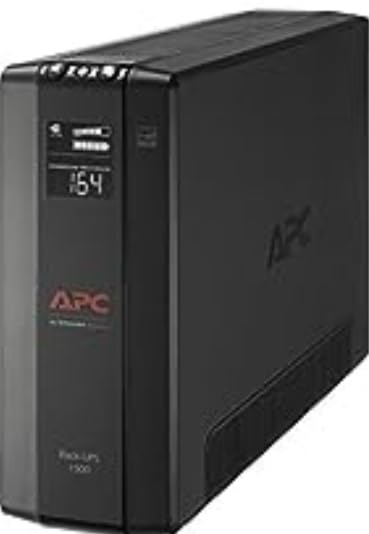
2. APC BX1500M: Best Value Battery Backup for a Gaming PC
APC BX1500M UPS Battery Backup & Surge Protector for Computers, Electronics
- Highest review count of any unit in this roundup
- 68 minutes of stated runtime at 100W
- User-replaceable APCRBC124 allows hot swaps
- ENERGY STAR certified at 92 percent efficiency
- Data line protection covers coax and Ethernet
- Stepped waveform on battery rather than true sine wave
- Lead-acid batteries need replacing every few years
- Some units ship with a noisy cooling fan
This is the most proven unit on the list, and with over 13000 reviews across multiple owners it is the safest recommendation you can make. It sits at 1500VA/900W with a stated 68 minutes of runtime at a 100W load, which covers a PC, monitors and network gear through a short outage comfortably.
The build quality story here is about longevity rather than features. The battery is a user-replaceable APCRBC124 cartridge, which means a hot swap with no downtime and no tools when the lead-acid pack ages out. Owners running gaming PCs with multiple monitors report a clean, uninterrupted transition to battery during brief outages and automatic return to mains, with AVR handling brownouts without touching the battery at all.
It also protects data lines as well as power, with built-in coaxial and Ethernet surge suppression, a combination the CyberPower LCD units in this roundup do not offer. If you have a NAS or a NAS-adjacent network closet, that port matters more than it looks. It carries a 789-joule surge rating, an LCD showing battery charge, runtime, load capacity and input voltage, and ENERGY STAR certification for efficiency above 92%.
The honest caveat is the waveform. APC markets this model as Active PFC compatible, which it largely is in practice, but the output on battery is a modified, stepped wave rather than a true sine wave. Buyers with high-end or sensitive hardware frequently conclude they should have bought the pure sine wave sibling instead.
Why this one earns the value slot?
Nothing else in this roundup combines this review depth, this runtime headroom, a user-replaceable battery and ENERGY STAR efficiency in a single box. For a buyer who wants the proven choice rather than the technically perfect one, the maths works out well.
The AVR behaviour is the underrated part. Correcting brownouts from 88V without dropping to battery means your battery stays full for the next real event, and that is worth more over five years than a slightly better waveform.
When to buy the APC BR1500MS2 instead?
Buy the BR1500MS2 if you are running a GPU expensive enough that a stepped waveform keeps you up at night, or if you have a NAS where drive longevity is the concern. It is genuinely pure sine wave and states the longest runtime figure in the group at 73 minutes at 100W, and it carries 1080 joules of surge protection.
The reason to skip this model instead is battery age. Lead-acid packs in this class typically last two to four years, and if you are not the type to replace them yourself, factor that into a five-year ownership plan.
3. CyberPower CP1500AVRLCD3: Best for Non-PFC Builds
- 12 outlets including 6 battery-backed beats most 1500VA rivals
- Color LCD reports battery and power status
- AVR handles minor fluctuations without battery drain
- Two USB ports free up an outlet
- Stepped waveform is not ideal for Active PFC power supplies
- 8 hour recharge time is slower than two rivals here
- Lead-acid pack typically needs replacing around year three
This is the value pick inside CyberPower’s 1500VA lineup, and it makes a coherent argument: if you are not buying pure sine wave, you might as well get the most outlets and the nicest screen for the money. Twelve NEMA 5-15R outlets with six battery-backed, a multifunction colour LCD with condition alerts, and a 6-foot cord on a right-angle plug.
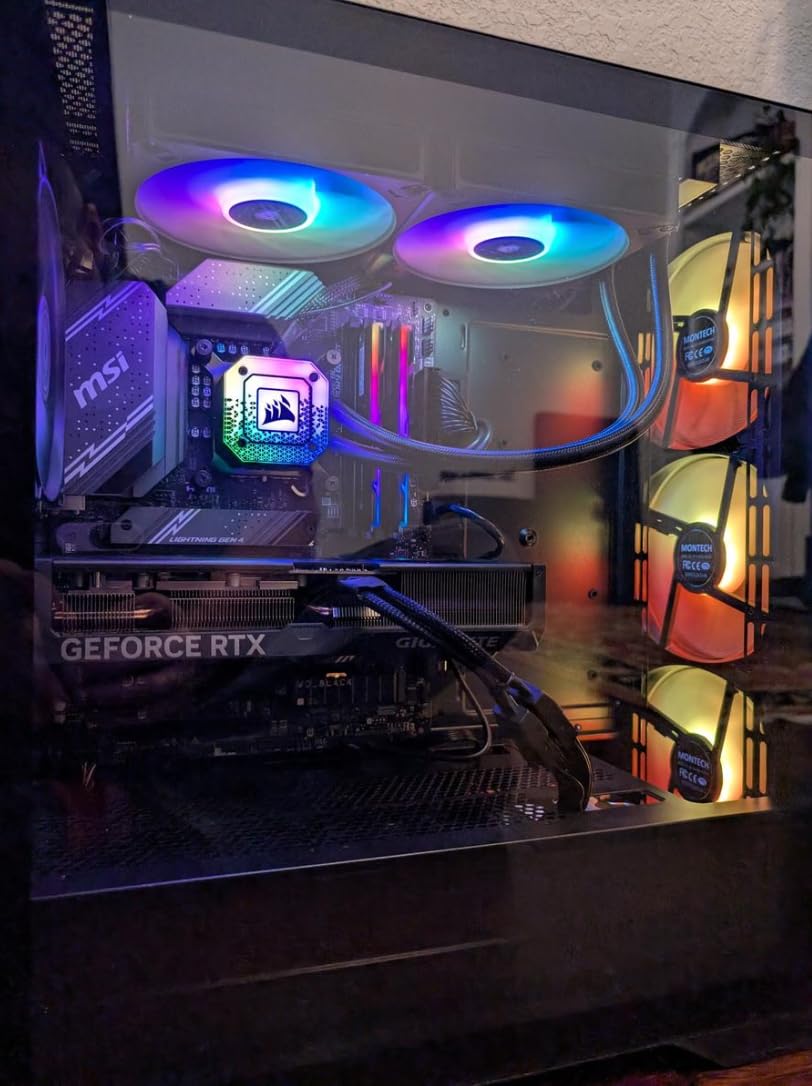
Owners running standard gaming PCs and workstations report that it handles outages and brownouts without drama, and that the AVR step keeps noise events from pushing the unit onto battery unnecessarily. That is exactly the behaviour you want in a house where the lights flicker rather than go out.
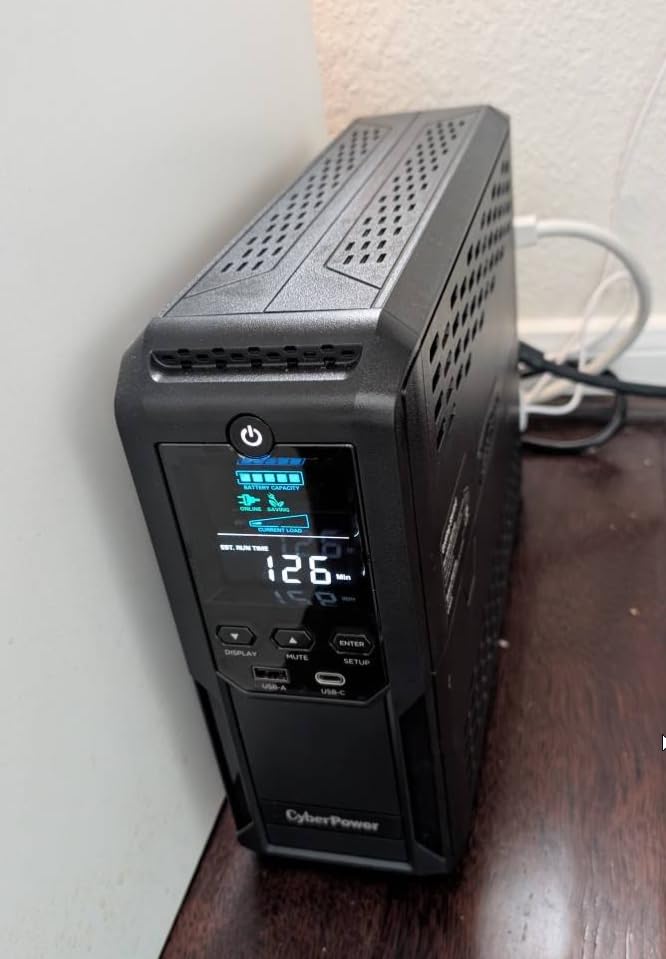
Surge protection is rated at 1500 joules here, the highest figure in the roundup, and the unit is UL certified, Energy Star and RoHS compliant. The 3-year warranty includes the battery and comes with a 500,000 connected equipment guarantee, plus free PowerPanel Personal software for configuring automatic shutdown timing. It weighs 23.8 pounds at 13.78 by 3.94 by 10.2 inches.
The most common caveat in reviews is not a defect but a design choice: the simulated sine wave output. Some buyers with Active PFC or simply more sensitive hardware feel it is a reason to step up to the PFC pure sine wave model, and a handful report units cutting power to a gaming PC during brief voltage events. Treat it as a deliberate trade for outlet count and price.
What the extra outlets actually buy you?
Six battery-backed outlets is generous. It means PC, monitor, router and modem all ride through an outage, with two surge-only positions remaining for speakers and controllers. On a desk where every device needs a socket, that layout removes an entire power strip from the equation.
The colour LCD reports battery health and power condition at a glance, and the two USB charge ports handle a phone and a controller without consuming a mains socket. At under 24 pounds it is one of the easier towers in this roundup to move when you eventually reorganise.
Who should skip this model?
If your PC has an Active PFC power supply, which is most modern gaming builds, skip it and spend up to the CP1500PFCLCD. The stepped output is the one thing on this list that can cause real, strange problems rather than a slightly shorter runtime.
The 8-hour recharge time is also longer than several rivals, which matters if your grid fails often. And the lead-acid pack typically needs replacing around the three-year mark regardless of how well the unit performs.
4. APC BR1500MS2: Best for High-End GPUs and Flagship Rigs
- True pure sine wave output is the safest choice for Active PFC hardware
- Longest stated runtime in the roundup at 73 minutes
- Angled LCD shows runtime and watt draw and battery health
- On-battery alarm can be silenced
- Coax and Ethernet data line protection included
- 16 hour recharge time is the longest in this roundup
- Heaviest unit here at 27.6 pounds
- Costs noticeably more than simulated sine wave rivals
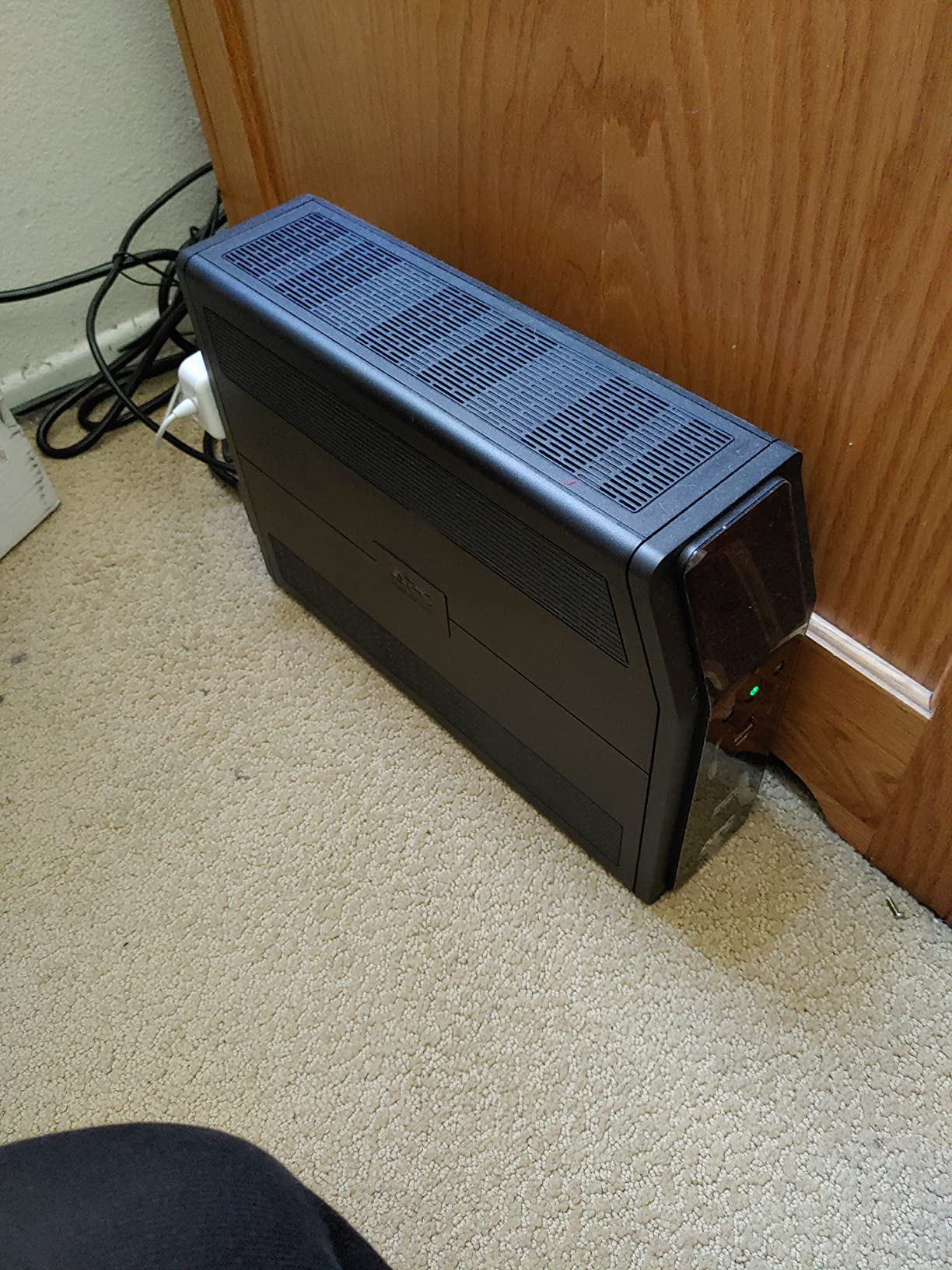
If you have spent serious money on a graphics card, this is the one to pair with it. The BR1500MS2 delivers true pure sine wave output on battery with a design explicitly built for Active PFC compatibility, and buyers running high-end gaming PCs report steadier component behaviour and no unexpected shutdowns as a direct result.
The runtime figure is the strongest in the group at up to 73 minutes at a 100W load, and the outlet layout leans toward backup rather than clamping: six battery-backed, four surge-only, plus built-in coax and Ethernet protection ports. Front USB-A and USB-C charging ports keep phones off the outlet budget.
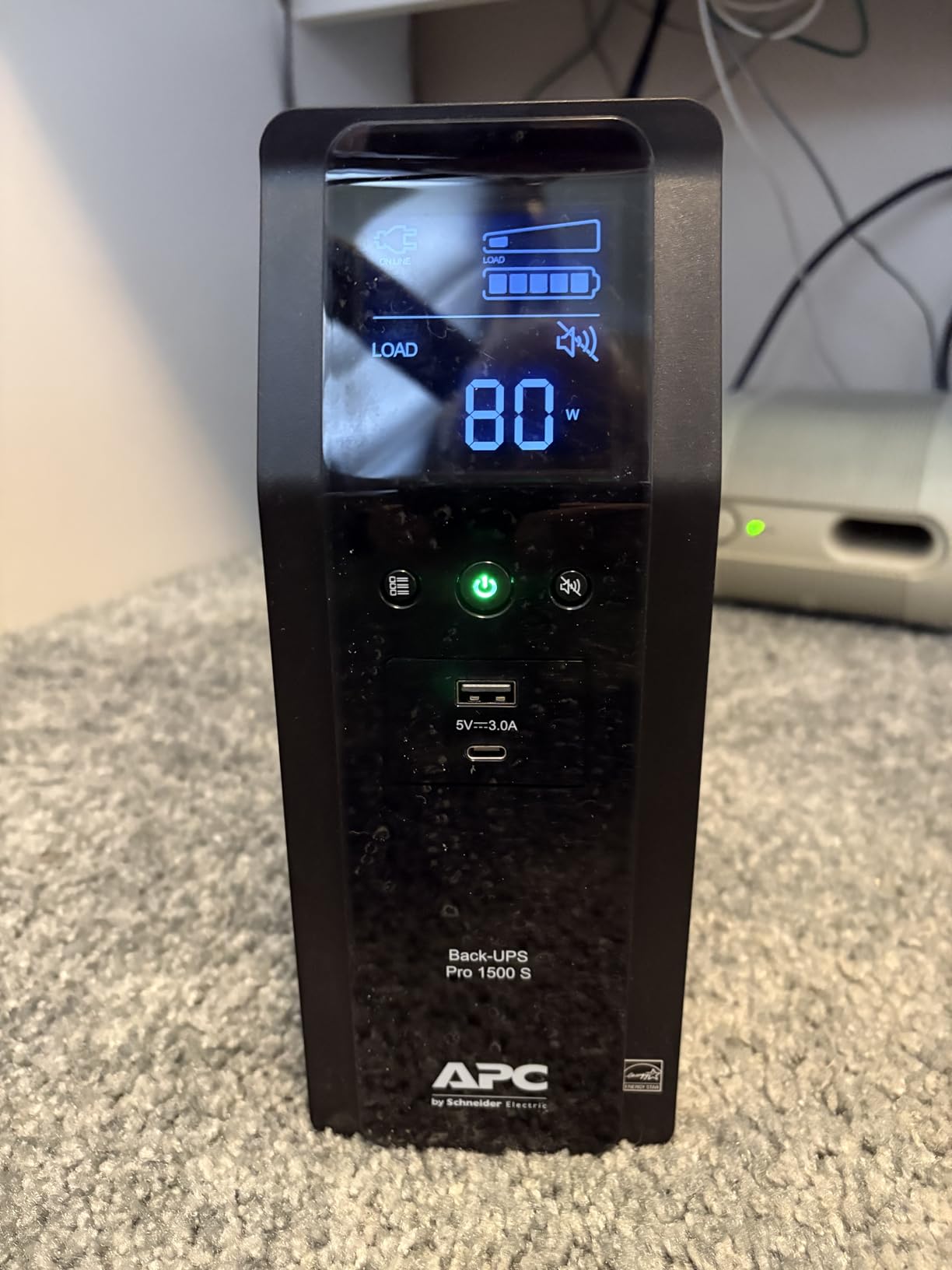
The angled LCD is genuinely useful, showing runtime remaining, current watt draw and battery health, and the on-battery alarm can be silenced, which matters if the unit sits in a bedroom or a recording space. The battery is a user-replaceable APCRBC163 cartridge, and the warranty runs 3 years.
At 27.6 pounds and 14.49 by 3.94 by 10.24 inches, it is the heaviest unit in this roundup, and that is a fair warning for anyone rearranging a desk. Surge protection is rated at 1080 joules.
Where pure sine wave earns its keep?
Beyond compatibility, pure sine wave output is gentler on the power supply itself, and on NAS drives it is the difference between a clean transition and a stress event. If you run anything with spinning disks on the same unit, that is worth real money over a decade of ownership.
The battery life figure is also better than the rest of the lead-acid group here, rated around 5 years, so the replacement cycle is longer even though the chemistry is the same.
What you give up for the cleaner waveform?
The 16-hour recharge time is the longest in this roundup, and it is a genuine downside. After a full discharge the unit is not a meaningful backup for most of the following day, which matters in regions with frequent multi-hour outages.
It also costs noticeably more than simulated sine wave models of the same capacity, and it remains lead-acid, so a battery replacement is still on the horizon. If your budget is the deciding factor, the CP1500PFCLCD delivers the same pure sine wave benefit at 1000W rather than 900W.
5. GOLDENMATE 1000VA Pro: Best for Battery Longevity
GOLDENMATE 1000VA/800W Lithium UPS Battery Backup & Surge Protector, White
- Pure sine wave output
- 10 year and 5000 cycle LiFePO4 battery
- PP45 terminals allow adding an external battery pack
- Fan stays under 50 dB and only runs under heavy load
- Weighs 12.3 pounds
- roughly half the lead-acid towers here
- Lower 1000VA/800W capacity than the 1500VA units here
- Stated runtime is about 30 minutes
- Only 2-year warranty
- Buzzer on battery can be muted but not adjusted
This is the only lithium unit in the roundup, and that single fact changes the ownership maths. The 230Wh LiFePO4 pack is rated for over 10 years of service life and more than 5000 charge cycles, against roughly 3 to 5 years for the lead-acid packs in every other unit here. Buyers who have replaced lead-acid packs two or three times on other UPS units single this one out as the set-and-forget option.
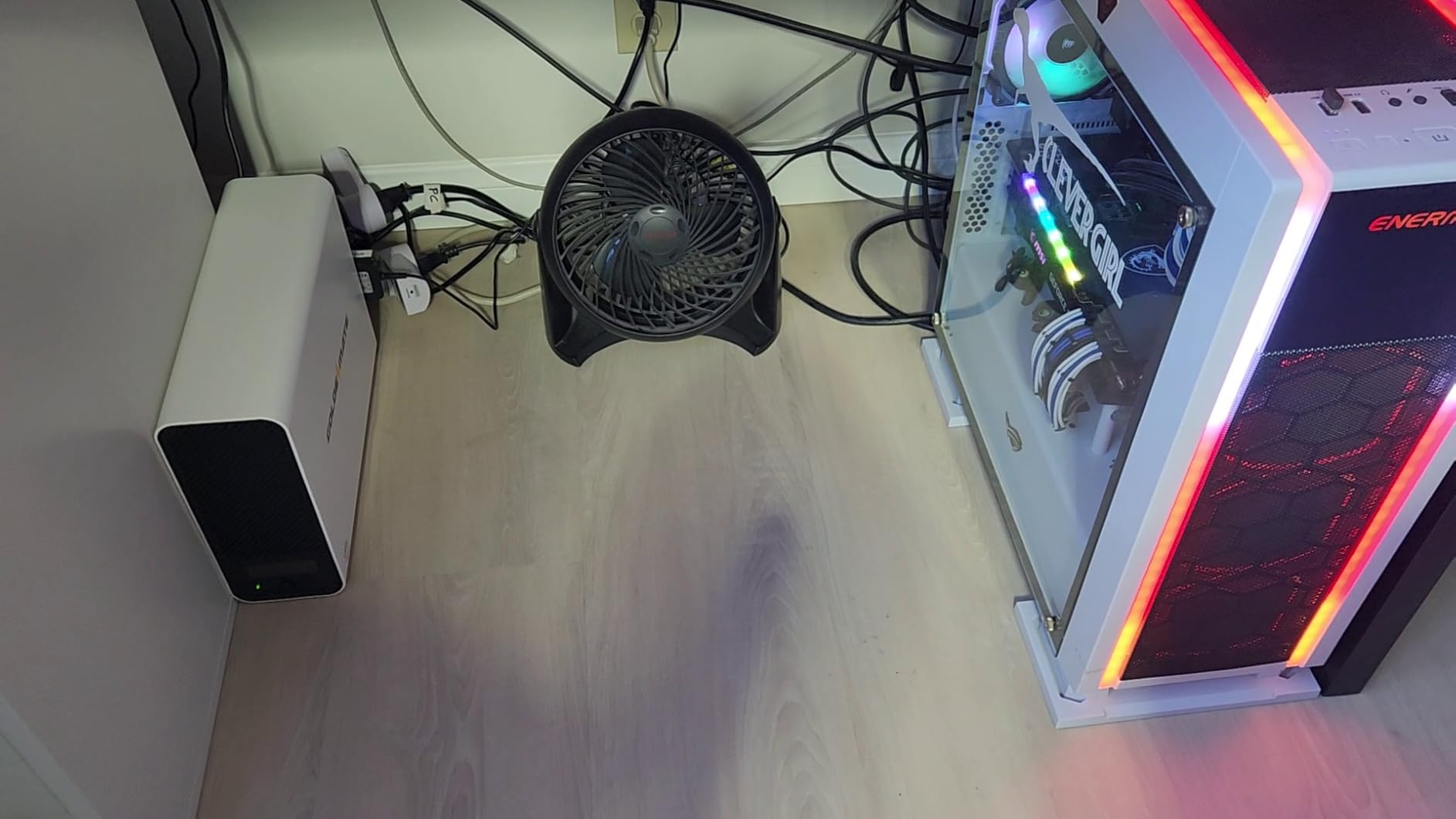
It is also the easiest to live with physically. At 5.6 kg, or 12.3 pounds, it is roughly half the weight of the 24 to 27 pound lead-acid towers, so repositioning it under a desk is a one-handed job rather than a two-person lift. The cooling fan operates below 50 dB and only ramps up under heavy battery load, so it is quiet in normal use.
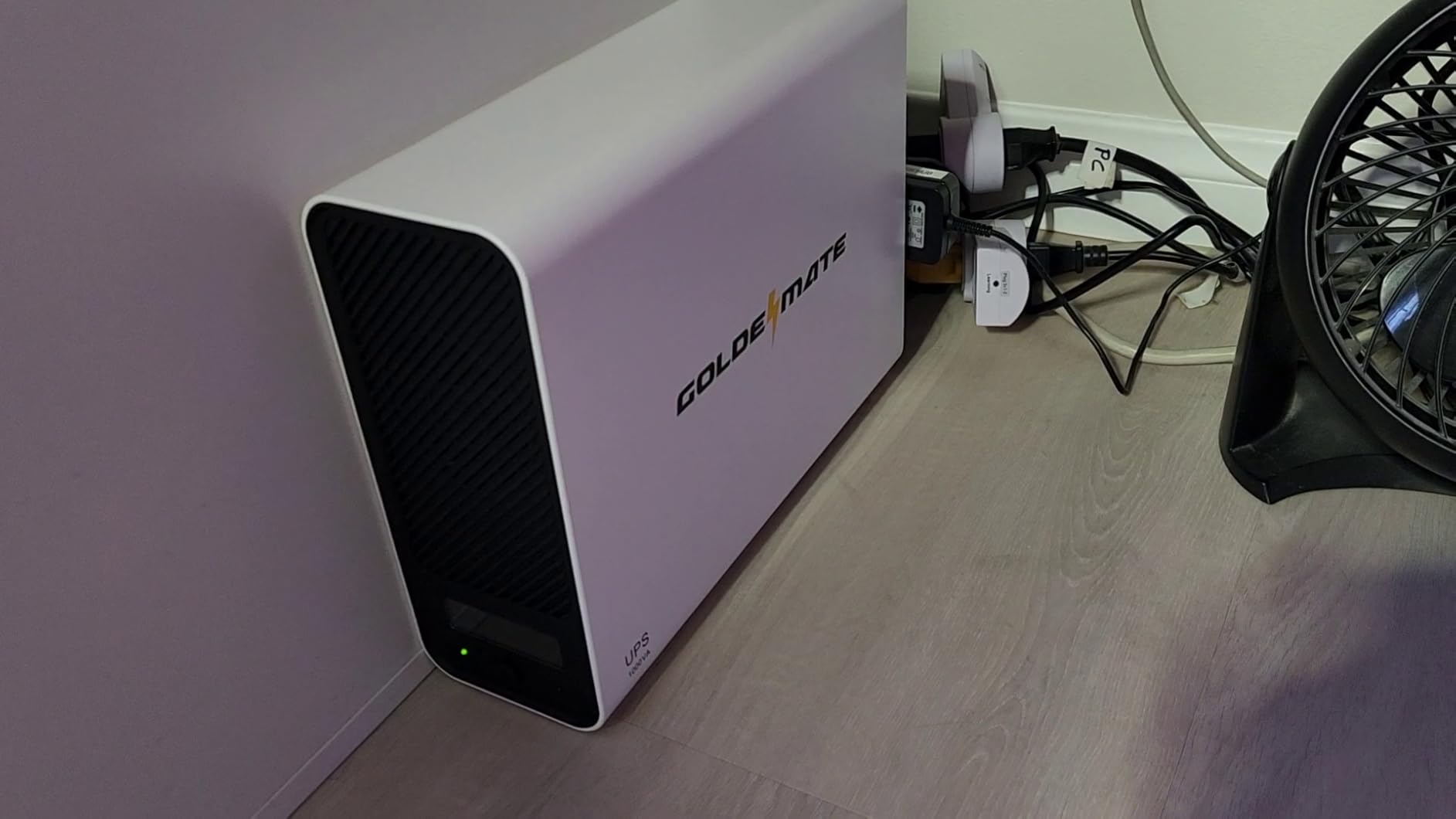
Output is pure sine wave at 1000VA/800W, which keeps it safe for sensitive electronics and modern PCs. Eight NEMA 5-15R outlets all carry both surge protection and battery backup, which is unusual at this capacity, and a built-in battery management system with PP45 terminals allows an external battery pack to be added to extend runtime. The colour LCD includes an automatic safety cutoff that halts charge and discharge past set limits to protect the pack.
It also accepts a 90-140V AC input range, which is more forgiving than strict 120V-only units, and carries UL1642, UL1973, UL1778, FCC and TUV certification. The white enclosure is 12.99 by 4.13 by 9.84 inches.
Why lithium changes the five-year picture?
Manufacturer claim of more than 40% lower total cost of ownership than lead-acid solutions is the headline, and the mechanism is simple. A lead-acid unit needs a replacement pack roughly every three years for its whole life, while this one is designed to outlast the enclosure. Over a decade, that is the difference between several battery purchases and none.
The PP45 terminals matter more than they sound. Almost no consumer UPS in this roundup lets you add external battery capacity, so if you want more runtime later you cannot get it. Here you can.
Where it falls short of the 1500VA units?
Capacity is the real limit. At 800W continuous and a stated runtime of about 30 minutes, it suits a lighter gaming setup rather than a flagship rig with a power-hungry card. The two-year warranty is also the shortest in the roundup, which sits oddly next to a battery marketed as lasting a decade.
Finally, this is a much smaller brand with a far smaller review base than APC or CyberPower, and the buzzer on switching to battery can only be muted, never adjusted. If you want the most field-proven option and can accept a battery swap every few years, the BX1500M is the safer buy.
6. CyberPower EC850LCD: Best Budget Pick for Network Gear and Small Systems
- 12 outlets including 6 battery-backed plus a 526 joule rating
- Only 7.7 pounds
- roughly a third the weight of the 1500VA towers
- ECO mode cuts peripheral power when the PC sleeps
- 3-year warranty including the battery
- 850VA/510W output is well under what a high-end gaming PC needs
- Simulated sine wave output
- Lowest surge rating here at 526 joules
- Runtime collapses to about two minutes at full output
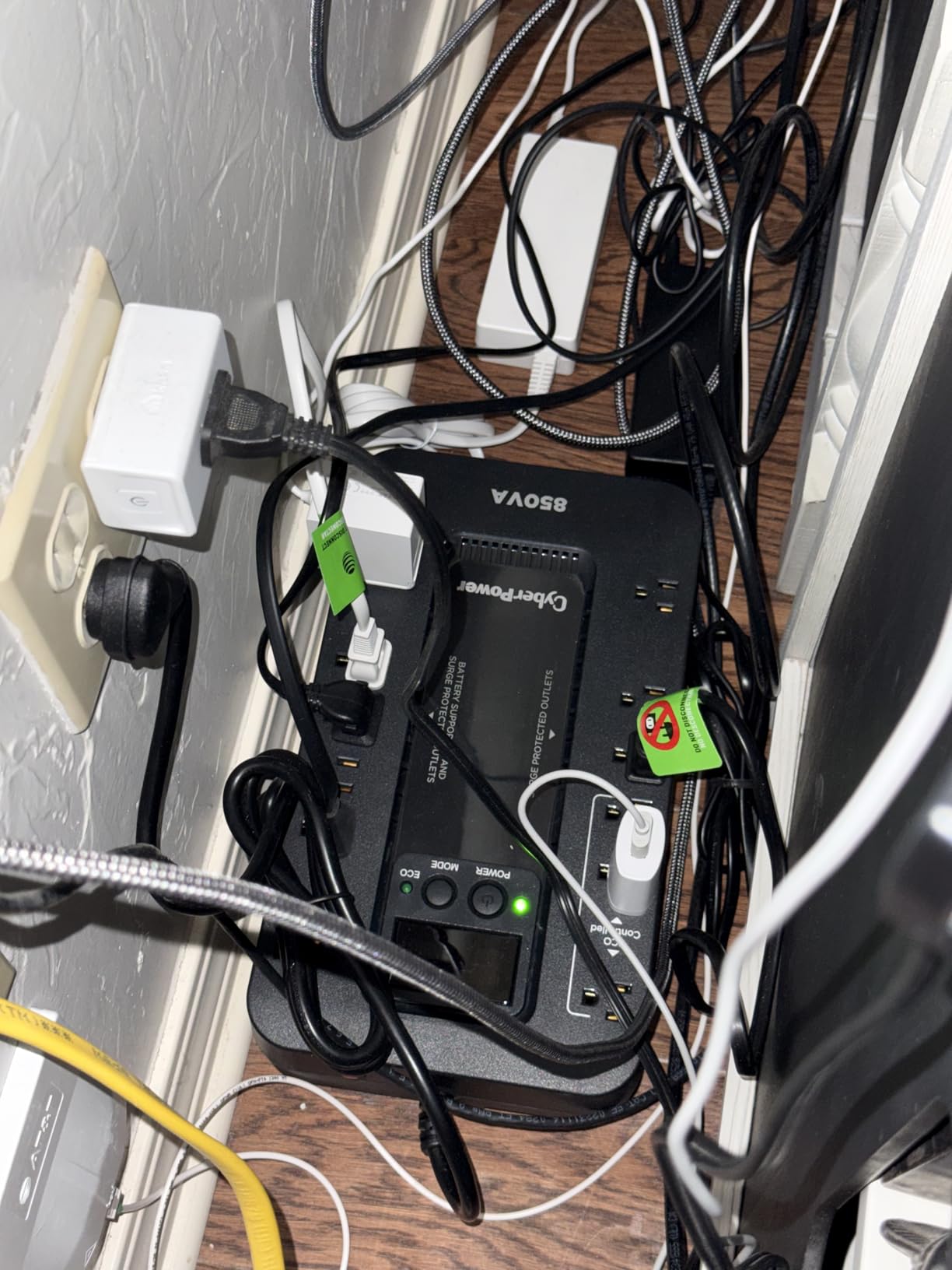
This is the budget entry, and reviews frame it that way consistently. It is praised for size, outlet count and the LCD, and it works well protecting network equipment, a console or a small office PC. It is not a desktop backup for a heavy gaming rig, and pretending otherwise would be the misleading part.
What you get for very little is genuinely useful. Twelve NEMA 5-15R outlets with six battery-backed, a multifunction LCD showing battery and power condition, ECO mode that automatically cuts power to peripherals when the computer is off or asleep, and a 3-year warranty including the battery with a 100,000 connected equipment guarantee. PowerPanel Personal Edition is included free.
The physical argument is strong. At 7.7 pounds and 12.2 by 7 by 3.1 inches it is roughly a third the weight of the towers and fits on a desk rather than beside it. Surge protection is rated at 526 joules, the lowest figure in this group, and it uses sealed lead-acid with a listed battery life of about 3 years.
Owners using it for a small PC, monitor, modem and router report solid satisfaction. Multiple owners warn explicitly that 850VA/510W is insufficient for a full high-end desktop and that runtime collapses to roughly two minutes when the output is actually loaded.
Where this unit is genuinely the right answer?
Router, modem, NAS, console and a monitor. That is a complete network closet for the price of a mid-range accessory, and none of those devices draw enough to stress an 850VA unit. If you have a secondary PC or an office machine rather than a gaming flagship, the capacity is also workable.
The ECO mode deserves a specific mention. It cuts power to the surge-only peripherals when the host PC goes to sleep, which lowers standby draw and extends runtime in exactly the situations where the battery matters most.
Why it is the wrong pick for a gaming PC?
Two reasons, and both are hard limits rather than preferences. First, 510W continuous output leaves no headroom for a modern GPU, and if you approach that ceiling you get a cut rather than a shutdown. Second, the runtime under meaningful load is around two minutes, which is not enough time to close a game and shut down cleanly.
Add a simulated sine wave output that is not safe for every Active PFC supply, and the picture is clear. Buy this one for your network gear, or as a second unit for a secondary system.
7. Eaton Tripp Lite OMNI1500LCDT: Best for Built-In Cables and Data Lines
Eaton Tripp Lite OMNI1500LCDT 1500VA UPS 810W 10 Outlets 650 Joules AVR LCD
- Handles a full PC plus two monitors and a modem through multi-minute outages
- Returns to utility power automatically after an outage
- Bright readable LCD showing runtime and load and input voltage
- RJ45 and RJ11 dataline protection
- User-replaceable RBC51 battery cartridge
- Documentation is thin and crammed onto one or two pages
- Screen brightness cannot be dimmed and lights up a dark room
- Loud alarm during a power event
- 650 joules is lower than the CP1500AVRLCD3 at 1500
This is the pick for anyone who wants one box to own the whole desk. Buyers running a full gaming PC with two monitors and a modem report that it handles the entire setup with no interruption through multi-minute outages, and that it switches back to utility power on its own once mains returns, with no button press under the desk.
Two physical details set it apart from every other tower here. It has a built-in six-foot NEMA 5-15P extension cord, so there is no brick to lose behind the unit, and the housing is a metal-acrylonitrile butadiene styrene mix rather than pure plastic. At 19.29 by 9 by 11 inches it is also physically the longest unit in the roundup, so measure under-desk clearance first.
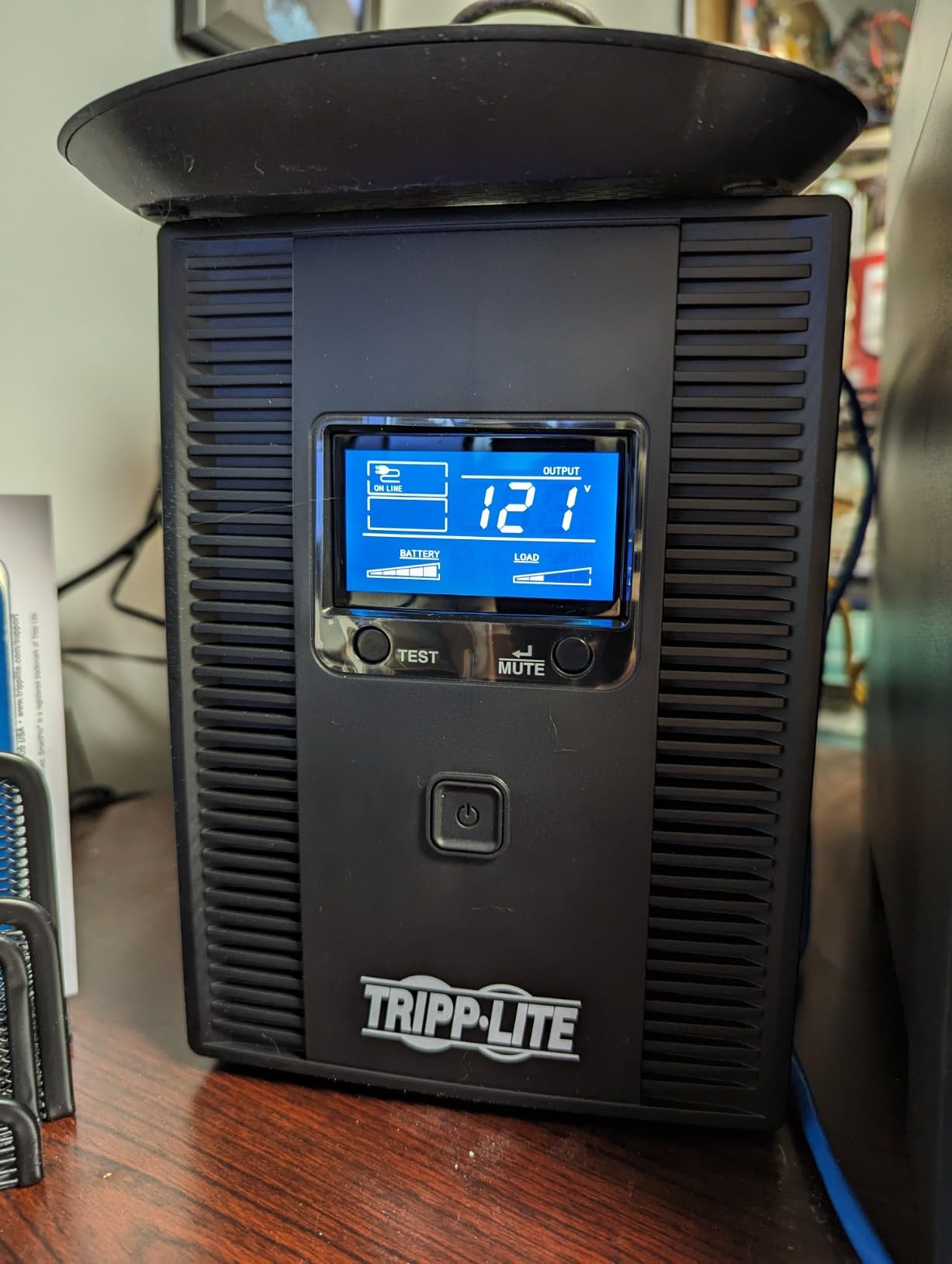
AVR correction between 92V and 150V back to safe 120V happens without using battery power, and the LCD shows runtime, load wattage, overload status, AVR state, input voltage and battery status without requiring any app. Data line protection covers 100 Mbps Ethernet on RJ45 and telephone or DSL on RJ11, and the internal battery is user-replaceable via the RBC51 cartridge.
On longevity, this is the strongest story in the roundup. Several long-term owners report the unit still performing after four to five years, one on its original battery set, and a professional reviewer who has tested UPS systems for two decades calls it the best engineered in the category. Eaton also has a history of honouring the 250,000 Ultimate Connected Equipment insurance, including claims after lightning strikes.
What the built-in cable arrangement solves?
Every other unit in this roundup relies on a detachable cord, which is generally better for service but worse for a permanent under-desk install where the plug can be knocked loose. A permanently attached six-foot cord removes that failure mode and removes one more object to route.
For a multi-monitor desk, the AVR correction range and the data line ports are the practical wins. Network gear stays protected through storms, and brownouts get corrected rather than passed to the graphics card.
Where the ownership experience frustrates people?
Usability, not reliability. The LCD brightness cannot be dimmed, and in a dark room the bright display is genuinely annoying. The alarm is loud enough to wake someone, documentation is described as mediocre with the key information crammed onto one or two pages, and the unit is heavy and awkward once it is wired in.
One detailed review also reports total failure at 14 months with the battery showing as fully charged, requiring repeated long-press resets, and a 650-joule surge rating that is the lower of the 1500VA pair here. If you want the same built-in cable without those trade-offs, this is still the only option, but the 5S1500LCD below is quieter.
8. Eaton 5S1500LCD: Best for Quiet Setups and NAS Integration
Eaton 5S1500LCD UPS Battery Backup & Surge Protector, 1500VA / 900W, AVR, LCD Display, Line Interactive
- Silent in normal use because the fan only runs on battery or during severe correction
- Works with open-source NUT for Linux and Proxmox and Synology
- User-replaceable internal batteries with 3-year warranty
- Reliable shutdown signalling to a NAS or server
- Output on battery is an approximated sine wave rather than a true sine wave
- Batteries arrive disconnected and must be wired in
- Lowest average rating among the eight units here
- One owner reported batteries overheating and deforming the case
This is the quiet option, and in a bedroom, a home office or a recording space that matters more than the spec sheet suggests. The internal fan runs only on battery or during severe voltage correction, so during normal use this unit is effectively silent while most competitors hum continuously. One owner reports that AVR and clean output handled a two-second power cut without the PC noticing at all.
It is also the best-integrated unit here for anyone running a NAS or a Linux machine. Eaton originated the open-source NUT project, so monitoring integration on Linux, Proxmox and Synology is straightforward, and it sends reliable shutdown signalling so a server can power down cleanly before the battery drains. The LCD shows battery time remaining, power consumption and outage tracking, and a USB port handles automatic integration with Windows, Mac and Linux.
Ten outlets with five battery-backed and five surge-only, RJ45 data line protection for 10/100 Mbps networks, ECO control for non-essential peripherals, and a 3-year warranty on both the UPS and its internal user-replaceable batteries with a 150,000 load protection guarantee. At 15 by 3.4 by 9.8 inches and 26.1 pounds it is a conventional tower.
There is a software gotcha worth knowing before you buy. The default UPS Companion software shuts the unit off after the host PC shuts down, which defeats the purpose entirely; the Intelligent Power Protector software is the one you need instead.
Why the silence matters more than it sounds?
Most UPS towers run a cooling fan continuously because they assume nobody is listening. In a room where you record audio, sleep, or concentrate, that constant low hum is the first thing you notice and the thing you cannot un-notice. This unit does not do it.
The on-battery notification can be disabled entirely, which is the second half of quiet operation, and the 3-year battery-inclusive warranty is unusual among the models in this roundup.
Where the review record gives you pause?
This has the lowest average rating in the roundup with the smallest review base, and one detailed account describes batteries overheating and deforming badly enough to warp the case, with the fault repeating after a replacement set. The internal batteries also arrive disconnected and must be physically wired in, a step the manual barely covers.
There is a sizing trap too. A 900W UPS paired with a 900W power supply is a bad match, because a gaming rig can trip the overload indicator and cut out during the routine battery discharge test. The output on battery is an approximated sine wave rather than a true one, so it is not ideal for sensitive or Active PFC loads. If quiet operation is your priority and the integration story matters, it is worth it. If neither does, choose a pure sine wave unit.
What to Protect on Your UPS, and What to Keep Off It?
Outlet allocation is the part of UPS ownership that most guides skip and that matters most in practice, because the battery-backed count is always limited. The rule is simple: protect what holds unsaved work first, then what holds valuable hardware, then everything else on surge-only protection.
Priority order for a gaming desk: the PC itself, then the monitor, then the router and modem, then speakers, headset and controllers. Speakers and audio interfaces draw surprisingly little, and a pair of nearfields on surge-only protection still get spike protection without eating a battery-backed outlet you could be using for storage.
For a multi-device setup with a NAS, the storage is the next thing onto the battery-backed side, and the data line protection ports on the APC BX1500M, the APC BR1500MS2, the Eaton Tripp Lite OMNI1500LCDT and the Eaton 5S1500LCD are there so an Ethernet line cannot carry a surge into the network card. Our guides to home server and NAS enclosures and lithium battery charging setups cover the rest of that infrastructure.
Now the exclusions. Never put a space heater, hair dryer, kettle, microwave or laser printer on a UPS. They are high-draw resistive or heating loads that contribute nothing during an outage and will trip the overload protection if they happen to be running when power fails. Gaming consoles are a grey area: a modern console draws enough to matter, so either accept a very short runtime or leave it on surge-only protection. And never daisy-chain a UPS into another UPS or a surge-only power strip into a battery-backed outlet.
Setting Up Automatic Shutdown on Your Gaming PC
A UPS without shutdown automation is only half a solution, because the machine still has to be told to save and quit. The sequence matters more than the tool.
Step one, plug the PC directly into a battery-backed outlet and everything else onto surge-only outlets where possible. Step two, install the vendor software: PowerPanel Personal for the CyberPower units, the APC tools application for the APC units, and NUT or Intelligent Power Protector for the Eaton models. Step three, set the shutdown threshold to the runtime you actually need, usually 60 to 120 seconds, rather than the maximum the unit reports. Step four, test it by pulling the cord from the wall with the system under a normal load, and confirm the game saves and the machine powers off cleanly.
Step five, if you stream, configure your capture software to respond to the same signal so the broadcast ends gracefully rather than freezing on a black frame. For NAS users, map the shutdown signal so the array parks its heads instead of being cut mid-write, which is the failure mode people regret most.
One question comes up constantly: should the UPS stay plugged in all the time? Yes. These units are designed to be permanently connected, maintaining the battery in float charge and running self-tests. Unplugging it means the next outage arrives with an uncharged battery and no surge protection on anything behind it.
Battery Life, Replacements and Cost Over Time
Almost every unit in this roundup uses sealed lead-acid, and the listed battery average life figures are strikingly short: about 3 years for the CyberPower EC850LCD, the CP1500AVRLCD3 and the Eaton 5S1500LCD, and about 5 years for the APC BR1500MS2, with the APC BX1500M and the Eaton Tripp Lite OMNI1500LCDT sitting in between as owners report two to four years before a replacement is needed.
That is the number to plan around. A lead-acid unit in continuous service is effectively a fresh unit plus a scheduled battery purchase every few years. The good news is that replacement is straightforward on most of these: the APC BX1500M takes an APCRBC124 cartridge, the BR1500MS2 takes an APCRBC163, the Eaton Tripp Lite OMNI1500LCDT takes an RBC51 cartridge, and the Eaton 5S1500LCD uses user-replaceable internal batteries, all covered by a 3-year warranty. The CyberPower CP1500PFCLCD is the notable exception, since it has no external terminal for adding battery packs and an owner reported a charging circuit failure that required replacing the entire unit.
The GOLDENMATE is the outlier that changes the arithmetic. Its 230Wh LiFePO4 pack is rated beyond 10 years of service and more than 5000 charge cycles, with a claimed total cost of ownership more than 40% lower than lead-acid solutions. Over a ten-year horizon, that is the difference between buying several batteries and buying none, which is why it earns its place on this list despite the lower capacity and the 2-year warranty. Battery chemistry is a genuine long-term ownership decision, not a specification detail.
Frequently Asked Questions
How big of a UPS do I need for a gaming PC?
You need roughly 1.5 times your measured wall draw in continuous wattage, which in practice means a 1500VA model for almost any mainstream gaming PC. A 1500VA unit delivers 900W to 1000W, enough for a mid-range or high-end rig plus a monitor and router. Step down to 1000VA if your draw stays under about 500W.
Is a 1000VA UPS enough for a gaming PC?
Yes, for a mid-range rig drawing under roughly 500W at the wall. A 1000VA unit delivers around 600W of continuous power, so you have headroom as long as you are not running a power-hungry flagship graphics card. Measure your real wall draw rather than your power supply nameplate, then check the unit’s wattage rating has 1.5 times headroom over it.
Is a 600W UPS enough for a gaming PC?
Rarely. A 600W-rated UPS delivers roughly 350W of continuous output, which covers networking gear, a console or a modest office PC but not a gaming desktop with a discrete graphics card. Owners of small 600VA units in this category report early failures and very short runtime under load. If that is your budget, a surge protector for spike protection is a better spend.
How long can a UPS keep a gaming PC running?
Expect minutes, not hours, under a real gaming load. Published figures at a light 100W load reach 68 minutes on the APC BX1500M and 73 minutes on the BR1500MS2, but runtime roughly halves as you approach full output. Owners of a CyberPower CP1500PFCLCD report around 40 minutes of gaming runtime on typical hardware.
Which UPS is better, CyberPower or APC?
Both are the two brands worth serious consideration, and the decision comes down to waveform and battery handling. CyberPower’s CP1500PFCLCD delivers 1000W of pure sine wave power with 12 outlets, while APC’s BR1500MS2 delivers 900W of true sine wave with a longer stated runtime and a user-replaceable battery cartridge. APC has more total review volume, CyberPower has more outlets and more headroom.
What should not be plugged into a UPS?
Avoid high-draw heating appliances such as space heaters, hair dryers, kettles and microwaves, plus laser printers. They contribute nothing during an outage and will trip the overload protection if they are running when power fails. Leave gaming consoles and audio equipment on surge-only outlets, and never daisy-chain a UPS into another UPS or into a surge-only power strip.
Final Verdict
The best battery backup for gaming PC use in 2026 is the CyberPower CP1500PFCLCD. It has the highest continuous output in this roundup at 1000W, genuine pure sine wave output that removes every Active PFC compatibility question, 12 outlets with 6 battery-backed, and a colour LCD that tells you exactly how much power your rig is pulling right now. That combination of clean power and real headroom is what wins it this list.
Take the APC BR1500MS2 instead if your hardware is expensive enough that you want the cleanest possible output and can live with a 16-hour recharge. Take the APC BX1500M if proven reliability and the deepest review history matter more to you than a true sine wave. Take the GOLDENMATE if you would rather not think about batteries for a decade. And if you only need spike protection, buy a surge protector and stop there.
Whichever you pick, measure your real wall draw, set up the shutdown software, and test it once by pulling the plug before you need it. The whole point is that the difference between a bad outage and a non-event is decided in the ten seconds before the lights go out.