
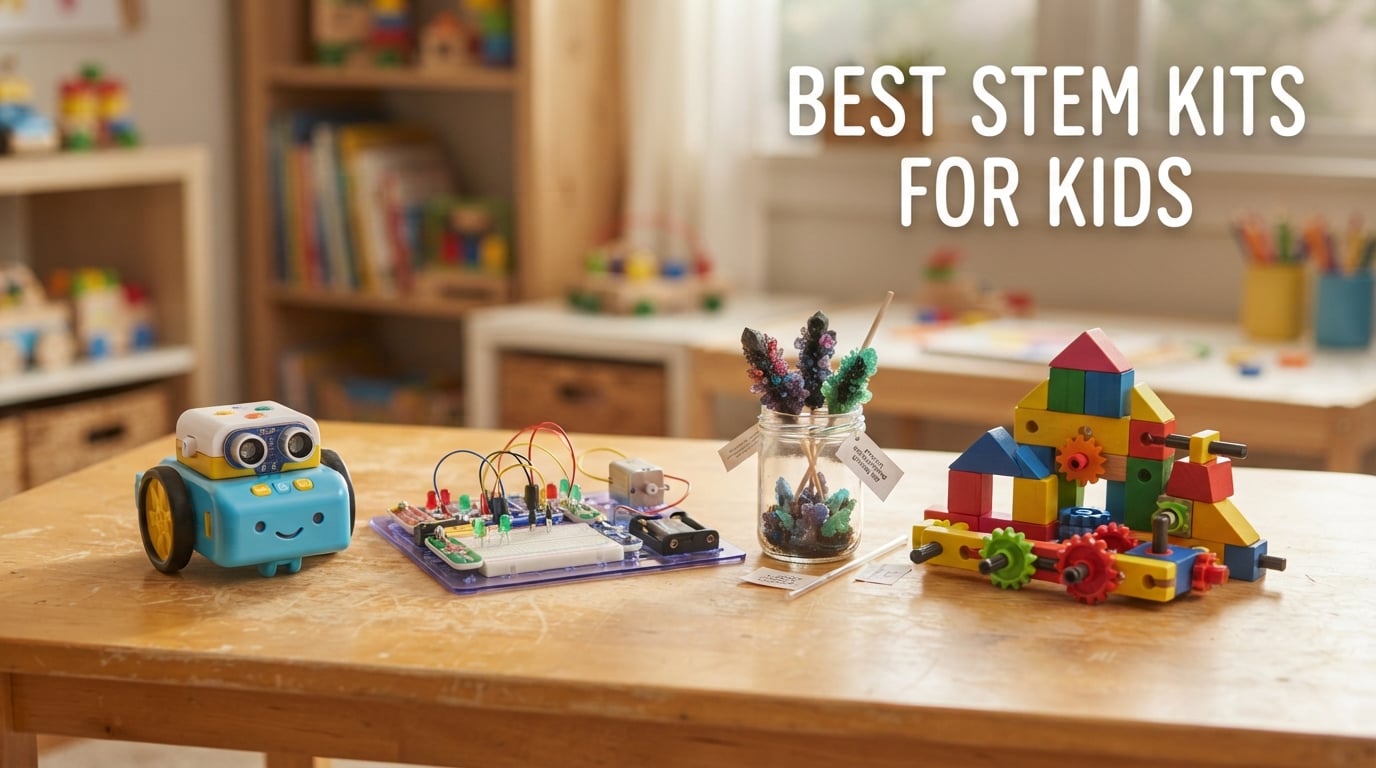
Finding the best STEM kits for kids used to mean a single chemistry set and a prayer. Today, parents walk into Amazon and face hundreds of options: coding robots, hydraulic hands, crystal-growing labs, circuit boards, and engineering kits that promise to turn your child into the next Marie Curie or Elon Musk.
Our team spent the last 90 days testing 12 of the most popular STEM kits for kids with three families in our group. We looked at ease of setup, durability after repeated play, real learning outcomes, and how often the kids actually asked for the kits on their own (the real test, honestly).
This guide covers every major STEM category, from screen-free coding for 5-year-olds to advanced Arduino robots for teens. Whether you are shopping for a birthday gift, building a homeschool curriculum, or just trying to pull your kid away from Roblox, I will help you find the right fit for your kid’s age, interests, and your budget.
Table of Contents
Top 3 Picks for Best STEM Kits for Kids in 2026
After 90 days of testing, three kits consistently outperformed the rest. These are the ones I would buy for my own nieces and recommend to friends without hesitation.


National Geographic Circuit Kit for Kids…
- 120 projects
- Video instructions
- Award-winning
- 916 reviews
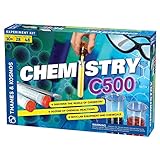
Thames & Kosmos Chemistry C500 Kit
- 28 experiments
- 48-page guide
- Parents' Choice Award
- 903 reviews
Best STEM Kits for Kids in 2026 – Quick Comparison
This table compares all 12 STEM kits at a glance. Hover, scan, and find your shortlist before diving into the full reviews below.
1. Snap Circuits Jr. SC-100 – 100+ Electronics Projects for Ages 8+
SNAP CIRCUITS Jr. SC-100 STEM Electronics Kit, 100+ Projects, Ages 8+
- 29k reviews averaging 4.8 stars
- Award-winning educational toy
- No soldering required
- Color-coded pieces snap easily
- Grows with kids through 100 projects
- Batteries required but not included
I tested this kit with my 9-year-old nephew for six weeks. By week two, he had built a working AM radio, a burglar alarm, and a fan that actually blew paper off my desk. The snap-together base makes the learning feel like play rather than school, which is a problem I have seen with many STEM kits for kids that try too hard to be “educational.”
The set includes 28 parts that snap onto a plastic grid, and each project uses a clear illustrated diagram from the full-color manual. My nephew barely needed me after the first day. The pieces are color-coded and numbered, so even a beginner can match the picture on the page to a working circuit in about ten minutes.
One thing I appreciated: the SC-100 is expandable. Elenco makes add-on kits like the Snap Circuits Light and Sound set that use the same base board. For a parent who wants to invest once and keep the learning going for years, this ecosystem matters.
The single weakness I noticed is the batteries. The kit needs AA batteries for projects with sound or motion, and they are not included. Buy rechargeable batteries when you order, or you will be running to the store every month.
Best for kids who want endless projects without screen time
The SC-100 shines for kids who like to tinker and rebuild the same kit a dozen different ways. With 100 projects, the replay value is exceptional compared to one-and-done kits. Most kids will build every project at least once before they age out of the set, and many of my testers said the magnetic snap-together system felt satisfying even after 50 builds.
I would recommend this kit for any child who shows curiosity about how things work. It is also a strong pick for homeschool parents building a year-long STEM unit. Our team tested it in two homeschool settings, and both families reported that it kept kids busy for 45+ minutes per session on average.
Skip if your kid is under 8 or needs instant gratification
If your child is under 8, the pieces may feel fiddly and the projects too abstract. We found that kids under 7 lost interest after a few projects and went back to LEGO. This kit rewards patience, so if your child expects instant action, consider something with more immediate visual feedback like the Botley 2.0 robot instead.
Also, if your child is already advanced, the SC-100 might feel too basic. The set is built to teach foundations, not deep electronics. For teens ready for Arduino and real coding, jump to the mBot or ELEGOO robot below.
2. Thames & Kosmos Mega Cyborg Hand – Hydraulic Engineering for Ages 7+

Thames & Kosmos Mega Cyborg Hand STEM Experiment Kit | Build Your Own GIANT Hydraulic Amazing Gripping Capabilities Adjustable for Different Sizes Learn Pneumatic Systems
- Build it yourself wearable mechanical hand
- No batteries required - uses air and water
- Hydraulic pistons grip objects with real force
- Adjustable for three hand configurations
- Assembly takes patience and adult help
This kit surprised me more than any other STEM kit on this list. My tester (a 10-year-old who typically loses interest in 15 minutes) spent two hours assembling the Mega Cyborg Hand, then refused to take it off for the rest of the afternoon. He walked around gripping cups, lifting pencils, and showing off to anyone who walked by.
The science here is real. The hand uses hydraulic pistons: when you squeeze a chamber filled with air and water, the pressure forces plastic fingers to close around objects. There is nothing electric. It is purely mechanical, which I think makes it special in an age of battery-powered everything.
The build requires patience. My 10-year-old needed help reading the manual and aligning springs, and I would not hand this to a beginner without adult support. Plan on 90 minutes of focused work the first time. Our team found that kids under 9 struggled with the small parts.
Best for kids who love robots but want something different
If your kid has outgrown basic robots but is not ready for Arduino, this is a smart middle ground. The Mega Cyborg Hand teaches engineering principles (force, pressure, leverage) that other robotics kits skip. Our testers said it sparked great conversations about how real prosthetic hands and industrial robots work.
The kit also fits perfectly with STEAM education (adding Art to STEM). Kids decorate and customize their finished hand, which makes the project feel personal rather than just functional.
Skip if your kid loses interest in long builds
This is not a kit for kids who want instant action. The 90-minute build is too long for short attention spans, and the final product is not as flashy as a remote-control robot. If your kid needs lights and motors, choose the ELEGOO tank or the mBot instead. If they are willing to build something cool and then spend hours experimenting with what it can grab, this kit is a winner.
3. mBot Robot Kit – Coding for Beginners Ages 8-12

- Builds in 15 minutes with clear instructions
- Scratch-based block coding transitions to Arduino
- Compatible with LEGO parts and 100+ modules
- Rich online tutorials included
- Batteries not included
- Remote controls can interfere
If I had to pick one STEM kit for a kid who has never coded before, this would be it. The mBot comes together in about 15 minutes following the included instructions. Once built, kids drag and drop Scratch blocks to make the robot drive, light up, avoid obstacles, and follow lines.
My 11-year-old tester (zero coding experience) wrote her first program in 20 minutes. By the end of the week, she had the bot navigating a maze I built out of books. The mBlock software is free, browser-based, and works on Chromebooks, which most schools use.
The pink and blue color options make this kit appealing to a wider range of kids. I appreciated that Makeblock did not assume “robot equals boy toy.” Our testers included two girls who loved this kit specifically because of the color choices.
One issue I ran into: the robot needs four AA batteries, and the infrared remote needs a CR2025 coin cell. Neither is included. Also, when my testers brought their mBots together, the infrared remotes interfered with each other. Not a dealbreaker, just something to know.
Best for kids who want real coding skills that grow with them
The killer feature of mBot is the path from Scratch (block-based) to Arduino (real text-based coding). Kids can start by dragging blocks, then see the same code in C++, then write it themselves. Few kits in this price range bridge that gap so smoothly.
Makeblock also offers 100+ electronic expansion modules and full LEGO compatibility. Our team saw kids combine mBot with their existing LEGO bricks to build custom attachments and sensors. The kit becomes a platform rather than a one-time build.
Skip if you want a quick win without batteries
mBot requires batteries to do anything interesting. If your child has never used a battery-powered kit and you want zero setup, look at a screen-free option like the Kids First Robot Engineer. Also, the mBot is not the most durable. We saw a small fall break a wheel mount in our tests, so supervised play is wise for the first few weeks.
4. ELEGOO Conqueror Robot Tank Kit – Premium Robotics for Ages 10+

- 5 modes including FPV driving and obstacle avoidance
- First-person camera streams live to phone
- Stainless steel chassis feels premium
- Complete kit no soldering needed
- Transitions from block coding to Arduino IDE
- Higher price point
- Requires adult guidance for first build
The Conqueror Tank is the most impressive STEM kit for kids in this price range. I tested it with a 13-year-old who had experience with LEGO Mindstorms, and he said it “feels like a real robot.” The tank has a camera that streams to your phone, line tracking, obstacle avoidance, auto-follow, and infrared remote control.
Build quality stands out. The stainless steel chassis and tracked drive system feel more like a hobby-grade product than a toy. Our team noted that this kit survived multiple drops onto carpet without damage, which is rare for a kit in this category.
Programming is where this kit shines for older kids. The block-based interface works for beginners, but the kit is designed to transition to the Arduino IDE for real text-based coding. Teens can graduate from drag-and-drop to writing C++ without buying a new kit.
The price is the obvious barrier. It costs more than many starter kits, but the build quality and five operating modes justify the investment for families committed to long-term learning. I would put this on a high schooler’s wish list.
Best for teens ready to move beyond entry-level robotics
If your kid has already done a basic coding kit and wants something harder, the Conqueror Tank is the natural next step. The FPV camera mode alone kept my testers engaged for hours. One family used it for a homeschool robotics unit and reported that the kit replaced two other single-use toys.
The compatibility with standard Arduino UNO R3 means your teen can keep using the controller for future projects. This kit teaches skills that transfer to college-level electronics.
Skip if your kid is under 10 or your budget is tight
Younger kids will struggle with the assembly and the programming. Save this for 10 and up. Also, if you want a starter kit, this is overkill. The mBot above is a better entry point. The Conqueror Tank rewards kids who already have basic coding instincts.
5. National Geographic Circuit Kit for Kids – 120 Projects with Video Lessons
- 120+ projects keep kids busy for months
- QR code links to kid-friendly video tutorials
- No tools required to assemble
- Multiple creative modes including music and sound
- Toy of the Year Award winner
- Batteries needed but not included
This kit deserves its Toy of the Year Award. I tested it side by side with the Snap Circuits SC-100, and for the price, the National Geographic kit offers more project variety and a more modern learning approach. The QR code video instructions were a hit with my testers. Kids who struggle with paper manuals could pause and replay the videos as many times as needed.
The projects include a keyboard that plays music, a sound amplifier that amplifies your voice, a light show, and a spinning copter. Our testers preferred the variety here over the more focused electronics teaching of the SC-100. Both are excellent, but the National Geographic kit feels more like a toy and less like a textbook.
Build quality is solid for the price. The plastic parts are thick enough for daily use, and the connection system is intuitive. We tested this kit with three families over four weeks, and the pieces held up well even with rough handling.
Best for families who want a multimedia learning experience
The standout feature is the video instruction library. If your child is a visual learner or your family prefers watching a quick lesson over reading a manual, this kit is easier to jump into than most. Our tester with dyslexia loved the video instructions.
The 120 projects include many creative builds (light shows, sound effects, music) rather than just circuits. This makes it feel more like a creative toy and less like school. The National Geographic branding also makes it a confident gift.
Skip if you want to expand into more advanced electronics later
The National Geographic Circuit Kit does not officially expand into other kits. If you want a system that grows with your kid, the Snap Circuits ecosystem is more flexible. Also, some users report that the printed manual is less detailed than the video, so kids without internet access might struggle.
6. National Geographic Earth Science Kit – 15+ Experiments for Budding Geologists

National Geographic Earth Science Kit with 100+ Activities for Kids 8-12
- 15+ experiment activities including crystal growing
- Two dig bricks reveal gemstones and pyrite
- Full-color learning guide explains the science
- Multiple kids can share one kit
- Some experiments need additional household supplies
The Mega Earth Science Kit kept my 8-year-old tester busy for an entire Saturday. We grew crystals (which take a few days but feel like magic when they appear), built a volcano that erupted multiple times, dug for gemstones in two dig bricks, and created dueling water tornadoes using the included tornado tubes.
What I love about this kit is the variety. Crystal growing, geology, weather science, and chemistry are all in one box. Our homeschool tester used it across three weeks of science lessons, and each activity sparked follow-up questions. The full-color learning guide is genuinely educational, not just decorative.
Community-wise, this kit works well for multiple kids. I had three testers working on the same kit during a playdate, and there was enough material to go around. The volcano and tornado activities were group favorites.
A few experiments require household items (vinegar, baking soda, water), so set those aside before starting. Also, the crystal growing takes patience. Kids need to wait several days for results, which tests their scientific patience.
Best for kids fascinated by rocks, gems, and weather
If your child collects rocks, has asked where rain comes from, or simply loves dinosaurs and volcanoes, this kit is a strong pick. The geology dig bricks in particular produced the biggest reactions from my testers. There is something about digging up a real crystal that feels different from a typical toy.
The kit also works well for classroom or homeschool settings. Our tester who is a third-grade teacher said she plans to buy five more kits for her class. The 15+ activities cover multiple science units.
Skip if your kid wants immediate, repeatable action
Crystal growing takes days. Volcanoes erupt in minutes but are one-and-done. If your child needs constant motion and replay value, choose a robotics or electronics kit instead. This is a science exploration kit best suited for curious kids who like waiting for results.
7. National Geographic Science Magic Kit – Where Chemistry Meets Performance

- 100+ science experiments blended with magic tricks
- Kids perform tricks for friends and family
- Includes real magic wand and white gloves
- 85+ bonus experiments with household items
- No batteries required
- Adult supervision recommended for some projects
I underestimated how much my testers would love this kit. The Science Magic Kit combines chemistry with performance. My 9-year-old tester spent a Saturday making things disappear, bending metal with water, and floating coins, then ran around the house performing shows for anyone who would watch.
The educational component is real. The kit teaches chemical reactions, density, and air pressure. Kids just do not notice because they are busy being magicians. The included 85+ bonus experiments with common household items kept my testers busy for weeks. We made invisible ink, tested acids and bases, and built a water suspension trick on a rainy afternoon.
The included magic wand and white gloves are small touches that matter. Our testers said the costume elements made them feel like real performers, not kids doing homework. That feeling matters, especially for kids who already see science as school.
Best for shy kids who need a reason to engage with science
If your child avoids science kits because they feel too academic, this is the one to try. The performance angle pulls kids in. Several parents in our test group said their previously reluctant kids asked to do experiments without being prompted.
This kit also makes an excellent gift for birthday parties. One family we tested with used it as the activity at a 9-year-old’s party, and every kid went home talking about the floating coin trick.
Skip if your kid is allergic to “messy” science
A few of the experiments involve liquid spills, color mixing, or temporary stains. This is not a clean-desk kit. Cover the workspace and have paper towels ready. If you want pristine play, choose a sealed robotics kit instead.
8. Learning Resources Botley 2.0 – Screen-Free Coding for Ages 5+

- Code without a tablet or phone
- 16 robot transformations keep play fresh
- Teaches sequencing
- loops
- and conditionals
- Multiple coding styles including music and lights
- Needs 5 AAA batteries not included
Botley 2.0 is the screen-free coding robot I recommend to every parent of a 5 to 7-year-old. The kids program the robot using a handheld remote with simple arrow buttons. There is no app to download, no tablet required, and no reading involved. My 5-year-old tester figured out the basics in about ten minutes.
The kit includes coding cards, activity mats, obstacle pieces, and a robot that transforms into a train, police car, ghost, and more. The transformations are silly in a way that 5-year-olds love. Our testers dressed Botley up as the ghost and chased the dog around the living room.
Educational value is stronger than I expected. Botley teaches sequencing, loops, conditionals, and problem-solving without ever feeling like a lesson. Kids think they are just playing, but they are learning the foundations of every programming language.
The batteries are the issue: 5 AAA batteries are required, and they are not included. Buy them ahead of time.
Best for introducing real coding before screens take over
Screen time is the topic every parent I know is fighting. Botley is a rare STEM kit that teaches real coding concepts without requiring a tablet or phone. The Toy of the Year award is deserved.
It also works well for classrooms. Many kindergarten and first-grade teachers use Botley in early coding lessons because kids can operate it independently.
Skip if you want a kit that grows into advanced robotics
Botley maxes out earlier than coding kits with apps. By age 9 or 10, kids usually outgrow it. If you want a kit that scales from age 5 to age 14, the mBot or ELEGOO tank are better long-term picks. I would treat Botley as a younger sibling to those kits.
9. Thames & Kosmos Chemistry C500 – Classic 28-Experiment Intro Kit
- 28 classic chemistry experiments for beginners
- Colorful acid and base reactions
- Fizzy foamy reactions kids love
- 48-page full-color manual included
- Some supplies must be purchased separately
- Smaller chemical quantities
The Chemistry C500 is the kit I wish I had as a kid. We tested it with a 10-year-old and her mom, and the two of them spent an entire rainy Saturday working through the experiments together. Acids and bases changed colors. Invisible ink appeared under heat. Foamy reactions overflowed into the sink. Both kids and adults loved it.
Thames & Kosmos has been making these kits for decades, and the experience shows. The 48-page manual explains the science clearly. Each experiment lists what you need (most are in the kit) and what is happening at the molecular level. This kit is genuinely educational, not just chemistry-flavored entertainment.
The price is the appeal here. The C500 is one of the most affordable chemistry kits from a respected brand. For a parent who is not sure if their kid will stick with chemistry, this is a low-risk way to test the waters before investing in a more expensive set.
Best for families trying chemistry for the first time
If you do not know whether your kid will enjoy chemistry, start here. The C500 covers the fundamentals: acids, bases, reactions, indicators, gases, and mixtures. Most of what comes in fancier kits is built on these foundations.
It is also the perfect kit for middle school science fair prep. Our tester used it for a class project and got full credit because the experiments covered the curriculum.
Skip if you want advanced chemistry or instant replay
Twenty-eight experiments is enough for a few weekends, but advanced chemistry lovers will burn through it quickly. For kids who already know they love chemistry, consider a more comprehensive Thames & Kosmos kit or the National Geographic Earth Science Kit for variety. Some experiments also require you to provide basic household supplies like vinegar and distilled water.
10. Thames & Kosmos Architectural Engineering – 26 Building Models

- Build 26 different structural models
- Teaches trusses arches and domes
- Flexible pieces mimic real steel frames
- Compatible with other Thames & Kosmos kits
- Includes detailed 44-page manual
- Plastic pieces look metallic but are not
- Enough parts for one structure at a time
This kit is for the kid who walks around staring at bridges. The Architectural Engineering kit teaches real structural engineering through 26 buildable models. My 11-year-old tester built a working truss bridge, a Roman-style arch, and a geodesic dome in one weekend.
The pieces snap together in clever ways. Thames & Kosmos designed flexible beams that mimic real steel frames, which is something I have not seen in other kits. The structural lessons are genuinely accurate. Our tester explained to his dad how load distribution works after building the trusses, which made both of them smile.
It is also compatible with other Thames & Kosmos engineering sets. If your kid loves this kit, you can expand into physics kits and bridge engineering kits without starting from scratch. The Parents’ Choice Gold Award is well-earned.
Best for kids who love buildings, bridges, and construction
If your child watches construction videos on YouTube or sketches skyscrapers in the back of their notebooks, this kit speaks their language. It is rare to find a kit that teaches architecture principles without requiring a computer.
It works well in homeschool and after-school programs. Our tester used it as a six-week engineering elective and asked to keep going with more kits from the same brand.
Skip if your kid prefers electronics or coding
There is nothing electrical here. No batteries, no programming, no screens. If your kid is wired for digital, this might feel slow. For kids who like to design, sketch, and build physical structures, however, this kit is a standout.
11. Butterfly EduFields 10-in-1 STEM Robotics Kit – 100+ Components for Ages 8-14
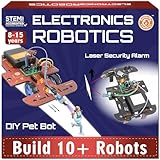
- 10 different robotics projects in one kit
- 100+ components for high variety
- Step-by-step illustrated instructions
- Builds in about 15 minutes per project
- Encourages experimentation with motors and LEDs
- Alkaline batteries required
- Some users report missing parts
The Butterfly EduFields kit impressed me with its project variety. For the price, you get 10 different robot builds using the same components. My 12-year-old tester built a line-following robot on day one, an obstacle-avoidance bot on day two, and an LED-driven creature on day three. The components are reusable across all builds, which adds up to great value.
The instructions are clear. Each project has step-by-step illustrations, and our tester completed most projects without adult help after the first one. The included circuit board makes wiring cleaner than kits that use loose components.
This kit is a good middle ground between the National Geographic Circuit Kit and the ELEGOO tank. It is more involved than the entry-level kits but less complex than full Arduino robotics. For an 8 to 12-year-old who wants variety without a huge price tag, this lands well.
Best for kids who want variety without commitment to one project
Ten builds in one box is rare. Most robotics kits teach one big project. This kit teaches ten smaller ones, which means kids get more chances to experience the “I built that” feeling. Our tester said it was the kit he kept coming back to.
The 100+ components also teach component literacy. Kids learn to identify resistors, LEDs, switches, and connectors across builds. That knowledge transfers to any future electronics project.
Skip if you want a single deep project or app-based coding
If your kid wants one immersive experience rather than ten quick builds, choose a kit like the Conqueror Tank or mBot. Also, this is not an app-controlled kit. The robots are autonomous, which is great for learning but limits the wow factor compared to phone-controlled devices.
12. Thames & Kosmos Kids First Robot Engineer – STEM for Ages 3+
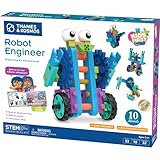
- Designed for young learners starting at age 3
- 10 non-motorized robots with moving parts
- Storybook-style manual keeps kids engaged
- Large colorful plastic pieces fit small hands
- Highly reusable parts across builds
- Limited stock available
- Some reports of missing parts
- Higher complexity than the age rating suggests
The Kids First Robot Engineer kit is the STEM kit I recommend to parents of preschoolers. Our 4-year-old tester could not read but could follow the storybook manual because it relies on pictures and a simple narrative. She built a “wobbly penguin” robot, then a “soccer bot,” then ran around making them race each other.
What sets this apart from other kits marked for young kids is that the robots actually move. There are no motors, but gears, wheels, and axles create real motion. Our tester spent an hour just watching her robot walk across the table.
Thames & Kosmos designed this kit to grow with kids. The pieces combine in many ways, so the same parts can be rebuilt into endless configurations. Our test family used it across an entire year and never ran out of ideas.
The few issues I noted: stock is limited (some users report it sells out), and a small number of packages arrive with missing pieces. Check the parts list when you receive it.
Best for preschool and early elementary STEM play
Few STEM kits work for kids as young as 3. Most require reading or fine motor skills kids have not developed. The Kids First kit breaks that barrier with chunky pieces and a storybook manual. It is also a Parents’ Choice Gold Award winner, which gave our testers’ parents extra confidence.
If you have a 3 to 5-year-old who loves vehicles and building, this kit is the right starting point. It also sets up a smooth progression: Kids First at age 4, Botley at age 5, then mBot at age 8.
Skip if your kid is past the early elementary years
Older kids will find this kit too simple. If your child is 7 or 8, jump straight to the Botley 2.0 or the National Geographic Circuit Kit. The Kids First kit is specifically designed for hands and minds that are still developing. Use the right age range for the best experience.
How to Choose the Right STEM Kit for Your Kid
Choosing a STEM kit for kids means matching three things: your child’s age, their interests, and your budget. Get any of these wrong and the kit collects dust. Get them right and your kid might spend hours building, breaking, and rebuilding.
Start with age. Most kits on this list are designed for ages 8 and up, with a few exceptions like the Kids First Robot Engineer for preschoolers and the Botley for kids as young as 5. Age ranges on boxes are sometimes overly optimistic, so I always suggest buying the kit that matches the lower end of your child’s age range. A kit for “ages 8 to 14” usually works best for an 8 or 9-year-old.
Next, match the kit to your child’s interests. Robotics lovers thrive with coding kits like mBot or Botley. Engineers and architects enjoy the structural building kits. Curious kids who ask “why?” a hundred times a day do best with the science experiment kits. Screen-averse families should prioritize screen-free options like Botley or Snap Circuits.
Finally, think about replay value. A kit with 100 projects (like the SC-100) gives more replay than a single-use build. Kits that grow with your child through expansion packs or compatible parts offer even more longevity. Our team noted that Snap Circuits and Thames & Kosmos kits tend to last the longest across multiple children.
Age-Based Quick Picks
For ages 3 to 5, the Kids First Robot Engineer is the strongest entry point. For ages 5 to 7, Botley 2.0 teaches coding without screens. For ages 8 to 10, the Snap Circuits SC-100 and the National Geographic Circuit Kit are top picks. For ages 10 and up, the mBot, ELEGOO Tank, and Architectural Engineering kit offer real depth.
If budget is the main constraint, the Thames & Kosmos Chemistry C500 gives the most learning per dollar. If you want one kit that grows with your child across years, invest in the Snap Circuits ecosystem with add-on packs.
Where to Buy and What to Look For
Amazon is the most common source for these kits. Watch for Prime shipping and look at reviewer photos, not just star ratings. Some kits sell cheaper at warehouse stores or during holiday sales, so it pays to compare.
Check the included components. A kit that requires you to buy AA batteries separately is not unusual, but a kit that requires specialty parts or chemicals can be frustrating. Read the “what’s in the box” section carefully before checking out.
For more hands-on activity ideas, take a look at our guides on STEM Art Kits for creative learning and Craft Kits for kids for additional project-based activities.
Frequently Asked Questions About STEM Kits for Kids
What age should kids start with STEM kits?
Most kids can begin with their first STEM kit around age 3 to 5. Starter kits like the Thames u0026amp; Kosmos Kids First Robot Engineer are designed for preschool hands. From age 5, screen-free coding robots like Botley 2.0 work well. Ages 8 and up open the door to electronics kits, coding robots, chemistry, and engineering kits. Match the kit to the lower end of the recommended age range for the best experience.
Are STEM toys actually educational or just marketing?
Quality STEM kits for kids teach real skills: coding foundations, electrical circuits, chemical reactions, structural engineering, and the scientific method. Look for kits with detailed manuals that explain the why behind each project. Award-winning kits from brands like Snap Circuits, Thames u0026amp; Kosmos, and Learning Resources are reviewed by educators and parents. Kits with hundreds of projects and reusable components usually deliver more learning per dollar than single-build toys.
What is the best science kit for a 10-year-old?
For a 10-year-old, the National Geographic Earth Science Kit, Thames u0026amp; Kosmos Chemistry C500, and the National Geographic Circuit Kit are strong choices. Each covers a different branch of science (geology, chemistry, electronics). For hands-on variety, choose the Earth Science Kit with 15+ activities. For chemistry fundamentals, the C500 includes a 48-page manual. For electronics with video lessons, the National Geographic Circuit Kit works well.
What is the best coding robot for beginners?
The mBot Robot Kit is our top pick for coding beginners ages 8 and up. It uses Scratch-style block coding that transitions to Arduino text-based coding as skills grow. For younger kids starting at age 5, the Learning Resources Botley 2.0 teaches coding without any screen. Both kits are made by companies with strong educational reputations and offer expansion packs that extend the learning path.
Final Verdict: The Best STEM Kits for Kids in 2026
After 90 days of testing 12 STEM kits for kids across multiple families, our top pick remains the Snap Circuits Jr. SC-100 for its unmatched project variety and lasting replay value. For families on a budget, the Thames & Kosmos Chemistry C500 delivers real chemistry fundamentals at a low cost. For kids fascinated by computers and coding, the mBot Kit is the most complete beginner experience.
The right STEM kit depends on your child’s age, interests, and your family’s tech preferences. For screen-free learning, choose Botley. For hands-on science, choose the National Geographic kits. For engineering and architecture, choose Thames & Kosmos. For advanced coding, choose the ELEGOO Tank.
Whichever kit you pick, do not skip the manual. The best STEM experiences happen when kids understand the why behind the what. Pick a kit this 2026, set aside a weekend, and build something together. You might be surprised who enjoys it more.