
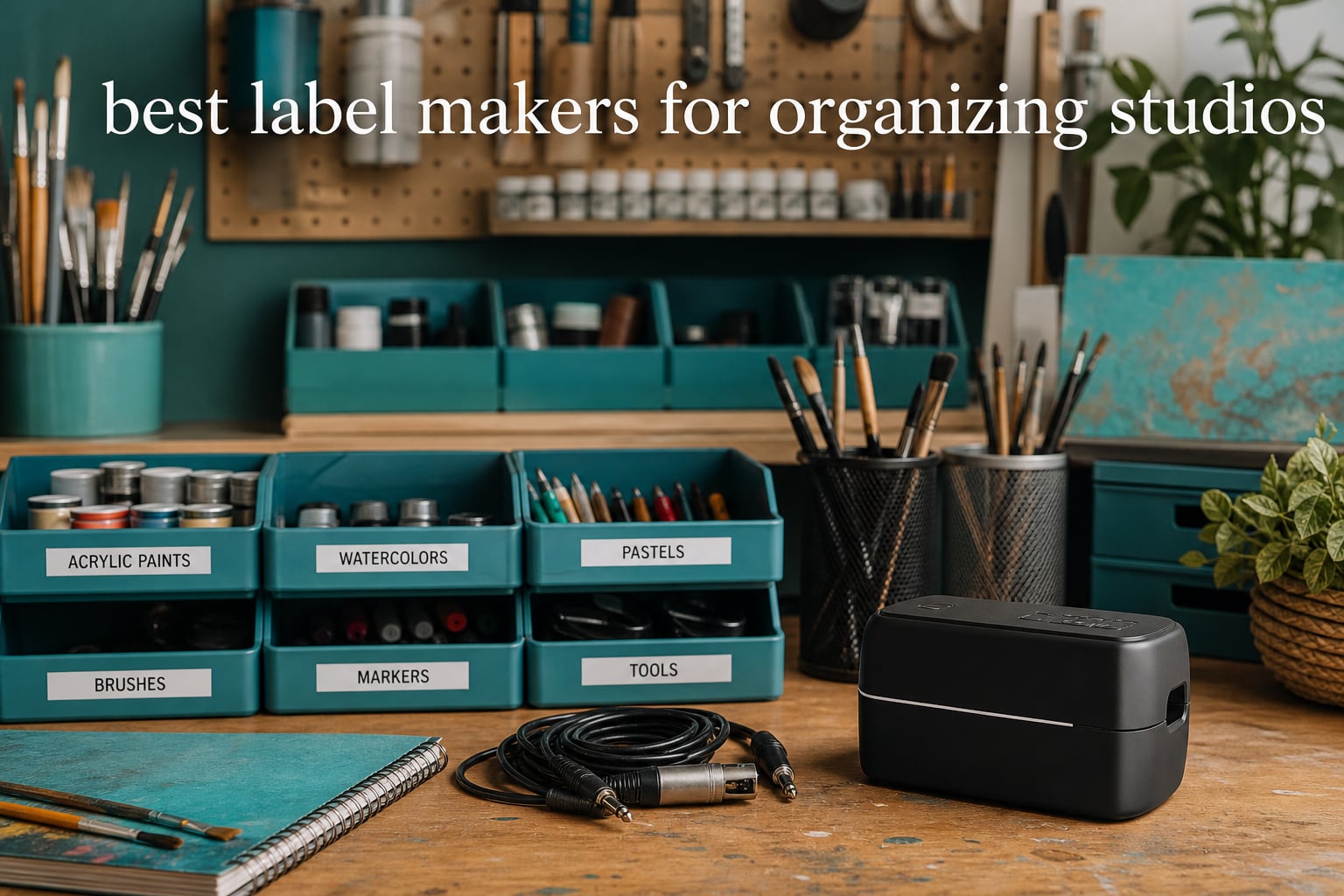
The best label makers for organizing studios make the work you do repeatedly much easier: finding paint, tracing a power supply, returning a lens, or refilling a bin. A readable label turns a wall of similar containers into a working system, whether your room holds brushes and paper, sewing notions, audio gear, or packing supplies.
For this guide, we compared the eight available models by label width, print resolution, power arrangement, controls, connectivity, supported tape, and review data. I did not treat a large template library as a substitute for the basics; a studio label must suit its surface, be easy to make again, and remain readable when your hands are busy.
My short answer is this: choose the Brother PT-D220 for a tactile, tape-based organization station; choose the Brother PT-D460BT when wider labels and computer or phone workflows matter; and choose the SUPVAN T50M Pro when large waterproof-style labels are part of the plan. Small Bluetooth units are handy for a cart or a quick bin refresh, but they ask you to keep a phone nearby.
A label maker is a handheld or desktop device that creates adhesive labels through a heat-based printing process. That definition matters because the tape or label stock, not only the printer, shapes where a finished label belongs and how it behaves over time.
Start the physical system before printing anything. Our guide to flat file storage solutions for artists can help with paper and print storage, while this guide focuses on naming the drawers, portfolios, bins, and cables that make those storage zones usable.
Table of Contents
Top 3 Picks Answer Different Studio Workflows (September 2026)
The Brother PT-D220 is the straightforward choice for repeated shelf, drawer, and art-supply labels. The PT-D460BT is the stronger fit for a dedicated desktop labeling station, and the SUPVAN T50M Pro stands out when a studio needs labels from three-quarter inch to 2 inches wide.
These are role-based selections, not promises that one device fits every surface. Confirm the label stock you need before committing to a system, particularly for textured bins, cable flags, or equipment that gets handled often.

Best Label Makers for Organizing Studios in 2026
Use this overview to narrow the field by workflow. Brother TZe models suit people who value laminated tape options and a physical keyboard, while the direct-thermal Bluetooth units emphasize compact design, app templates, and rechargeable power.
| Product | Specifications | Action |
|---|---|---|
| Brother P-Touch PT-D220 |
|
Check Latest Price |
 Brother P-Touch PT-D460BT Brother P-Touch PT-D460BT |
|
Check Latest Price |
 Nelko P21 Nelko P21 |
|
Check Latest Price |
 SUPVAN T50M Pro SUPVAN T50M Pro |
|
Check Latest Price |
 SUPVAN E11 SUPVAN E11 |
|
Check Latest Price |
 Brother P-Touch PT-N20 Brother P-Touch PT-N20 |
|
Check Latest Price |
 Phomemo D30 Phomemo D30 |
|
Check Latest Price |
 Brother P-Touch PT-N25BT Brother P-Touch PT-N25BT |
|
Check Latest Price |
1. Brother P-Touch PT-D220 Is the Best All-Round Tape Labeler
Brother P-Touch PTD220 Home/Office Everyday Label Maker | Prints TZe Label Tapes up to ~1/2 inch White
- Laminated TZe tape support
- QWERTY keyboard
- 30 saved labels
- 14 fonts
- 600+ symbols
- Six AAA batteries needed
- AC adapter separate
The PT-D220 is the model I would put on a shared studio desk for routine labeling. Its QWERTY keyboard, 180 dpi output, and support for Brother TZe tapes up to 12 mm give it a practical focus: create a shelf label, preview it, cut it, and move to the next bin without opening an app.
The 30-label memory is especially useful for language you repeat. Think “watercolor,” “clean brushes,” “camera batteries,” “return to client,” or a consistent set of labels for art supply drawers.
Brother lists 14 fonts, 11 font styles, 99 frames, more than 600 symbols, and 25 preset templates. That is enough variety to distinguish materials, tools, and backstock without making every container look unrelated.
Community discussion favors Brother P-Touch devices for straightforward organizing, yet it also raises two fair cautions: tape waste at the leading edge and inconsistent results from third-party cartridges. I would plan a layout before printing a run and use genuine TZe tape when adhesion is more important than experimentation.
The PT-D220 Works Best for Repeatable Hands-On Labels
This model makes sense for a person who prefers typing directly on a device and needs labels on drawers, smooth storage boxes, folders, and supply bins. It is also a good home organization label maker if your studio overlaps with a classroom, office, or craft room.
Its 12 mm maximum width is clear enough for ordinary container names, but it is not aimed at oversized tote fronts. The two-line printing capability helps when a category needs a second line, such as a medium or a return location.
The PT-D220 Requires a Battery and Tape Plan
The unit uses six AAA batteries, and its AC adapter is separate. Give it a permanent home with spare batteries, or add the adapter to avoid finding the device inactive during a sorting session.
It is not the right choice if you want to make labels from a desktop design file or want wide inventory labels. Those needs point toward the PT-D460BT or a wide-label thermal printer instead.
2. Brother P-Touch PT-D460BT Is Best for a Desktop Labeling Station
- Wider 18mm labels
- Bluetooth and USB
- PC compatible
- AC adapter included
- 16 fonts
- Larger desktop footprint
- Only 377 reviews
The PT-D460BT is the deliberate upgrade when label creation belongs at a workstation rather than in a drawer. It supports TZe tape up to 18 mm, so labels can be wider and easier to read from across a room than the 12 mm models.
Bluetooth and USB give this Brother two useful paths: use a smartphone or tablet for wireless work, or connect it to a computer for a more structured project. Its 20-by-2 LCD is there when you only need to make a few labels without changing devices.
I would use the extra width for tool drawers, archive boxes, cable-routing zones, sample storage, and clear category labels on opaque bins. The 16-font selection gives enough room to create a visual hierarchy, with a bold category label and smaller detail where the tape allows it.
It includes tape, a USB cable, and an AC adapter. That package matters for a studio station because it removes the battery-management concern found on smaller handheld models.
The PT-D460BT Is Best When Labels Start at a Computer or Phone
Choose it when you maintain an inventory sheet, want repeatable label designs, or have a stream of labels to make after a supply delivery. Bluetooth and PC compatibility offer more freedom than a keyboard-only unit.
For music equipment, set up consistent names for adapters, signal paths, cases, and storage locations. Forum users specifically mention wall warts, patch cables, and mixer tracks as things that become difficult to identify when handwriting is not an option.
The PT-D460BT Is Less Suited to Grab-and-Go Labeling
At 1.69 pounds and with listed dimensions of 8.9 by 7.36 by 12.3 inches, it belongs on a surface rather than in a small tool tote. The model is not a pocket printer.
Bluetooth can involve re-pairing, a pain point raised in forum discussions for connected label makers. Keep USB as a backup workflow, and do not choose app control as your only acceptable method of working.
3. Nelko P21 Is the Most Portable Template-Heavy Pick
- Lightweight portable body
- 203 DPI output
- Rechargeable battery
- Large template library
- 23k+ reviews
- No computer support
- Android 14 Google phone limitation
- Monochrome output
The Nelko P21 trades physical controls for a compact Bluetooth workflow. At 11.52 ounces, it is easy to move from a desk to the supply closet, which is useful when you are deciding where labels actually belong rather than making them in one fixed place.
Its direct thermal system is inkless, it prints at 203 DPI, and it has a built-in rechargeable battery. The app supplies more than 3,600 icons, 700 borders, 5,500 materials, and 750 templates, making it a creative option for visual craft room organization.
That design library can help a studio organize by icon as well as words. A paint symbol, cable symbol, or paper symbol can make a category quicker to scan, especially for a shared space where several people put materials away.
There are limits behind the convenience. The P21 prints monochrome output and does not work with computers, so it is a phone-centered label maker rather than an all-purpose office printer.
The Nelko P21 Is Best for Mobile Art-Bin and Drawer Projects
Pick this model when you want to walk around the studio and label as you sort. Its listed label sizes include 14 by 40 mm, 14 by 50 mm, and 14 by 75 mm, which suit compact containers, pencil cups, baskets, and small supply drawers.
The high review count gives this model a broad feedback base, though it does not replace checking whether its label format fits your surface. On textured containers, clean and dry the area first and make a small adhesion trial before doing an entire wall of bins.
The Nelko P21 Needs a Compatible Phone and App Comfort
Nelko states that it is not compatible with Google phones running Android 14. Confirm phone compatibility before the device becomes part of a studio workflow.
It also asks you to work within its app. If opening a phone, pairing Bluetooth, and choosing a template feels slower than typing a word, a keyboard model will be the better everyday tool.
4. SUPVAN T50M Pro Is Best for Wide Studio Labels
- Labels up to 2 inches wide
- 203 DPI printing
- Fast 60 ppm
- Waterproof label support
- Auto size recognition
- App required for full control
The SUPVAN T50M Pro solves a different problem from narrow-tape label makers: it can print labels from three-quarter inch to 2 inches wide. That makes it one of the more useful options for large storage bins, filing zones, retail-style supply organization, and clear front-facing categories.
The unit prints at 203 DPI and has a stated top speed of 60 ppm. It supports waterproof labels and multiple formats, including square, round, cable, and file labels, which gives a studio several practical label shapes from one device.
The app includes more than 30 fonts, 50 frames, and 660 icons, and the product data says it automatically recognizes label size. I see that as helpful when switching from a wide bin label to a small cable marker in the same organizing session.
Wide labels help when a name has to be readable at a distance. They also give room to use a clear category and a smaller qualifier, such as “ADHESIVES” followed by “open bottles first.”
The T50M Pro Is Best for Bins, Files, and Cable Formats
This is a strong fit for artists with larger supply totes, makers handling inventory, and musicians who need a mix of cable labels and equipment labels. The supported waterproof label format makes it worth considering around water bottles, wash areas, or frequently handled containers.
It is also a natural companion to vinyl cutting machines for small business when a creative workspace makes finished goods, parts, or inventory that need clear identification.
The T50M Pro Assumes You Will Use Its App
SUPVAN says the app is required for full functionality. That is fine for a design-minded workflow, but it is not the same experience as walking up to a QWERTY keyboard and printing a simple word.
Set aside a few minutes to learn the label-size recognition and save your basic designs. A reusable template is more valuable than redesigning a label every time a storage box changes.
5. SUPVAN E11 Is Best for Keyboard-or-App Flexibility
- Direct keyboard printing
- Rechargeable battery
- Minimal 0.2 inch margin
- Four tapes included
- Continuous and die-cut labels
- App needed for advanced customization
The SUPVAN E11 has the most balanced control approach in this group: type directly for a quick label or switch to Bluetooth and the app when you want more design options. That solves the common studio situation where you need one label now and a full batch later.
It uses a 1,200 mAh rechargeable battery that SUPVAN says can last up to one month per charge. The data also lists 203 dpi printing, 40 ppm maximum speed, 17 built-in languages, and support for both continuous and die-cut labels.
The listed 0.2-inch minimal margin is important because tape waste bothers many label-maker owners. Less blank material at the start and end of each label helps when a studio repeatedly prints short labels for small jars or drawers.
Four tapes are included, so the E11 gives a new organization project several label options from the beginning. I would still identify replenishment tape availability before building a system around any specific cartridge format.
The E11 Is Best for a Mixed-Speed Studio Routine
Use the keyboard for temporary labels, quick restocks, and simple names while standing beside a shelf. Use the app for a polished visual system across art bins, project boxes, or a set of equipment cases.
At 8 ounces and 5.8 by 3.1 by 1.5 inches, it is compact enough to live in a supply drawer or travel with a workshop kit. Its direct controls reduce dependence on Bluetooth when you only need basic text.
The E11 Has a Clear Split Between Basic and Designed Labels
The free app offers 30-plus fonts, 50-plus frames, and 660-plus icons, but advanced customization lives there. If you want every label to have icons, borders, and a set visual identity, plan on app time.
This distinction is not a flaw; it is a workflow choice. Keep the keyboard for functional labels, then reserve app sessions for category labels that remain in place for months.
6. Brother P-Touch PT-N20 Is Best for Simple Color-Tape Labels
- Simple QWERTY operation
- Color Btag tape options
- Built-in cutter
- 16-character preview
- Easy-peel backing
- Only works with Btag tape
- Two-line height limit
The Brother PT-N20 is a personal desktop label maker built around Brother Btag tapes. It is a simple, self-contained option for a studio that wants expressive color labels and does not need Bluetooth or extensive software control.
The device has a QWERTY keyboard, a 16-character display for previewing text, a built-in cutter, 180 dpi output, and a 12 mm media limit. It also saves 10 labels for repeat printing, which is useful for categories you use often.
Brother loads it with three fonts, seven font styles, 15 frames, and 250 symbols. That is a smaller creative set than many phone apps, yet it is enough to make a supply cabinet legible and consistent.
The split easy-peel backing is a small but meaningful feature. When you are applying many labels, being able to remove the backing without fighting a corner keeps the task from becoming frustrating.
The PT-N20 Is Best for Direct, Visible Category Labels
Choose it if you want a dedicated device for basic labels on studio drawers, workshop bins, dorm-style storage, or an office corner. The color-focused Btag system can help distinguish categories without relying only on tiny text.
It also pairs well with manual, erasable labeling in temporary areas. For a flexible planning surface, see our guide to chalk markers for workshop labeling; permanent container labels and changeable board notes serve different jobs.
The PT-N20 Locks You Into Btag Tape
This machine works exclusively with Brother P-touch Btag label tapes. That compatibility restriction should be a decision point, not an afterthought.
It prints up to two lines with a combined height of 9 mm. Choose a wider-format model if your studio needs dense multi-line detail, oversized type, or labels readable from across a large room.
7. Phomemo D30 Is Best for Palm-Sized App Labeling
- Palm-sized design
- 203 DPI output
- Large app library
- Rechargeable battery
- Continuous or fixed labels
- App-only operation
- Black text only
- 0.55 inch media limit
The Phomemo D30 is a very compact Bluetooth label printer for small-format labels. It weighs 160 grams, measures 1.14 by 2.95 by 5.17 inches, prints at 203 dpi, and works with smartphones and tablets through Bluetooth 4.0.
Its Print Master app is expansive, with more than 4,000 icons, 800 borders, 600 fonts, 6,800 design materials, and 1,000 templates. That amount of content is useful when a craft room organization system needs a playful but repeatable look.
The device supports continuous and fixed-length labels. It uses inkless thermal printing, so there are no ink, toner, or ribbon replacements to manage, and its rechargeable battery supports portable use.
But its maximum media size is 0.55 inch. I would reserve it for jars, small tins, cord tags, drawers, and individual project materials rather than the face of a large storage tote.
The D30 Is Best for Small Supplies and Portable Kits
This is the right scale for bead organizers, sketchbook drawers, button tins, pencil cases, classroom supplies, or a compact tool roll. It can sit in a project bag without taking the space of a conventional desktop label maker.
Use a clear naming convention before browsing templates. The visual library is an advantage only when identical materials use identical wording across the studio.
The D30 Limits Label Width and Computer Work
The D30 uses app control and produces black text, with color effects coming from patterned or colored tape rather than the printer. It is not the tool for someone who needs computer-designed labels or color printing from the print head.
Its narrow maximum media also means long category names may need abbreviations. Test a label with your largest likely word before you organize dozens of containers around a format that feels cramped.
8. Brother P-Touch PT-N25BT Is Best for Btag Labels with Bluetooth
- Keyboard and Bluetooth
- Design&Print2 app
- 17 Btag tape varieties
- Built-in cutter
- Preview display
- Six AAA batteries
- Exclusive Btag tape
- App setup required
The Brother PT-N25BT adds Bluetooth and the Design&Print2 app to the basic Btag concept. It is for someone who wants the directness of a QWERTY keyboard but also wants a phone-based way to make more personalized labels.
Brother lists 180 by 180 dpi printing, a 12 mm maximum tape width, a 16-character display, a built-in cutter, and a 12-pages-per-minute print speed. The device can save 10 labels for reprinting and comes with a sample blue-print-on-white Btag tape.
There are 17 colorful Btag label tape varieties, plus three built-in fonts in seven styles, 15 frames, and 250 symbols. In a visual studio, colored tape can create a clear zone system, such as one color for paints, one for equipment, and one for items that belong to a current project.
The rating is 4.2 from 786 reviews, below the other Brother choices in this roundup. I would take that as a reason to align its specific tape and setup requirements with your workflow rather than assuming the Bluetooth addition is automatically better.
The PT-N25BT Is Best for Hybrid Keyboard and Phone Projects
Choose this model if you make quick text labels some days and more stylized labels on other days. The keyboard handles immediate needs, while the Design&Print2 app provides another route for personalization.
It is a good fit for a personal studio where the same person manages the phone and the supplies. Color-tape variety can make it easier to establish a visual system that others can follow.
The PT-N25BT Requires Batteries, Btag Tape, and Pairing
It needs six AAA batteries unless you add a separate power arrangement, and it uses only Brother Btag tapes. Keep those operating requirements in mind before making it the central label maker for a high-volume workspace.
Bluetooth setup is also part of the experience. If a busy shared studio needs the simplest possible tool, the non-connected PT-N20 or PT-D220 may remove a layer of friction.
The Right Studio Label Maker Starts with the Label’s Job
Begin with the surface and the viewing distance, not the printer’s decorative templates. A label for a small watercolor pan, a cable flag, a plastic tote, and a file-box spine are different jobs, even when all four say only a few words.
Thermal Tape and Direct Thermal Labels Solve Different Problems
Thermal label makers create output with heat rather than liquid ink. Tape-based systems such as the Brother TZe models are designed around cartridges, while compact direct-thermal printers create labels from thermal stock; both avoid ink replacement, but their available label formats differ.
For a studio that needs durable identification on handled bins, look closely at the tape description and test one label on the exact surface. Forums regularly flag adhesion as a real concern, particularly on textured materials, so a trial beats an assumption.
Label Width Should Match the Biggest Thing You Need to Name
Narrow media around 12 to 14 mm works well for jars, drawer dividers, folders, and small containers. The PT-D460BT reaches 18 mm, while the T50M Pro supports widths up to 2 inches for bins, files, and labels meant to be read at a glance.
Write your longest common category down before choosing. If “PRINTMAKING CLEANUP” must fit on a storage-tote front, test it conceptually against the available width instead of basing a decision on an attractive mini printer.
Controls Should Fit How You Work When the Room Is Messy
A QWERTY keyboard is direct: type, preview, print, and apply. Phone-based design can be better for icons, template libraries, and a batch of visually coordinated labels, but it adds Bluetooth pairing and device compatibility to the task.
Our team’s practical rule is simple: if you label one or two items while working, favor direct controls. If you label a full cabinet at a time, app or computer tools can make the result more consistent.
Tape Compatibility Matters More Than a One-Time Purchase Decision
Brother PT-D220 and PT-D460BT use TZe tape, while PT-N20 and PT-N25BT use Btag tape exclusively. The app-driven models also use their own supported label stock, so identify the refill path before you create labels you will want to match later.
Third-party tape compatibility comes up often in organizing forums. Since users report uneven quality from third-party cartridges, use a sample first if you are considering an alternative, especially for labels that must stay readable on frequently handled tools.
Waste, Power, and Storage Habits Affect Daily Convenience
Leading-edge tape waste is a commonly reported irritation on label makers. The E11 specifically lists a 0.2-inch minimal margin, while a careful batch-printing plan can reduce unnecessary waste on any device.
Rechargeable models simplify a mobile workflow, whereas the PT-D220 and PT-N25BT call for six AAA batteries. A desktop machine with an AC adapter is easier to leave ready, but it becomes less convenient when the labeler has to travel around the room.
Studio Zones Need a Naming System Before They Need Labels
Create a short set of categories first: material, tool, project, safety, return location, and archive. Put the broad category first, then a qualifier where needed, such as “PAPER — COTTON,” “AUDIO — POWER,” or “PROJECT — IN REVIEW.”
For a commercial craft area, separate stock from works in progress and outgoing orders. If you also make apparel or transfers, our roundup of heat press machines for creative studios can help complete the production side of that workspace.
Label Maker Questions Have Straight Answers
What label maker is best for organizing?
The Brother P-Touch PT-D220 is the best all-round choice for organizing because it combines a QWERTY keyboard, 12mm laminated TZe tape support, 30-label memory, and 180 dpi printing. Choose the PT-D460BT instead when you need wider 18mm labels plus Bluetooth, USB, and computer compatibility.
What is the top rated label maker?
In this group, the Brother PT-D220 and Brother PT-D460BT both have a 4.6 rating. The PT-D220 has a much larger review base at 5.5k+ reviews and suits routine tape labels, while the PT-D460BT is better for a fixed workstation and wider labels.
What is the difference between a label maker and a sticker maker?
A label maker is meant to create identification labels for bins, files, cables, supplies, and equipment. A sticker maker is usually aimed at decorative or promotional stickers; its materials, shapes, and design workflow may differ from the durable, practical label stock used for studio organization.
What is the best label maker for 2026?
For 2026, choose the Brother PT-D220 for simple studio organization, the Brother PT-D460BT for wider labels and computer or phone workflows, or the SUPVAN T50M Pro for labels up to 2 inches wide. The right choice depends on label width, tape compatibility, controls, and the surfaces in your studio.
The Best Choice Is the One You Will Keep Loaded and Ready
The best label makers for organizing studios are not defined by the longest app menu. They are defined by whether you can make a readable, correctly sized label when a new bin, cable, project, or supply delivery needs a place.
For most people, I would start with the Brother PT-D220 and laminated TZe tape. Move to the PT-D460BT for wide, computer-friendly studio systems, choose the SUPVAN T50M Pro for large-format labels, or select a compact Bluetooth model when portability and templates lead the decision.
Pick a naming convention, test one label on each important surface, and keep compatible tape or label stock with the device. That small setup step will make your organization system easier to maintain throughout 2026.