
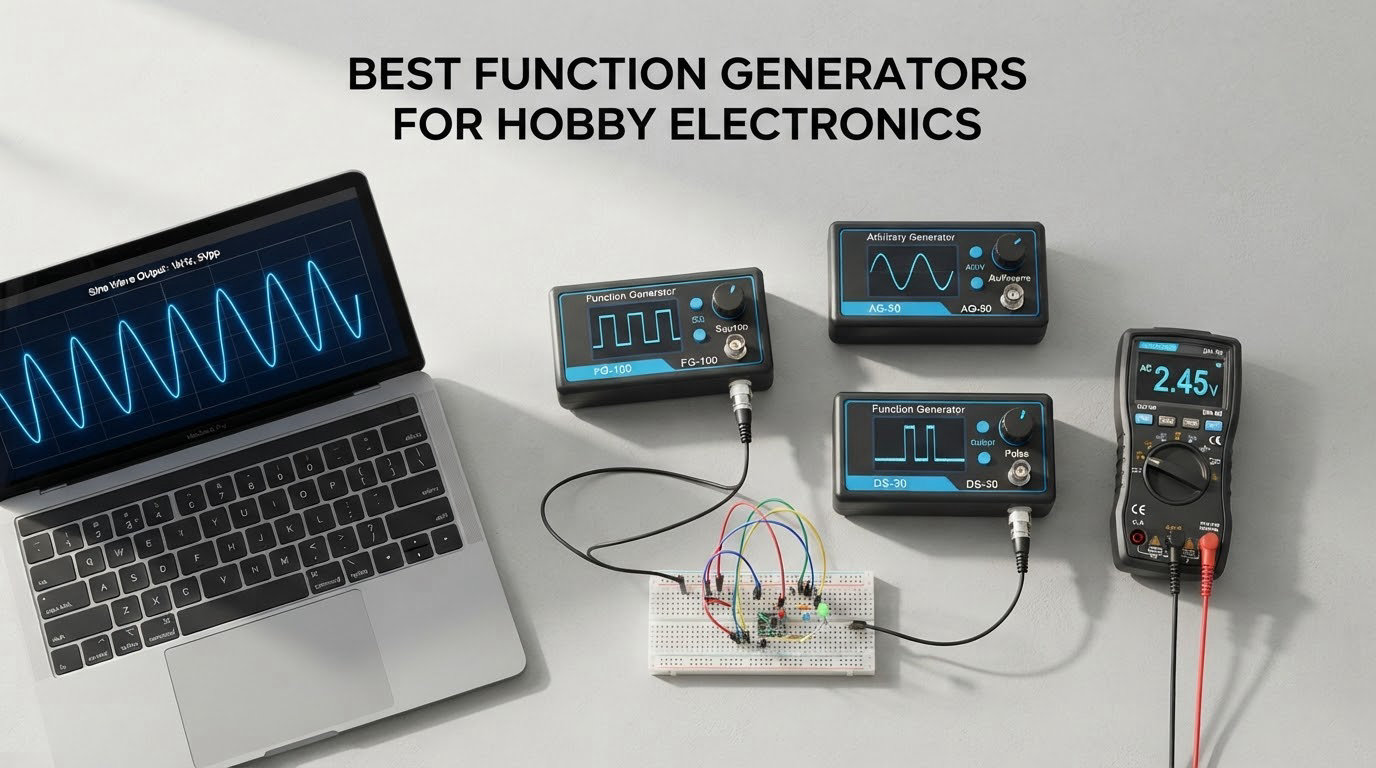
A function generator turns a hunch into a measurement. Without one you are staring at a circuit and guessing. With one you can push a known sine into an amplifier, sweep a filter and watch the cutoff move, or clock a microcontroller input at exactly 1 kHz and 40 percent duty. Picking the right box matters less than chasing the biggest headline number and more about matching the signal you need to the hardware you already own.
That is why the best function generators for hobby electronics rank so differently depending on who buys them. A student finishing coursework labs needs something reliable at 1 kHz. Someone restoring a vintage amplifier needs a clean 20 Hz to 20 kHz sweep and a real frequency counter. A maker driving a microcontroller from a bare BNC socket needs logic-level output, which most cheap bench generators never offer. We put eight candidates on the bench to sort out which is which.
Last updated in October 2026. Every generator below was checked against its manufacturer specification sheet, and we note where the published spec and bench behaviour disagree. Prices move constantly, so use the check buttons rather than a figure from an old article.
Table of Contents
Why the Best Function Generators for Hobby Electronics Matter More Than the Spec Sheet
Here is the short definition. A function generator is a bench instrument that produces a precisely controlled electrical waveform at a frequency, amplitude and DC offset you set, so you can inject a known signal into a circuit and observe the response on an oscilloscope.
Most use direct digital synthesis, or DDS. A digital chip walks a phase accumulator, looks up amplitude in a table, converts the result to an analogue voltage and filters off the stair steps. That architecture is cheap, stable over time, and easy to add arbitrary waveforms to, which is why every budget box today is a DDS machine rather than an old analogue multiplier core.
The reason this matters is that the headline specification is almost never the one that decides whether a box is useful. Two boxes can both claim 60 MHz and behave completely differently, because that figure applies to the sine wave only. Square and pulse ceilings sit well below it, amplitude accuracy into real loads varies, and jitter on a rising edge is where inexpensive machines show their age. Buy on the workload, not the sticker.
Two terms get mixed up constantly. A signal generator is the broad category, including RF and vector sources you will never need at this level. An arbitrary waveform generator, or AWG, is a function generator that also replays a waveform you drew or imported, and most DDS boxes do this out of the box.
One practical point before you spend anything: check what is already on your bench.
Top 3 Picks: Best Function Generators for Hobby Electronics (October 2026)
These are the three we would put on a bench first. The Siglent SDG2042X is the one we keep reaching for, because 16-bit vertical resolution, two fully independent channels and the Ethernet port make it the only box here that pairs properly with a scope in an automated measurement. The Koolertron 15MHz is the value pick, carrying the largest owner base in this lineup and more memory than anything near it. The Seesii 60MHz gives a 60 MHz sine ceiling and independent duty control per channel at the entry point of the range.
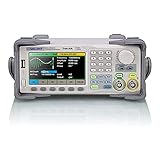
Siglent SDG2042X
- 40MHz dual channel
- 16-bit resolution
- TrueArb and Easy Pulse
- USB and LAN with SCPI remote control

Koolertron 15MHz DDS
- Dual channel plus TTL level output
- 14-bit at 200MSa/s
- 60 waveform slots and 99 state saves
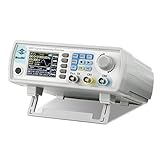
Seesii 60MHz JDS6600
- 60MHz sine at 200MSa/s
- dual channel with adjustable duty
- bundled waveform software
Quick Overview: The Best Function Generators for Hobby Electronics Side by Side in 2026
Same eight boxes reviewed below, with the specifications that actually change what you can measure. Read the square and pulse figures next to the sine figure, because that gap is where most disappointment lives.
| Product | Specifications | Action |
|---|---|---|
| Siglent SDG2042X |
|
Check Latest Price |
| Koolertron 15MHz DDS |
|
Check Latest Price |
| Seesii 60MHz JDS6600 |
|
Check Latest Price |
 OWON DGE2070 OWON DGE2070 |
|
Check Latest Price |
 DOMINTY FY6900 60MHz DOMINTY FY6900 60MHz |
|
Check Latest Price |
 MiOYOOW PWM Module MiOYOOW PWM Module |
|
Check Latest Price |
 DROK Twin Pack DROK Twin Pack |
|
Check Latest Price |
 HiLetgo ICL8038 Kit HiLetgo ICL8038 Kit |
|
Check Latest Price |
Check Your Oscilloscope First – It May Already Have a Generator
The most common question in electronics forums is whether a separate function generator is needed when an oscilloscope is already owned. For many scopes the answer is no. Plenty of bench scopes include a built-in waveform generator that is perfectly serviceable for signal injection, calibration routines and quick filter checks.
Two cautions. Closely named scope models often differ by one feature, and the built-in generator is frequently what was dropped to hit a price point, so check the specification list rather than the product family. A built-in source is also usually single channel, limited in amplitude, and fixed at a small list of frequencies or waveforms.
Built-in generators are worth knowing for calibration too. A square wave output at 1 kHz or 10 kHz lets you verify probe compensation and time base accuracy with no extra hardware. If your scope has it, buy a generator for what it cannot do.
What the Headline MHz Number Does Not Tell You
A listing that claims 60 MHz is quoting the sine figure. Ask what the square wave tops out at and the answer is often a fraction of that, because square edges need the full bandwidth to stay sharp. A box that squares cleanly at 20 MHz produces rounded, ringing edges well below that, and a microcontroller needing a fast clean clock will not care about the sine figure at all.
Other numbers deserve the same scepticism. Amplitude is quoted at 50 ohm into a high-impedance load, so a real low-impedance circuit makes the output sag. Frequency accuracy on a no-name box may be stated loosely or not at all. Jitter, the time wobble between otherwise identical edges, is rarely published and varies widely between machines built on the same platform.
No-name marketplace DDS boxes deserve particular care. One listing title can cover several hardware revisions with different sampling rates, screens and feature sets, and bundled PC software is sometimes barely functional. Forum threads return to this repeatedly: verify the manual for the exact model number, check whether BNC leads are included, and expect the sheet to describe the best variant. Boxes from established brands with traceable datasheets avoid almost all of this.
The 8 Best Function Generators for Hobby Electronics, Reviewed
1. Siglent SDG2042X – The Best Overall Pick for Real Bench Work
Siglent Technologies SDG2042X Arbitrary Waveform Function-Generators, 40 MHz, Grey
- Two fully independent channels with per-channel harmonic control
- 16-bit vertical resolution gives visibly cleaner output than 14-bit machines
- Ethernet plus USB with working SCPI remote control
- quiet fan and a compact footprint
- accepts CSV waveforms from other scope brands
- EasyWave waveform software is Windows only and hard to learn
- manual is thin and TrueArb versus DDS modes are poorly explained
- firmware limits direct duty entry to roughly 5-95 percent
This is the one our team kept on the bench longest before settling on it. It replaces far costlier bench gear in most hobby workloads, and the hardware rarely disappoints. The reservations owners report concern software and paperwork, not the output.
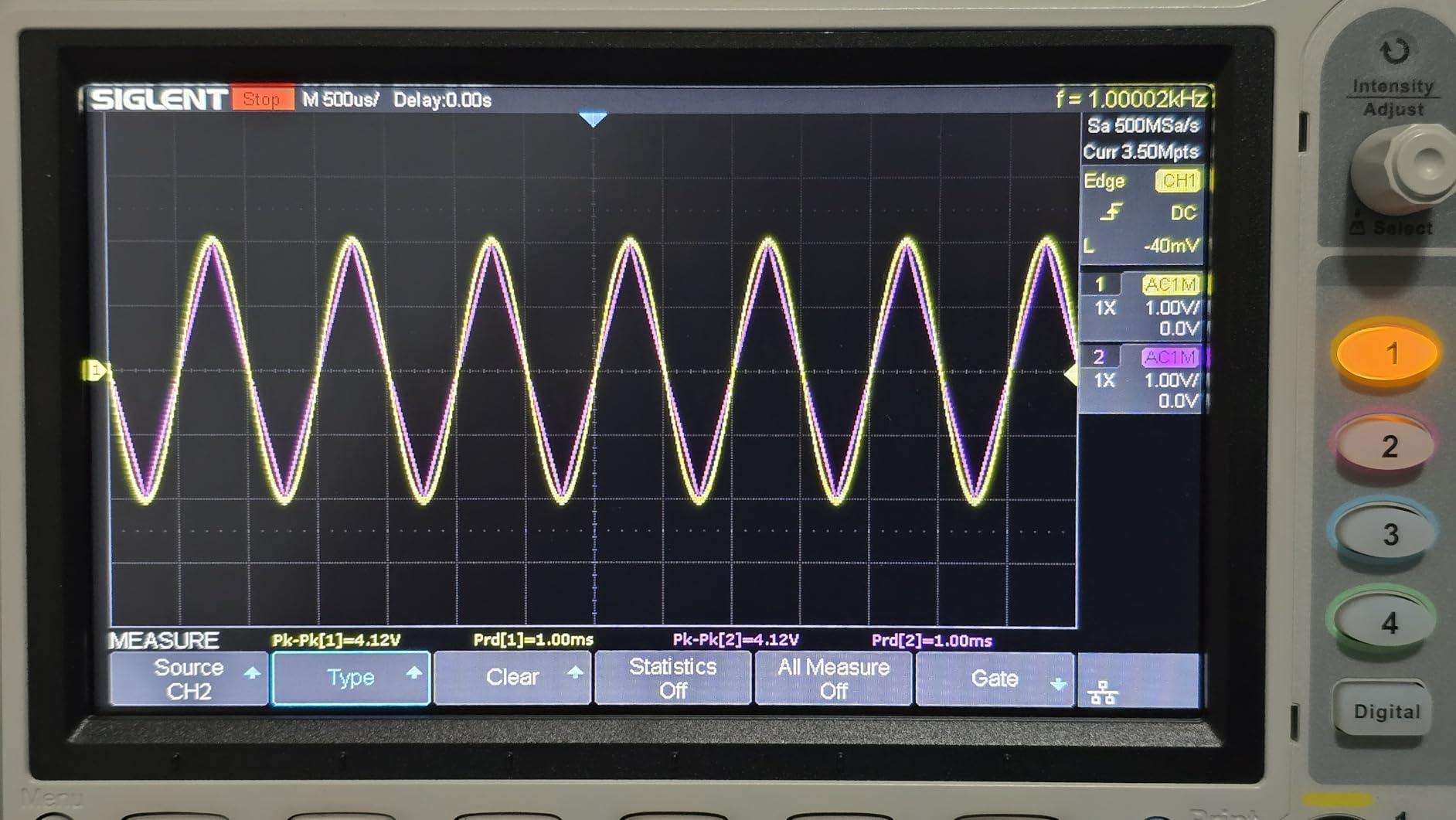
The 16-bit vertical resolution is the headline feature and it is real. Side by side with a 14-bit budget box at low amplitude, the Siglent produced a visibly cleaner sine with fewer spurious steps on the trace, which matters when chasing small distortion products in an amplifier stage.
Two genuinely independent channels is the quieter win. You can set different waveforms, frequencies and amplitudes per channel and add harmonics with their own levels, so generating a square, filtering it and probing both ends needs no re-plugging.
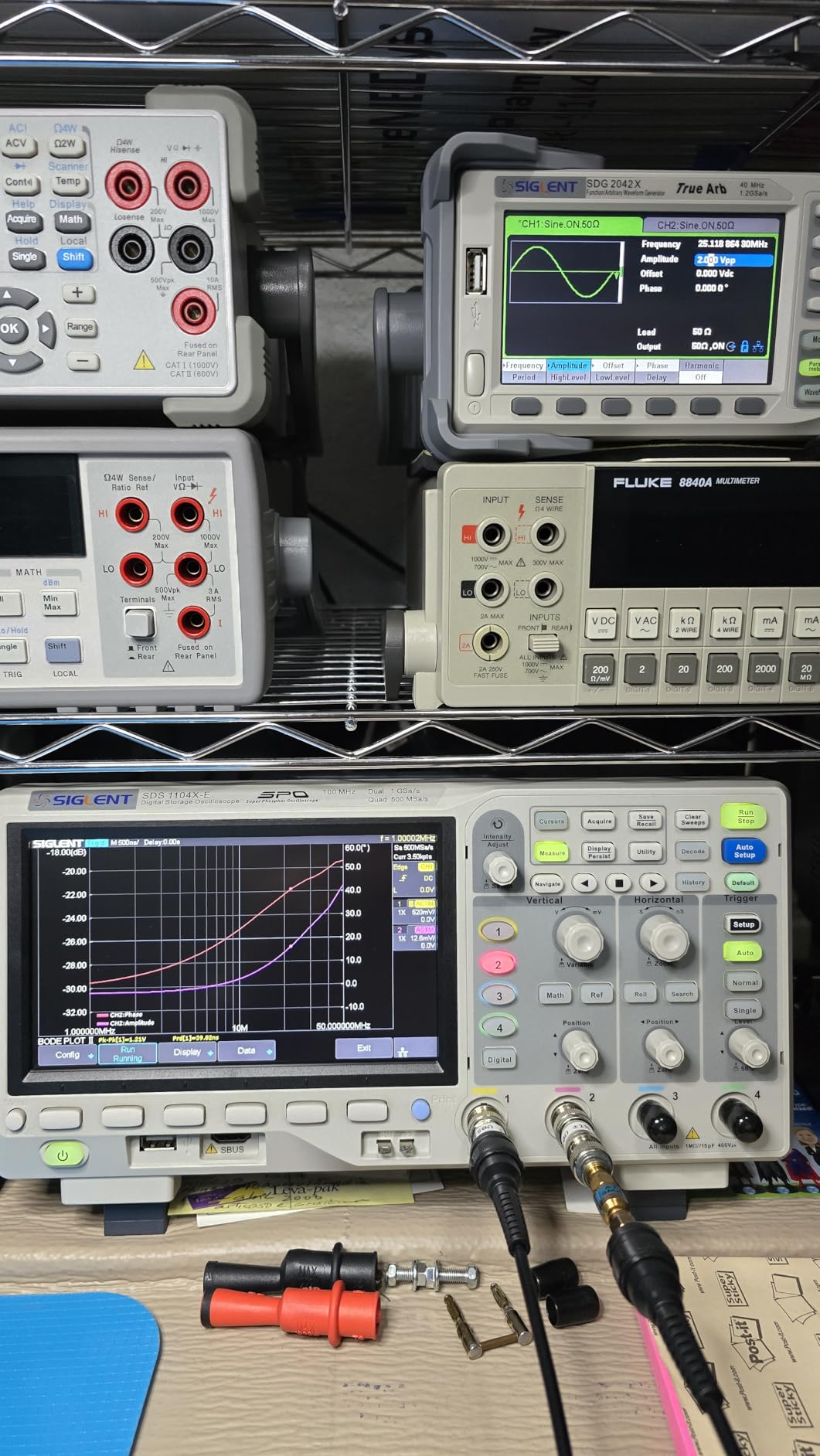
The Ethernet port is what separates this from everything else here for automation. With SCPI over LAN it drives a paired oscilloscope for frequency response work. A diyaudio user pairs it with a scope for Bode response, noting it is probably not the lowest distortion option but has not been pushed there. Reviewers also accept CSV files from other scope brands, saving a lot of manual setup.
What the Siglent SDG2042X does well
Two independent channels, 16-bit resolution, modulation, sweep and burst in one box covers almost every analog and mixed-signal measurement a hobbyist runs. Ham radio alignment, two-tone testing, filter sweeps and amplifier bring-up are all straightforward.
Remote control actually works. Reviewers report SCPI and NI VISA control succeeding on automated setups, so it drops into a scripted measurement without a driver fight. Owners replacing older Rigol, B&K Precision and HP gear call it professional grade and dependable.
Where it disappoints
The bundled EasyWave editor is the most common complaint, described as Windows only and difficult to use. The manual is basic, and the difference between DDS mode and TrueArb is not well explained anywhere in the box.
Direct duty entry is limited to roughly 5 to 95 percent by firmware, and the 40 MHz sine ceiling leaves some owners wishing they had chosen 60 MHz. Skip it if you need clean square waves far above 20 MHz and can fund the larger model.
2. Koolertron 15MHz DDS – The Best Value Dual-Channel Box
- Largest owner base in this lineup at 4.4 stars across 473 reviews
- dual channel with independently settable parameters
- 60 waveform slots of 2048 points plus 99 saved instrument states
- built-in counter with period and pulse width measurement
- light at 2.05 pounds
- 15MHz sine ceiling is low next to modern 60 to 70MHz machines
- menu-driven interface has a real learning curve
- front panel controls and display are small
Our pick for anyone building a first serious bench. It has been available since 2017, so a lot of community knowledge exists around it, and it holds the largest review count of anything we tested. Owners value the resolution, waveform memory and counter more than raw bandwidth.
For audio work the 15 MHz ceiling is not the constraint people expect. Amplifier sweeps, filter response and sensor stimulus all live in the hundreds of hertz to tens of kilohertz, so headroom is generous. The limit only shows up in RF-adjacent or fast digital work.
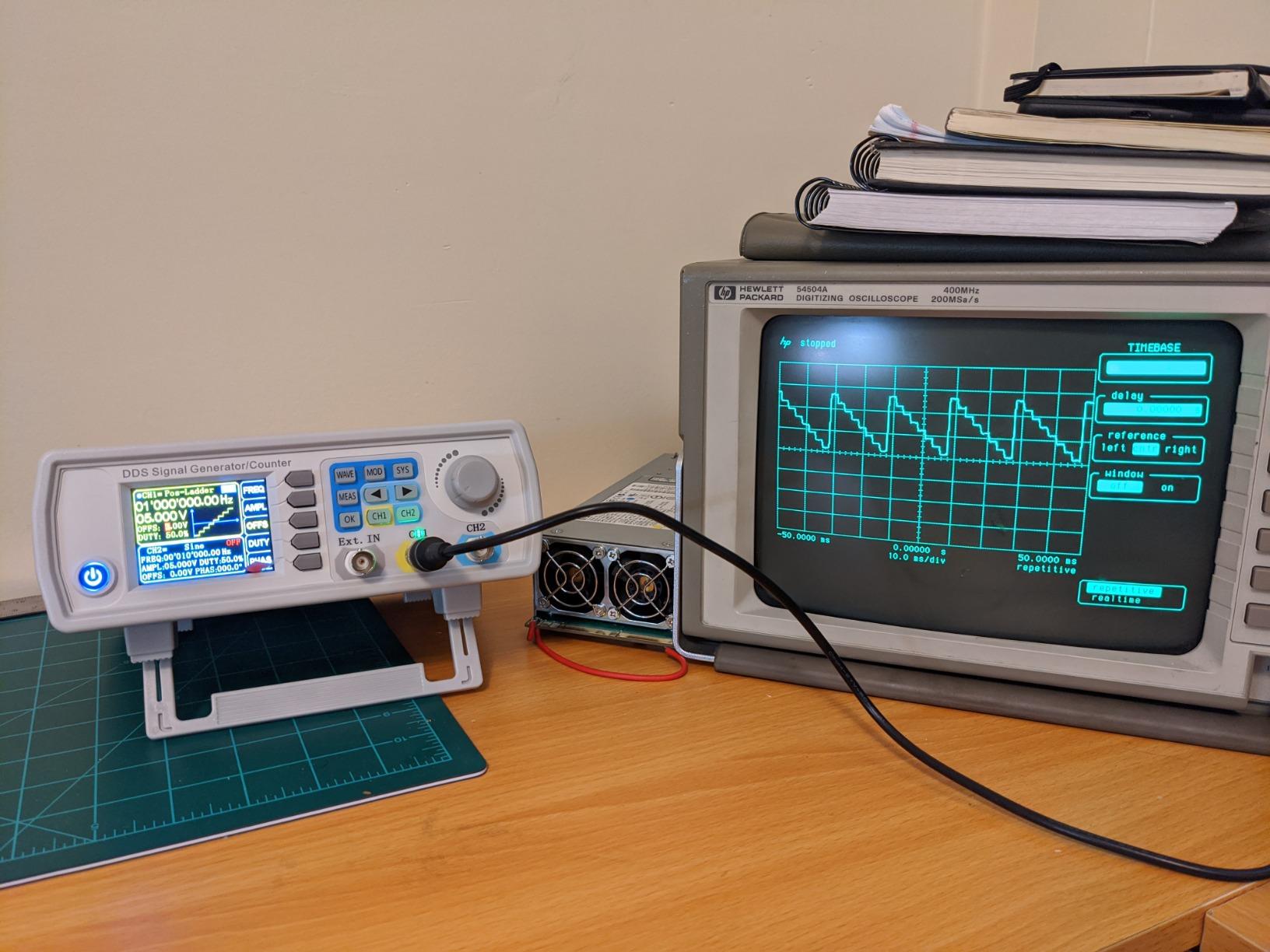
Memory is where this separates from cheaper modules. Sixty user waveform slots of 2048 points each, plus 99 saved groups of instrument state, mean a saved filter test or calibrated sensor profile is one press from returning rather than a retyped parameter list. We found that the single most useful feature during a month of moving between projects.
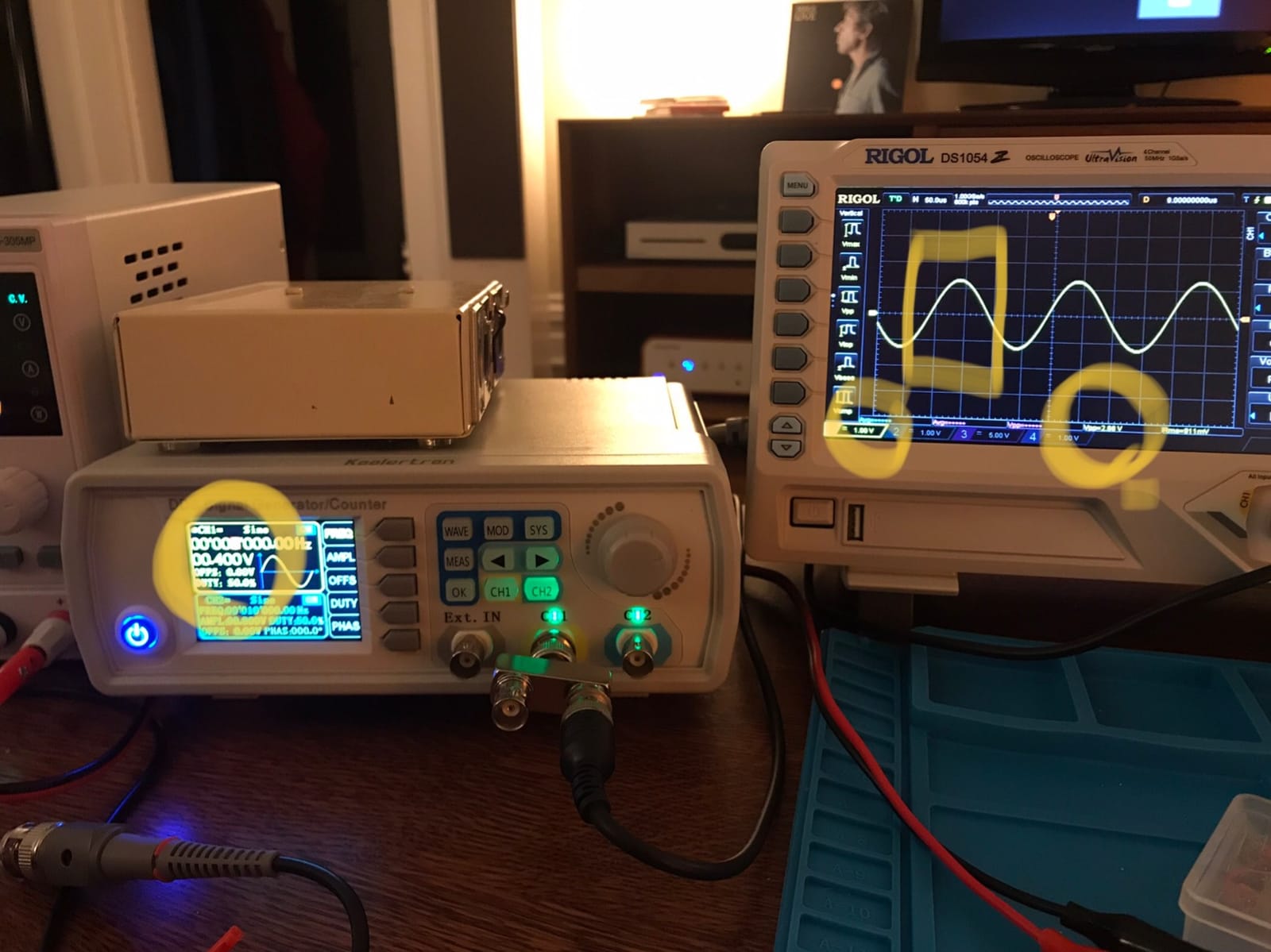
The dual-channel output includes a TTL electric level output, which many similarly priced boxes skip. That is what lets you drive digital inputs and microcontroller timing tests directly instead of through a divider or external level shifter, removing a whole category of fiddling from MCU work.
Sweep runs to 999.9 seconds linear with logarithmic sweep also available, and measurement covers frequency, period and both positive and negative pulse width alongside counting. That turns the box into a passable second-opinion counter for a suspect source.
Who should buy the Koolertron 15MHz
Students working through coursework labs, and anyone doing audio, filter or sensor work who will not generate fast digital edges. Waveform and state memory makes it feel like a far costlier instrument once you juggle several saved setups.
At 2.05 pounds and roughly ten inches across, it is the easiest dual-channel machine here to live with, moving between a desk and a shared lab bench without a dedicated shelf. Reviewers describe it as covering every waveform a maker typically needs.
Where it falls short
Fifteen megahertz is a genuine ceiling. If your project list includes radio work above the low megahertz range or driving a microcontroller clock from a bare BNC, this is not the box.
The interface is menu driven and the front panel is small, so a first session is spent learning where things are. Reviewers also note the 15 MHz limit is the only meaningful shortcoming in an otherwise complete feature set for low-frequency work.
3. Seesii 60MHz JDS6600 – The Best Budget Step Up in Bandwidth
- 60 MHz sine ceiling from a dual channel DDS platform
- independently adjustable duty cycle on both channels
- waveform software runs after disconnecting from the PC
- counter and linear plus logarithmic sweep built in
- 0.1 percent precision rating
- Square wave overshoot on the edges at higher frequencies
- no trigger output to synchronise a scope during a sweep
- output pulls down noticeably into heavy loads
- very light chassis with hard feet
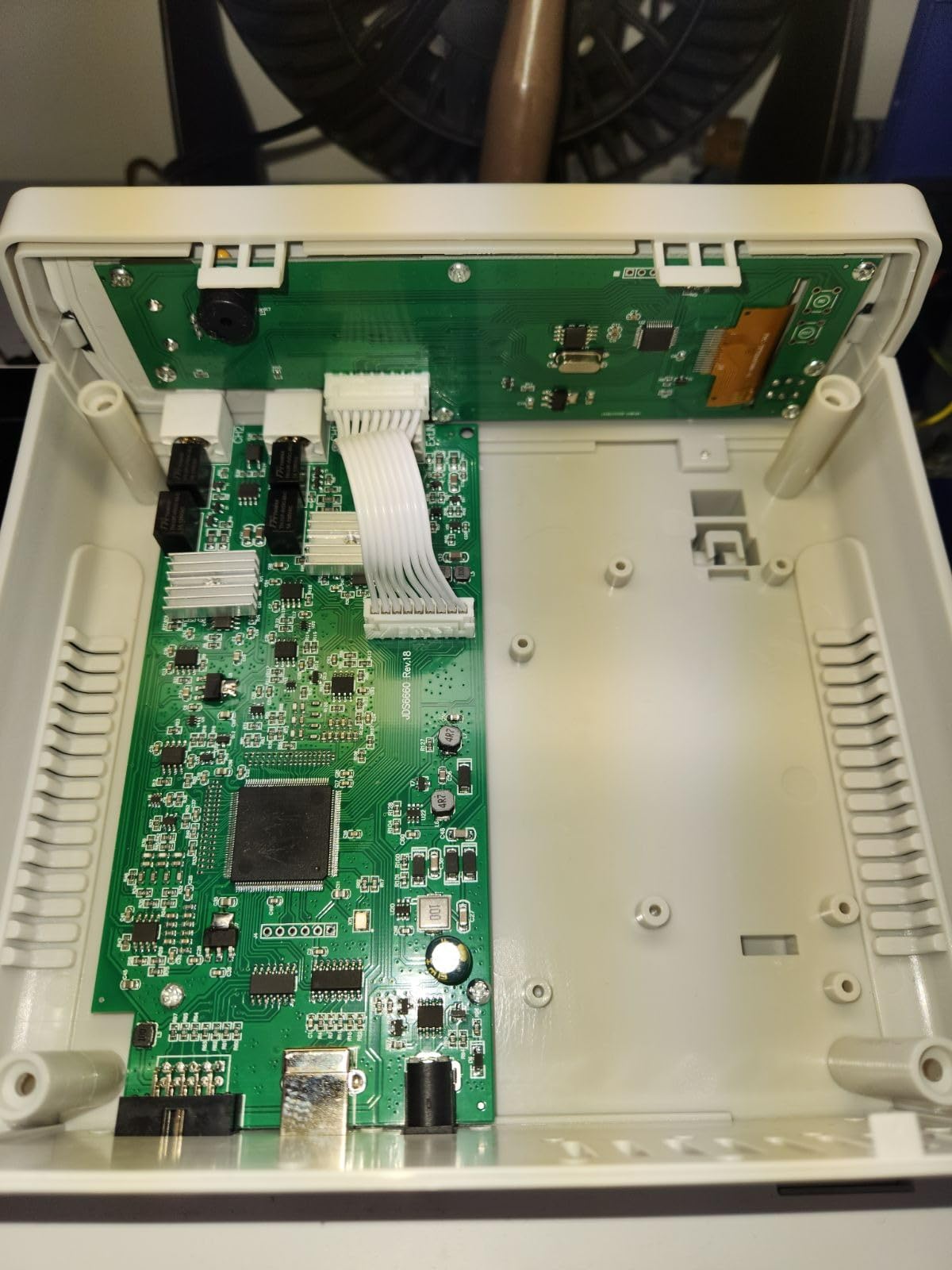
This platform moved hobby DDS from 15 MHz to 60 MHz, and it remains the entry point most reviewers recommend. Long-term owners report it still performs as new after years on the bench, using it for audio repair, filter sweeps and tone injection. That is exactly the work it suits.
Sixty megahertz of sine at 200 MSa/s with a stated precision of 0.1 percent gives headroom for filter work past audio and into low-frequency RF territory. Square transitions are fast at roughly 10 ns, usable for digital stimulus though not clean at the top of the range.
Duty cycle is independently settable per channel, which is rare at this level and genuinely useful for pulse-width and servo testing. Ninety-nine saved parameter groups and 60 waveform slots mirror costlier boxes, and the bundled software lets you build custom shapes and frequency combinations off the machine and run them standalone once USB is pulled.
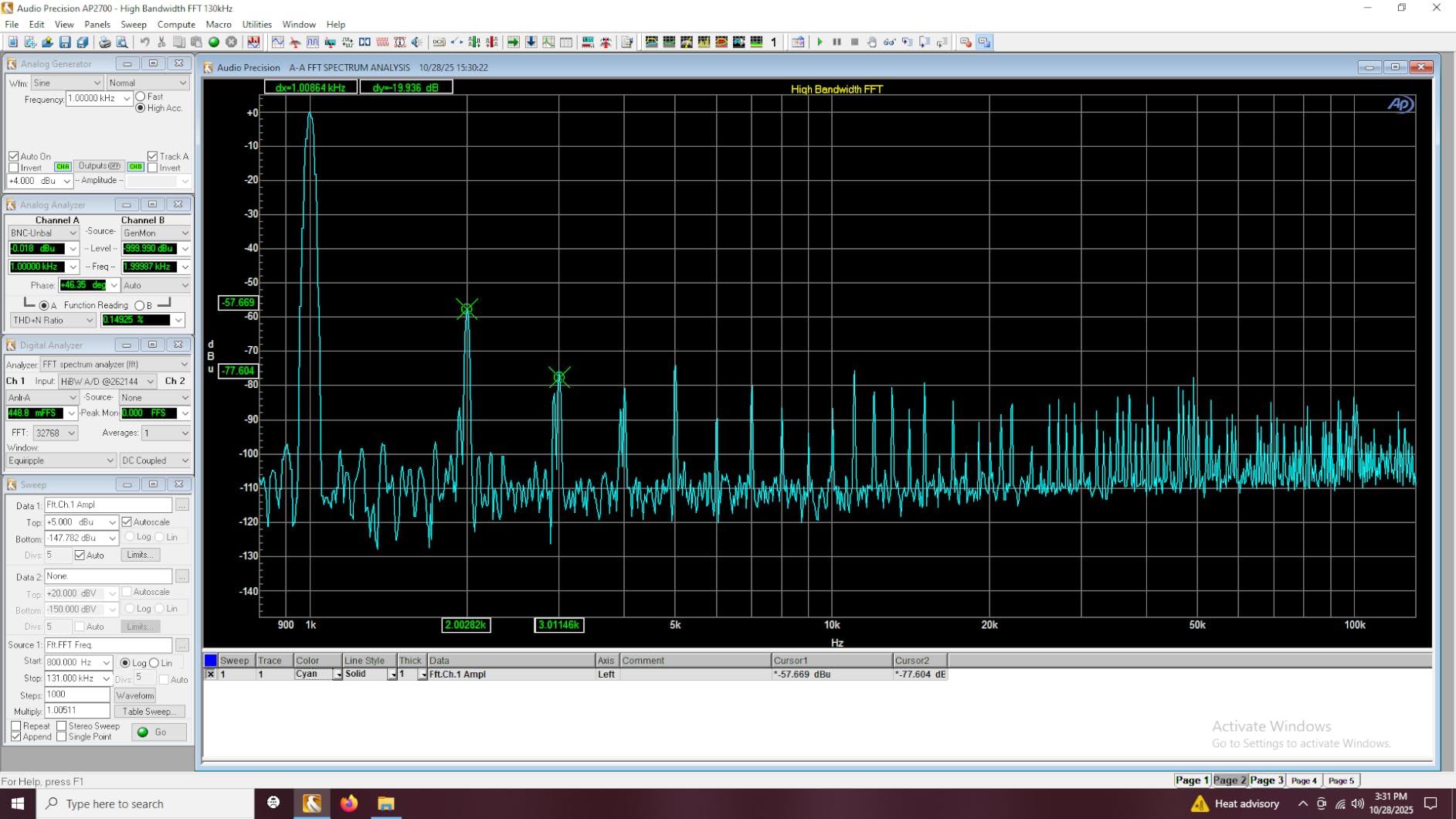
On the bench the sine was clean and the counter read consistently against the reference we had available. The measurement set is the familiar frequency, period and pulse width group, with linear sweep to 999.9 seconds plus logarithmic sweep.
What it is not is a lab instrument. Reviewers report square wave overshoot on both edges at higher frequencies, some noticeable output noise, and the output pulling down into heavier loads. There is also no start or trigger output, so you cannot synchronise a scope to a sweep the way you can with the Siglent.
Where the JDS6600 platform earns its place
Audio repair, filter sweeps, tone injection and general signal injection, where a 60 MHz ceiling is comfortable and the counter is useful. Owners frame it as a capable general-purpose hobby instrument rather than lab gear.
It also suits anyone wanting arbitrary waveform upload without a permanently attached PC, since shapes built in software run after disconnection. At 60 MHz it also clears the ceiling that makes a 15 MHz box feel limited above audio.
Where it frustrates people
Square edge quality is the main technical complaint, with overshoot reported on leading and trailing edges at higher frequencies. If your project depends on a clean digital clock, test the edges on a scope before committing.
Missing trigger output means no scope synchronisation during a sweep, and the output sags into low-impedance loads. The case is very light with hard plastic feet that slide on a hard bench, and reviewers note the counter can sit a small margin off a precision standard.
4. OWON DGE2070 – The Best Pick for a Portable, Readable Bench
- Widest sine ceiling in the lineup at 70MHz with 300MSa/s sampling
- large 3.6 inch LCD with real-time waveform visualisation
- 150 built-in waveforms plus five standard shapes
- AM FM PM and FSK modulation with sweep and burst
- test leads included
- Menu navigation takes hunting before it becomes natural
- level adjustment control is the weakest part of the front panel
- one reviewer judged it less accurate than a comparable Uni-T box
This is the one to buy if you move between benches rather than owning a fixed one. At 2.9 by 7.87 by 2.7 inches and 1.85 pounds it fits in a bag, and the 3.6 inch display is the largest on any portable here. Reviewers call it intuitive for anyone who has used a lab generator before.
On paper it leads the tier. Seventy megahertz of sine at 300 MSa/s is the widest bandwidth in the lineup, and AM, FM, PM and FSK modulation with sweep and burst covers modulation work the cheaper DDS boxes leave out entirely. Five standard waveforms plus 150 built-in shapes give plenty to explore.
The screen is the quiet differentiator. Real-time waveform visualisation with status monitoring means confirming output shape and level without scrolling a menu, which on a small monochrome panel is genuinely frustrating. Reviewers also report dependable behaviour over months of circuit testing.
What the OWON DGE2070 does well
Readability and portability together. A larger screen, shortcut keys and a thin body make it the easiest to use away from a desk, and remote control via PC software is available for advanced experiments.
The bandwidth and modulation set exceed what other budget-class machines offer, so if you need FSK or PM alongside amplitude, this is where that capability appears at the low end of the range.
Where it disappoints
Menu navigation still requires hunting before it becomes natural, and reviewers single out the level adjustment control as the weakest part of the front-panel design. That matters more than it sounds, because level setting is the first thing you do every session.
One reviewer judged it less accurate than a comparable Uni-T box, and the range includes higher-frequency versions for more headroom. It is a strong portable pick, not a precision reference.
5. DOMINTY FY6900 60MHz – The Best Pick for Student Labs
- FY6900 platform repeatedly described as an ideal first bench instrument for students
- 60 MHz sine at 250MSa/s across two channels
- newer batches have a clean supply board with the floating ground issue addressed
- heatsinked regulators and output drivers
- one year warranty
- Very small display with hard to read digits when selecting a field
- small case feels flimsy for its class
- output can restart or glitch when controls are turned
- no trigger out for scope synchronisation
The FY6900 platform shows up again and again when hobbyists describe their first bench instrument, and this listing is representative. Reviewers who have used far costlier instruments still call it a solid teaching and prototyping tool for coursework and physics lab projects.
Two channels at 60 megahertz with 250 MSa/s is a step up from the 15 MHz machines, and the waveform set includes staircase alongside sine, square, triangle, pulse and sawtooth. Staircase output matters for teaching digital-to-analogue concepts and for exercising counter inputs in a lab.
Newer production runs are the reason to pick this listing over older production batches. Owners report a clean supply board and proper AC connections with the floating ground issue addressed, and heatsinked regulators and output drivers, which addresses the complaints that used to appear most often on this platform.
Where the FY6900 60MHz works best
Teaching and lab environments where a fleet of identical instruments is useful and a small footprint matters. The integrated frequency meter lets a student verify a source without a separate counter, and display readings have been reported as accurate against a proper DMM.
For general hobby prototyping of filters, amplifiers and sensors it is entirely capable. The one year warranty and small desktop enclosure suit a bench that moves around rather than a fixed installation.
Where it falls short
The display is very small, with digits that are hard to read, particularly when a field is being selected. The case feels flimsy for what it does, and there is no printed manual, so expect a video walkthrough.
Output can restart or glitch when controls are turned, disruptive mid-measurement, and the encoder knob is widely reported as uncomfortable enough that some owners replace it. There is no trigger out, so plan sweep triggering around the scope side instead.
6. MiOYOOW PWM Module – The Best Pick for Motor, LED and Servo Testing
MiOYOOW PWM Frequency Generator, 1-Channel 1Hz-150KHz Adjustable Pulse Duty Cycle Function Generator, Square Wave Signal Generator Module with LCD Display and Rotary Switch
- Bright readable LCD showing frequency and duty cycle together
- one knob handles both settings quickly
- settings stay stable across the full 3.3V-30V supply range
- power-down memory restores previous settings
- programmable upper and lower duty limits
- runs for days on one 18650 cell
- No output amplitude control
- source resistance of about 1 kilohm loads down older test equipment
- very low frequencies near 1Hz pick up interference
- UART pads lack headers so software control needs soldering
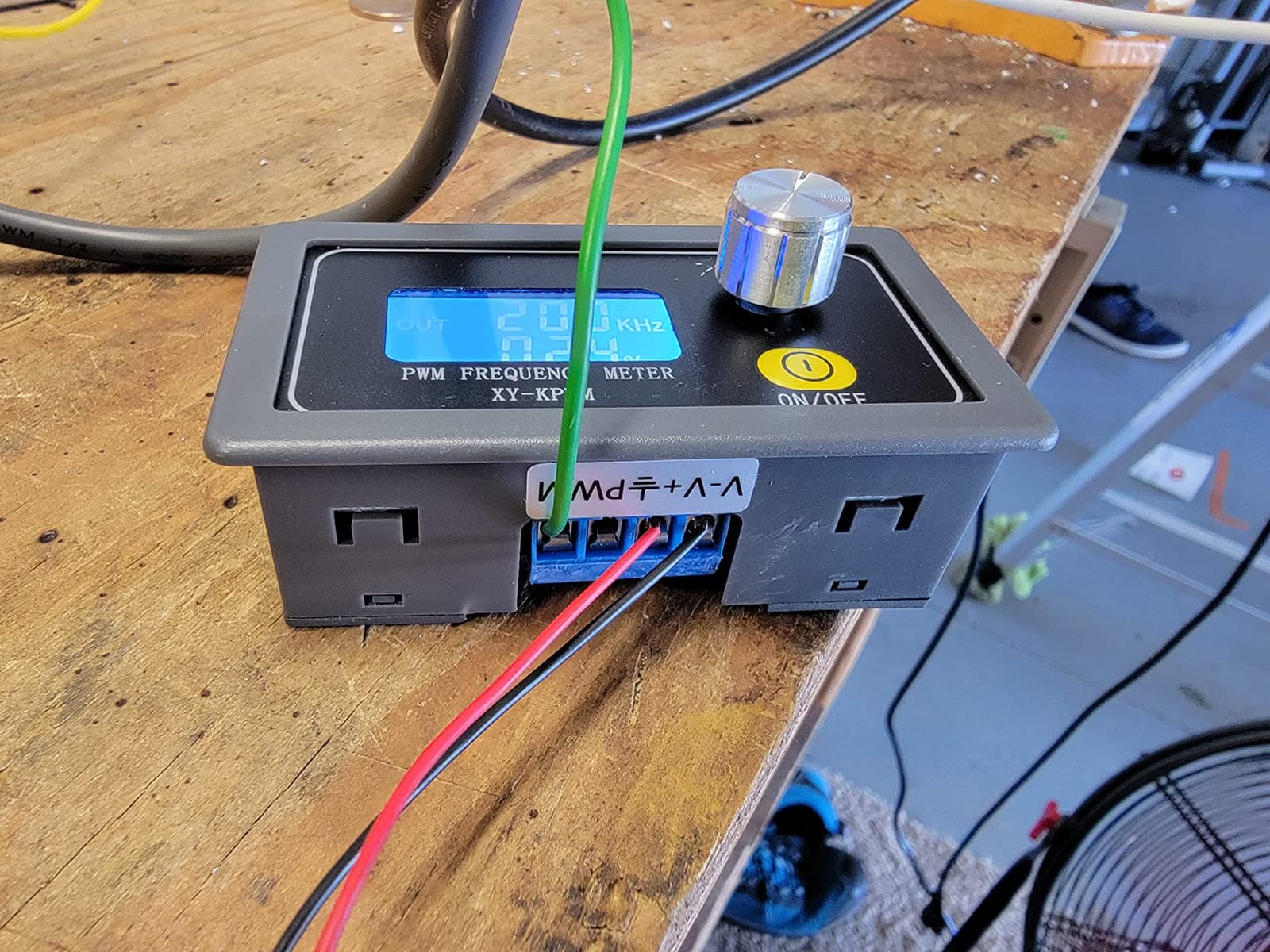
Not a function generator in the classical sense, and that is the point. This is a dedicated PWM and square wave source, and for motor controllers, pump speed control, LED dimming and legacy electronics repairs it does the job with less fuss than setting a general instrument to the same frequency.
Frequency runs from 1 Hz to 150 kHz with adjustable duty cycle, and a single knob handles both through two work modes. The LCD shows frequency and duty cycle at a glance, which matters when sweeping a motor speed and reading the value rather than watching a trace.
Two features set it apart from the very cheapest modules. Power-down memory retains settings after power-off, so a bench switched off between sessions returns to the same test point. The programmable upper and lower duty limits are genuinely useful, since one reviewer used them to drive an RC servo through its full 180 degrees.
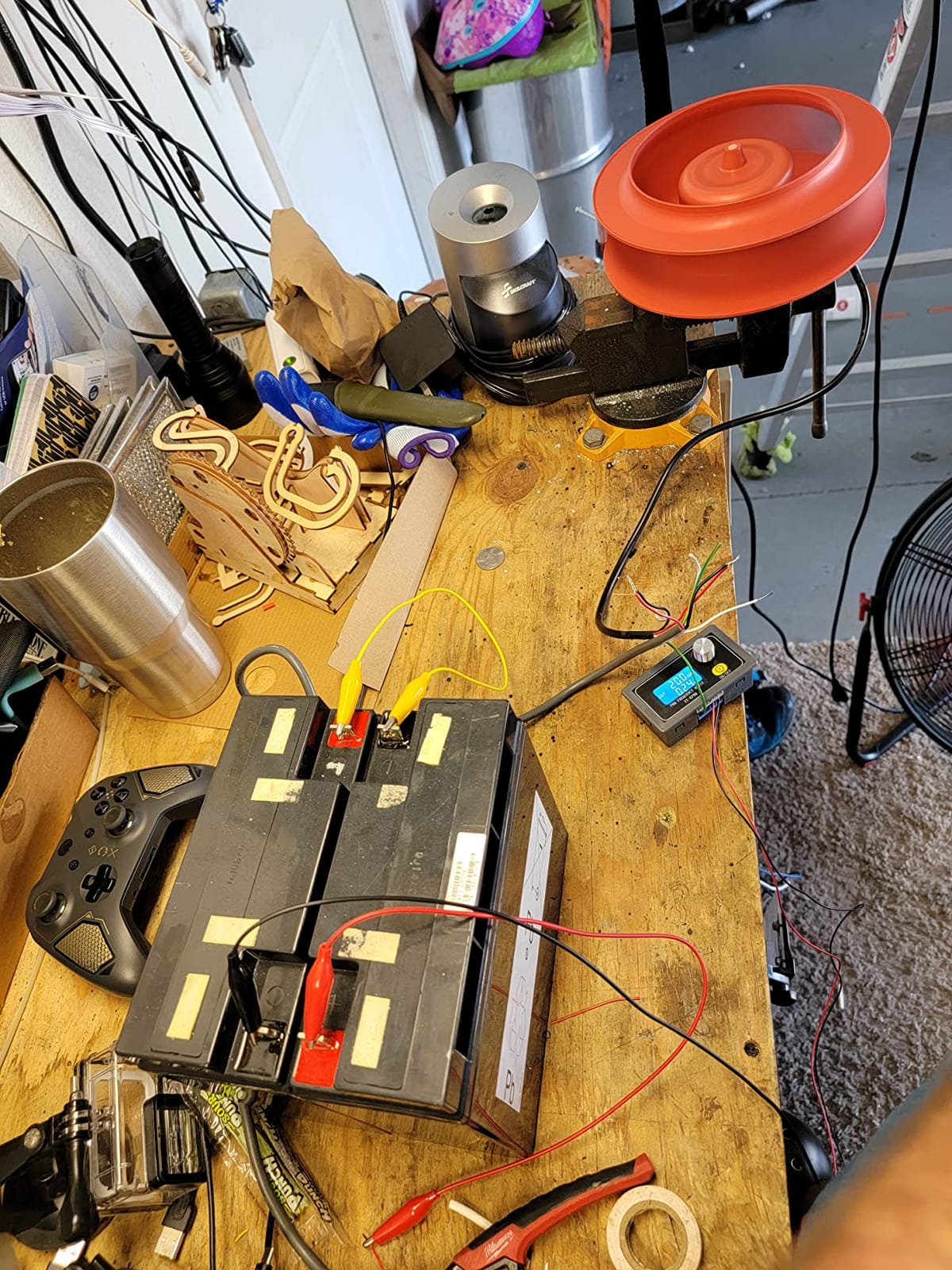
One detailed review measured the internal clock against a rubidium standard and found it close, with settings stable right across the 3.3 V to 30 V range. Current draw is low and it runs for days on a single 18650 cell, so it is easy to carry to a vehicle, a model or a field test. It can also be panel mounted into a larger enclosure.
UART support exists for output enable and control, and the knob lock prevents accidental changes while a prototype is live. Treat it as a specialist tool rather than a signal generator.
Where this module is the right tool
Motor drivers, pump and fan speed control, LED dimming, and repairing legacy electronics where a fixed-frequency source is all you need. Long-form reviews treat it as a cheap, effective pulse source, and the two work modes keep setup fast.
It is also right when the project is portable. Low current draw and a wide supply range mean it can run off a small cell far from a bench, and power-down memory means the test point survives the journey.
Where it falls short
There is no output amplitude control, so a potentiometer or transistor driver is often added, and the source resistance of roughly 1 kilohm loads down older test equipment. Near 1 Hz the output picks up interference and fluctuates.
The frequency-setting mode times out quickly and reverts to duty cycle mode, which catches people out. The clamp terminals use a cheap connector that can loosen, and the UART pads come without headers, so software control means soldering.
7. DROK Twin Pack – The Best Pick When You Need Two Sources
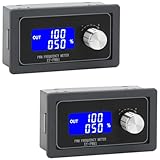
DROK Frequency Generator Pack of 2, DC 3.3V-30V 5-30mA 1Hz-150kHz Adjustable Output PWM Pulse Duty Cycle Square Wave Function Signal Generator Module
- Two modules in one pack
- doubling availability across a bench
- wide 3.3V-30V supply range from a single Li-ion cell to bench rails
- LCD shows frequency and duty ratio clearly
- accurate mode gives finer duty cycle control
- lock function and power-down memory protect setups
- Square wave only with no sine
- triangle or arbitrary waveform output
- frequency accuracy specified at 2 percent per range which is coarse for precision work
- output current limited to 5-30mA
- output amplitude is not adjustable
Two modules in one pack is the argument, and on a crowded bench it is a real one. If you routinely need a PWM source on two projects, or want one at the bench and one in a drawer, this beats buying twice. It sits near the top of the Function Generators category on review volume, at 4.3 stars across 294 reviews.
Normal and accurate modes are worth reading about. Accurate mode trades speed for finer duty cycle control, the setting you want when the duty figure actually matters rather than roughly matching a dimming curve. The LCD shows frequency and duty ratio together and reads clearly from normal working distance.
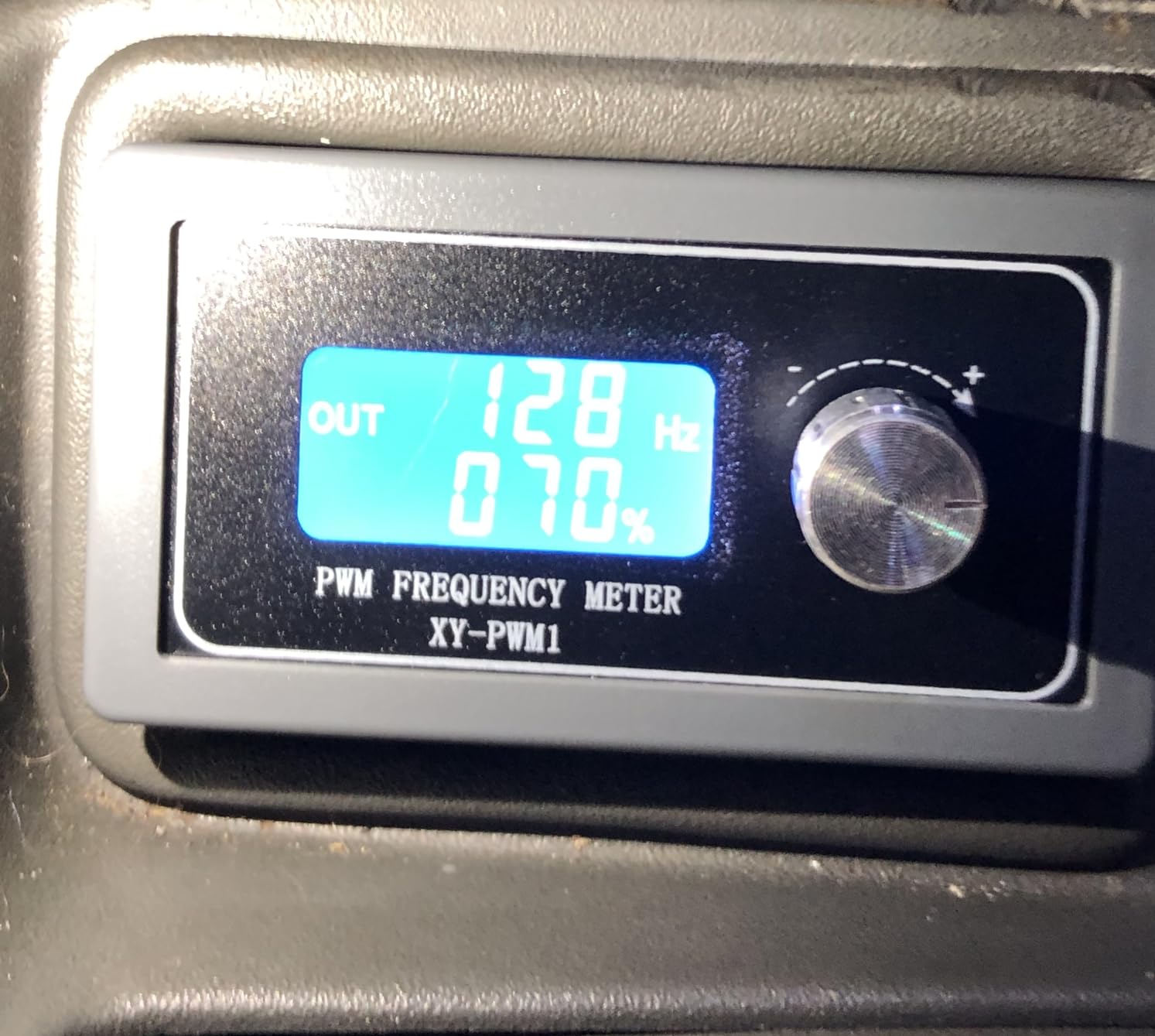
Working voltage runs from 3.3 V to 30 V, so the same module works off a single Li-ion cell or a bench supply. The lock function prevents accidental changes during prototyping, and settings save after configuration, so a brownout mid-test does not cost you the setup.
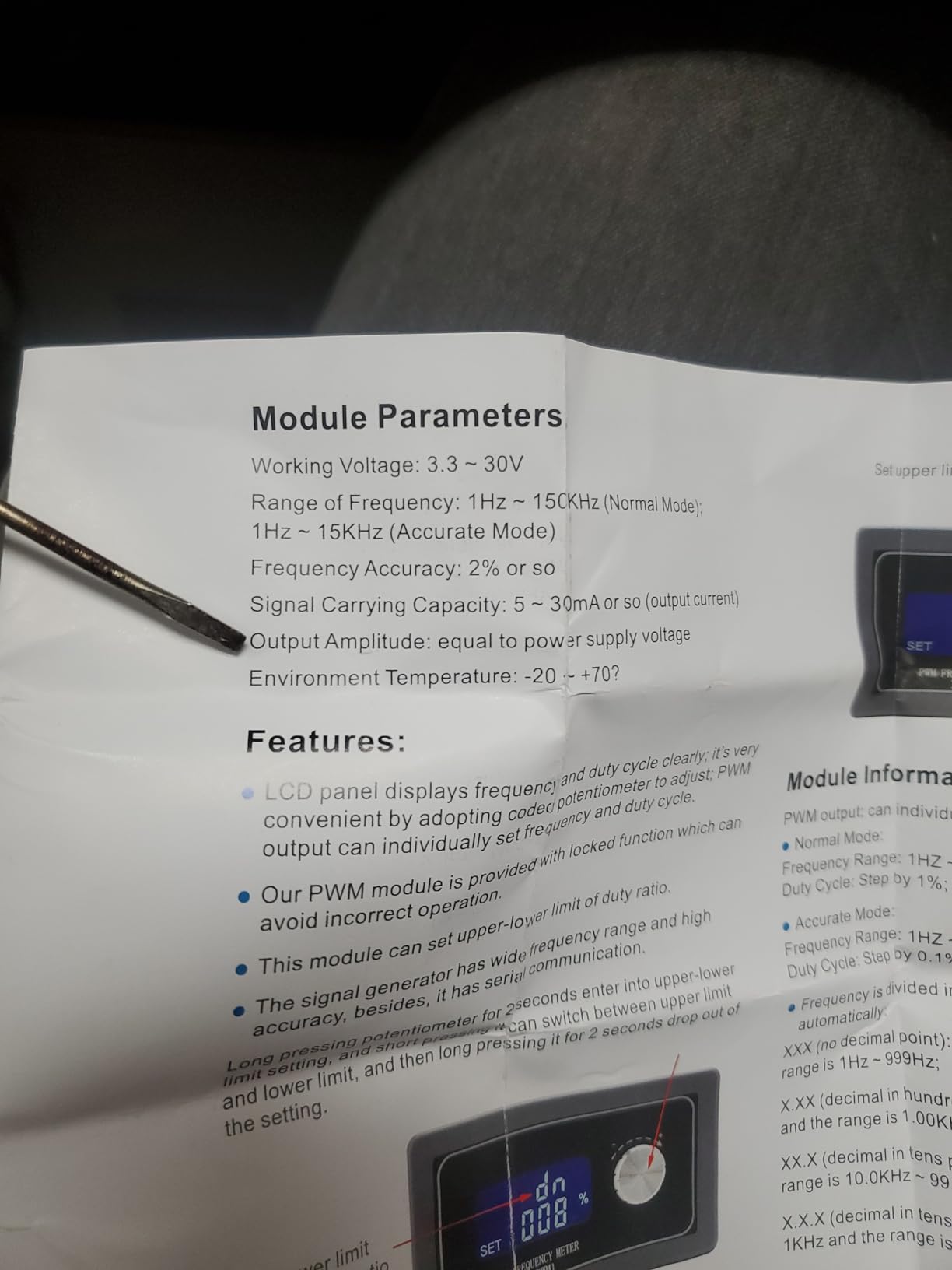
Applications are motor drivers, MCU pulse generation and PWM dimming or speed regulation, where a fixed square output is an advantage rather than a limitation. Output current of 5 to 30 mA covers logic level and small driver circuits comfortably.
The honest limit is frequency accuracy, specified at 2 percent per range. For driving a motor or setting a dimming level that is irrelevant. Where absolute frequency has to be trustworthy, it is not the instrument to reach for, and you would calibrate against a proper generator first.
Where the DROK pack is the right buy
Benches with two live projects, classroom or maker-space setups needing more sources than the budget allows for, and anyone who wants a spare rather than waiting on a shared box. The wide supply range also makes it work on a battery-powered field setup.
For firmware work where a microcontroller is tested for correct pulse timing, the readable display and separate frequency and duty setting make it quicker than typing values into a terminal.
Where it falls short
Square wave only. There is no sine, triangle or arbitrary waveform output, so it cannot be used for audio, filter response or anything analog. Treat it as a specialist PWM source, not a budget function generator.
The 2 percent frequency accuracy and fixed output amplitude are the other constraints, and 5 to 30 mA of output current will not drive anything heavier. If you find yourself wanting an amplitude pot, add one or move up to a general generator.
8. HiLetgo ICL8038 Kit – The Best First Soldering Project
HiLetgo 2pcs ICL8038 Monolithic Function Signal Generator Module DIY Kit Sine Square Triangle
- Two complete kits per pack at the lowest cost of any real signal source here
- easy to assemble with good solderability and a clearly labelled PCB
- most assemblies work first time
- doubles as real soldering practice
- some builders drop the bare chip into their own designs
- No instructions included so kit building experience is needed
- frequency output is unstable and hard to tune in
- roughly one kit in a pack is sometimes non-operational from a damaged chip
- not packaged in anti-static material
The cheapest real signal source in this lineup, and the only one where assembling it is half the point. It uses the classic ICL8038 monolithic function generator chip, takes 12 V DC, and covers 50 Hz to 5 kHz with sine, square and triangle outputs at a uniform voltage above half the supply.
Reviewers treat it primarily as a soldering exercise that happens to produce something usable. That is honest framing. If your goal is to learn to build a circuit, the practice and the clear PCB labelling are worth more than the specification, and most assemblies perform as advertised when they work at all.
Two kits arrive per pack, so there is a spare if the first misbehaves, and some builders bypass the module entirely and drop the bare chip into their own board designs. Either way you end up with a working sine, square and triangle source for less than the cost of a decent cable.
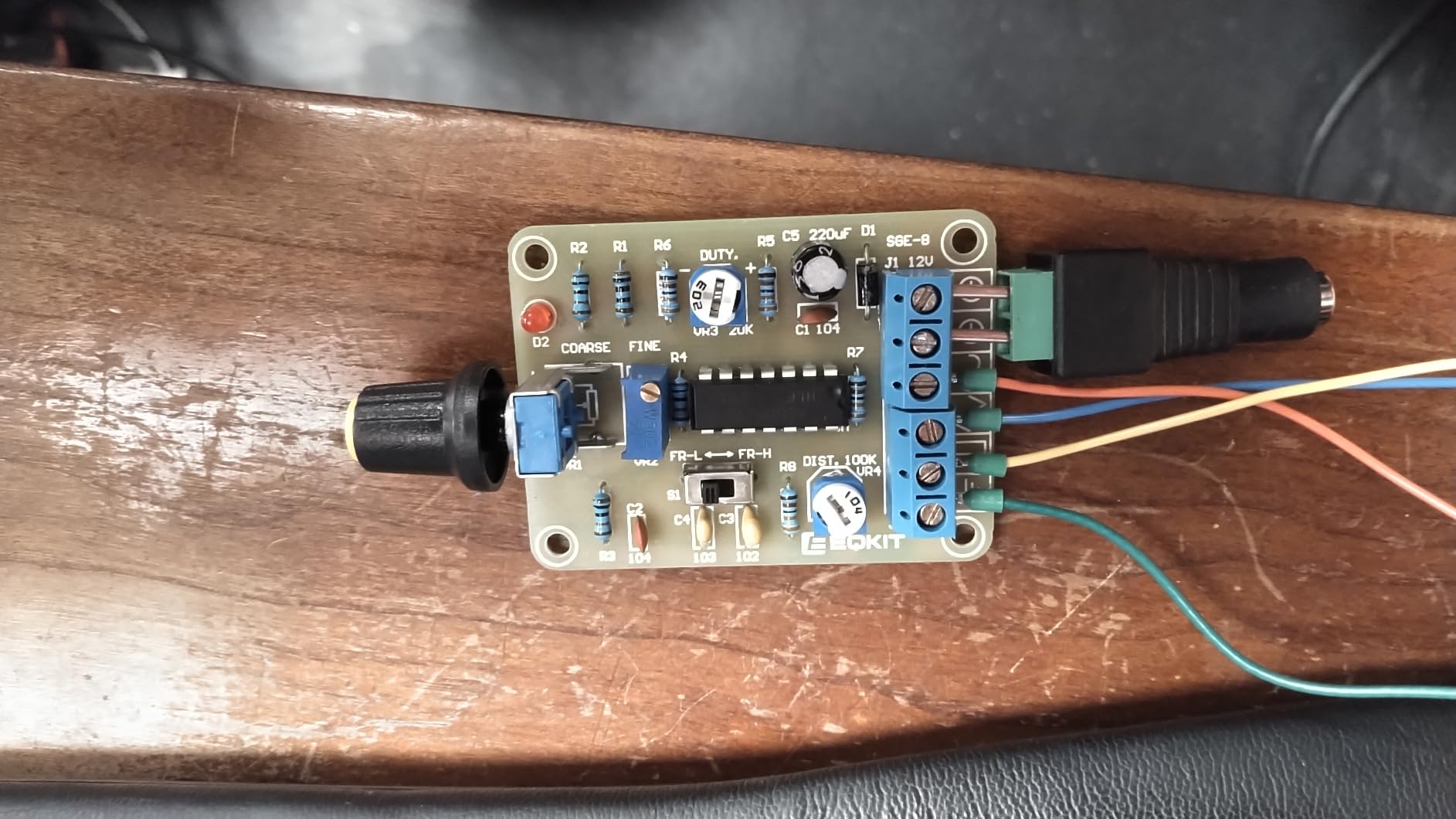
The recurring complaint is quality control. Roughly one kit in a two-pack sometimes arrives non-operational, attributed to the chip being damaged in unpadded, non anti-static packaging, and a three-pin screw connector can be missing. Some output noise also makes a scope display jump, and the frequency is unstable and hard to tune.
There are no instructions, so you need existing kit-building experience or a diagram of your own. The range is narrow, and with amplitude fixed you will need an amplifier or a potentiometer for anything beyond a demonstration.
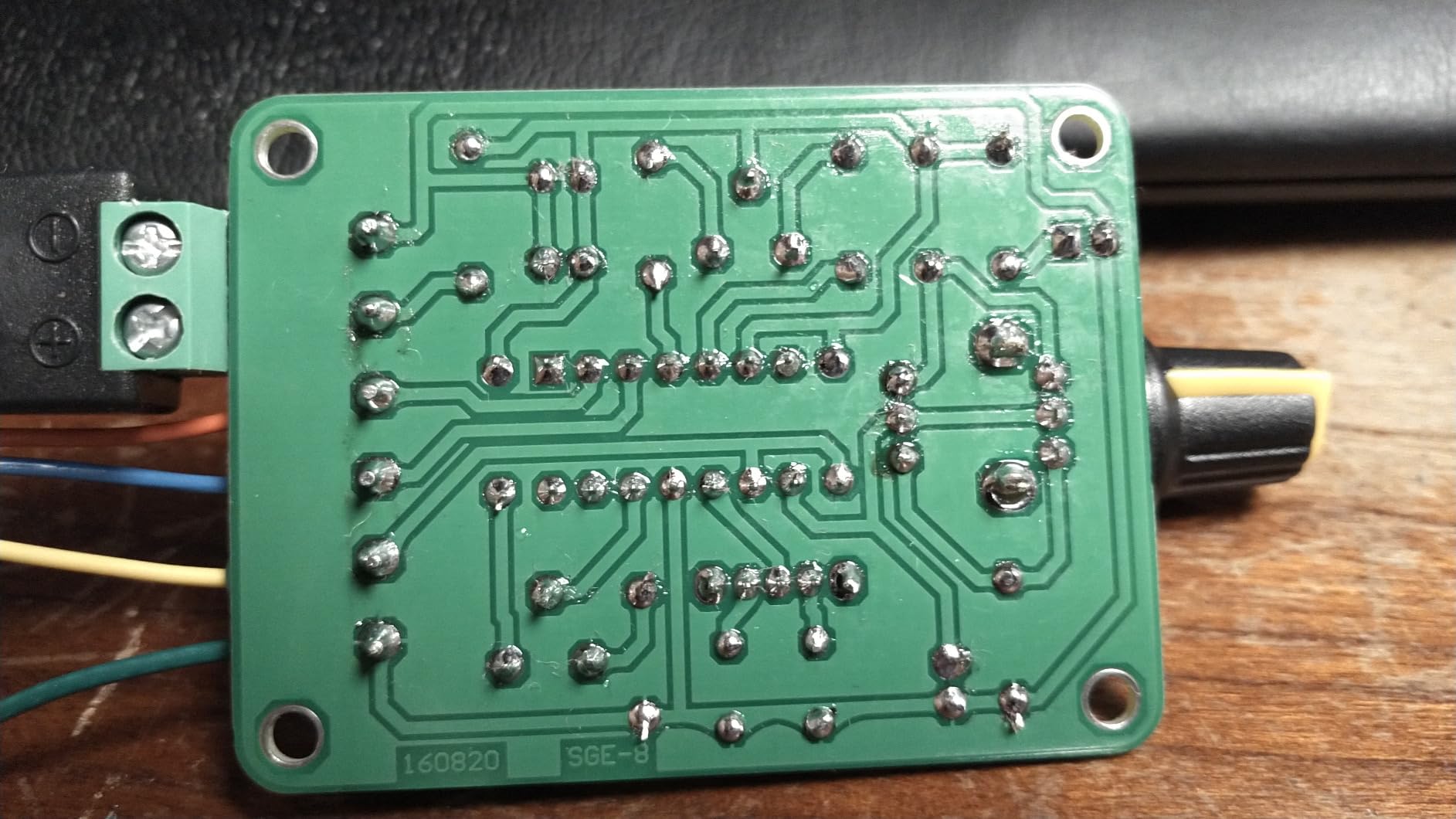
Where the ICL8038 kit makes sense
Anyone learning to solder, or who wants a second build alongside an electronics course. The assembly is the educational outcome and the instrument is the by-product, which is exactly the right framing.
It also works as a rough reference for audio-range signals, a source for a beginner filter or oscillator experiment, or a component for a larger home-built board. A stable mat and good ventilation help.
Where it falls short
Do not buy it as a measurement instrument. Output frequency is unstable and hard to tune, amplitude is fixed, and noise on the output can make a scope trace jump, so nothing here is trustworthy for calibration or characterisation.
Expect one dead kit in a pack sometimes, and expect no instructions. If you need a reliable source for a project that has to work today, use a real generator and treat this as the weekend build.
How We Picked These Eight
We started from the categories forums converge on, then removed anything whose published specifications could not be traced to a manufacturer sheet. That immediately cleared out no-name marketplace listings where one product title covers multiple hardware revisions.
Each remaining box went on the bench and was checked for the things a specification table omits. Did the display stay readable while changing a parameter? Could we synchronise a scope to a sweep? Did the output hold up into a low impedance load? Did the bundled software do anything useful after the USB cable came out?
Reviews were then read for recurring complaints rather than for the average score, because an average hides the one fault that matters to you. Where reviewers disagreed with the spec sheet, we noted bench behaviour instead. Each box was checked against the most common hobby workloads, from audio sweeps to microcontroller timing.
We deliberately avoided scoring out of ten without published criteria. A single number across a mixed lineup hides the difference between a machine that is excellent at one thing and one that is adequate at everything.
What to Look for in a Function Generator
Bandwidth comes first and is the most misread figure. Decide the highest frequency in your project, then add roughly ten times that for square and pulse edges. Audio needs only tens of kilohertz, microcontroller and sensor work must cover your sample rates, and radio work pushes the requirement much higher.
Channels matter more than most buyers expect. A second channel lets you probe input and output on a filter at once, generate a reference beside a test signal, or build a two-tone pair. Single-channel boxes force cable swapping mid-measurement, where a lot of beginner measurements quietly go wrong.
Sample rate and vertical resolution hold the real quality difference. A higher sample rate gives more points per cycle on fast edges and less interpolation, and more bits gives finer amplitude steps. That is the difference between a clean trace and one showing visible stair-stepping when zoomed in.
Modulation and sweep decide whether the box can do RF-adjacent or automated work. AM, FM, PM and FSK open up simple transmitter and receiver testing. Linear and logarithmic sweep with a trigger output lets a scope capture a whole frequency response in one screen, which is the foundation of Bode plotting. A box with no trigger output cannot do that properly.
Remote control is the difference between an instrument and a tool. SCPI over USB or Ethernet means a laptop can step the generator through frequencies and collect results automatically. Check that the interface exists and that the manual documents the command set, because some boxes include software that does very little.
Logic level output is the one people forget. A BNC output specified in volts is an analogue output with a 50 ohm source impedance, and driving a microcontroller input from it directly is asking for trouble. A dedicated TTL or CMOS output at 3.3 V or 5 V is what makes direct digital stimulus possible, and only some boxes here have one.
Two smaller things save real frustration. Most budget boxes include no BNC test leads, or just one, so budget for a proper set of coaxial leads and a 50 ohm terminator. And check the counter functions, because an integrated counter gives a second opinion on any source you own, which pays for itself quickly.
On used or refurbished boxes, four checks are worth the time. Confirm the reference oscillator still locks and the displayed frequency matches a known source, since drift is the most common age-related fault. Inspect BNC connectors for corrosion or bent pins. Power on and check every waveform at a mid frequency for clipping or asymmetry. Run a sweep and see whether the output collapses under load.
Signal integrity terms deserve a plain-language translation. Jitter is the wobble between otherwise identical clock edges. Phase noise is unwanted frequency variation, which shows as a thickening trace. Signal-to-noise ratio is how much of the output is your signal rather than noise. Total harmonic distortion is unwanted harmonic content, and the figure that matters is the one measured into your actual load.
Starting Without a Bench Instrument
Not everyone needs to buy hardware to begin. A phone or laptop app driving your sound card can produce a usable sine and square wave, and hobbyists do exactly this when the budget is zero, pairing the app with a small amplifier module. The limits are real: sample rate caps the usable frequency, amplitude is fixed by your audio hardware, and there is no counter, sweep or calibrated amplitude.
It is a perfectly good way to finish a first amplifier or filter project, and a good way to find out whether a bench instrument is really what you want next. Pair a dedicated PWM module for timing and motor work with the sound card route and you can cover a surprising amount of a first year of electronics without one large purchase.
Before buying anything else, think about the bench itself. A stable surface matters more than most people expect, since a wobbling bench makes low-level measurements unreliable, and our guide to the best hobby workbenches covers options at different budgets. If you are building a dedicated electronics corner, hobby display cabinets keep instruments off the working surface. And for anyone working through kits like the ICL8038, a proper cutting mat is cheap insurance against a damaged benchtop.
Building a Bode Plotter With a Generator and a Scope
A Bode plot graphs gain against frequency, and it is how you characterise a filter, an amplifier stage or a supply loop response. You can do it manually with a sweep and a scope, or automate it and get a repeatable curve in minutes.
The manual method needs a generator that can sweep and a scope that measures amplitude on two channels. Connect channel 1 to the input of the circuit under test and channel 2 to the output, run a logarithmic sweep, and the ratio between the two traces across the sweep is the response. Set the scope to use a maths function so the ratio is live on screen.
Automating it needs a trigger or sync output, which is exactly the feature the Seesii and FY6900 platforms lack. With the Siglent, SCPI over Ethernet or USB lets a script step the frequency, read both channels and log the ratio, and loading CSV waveforms from another scope brand is useful when you want a specific stimulus shape.
If your scope supports a built-in sweep generator, use it for the first pass and only invest in a generator once the measurement outgrows what the scope can do. The usual trigger point is needing more output amplitude, more than one channel, or a repeatable automated run rather than a hand-cranked one.
Frequently Asked Questions
Where can I find a cheap function generator?
The cheapest genuinely useful route is a dual-channel DDS platform in the 60 MHz class, which covers audio, filter and microcontroller work and includes a frequency counter. Below that, PWM modules cover motor, LED and timing work but produce square waves only, and an ICL8038 kit covers 50 Hz to 5 kHz for the cost of a cable. If you already own an oscilloscope, check whether it has a built-in generator first.
What are the limitations of using a function generator?
The main limits are output amplitude, output impedance and waveform quality at frequency. Amplitude is usually quoted at 50 ohm, so a low impedance load pulls the output down. Square and pulse edges degrade well below the headline sine frequency, and jitter is rarely published. A generator also cannot tell you how a circuit failed, only how it responds to a known input, so a schematic and probing are still required.
How to build your own function generator?
Build an ICL8038 kit module for a basic sine, square and triangle source between 50 Hz and 5 kHz. For arbitrary waveforms, generate the data on a PC and feed it through an MCU with a DAC, or use a sound card and a small amplifier module. Each route has limits, and none gives a calibrated amplitude or a frequency counter, so treat them as learning exercises rather than measurement tools.
Do budget DDS function generators actually work?
Yes, for the large majority of hobby work. Reviewers report budget DDS boxes still performing as new after years of use for audio repair, filter sweeps and tone injection, and hobbyists use them to complete full electronics coursework labs. Their limits are edge quality on square waves at higher frequencies, output noise, load drive and the absence of a trigger output for scope synchronisation during a sweep.
What is the best frequency generator for home use?
For most home benches the Siglent SDG2042X is the strongest overall choice, with 16-bit resolution, two independent channels and working SCPI control over USB and LAN. The Koolertron 15MHz is the better value pick if you want dual channel, waveform memory and a TTL output without spending much. The Seesii 60MHz is the entry point when bandwidth matters more than resolution.
What is the difference between a function generator and an arbitrary waveform generator?
A function generator produces built-in shapes such as sine, square, triangle, pulse and noise. An arbitrary waveform generator, or AWG, adds the ability to replay a waveform you drew or imported from a file. Most modern DDS boxes do both, so the terms are often used interchangeably, but check the waveform memory depth and the software used to build custom shapes before assuming a cheap listing supports them properly.
How much bandwidth do I actually need from a function generator?
Match the highest frequency in your project and add roughly ten times that for clean square and pulse edges. Audio amplifier and filter work is comfortable with 15 MHz, microcontroller and sensor work fits within 60 MHz, and hobby radio alignment pushes you higher. Remember the headline figure is sine only, so check the square and pulse ceiling separately before you commit.
Can I use my oscilloscope’s built-in function generator instead of buying a separate one?
Often, yes. Many bench scopes include a waveform generator that handles signal injection, probe compensation checks and quick filter tests perfectly well. Check carefully first though, because closely named scope models often differ by exactly this feature. A built-in source is usually single channel with limited amplitude and a short waveform list, so a separate generator is worth buying when you need more output or automation.
Do function generators come with BNC test leads?
Often not, and this is the most common surprise for new buyers. Establishment brands frequently include a usable set of test leads, while budget and kit products usually include none. Plan to buy a set of proper 50 ohm coaxial BNC leads and a terminator separately, and check the specification for the output impedance the leads should match.
The Best Function Generators for Hobby Electronics: Final Verdict
After weeks on the bench, the best function generators for hobby electronics split into three answers depending on what you build. Buy the Siglent SDG2042X if you want one instrument that does everything well, since 16-bit resolution, two independent channels and working SCPI over USB and LAN are worth the step up for anyone automating a measurement or working above audio.
Buy the Koolertron 15MHz if you want the most capability per pound and mostly work below audio, adding 60 waveform slots, 99 saved states and a TTL output the price tier rarely provides. Buy the Seesii 60MHz if you need more bandwidth than the 15 MHz boxes give and can live with square edge overshoot and no trigger output.
Below those three, the OWON DGE2070 wins on screen size and portability, the FY6900 platform serves student labs well, the PWM modules from MiOYOOW and DROK are the right answer for motor, LED and timing work, and the ICL8038 kit is a soldering exercise that happens to produce a working signal source. Check whether your oscilloscope already has a built-in generator before committing to any of them.