
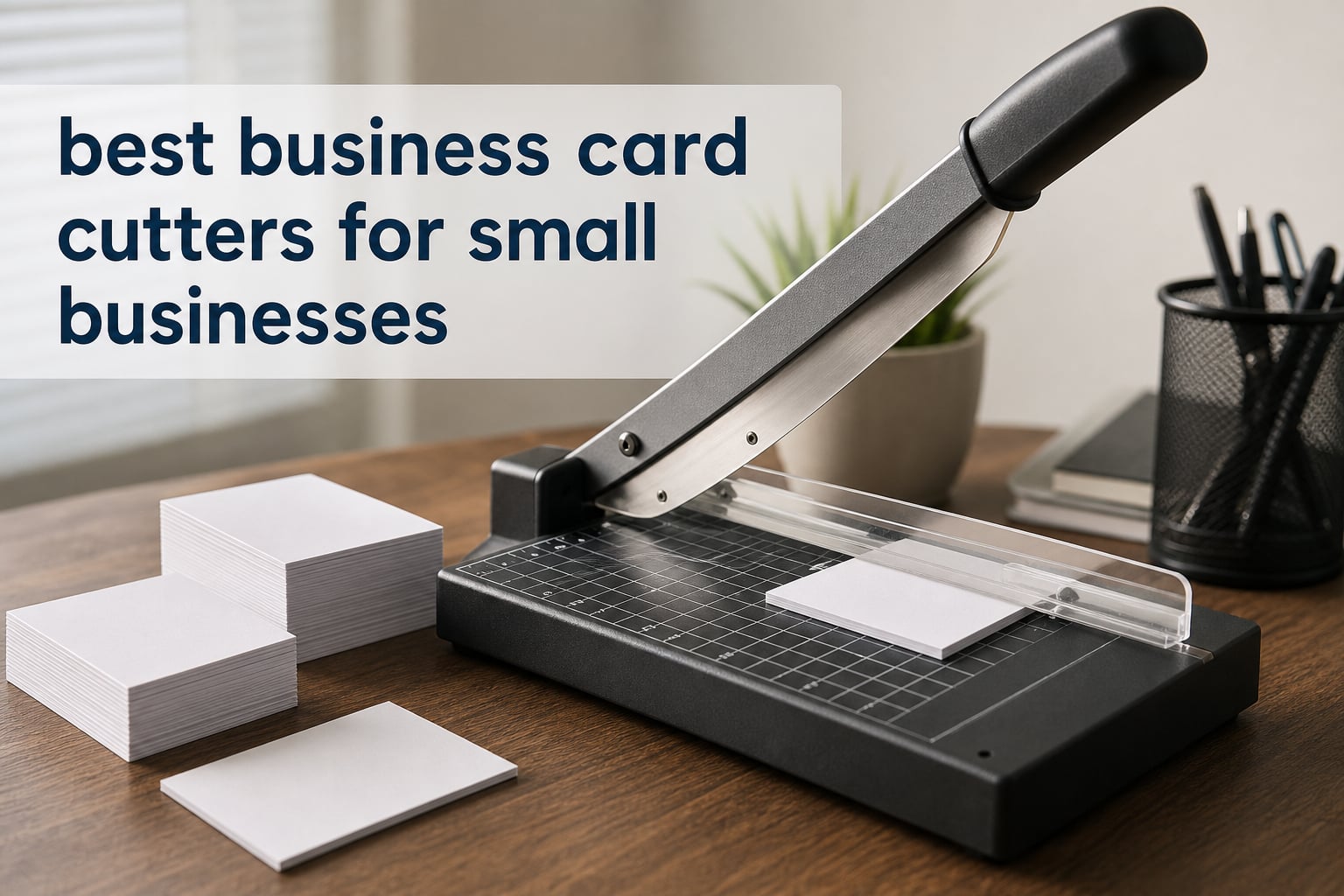
Making cards in-house is satisfying until one uneven edge turns a useful sheet into waste. The best business card cutters for small businesses give you repeatable 3.5-by-2-inch trims, a steadier workflow, and a way to keep short runs under your own control.
A business card cutter is a specialized machine that divides printed sheets into individual cards with aligned blades and a guide. A manual guillotine or rotary trimmer uses hand pressure for each pass, while powered equipment feeds or processes paper mechanically; the best choice depends on the paper, run size, and precision you need.
I treated listed capacity as a ceiling rather than a daily operating target, because print-community discussions repeatedly point to shifting, jams, and dull blades when cutters are pushed too hard. This guide ranks 12 real options for 2026, from portable paper trimmers for occasional batches to a steel guillotine for a small print-shop workload.
Table of Contents
Top 3 Picks: These Cutters Cover Most Small-Business Needs (September 2026)
The Firbon 30-sheet model is my editor’s choice for larger manual batches, while Fiskars is the precision-first pick for a desk workflow. MAKEASY suits a business that needs a straightforward 12-inch guillotine with a safety guard and clear alignment grid.

Firbon 30-Sheet Guillotine Cutter
- 30-sheet capacity
- 12 inch cut length
- stainless steel blade

Fiskars Precision Paper Trimmer
- SureCut wire line
- TripleTrack rail
- limited lifetime warranty
These Are the Best Business Card Cutters for Small Businesses in 2026
Use this overview to narrow the field by cutting method, listed capacity, and the feature that matters most to your workflow. Every product below is included in the comparison and reviewed in full.
1. The Best Light-Use Pick Is the Firbon A4 Paper Cutter

- Spring-loaded blade
- 12-sheet capacity
- angle guide
- lightweight
- safety protection
- Blade may need replacement
- Best for lighter batches
I would choose this compact Firbon when the job is a modest run of printed sheets, labels, coupons, or cards rather than a continuous production shift. Its listed 12-sheet capacity applies to 80 gsm paper, so business-card stock deserves a smaller test stack.
The spring-loaded blade activates only when pressed, which is a sensible fit for a shared home office or counter. Its titanium blade and side ruler target clean, straight cuts without leaving a bulky machine on the desk.
The 45-degree-to-90-degree measuring plate and centimeter/inch scale give a practical reference when you are trimming crop-marked pages. It also lists support for A3, A4, and A5 paper plus material within 1.5 mm.
My reservation is simple: regular use will eventually call for a fresh blade. Keep the cutting path clear and cut slightly under the maximum stack when edge quality matters more than getting through a stack quickly.
The right workload is occasional card and label trimming
This is a natural paper cutter for business cards when a freelancer, pop-up shop, or office prints small batches. Its portability is useful if the cutter has to move between a storage shelf and a work table.
The better alternative is a heavier guillotine for dense stacks
Businesses that cut thick stock all day should look toward the 30-sheet Firbon or steel HFS instead. This model’s stated capacity is based on standard paper, not a promise for every cardstock grade.
2. The Most Precise Desk Trimmer Is the Fiskars Precision Paper Trimmer
Fiskars Precision Paper Trimmer, Easy and Accurate Crafting Tool, Cuts Straight for Crafts, Cards, and More
- Visible cut line
- steady rail
- stainless steel blade
- ergonomic carriage
- lifetime warranty
- Designed for precision rather than large stacks
- Higher-end desk trimmer
The Fiskars model is the one I would put beside a printer when visually lining up a trim matters more than slicing a large stack at once. SureCut Technology uses a stainless steel wire cut-line, so you can see where the blade will travel before committing.
Its TripleTrack system interlocks the blade and rail to reduce the curved or wobbly cut that can spoil a card border. The 15.6-inch straight-cut arm gives room for larger sheets, even though the final card is much smaller.
An ergonomic high-profile blade carriage is easier to grip than a low, flat slider during a series of careful passes. Rubberized feet help the lightweight base stay in place instead of skating across the desktop.
Fiskars lists a limited lifetime warranty, which stands out in this group of mostly basic manual cutters. I would still reserve the blade for paper and card stock it is designed to handle, rather than treating a precision rail like a heavy-stack guillotine.
The best fit is branded cards with tight visual margins
The wire guide is especially helpful for a home business that prints colorful border designs where a slightly wandering cut is easy to see. It supports a measured, one-sheet or small-batch approach.
The better fit is a guillotine when capacity comes first
Fiskars does not list a high sheet-count claim like the manual guillotines in this guide. If volume drives the decision, a model with a published 15-, 16-, 30-, or 400-sheet capacity is easier to match to that task.
3. The Safest 12-Sheet Option Is the DIAPHANORNIS Paper Trimmer

- Safety guard
- anti-slip feet
- dual scale
- wide material range
- self-sharpening blade
- Limited color selection
- Less established brand
The DIAPHANORNIS cutter puts its strongest case around safety and a stable cutting base. A guard, safety latch, and seven anti-slip rubber feet are worthwhile features when more than one person uses the equipment.
It lists a 12-sheet capacity for 20- to 16-pound paper and a self-sharpening stainless steel blade. Treat that paper specification as the benchmark, then reduce the stack for coated card stock or laminated pieces.
The dual centimeter and inch scales make it easier to work from a layout file that uses either unit. Its listed material range includes business cards, labels, vinyl paper, photos, cardboards, and cardstocks, which gives a small business some flexibility beyond cards.
I like the practical balance here: it is not presented as an automated production tool, but it addresses the two sources of manual-cutting anxiety, fingers near the blade and paper sliding at the moment of cut.
The best setting is a shared office with safety rules
A front-desk or office team that takes turns making event cards will benefit from the guard and lock. Staff should still check that the latch is engaged before the cutter goes back into storage.
The smarter workflow is smaller stacks for premium stock
Heavy card stock is harder on every manual blade than ordinary office paper. Start with a few sheets, inspect both the top and bottom edges, and only then increase the stack.
4. The Straightforward 12-Sheet Guillotine Is the Firbon Gray Cutter

- Curved stainless blade
- alignment grid
- guard rail
- rubber feet
- wide paper support
- Handle assembly required
- 12-sheet standard-paper rating
This gray Firbon is a conventional 12-inch guillotine with the features I expect a small office to need: a visible grid, clear measurements, rubber feet, and a blade latch. The 3Cr13 stainless steel blade has a curved edge intended to make a smooth cut.
Its published capacity is up to 12 sheets of 80 gsm paper. It supports A4, A5, B5, and B6 formats, which gives you room to use the same trimmer for inserts, simple flyers, and card sheets.
The guard rail keeps hands away from the cutting path, and the latch holds the automatic pop-up arm when it is not in use. That is more useful than it sounds when the cutter is stored on an open shelf.
Plan on a small amount of setup because the handle requires assembly. Once set up, I would use the alignment grid to square the sheet before every cut rather than relying on the edge of the base alone.
The right choice is a general office cutter with a familiar layout
This model works for an owner who wants an uncomplicated manual business card cutting machine for varied paper jobs. The markings are useful for repeat card layouts and trim tests.
The stronger choice is a higher-capacity cutter for repeat batches
Its 12-sheet claim is a good light-to-moderate reference point, not a high-volume production specification. Choose the 30-sheet Firbon if batches grow and you still prefer a manual guillotine.
5. The Best Multi-Function Trimmer Is the MYWJDF Rotary Cutter

- Straight and decorative blades
- replaceable parts
- angle guides
- hidden blade
- cutting mats
- Six-sheet capacity
- Lower review count
The MYWJDF is different from the guillotines because it uses a rotary format and includes five replaceable blades. Two are straight-cut blades, while the others support wave, score, and punch effects for a business that also makes tags, invitations, or promotional pieces.
Its stated capacity is up to six sheets of standard 70 gsm paper, so I would not select it for thick multi-sheet card runs. The benefit is controlled versatility, not brute-force capacity.
Two reversible cutting mats are included, and replacement blades and mats are available separately. That is a meaningful maintenance detail because consumable parts give the cutter a longer working life than a disposable-style trimmer.
The hidden blade and lockable rail add a layer of protection, while the printed inch, metric, and angle guides support careful layout work. The device weighs 15.8 ounces, which makes it particularly easy to put away after a session.
The best use is cards plus creative collateral
Choose this rotary trimmer when standard business cards are only one part of the job and you also cut scored inserts, decorative tags, or small presentation pieces. Its blade selection is the reason to choose it.
The better machine is a guillotine for repetitive straight cuts
A six-sheet standard-paper rating creates a slower workflow for recurring card orders. A plain guillotine with a larger listed stack capacity will make more sense if every cut is a straight cut.
6. The Best Manual High-Capacity Pick Is the Firbon 30-Sheet Guillotine
- 30-sheet capacity
- sturdy ABS board
- alignment grid
- guard rail
- blade latch
- Not for every very thick material
- Manual operation
The Firbon 30-sheet guillotine is my top manual pick because the listed capacity steps well beyond the smaller desktop tools without moving into a 35.8-pound industrial cutter. Its 12-inch cutting length fits the paper size used for many card layouts.
A premium 30Cr13 stainless steel curved blade, a sturdy ABS cutting board, and a robust base focus on the parts that take the daily stress. The dual inch and centimeter scales with an alignment grid make repeated positioning less dependent on guesswork.
It includes a guard rail and blade latch hook, so the cutting arm can be secured when idle. This is the sort of cutter I would position on a dedicated table rather than pull out for one card at a time.
Capacity is useful only if the stack stays square, so a sensible workflow is to fan the sheets, seat them against the guide, and lower the blade in a firm single motion. Do a trial cut whenever the paper finish or thickness changes.
The best workload is recurring batches on a dedicated work surface
A small print shop, copy counter, or business that prepares regular event cards can use the larger published capacity to reduce handling. Manual operation also avoids motor noise in a quiet office.
The better specialist is electric equipment for creases and perforations
This Firbon is for straight trimming rather than crease lines or perforated tickets. The Mxmoonant adds those functions, although it processes one sheet at a time and is not a thick-stock cutting tool.
7. The Best Magnetic-Guide Pick Is the ecraft 12-Inch Guillotine

- Magnetic guide
- metal base
- laser printed scales
- finger guard
- 15-sheet capacity
- Thick cardstock needs more force
- Manual pressure required
The ecraft guillotine earns attention for its magnetic paper guide, a helpful feature for anyone tired of a sheet creeping out of position. A heavy-duty metal base and anti-slip design support the guide rather than leaving alignment to a light plastic platform.
It has a 12-inch cutting length and lists compatibility with A4, B5, A5, B6, and B7 paper. Its 15-sheet capacity sits between basic 12-sheet cutters and the larger 30-sheet Firbon.
The metric and imperial scales are laser printed, so the manufacturer describes them as markings that will not fade. That matters over time because grid visibility is part of repeatable cutting, not a decorative extra.
It has a finger guard, but thick card stock may need more force. I would use an even downward cut and reduce the stack when working with dense media, instead of forcing the blade through a full load.
The best advantage is repeatable paper positioning
A magnetic guide makes sense for a business repeatedly trimming the same card sheet format. It helps establish a consistent stop point before the blade comes down.
The better choice is a rotary trimmer for visual cut-line work
If the main problem is seeing an exact printed border before cutting, the Fiskars wire cut-line offers a different kind of control. The ecraft is more about holding a stack in a consistent position.
8. The Best Beginner-Friendly Guillotine Is the WORKLION A4 Cutter

- Easy operation
- safety guard
- 15-sheet capacity
- wide format support
- durable materials
- Shorter reach than some alternatives
- Manual workflow
The WORKLION A4 guillotine is built around a simple operation that works for beginners and experienced users. Its safety guard helps keep fingers away from the blade, while the form factor stays compact at 14.5 by 10 by 1.5 inches.
It lists a 15-sheet cutting capacity and compatibility with A4, B5, A5, B6, and B7 formats. Those are useful specifications for a business that makes business cards but also cuts smaller office materials.
The maker positions it for paper, card, vinyl, and cardboard. I would take that versatility as a reason to test each material separately, since a cutter that works on several materials does not cut each one at the same stack depth.
There is no complex rail or motor to learn, which lowers the training burden for a small team. Straightforward tools can be a benefit when the goal is a repeatable process that anyone can follow.
The best environment is a team that needs uncomplicated operation
This is a solid match for a community office, classroom-style studio, or small business with occasional staff handoffs. The guard and familiar guillotine layout keep instructions clear.
The better choice is a larger cutter for oversized printed sheets
Its design centers on common A4-family formats. If your production layout needs a longer cutting arm or you need a 12-inch guillotine with a larger stack claim, compare it with the Fiskars, ecraft, or Firbon 30-sheet models.
9. The Best Heavy-Duty Shop Option Is the HFS 400-Sheet Guillotine

HFS(R) Heavy Duty Guillotine Paper Cutter 400 Sheet Capacity | Solid Steel Construction (A4-12” Paper Cutter)
- Very high capacity
- steel construction
- paper clamp
- replaceable blade
- rubber feet
- 35.8 pounds
- Large dedicated footprint
The HFS is in a different class from the lightweight trimmers: it lists a 400-sheet capacity, solid steel construction, and a built-in heavy-duty clamp. For a business with a real cutting station, those details address volume and paper movement directly.
A hardened steel blade is described as replaceable, which is important when calculating the working life of a manual cutter. Rather than discarding the tool when the edge deteriorates, you can plan for blade service.
The trade-off is physical scale. At 35.8 pounds and 21 by 15 by 13.5 inches, this is not the cutter I would carry between desks or store in a shallow cabinet.
Its clamp should be set firmly before the cut so a thick stack does not shift. This is also a machine that deserves a stable table, clear safety procedures, and space around the handle for the full cutting motion.
The right use is a fixed small print-shop cutting station
Bookbinding, packaging, print-shop, and school tasks are listed among its intended uses. It makes the most sense where the workload is heavy enough to justify a dedicated surface and trained operator.
The better option is a portable guillotine for occasional cards
Many small businesses do not need 400-sheet capability to cut occasional business cards. A 12- to 30-sheet trimmer takes less room and gives more practical flexibility for an office or home workspace.
10. The Best Crease-and-Perforate Choice Is the Mxmoonant Electric Machine

- Adjustable speed
- three blade types
- safety cover
- feed guide
- one-year warranty
- One sheet at a time
- Not for thick paper cutting
The Mxmoonant is not a conventional stack guillotine, and that distinction matters. It is an electric creasing, perforating, cutting, and folding machine for a business that needs finishing options around cards, invitations, and tickets.
Its speed control runs from 0 to 100 rpm, allowing an operator to slow down for alignment or move more quickly once the job is dialed in. The T-shaped paper feed guide and hexagonal blade holder support stable paper placement and blade changes.
It includes creasing, perforation, and cutting blades plus a safety cover that lets you monitor operation. The listed one-year warranty is useful documentation for a powered machine, but the product is limited to one sheet at a time.
The manufacturer also says the cutting blade is not suitable for thick paper. I would use this for controlled finishing effects, then use a dedicated guillotine for the final trim on heavy card stock.
The best fit is invitations, tickets, and folded card work
Choose this machine when a crease or perforation is as important as a straight edge. It provides functions the manual cutters here do not claim to offer.
The better fit is a stack cutter for plain business-card production
A business making only flat business cards will work faster with a manual guillotine that accepts a stack. The Mxmoonant’s one-sheet workflow favors versatility over batch throughput.
11. The Best 16-Sheet Portable Pick Is the NOKAPIN Guillotine

- 16-sheet capacity
- dual scale
- alignment grid
- safety guard
- portable base
- Plastic construction
- Adult supervision needed
NOKAPIN offers a useful middle ground for businesses that want more than a 12-sheet claim without moving to a large metal-based cutter. It lists a 16-sheet capacity, a 12-inch cut length, and support for sizes from A3 through B7.
The transparent guard rail and paper lock are its key safety features. Its dual millimeter/inch ruler and alignment grid give a clear setup reference for a card sheet or a label run.
At 2.2 pounds, it is easier to move than a steel shop cutter. The base is plastic, so I would use it on a level tabletop and avoid treating portability as permission to cut on an unstable lap or soft surface.
The product data lists a one-year warranty. That gives a documented support period, although the sharp blade still means adult supervision is appropriate in any shared work setting.
The best workload is medium batches in a flexible workspace
Its capacity and low weight suit a home business that puts the cutter away between orders. The broad listed paper-size support adds utility for other print jobs.
The better platform is metal for a permanent cutting station
A fixed office cutting station may benefit from the ecraft metal base or the HFS steel construction. The NOKAPIN prioritizes portability and a guarded, simple layout instead.
12. The Best Simple Budget Workflow Is the MAKEASY 12-Inch Cutter

- Steel blade
- clear grid
- wide format range
- guard rail
- one-year warranty
- Blade can dull
- Guide rail needs firm pressure
The MAKEASY is a basic manual guillotine that covers the features a small business needs to establish a card-cutting routine. It has a steel blade, 12-inch length, 12-sheet capacity, transparent guard rail, paper lock, and latch hook.
Its printed grid works with paper sizes from A3 to B7, making it handy for more than one kind of office or marketing task. The ergonomic handle is intended to make the repeated downward motion more comfortable.
Customer feedback in the product data indicates a mixed but generally useful experience, with reports that the blade can dull after extended use. I would factor a blade check into routine maintenance rather than waiting until card edges look rough.
The guide rail needs to be pressed to prevent paper from shifting, which is not a flaw to ignore. It is an instruction for using the cutter correctly: align the sheet, hold the guide steady, cut, and inspect the first few cards.
The best match is a first in-house card-cutting setup
A new home business can learn the basic process on this tool without complex settings. Its listed one-year manufacturer warranty adds a documented support point for a simple manual model.
The better upgrade is precision guidance or greater capacity
Move to the Fiskars if seeing the cut path is the main concern, or to the Firbon 30-sheet if regular batches are taking too long. The MAKEASY is strongest when the workflow is simple and measured.
The Right Buying Decision Starts With Your Sheet, Stock, and Batch Size
Do not start with the cutter’s biggest capacity number. Start with the exact paper size, paper weight, coating, and number of sheets you will cut in a normal week, then choose the simplest machine that handles that workload with a safety margin.
The first decision is manual trimming versus powered finishing
Manual guillotines are quiet, direct, and easy to understand. They suit flat business cards and light-to-medium batches, while a rotary trimmer favors fine visual alignment and the Mxmoonant adds creasing or perforation rather than stack cutting.
There is no need to assume an electric business card cutter is automatically better. Forum discussions point to manual control and lower complexity as reasons many users still choose a guillotine, while electric equipment earns its place when its specialized functions save a real step.
The safe capacity is lower than the published maximum for thick stock
Capacity claims in this list refer to stated paper conditions, such as 12 sheets of 80 gsm or six sheets of 70 gsm. Card stock, coated sheets, laminated material, and vinyl can change the result, so cut a small sample stack before committing an order.
Sharp, burr-free edges are more important than forcing a full stack through the blade. If the lower sheets show compression, fraying, or a shifted border, reduce the stack and check that the guide and clamp are holding the paper square.
The most reliable cuts come from alignment controls and a repeatable routine
Choose an alignment grid, dual-scale ruler, magnetic guide, or visible wire line based on the way you work. A grid helps establish a repeat trim, a magnetic guide holds a stack to a stop, and a wire line helps position an individual printed border.
For every cutter, print one proof sheet with crop marks, make a test cut, measure the first card, and keep that sample at the station. That habit reduces waste more effectively than relying on a cutter’s general description of precision.
The safer work area has a stable surface and a stored blade lock
Use rubber feet or a heavy base on a flat table, keep the cutting path free of scraps, and secure the blade latch or lock after the job. Guards lower risk, but they do not replace deliberate hand placement and a clear work zone.
The HFS needs a fixed table because of its size and weight. Lighter models can be stored, but they should still be used on a hard, stable surface instead of a crowded desk edge.
The lowest operating burden comes from serviceable parts and sensible maintenance
Blade wear is a recurring concern in print discussions, especially when users mix thick stock with ordinary paper jobs. Wipe away loose scraps, keep materials within the listed range, and inspect edge quality regularly instead of waiting for a visible failure.
MYWJDF supplies reversible mats and supports replacement blades, while HFS lists a replaceable hardened steel blade. Firbon’s A4 trimmer also states that its blade can be replaced, so those models provide a clearer path when the cutting edge is no longer clean.
The documented warranty matters most when the machine has more moving parts
Warranty terms should be verified at purchase, because product listings can change. In the data reviewed for this guide, Fiskars lists a limited lifetime warranty; Mxmoonant, NOKAPIN, and MAKEASY list one-year coverage.
No verified noise measurements are available for these products, so I would not rank them by decibels. As a practical rule, manual guillotines avoid motor sound, while any powered tool should be placed where its operating noise will not disrupt calls or customer-facing work.
Here Are Direct Answers to Business Card Cutter Questions
What is a business card cutter and how does it work?
A business card cutter is a machine that trims printed sheets into individual cards with aligned blades and a guide. Manual guillotines use a hand-operated blade, rotary trimmers move a blade along a rail, and powered finishing machines process paper mechanically.
What size paper can I use with a business card cutter?
Paper size depends on the cutter. The products reviewed here list formats such as A3, A4, A5, B4, B5, B6, and B7, while several have a 12-inch cutting length. Check both the cutter’s format support and your printed-sheet layout before ordering.
Can a business card cutter cut through thick card stock?
Many can cut card stock, but stack capacity falls as the stock becomes thicker or coated. Start with a small test stack, inspect the edges and alignment, and reduce the sheet count if the cut shows resistance, fraying, compression, or shifting.
Are business cards still relevant in 2026?
Yes. Business cards remain a quick physical way to share contact details at meetings, events, shops, and service calls. A clean, consistent trim matters because it affects how the finished card looks when handed to a customer or contact.
What is a common mistake on business cards?
A common production mistake is trimming too close to text or graphic borders without leaving enough safe margin and bleed. Print a proof with crop marks, make one test cut, and measure it before cutting a full stack.
The Best Overall Choice Is the Cutter That Matches Your Actual Batch Size
For most small businesses, I would start with the Firbon 30-sheet guillotine for repeat manual batches, the Fiskars for visible cut-line precision, or the MAKEASY for a simple first setup. The best business card cutters for small businesses in 2026 are not necessarily the largest machines; they are the models that cut your stock cleanly, hold paper square, and fit your available workspace.
Choose a cutter, run one proof sheet, and build a short cutting checklist before you process client-facing cards. That small routine protects material, keeps the blades working longer, and makes every finished stack look more consistent.