
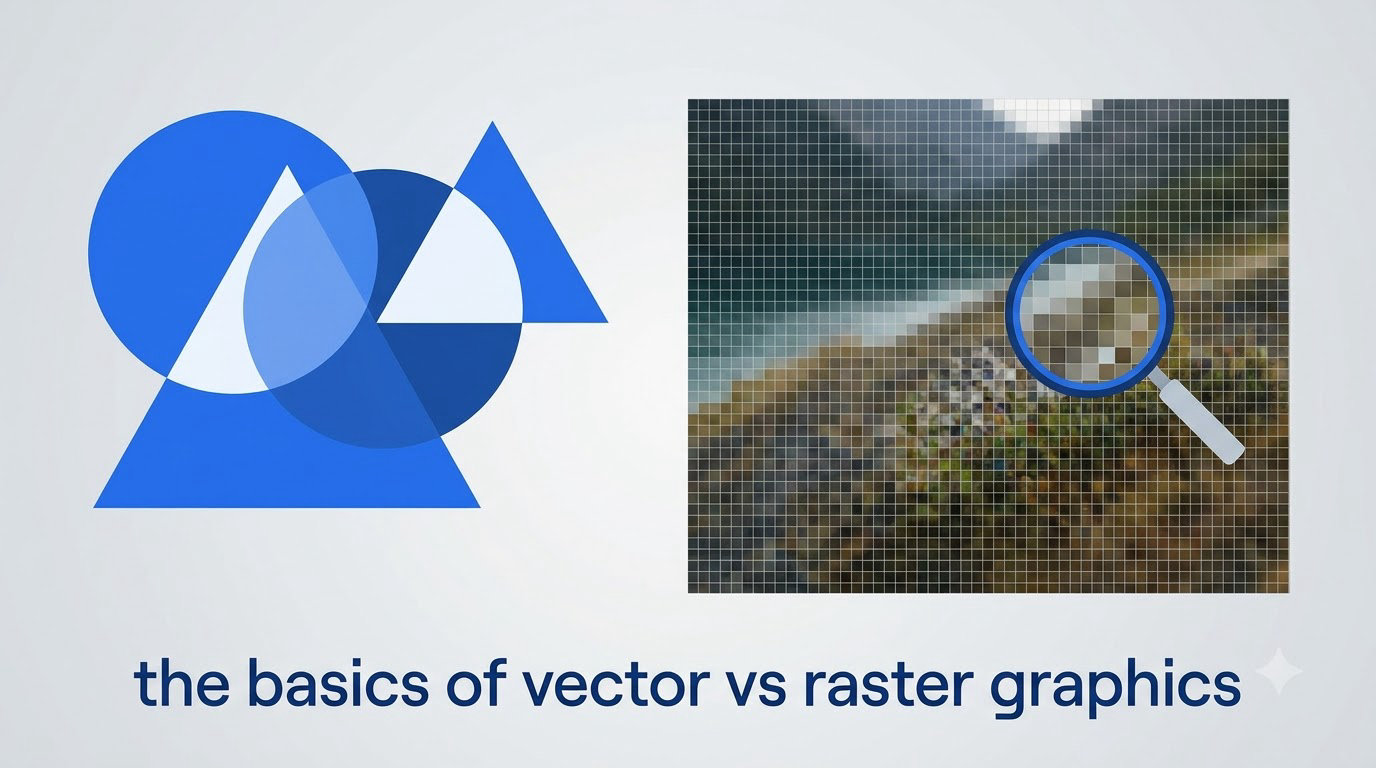
If you have ever tried to enlarge a small image only to watch it turn blurry and pixelated, you have experienced the fundamental difference between vector and raster graphics. Understanding this distinction is the foundation of all graphic design work, and it affects everything from logo creation to photograph editing.
In this guide, you will learn exactly what vector and raster graphics are, how they differ, when to use each format, and which file types you need to know. By the end, you will be able to confidently choose the right format for any project.
Table of Contents
What Are Raster Graphics?
Raster graphics are images made up of a grid of tiny colored squares called pixels. Think of a raster image like a mosaic, where each piece contributes to the whole picture. Every pixel contains specific color information, and together they form the complete image you see on screen.
The key characteristic of raster graphics is their fixed resolution. A raster image has a specific number of pixels horizontally and vertically. When you create a 1920×1080 pixel image, that image will always have 1920 pixels across and 1080 pixels down, no matter how you display it.
Resolution refers to the pixel density of an image, usually measured in DPI (dots per inch) or PPI (pixels per inch). A 300 DPI image contains 300 pixels in every inch of the image. Higher resolution means more pixels and more detail, but also larger file sizes.
Raster graphics are ideal for photographs and complex images with subtle color variations. When you take a photo with your phone or camera, you are creating a raster image. The level of detail in a photograph requires the pixel-based approach that rasters provide.
What Are Vector Graphics?
Vector graphics use mathematical equations, lines, and curves to define images. Instead of storing color information for each pixel, vector files store instructions that tell the computer how to draw the image. Imagine vector graphics like a connect-the-dots drawing where you define the points and let the computer connect them with lines and curves.
The most significant advantage of vector graphics is their scalability. Because vectors rely on mathematical instructions rather than fixed pixels, you can enlarge them to any size without losing quality. A logo created as a vector can be printed on a business card or a billboard, and it will look equally sharp at both sizes.
Vector images are resolution-independent, meaning they do not have a fixed pixel count. The computer calculates the curves and lines based on mathematical formulas whenever the image is displayed or printed. This makes vectors perfect for logos, icons, illustrations, and any design that needs to scale across different sizes.
Common uses for vector graphics include company logos, brand icons, illustrations, infographics, and print materials like brochures and business cards. Any design that might need resizing should start as a vector file.
Key Differences: Vector vs Raster
The fundamental difference between these two graphic types comes down to how they store image information. Raster images store a fixed grid of pixels with specific color values for each pixel. Vector images store mathematical instructions that the computer uses to draw lines and curves on a coordinate system.
When you scale a raster image larger, the computer has to create new pixels to fill the additional space, and this process creates the blurry, pixelated appearance you have likely seen. When you scale a vector image larger, the computer simply recalculates the mathematical formulas to draw sharper lines at the new size.
File sizes behave differently between the two formats. Raster file size depends primarily on the number of pixels in the image, so detailed photographs can become very large files. Vector file size depends more on the complexity of the mathematical instructions, so simple logos tend to create very small files even at large sizes.
Editability also differs significantly. Raster images edit individual pixels, which works well for photo manipulation but makes changing isolated elements difficult. Vector images edit the mathematical paths, so you can easily change colors, move shapes, or adjust proportions without affecting other elements.
Color capabilities vary between formats. Raster images can display millions of colors and capture subtle gradients beautifully, making them ideal for photorealistic images. Vector images work with solid colors and gradients defined by the mathematical paths, which creates clean, flat designs but can struggle with photorealistic detail.
Common Raster File Types
JPEG (or JPG) is the most common raster format for photographs. It uses lossy compression to reduce file size, which means some image quality is sacrificed for smaller files. JPEGs are perfect for web images and digital photography where file size matters more than perfect quality.
PNG supports transparency and uses lossless compression, meaning no quality is lost when saving. PNGs are ideal for web graphics where you need a transparent background, such as logos overlaid on photos or icons with transparent edges.
GIF format supports simple animation and transparency, making it popular for web buttons and small animations. However, GIFs are limited to 256 colors, which makes them unsuitable for photographs.
TIFF files are designed for print work and preserve the highest image quality. Photographers often use TIFF for final edited images before print production, as the format supports layers and lossless compression.
PSD is the native Photoshop format and supports layers, masks, adjustments, and all of Photoshop features. PSD files are excellent for image editing projects but create large file sizes.
BMP is an uncompressed format that stores all image data without compression. While this preserves quality, BMP files become very large and are rarely used for web or digital projects.
Common Vector File Types
SVG (Scalable Vector Graphics) is the web standard for vector graphics. Because SVG files are text-based with XML code, they can be searched, indexed, and scripted. Web developers favor SVG for icons, logos, and interactive graphics that need to scale across different screen sizes.
AI (Adobe Illustrator) is the industry standard format for vector illustrations. Adobe Illustrator creates production-ready vector files that integrate seamlessly with other Adobe creative software. Most professional designers use AI as their primary working format.
EPS (Encapsulated PostScript) functions as a universal exchange format for vector graphics. EPS files can be opened by nearly all vector editing programs and are commonly used for print production and design transfers between different software.
PDF (Portable Document Format) can contain both vector and raster elements within a single document. Designers frequently use PDF for final deliverables because it preserves formatting across different devices and operating systems.
Is SVG vector or raster? SVG is absolutely a vector format. SVG files contain mathematical instructions for drawing lines and curves, and they scale infinitely without quality loss. This makes SVG the go-to choice for web graphics that need to look sharp on any screen size.
When to Use Vector vs Raster Graphics
Choose raster graphics when you are working with photographs, complex digital paintings, or images with subtle color gradients and texture. If your project involves capturing or editing real-world images, raster is the right choice. Social media posts, photo galleries, and digital paintings all work best as raster files.
Choose vector graphics when you need scalability and clean lines. Company logos should always be created as vectors because they appear on everything from website favicons to truck decals. Icons, illustrations, infographics, and diagrams all benefit from the vector approach because they need to remain crisp at multiple sizes.
For web design, consider both formats. Photographs and complex images should be raster for file efficiency and visual quality. Icons, logos, and simple graphics should be vector for scalability and small file sizes. Modern web workflows often combine both approaches.
For print design, vectors generally win for logos and illustrations while rasters handle photographs. Print materials like business cards, brochures, and billboards need scalable graphics that look sharp at various sizes. Professional print shops prefer vector files for these jobs because they scale perfectly to any print dimension.
For logo design specifically, vector is non-negotiable. Your client will need their logo to appear on a business card, a website, a vehicle wrap, and countless other applications. Only vector formats can ensure the logo looks equally sharp in all these contexts.
Pros and Cons: Vector vs Raster
Vector graphics scale infinitely without quality loss. You can enlarge a vector logo to the size of a building and it will remain perfectly crisp. This scalability makes vectors ideal for any project with size variability.
Vector files are typically smaller than raster files for simple graphics. A simple logo stored as vector might be only a few kilobytes, while the same logo as a detailed raster could be several megabytes. This efficiency matters for web performance and storage.
Vector graphics are easy to edit because you work with shapes and paths rather than pixels. Changing a color, adjusting a proportion, or reorganizing elements can happen without affecting other parts of the image. This editability makes vectors flexible for iteration and updates.
Vector graphics cannot reproduce photorealistic detail. The mathematical nature of vectors works beautifully for clean logos and illustrations but struggles to capture the subtle textures and color variations of a photograph. Vectors are not the right choice for image types requiring photorealism.
Raster graphics excel at photorealistic images. Photographs captured by cameras or created in photo editing software use the pixel-based approach that rasters provide. Only raster formats can capture the complexity of real-world visual information.
Raster graphics lose quality when scaled up. Enlarging a raster image forces the computer to create new pixels, and these manufactured pixels create the blurry, pixelated appearance that degrades image quality. This limitation defines when you need to choose vectors instead.
Raster files can become very large. High-resolution photographs with millions of pixels create large file sizes that slow down websites and require significant storage. Managing raster file sizes often requires compression that sacrifices quality.
How to Convert Between Formats
Converting vector to raster is straightforward and lossless in principle. You simply export the vector file as a raster format like JPEG or PNG. The computer calculates the pixel values based on the vector shapes, and you get a raster image. The quality depends on the resolution you choose for the export.
Converting raster to vector, called vectorization, is more complex and often loses quality. The computer analyzes the raster image and attempts to trace the pixel patterns into mathematical paths. Simple, high-contrast images vectorize well, but complex photographs rarely convert cleanly to vectors.
Manual tracing in vector software produces better results than automatic conversion. Professional designers often rebuild raster images as vectors by tracing over the original, creating clean paths that match the source image. This process takes more time but produces vectors that maintain the intended visual quality.
Conversion tools range from free online services to professional software. Free online converters can handle simple vectorization tasks for basic images. Professional vector editing software like Adobe Illustrator provides advanced tracing tools that produce higher quality results for complex images.
Consider the purpose before converting. If you need a vector logo for print production, investing time in proper vectorization is worthwhile. If you need a quick raster-to-vector conversion for a simple graphic, automated tools might suffice. Match your conversion approach to your project requirements.
Beginner Tips and Common Mistakes
One of the most common mistakes beginners make is saving a logo as a raster file. If you create a logo in Photoshop as a JPEG, you have locked yourself into a fixed resolution. Always create logos and scalable graphics in vector software like Adobe Illustrator or free alternatives like Inkscape.
Another common error is assuming that a high-resolution raster image will work for all projects. Even a 300 DPI raster image will appear pixelated when enlarged enough. Understanding your final output size helps you choose the right format from the start.
To identify if an image is vector or raster, look at the file extension. SVG, AI, EPS, and PDF files are typically vector formats. JPEG, PNG, GIF, and TIFF files are typically raster formats. However, PDFs and some TIFF files can contain both vector and raster elements.
For beginners, free software like Inkscape provides an excellent way to learn vector editing without investment. Inkscape handles SVG files natively and can open AI and EPS files. You can practice vector techniques on real projects while learning the fundamentals.
Start with simple projects to build your understanding. Create a basic icon in Inkscape, export it as both vector and raster formats, and compare how they behave when scaled. This hands-on experience will teach you more than any written explanation.
Frequently Asked Questions
What is the difference between vector and raster graphics?
Raster graphics are composed of pixels arranged in a fixed grid, storing color information for each pixel location. Vector graphics use mathematical equations, lines, and curves to define images, storing instructions for how to draw shapes rather than pixel values. This fundamental difference affects scalability, file size, and ideal use cases for each format.
What are the main vector file types?
The main vector file types are SVG (web standard), AI (Adobe Illustrator), EPS (universal exchange format), and PDF (portable document format). SVG is ideal for web graphics, AI is the industry standard for design work, EPS works for cross-software compatibility, and PDF preserves formatting in final deliverables.
What are the main raster file types?
The main raster file types are JPEG (photos with compression), PNG (transparency support), GIF (simple animation), TIFF (print quality), PSD (Photoshop native), and BMP (uncompressed). JPEG works for web photos, PNG for web graphics with transparency, TIFF for print production, and PSD for layered image editing.
Is SVG vector or raster?
SVG is absolutely a vector format. SVG files contain mathematical instructions using XML code to define lines, curves, and shapes. SVG graphics scale infinitely without quality loss and are the web standard for scalable vector graphics.
When should I use vector vs raster graphics?
Use raster graphics for photographs and complex images with subtle color variations. Use vector graphics for logos, icons, illustrations, and any design that needs to scale across multiple sizes. For web design, use vectors for icons and logos, rasters for photographs. For print design, use vectors for logos and illustrations, rasters for photographs.
Why do vector graphics scale better than raster?
Vector graphics scale better because they store mathematical formulas rather than fixed pixels. When a vector image is enlarged, the computer recalculates the formulas to draw sharper lines at the new size. Raster images store fixed pixel data, so enlarging requires creating new pixels, which causes blurriness and pixelation.
How do you convert between vector and raster?
Converting vector to raster is done through export, choosing your desired raster format like JPEG or PNG with specified resolution. Converting raster to vector requires vectorization, either through automated tracing software or manual tracing by a designer. Automated conversion works well for simple, high-contrast images but struggles with complex photographs.
Conclusion
Understanding the difference between vector and raster graphics is essential for anyone working with digital images. Raster graphics excel at photographs and complex images with their pixel-based approach, while vector graphics provide infinite scalability for logos, icons, and illustrations through mathematical formulas.
Choosing the right format depends on your project requirements. For logos and scalable designs, always start with vector files in formats like SVG or AI. For photographs and detailed images, raster formats like JPEG and PNG deliver the necessary detail and color depth.
The best way to learn is by doing. Open a free tool like Inkscape, create a simple vector design, and experiment with scaling it to different sizes. Compare how vector and raster formats behave when enlarged. This hands-on experience will build your intuition faster than any article can convey.