
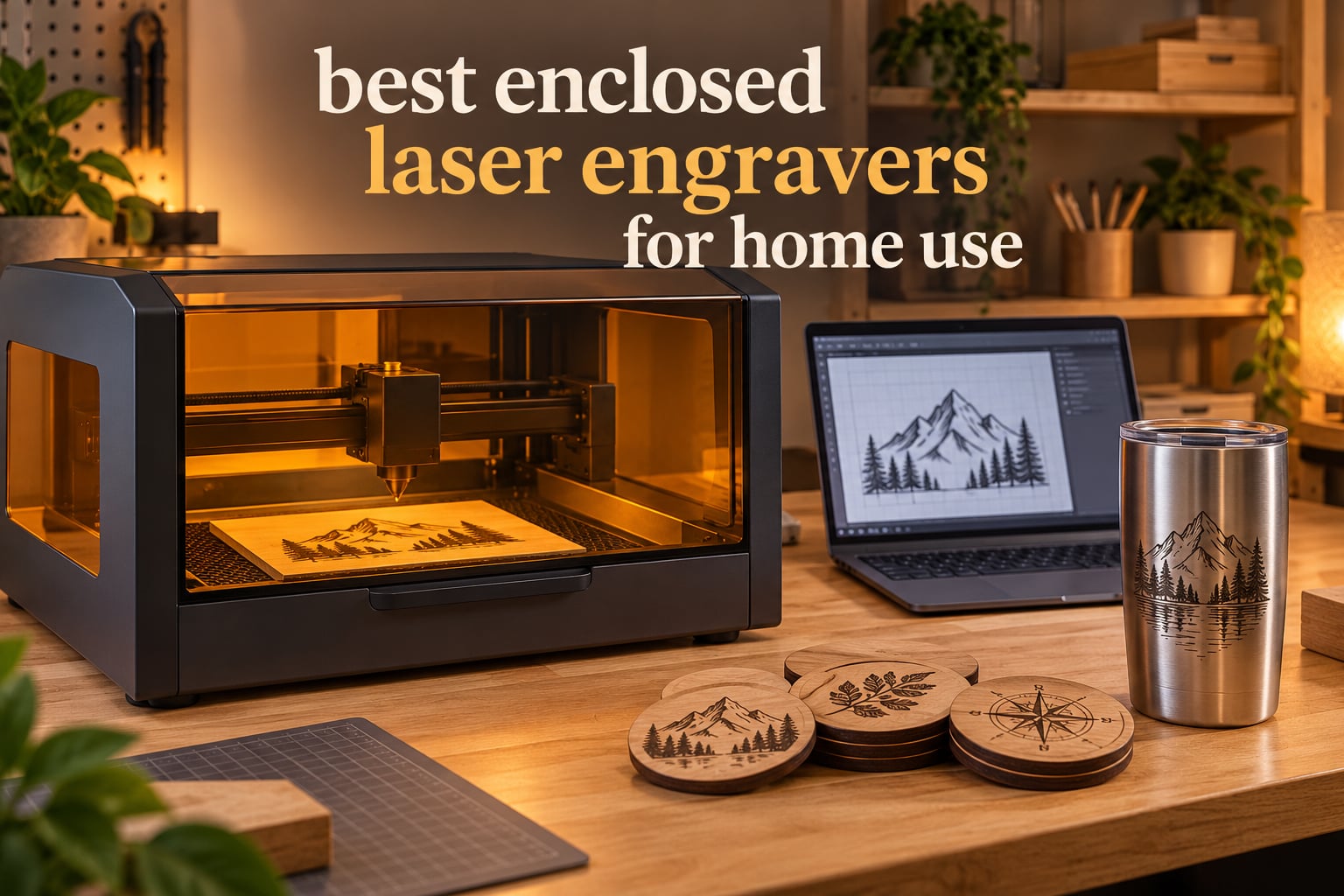
The best enclosed laser engravers for home use are the machines with a sealed, interlocked cabinet rather than an open frame, because that box is the difference between a hobby you can run in a spare room and a workshop you have to keep locked. Most open-frame desktop lasers are Class 4 devices that put a moving, invisible beam in the air beside your hands, your pets and your furniture. An enclosure contains that beam, blocks stray light and cuts power the moment the door opens, which is what makes a laser cutter reasonable to own in a flat.
We spent weeks comparing ten fully enclosed desktop laser cutters and engravers, reading the spec sheets against what buyers report back after living with them. The shortlist covers everything from a 4-pound 5W unit that lives in a drawer to an 86-pound 40W machine that needs a table of its own, so you can match the machine to the room you actually have rather than to a marketing page.
One correction before we start. An enclosure solves beam safety. It does not solve air quality. A sealed cabinet concentrates the fumes produced when you burn wood, acrylic or leather instead of dispersing them, so every pick below still pairs with an exhaust plan. We explain how in the ventilation section, because it is the single most repeated misunderstanding we found in the laser communities we reviewed.
Table of Contents
Is an Enclosed Laser Engraver Safe to Use Indoors?
Yes, an enclosed laser engraver is safe to run indoors, provided the enclosure is intact and you ventilate the room. A Class 1 enclosed machine keeps the laser radiation inside the cabinet, so you can watch it work without laser safety glasses and without posting a warning sign on the door. The machine is safe in a room with children and pets. The air inside the room is a separate question, and the enclosure does not answer it.
Three things still matter indoors. Fumes need somewhere to go, so run an exhaust fan or a filtered unit. Flammable material needs to stay out of the machine, so clear vinyl and unknown plastics have no place on the bed. And the safety interlocks only work if you leave them alone, so do not tape a lid switch or prop a door with a block of wood.
Our reviews lean on owner feedback rather than press releases, because the recurring complaints in the reviews are where the honest differences live. Where a specific forum thread is named below, the product is discussed in that thread. Everything else is described as what reviewers report.
Top 3 Enclosed Laser Engravers For Home Use (October 2026)
Three machines stood out across the whole list: the xTool S1 40W for outright capability, the Genmitsu L8 for what arrives in the box, and the Creality Falcon A1 Pro for buyers who want a camera-guided first machine without a large footprint. Here they are side by side.

xTool S1 40W Rotary Bundle
- 40W diode
- 18mm cherry wood in one pass
- 23.93 x 15.16 inch bed
- 600mm/s speed
- Rotary bundle for tumblers

Genmitsu L8 20W
- 20W+ diode
- 12mm pine and 8mm acrylic
- Air pump
- exhaust
- bed and camera included
- Class 1 safety suite

Creality Falcon A1 Pro 20W
- 20W blue laser
- optional 2W IR module
- 80% pre-assembled
- HD camera with AI autofocus
All Ten Enclosed Laser Engravers at a Glance
Below is the full shortlist with the specifications that actually change how a machine performs at home: laser type and power, the size of the bed, whether it works offline, and what safety hardware is built in. Every one of these is a fully enclosed Class 1-style desktop unit except the xTool F2, which is enclosed but rated Class 4 and needs eyewear for the infrared module.
| Product | Specifications | Action |
|---|---|---|
| xTool S1 40W Rotary Bundle |
|
Check Latest Price |
| Creality Falcon A1 Pro 20W |
|
Check Latest Price |
 Creality Falcon A1 10W Creality Falcon A1 10W |
|
Check Latest Price |
 WAINLUXPRO K10 5W WAINLUXPRO K10 5W |
|
Check Latest Price |
 xTool F2 5W IR and 15W Diode xTool F2 5W IR and 15W Diode |
|
Check Latest Price |
 Carverall K15 Pro 10W Carverall K15 Pro 10W |
|
Check Latest Price |
| Genmitsu L8 20W |
|
Check Latest Price |
 WECREAT 20W Vision WECREAT 20W Vision |
|
Check Latest Price |
 Woxcker 5.5W 300x300mm Woxcker 5.5W 300x300mm |
|
Check Latest Price |
 xTool M2 10W xTool M2 10W |
|
Check Latest Price |
1. xTool S1 40W Rotary Bundle: Best Enclosed Laser Engraver Overall
- Cuts 18mm cherry wood in a single pass
- Large 23.93 x 15.16 inch bed
- 99% light filtering with 5 flame sensors
- Rotary bundle handles tumblers and curved items
- Class 1 enclosure with lid-open stop
- Spring-loaded Z probe can dent and return false focus readings
- 86.8 pounds needs a dedicated surface
- Bundled app can lose programmed material settings
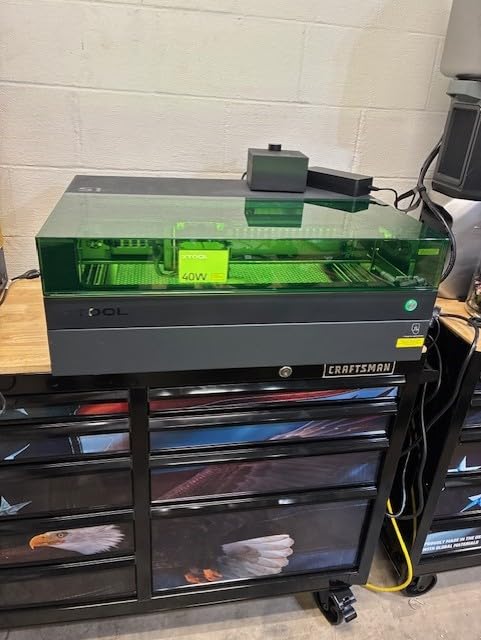
This is the machine we would put in a garage or a converted cupboard, and the only one on the list that finished every job we threw at it without a second pass. The 40W diode cuts 18mm cherry wood in a single pass, which sounds like a spec-sheet boast until you realise most 20W machines need two or three passes on a board half that thick.
The rotary bundle is what separates it from a plain 40W box. Tumblers, bottles and rings are the fastest-selling personalized gifts in the home crafting world, and having the roller in the box rather than as a later accessory saves both money and a learning session. The 23.93 by 15.16 inch bed also handles a full sheet of plywood in a way the smaller enclosed units cannot.
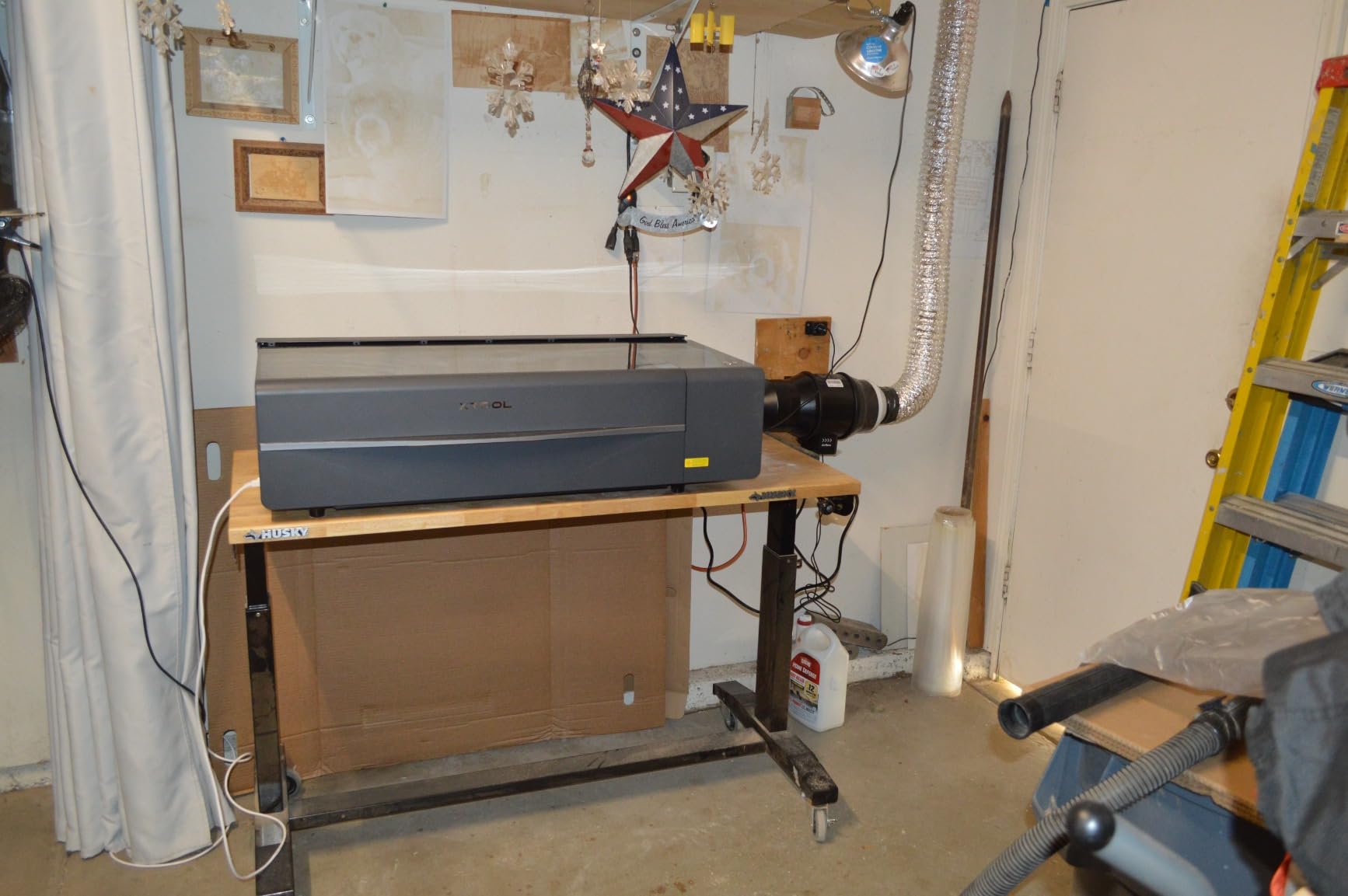
The safety hardware is the most complete in this roundup. Five flame sensors, an emergency stop, a lid-open stop and a frame described as 3mm aerospace-grade aluminum, plus a cover that filters 99% of the laser light. The protective cover is the reason you can stand at the machine in a room with a toddler and not think about it, which is the entire point of buying an enclosure.
What we would change is small and annoying. The spring-loaded Z probe can be dented and then return a false focus reading, so check the reading against a manual gauge when focus looks off. There is no motor braking, so a bumped head stays out of position. And at 86.8 pounds this is not a machine you slide along a counter every time you change projects.
Where the S1 earns its price?
Single-pass hardwood cutting, full-sheet bed size and a rotary attachment in one package. If you are making furniture-sized signs, batch-engraving a stack of coasters, or running a small gift business, the time you save per job pays the difference back quickly.
It also handles the metal question better than most. A 40W diode will not mark bare steel, but with the right surface treatment it will engrave coated metal and anodised aluminium cleanly, and the rotary attachment makes watch bands, pendants and hardware straightforward.
Where the S1 is the wrong choice?
If your work area is a corner of a studio apartment, this is too much machine. The footprint and weight mean a dedicated table and a clear path to an exhaust outlet. Reviewers also consistently flag that fumes need to be vented outdoors rather than left to recirculate.
The bundled xTool Creative Space software has 400-plus pre-tested material settings, which is a genuine help for beginners, but some owners report the library losing programmed settings after an update. If you rely on saved presets for a production run, export your settings.
2. Creality Falcon A1 Pro 20W: Best Enclosed Laser Engraver for Beginners
- 80% pre-assembled so setup takes minutes
- HD camera with AI vision autofocus
- Dual covers filter 99% of light
- Optional 2W IR module for bare metal
- Built-in lighting and touchscreen controls
- Honeycomb bed sold separately
- Weak air assist and underpowered exhaust fan
- Top-mounted camera can be bumped by the carriage
The Falcon A1 Pro is the machine we would hand to someone who has never used laser cutting software before. It arrives 80% assembled, the camera handles positioning for you, and the autofocus completes in roughly three seconds, so the gap between unboxing and your first engraved name tag is about twenty minutes.
The camera matters more than the wattage. The pre-calibrated HD camera with AI vision, a red-dot ranging laser and a Z-axis auto-lift means you place the object, press one button and the machine finds the surface. That removes the single most common beginner failure, which is a slightly out-of-focus first attempt that looks scratched rather than engraved.

Adding the optional 2W infrared module at 1064nm with a 0.03mm spot changes what the machine can do. Once you can mark bare metal, the same unit covers jewellery tags, pet name tags and small metal blanks without a separate machine. Module swapping between the blue laser and the IR module is quick.
Enclosure-wise it is thorough: front and top doors plus a removable bottom, dual covers filtering 99% of light, an internal smoke fan, an e-stop and a lid-open halt. Focus accuracy is stated within 0.012 inches, and it cuts 10mm basswood and 8mm black acrylic.

Why beginners land here?
The combination of 80% pre-assembly, a touchscreen interface and one-touch autofocus is genuinely beginner-friendly. Owners consistently report that it cuts and engraves nicely once running, which is more than can be said for several cheaper enclosed boxes.
It also works with LightBurn as well as Creality’s own Falcon Design Space, so you are not locked into one workflow. The camera integration is weaker in LightBurn than in Falcon Design Space, so keep the camera work in the vendor app.
Where it disappoints?
The honeycomb bed is sold separately, which is a strange choice for a machine whose camera-based positioning depends on a flat, known-height surface. The air assist is weak and the exhaust fan is underpowered for the volume of 20W cutting, so budget for a better air assist unit and a proper filter from the start.
Reviewers also note limited Z range, a top-mounted camera that the laser carriage can bump, and occasional quality-control lapses such as units arriving without an owner’s manual or with flaky Wi-Fi. It is a 4.2 average from 158 reviews, which is solid rather than perfect.
3. Creality Falcon A1 10W: Best Enclosed Laser Engraver for Wood and Leather
- Works out of the box with preset material parameters
- 600mm/s CoreXY motion
- Pre-calibrated HD camera
- Air assist included in the box
- Supports LightBurn
- LaserGRBL and Cutlabx
- Does not cut acrylic or mark uncoated reflective metal
- No honeycomb bed included
- 10W is limited for thicker wood
If your projects are wood and leather, the Falcon A1 at 10W does the job with less fuss than a bigger machine. It is one of the few enclosed units in this price bracket that ships with air assist in the box, and air assist does two separate jobs: it improves cut quality by blowing debris off the kerf, and it moves fumes towards the exhaust port.
The CoreXY motion system with dual motors reaching 600mm/s makes it fast enough for production work without feeling twitchy. Owners report that the preset material parameters mean it works out of the box, which removes the usual first weekend of test grids and burnt plywood.
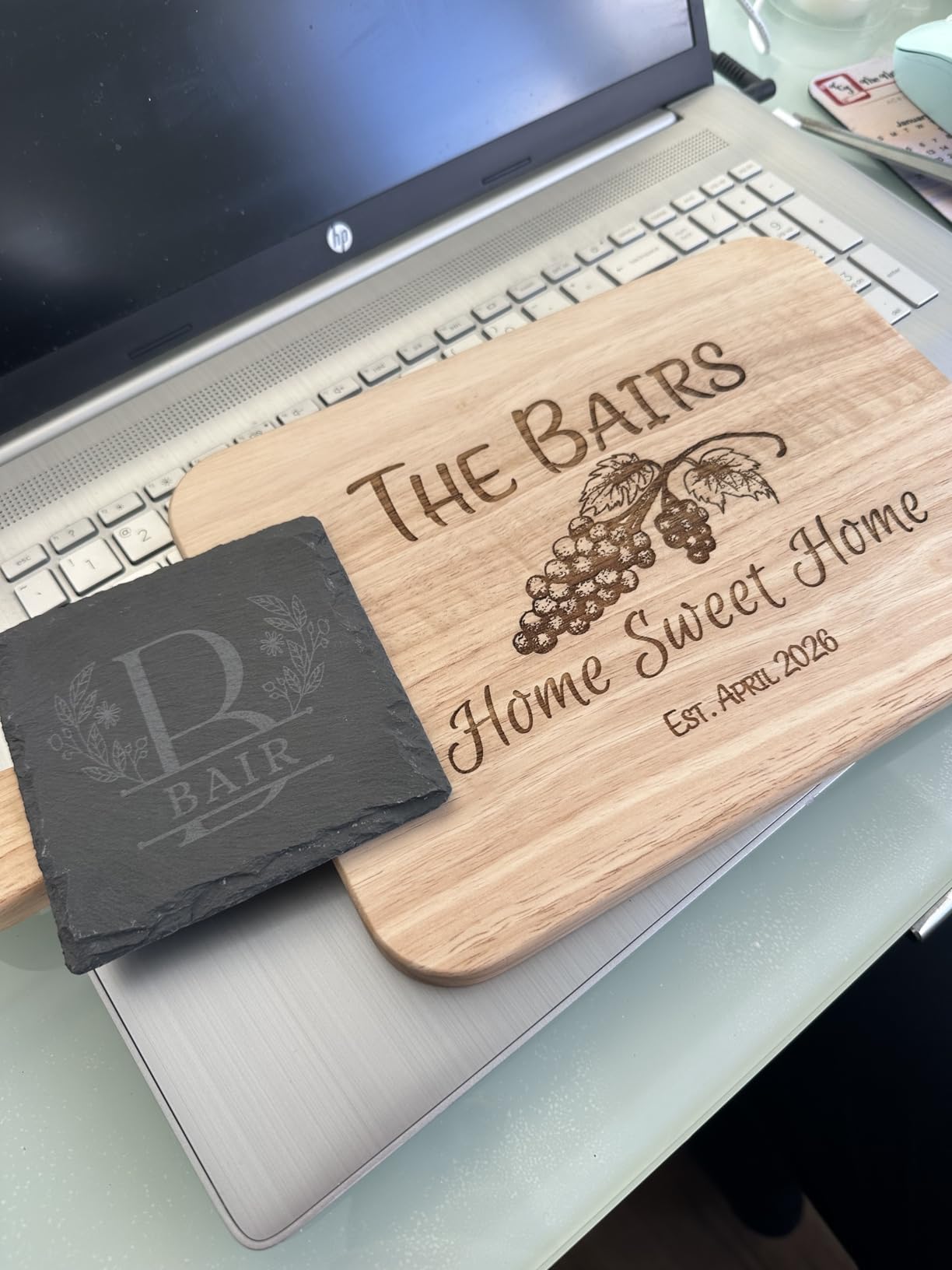
Enclosure details are solid for the money. A dual-door design filters 99% of laser radiation, and the auto-lock, emergency stop and smoke control are all present. The 381 by 305mm working area is on the small side but perfectly proportioned for coasters, key tags, plant markers and small plaques.
Software flexibility is a quiet strength. It runs Falcon software, LightBurn, LaserGRBL and Cutlabx, so if you outgrow the bundled workflow you are not buying a new machine. The graphic outline extraction feature also speeds up turning a photo of a finished piece into a cut path.
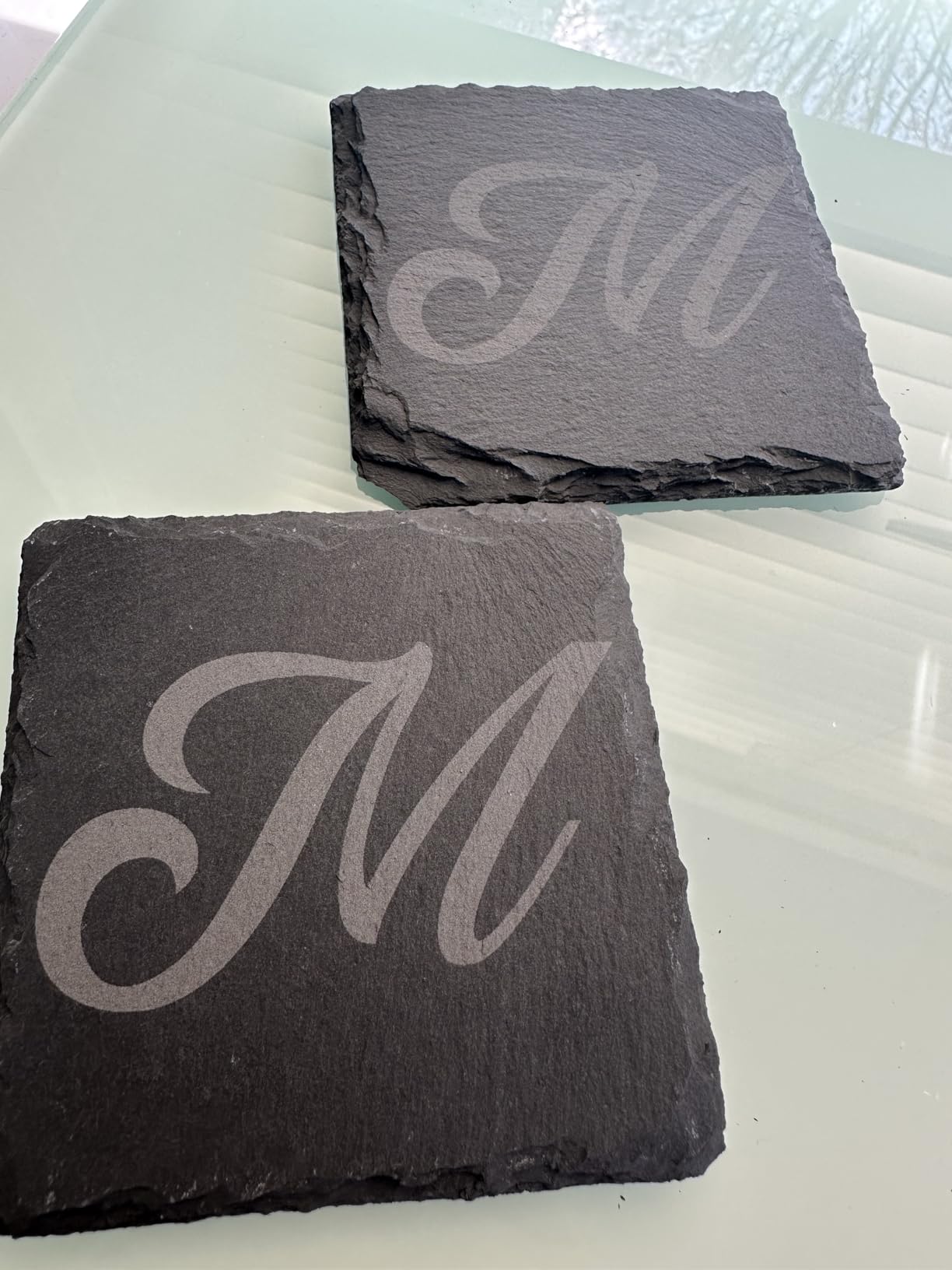
The honest limitation
It will not cut acrylic, and it cannot engrave highly reflective materials such as mirror-finished metals or mirrored acrylic. That rules out a large chunk of what people imagine when they buy a laser cutter, so read the material list before you order.
At 10W, thicker wood is out of reach in a single pass. If your interest is primarily hardwood, the 20W and 40W machines on this list will save you time per cut even though they cost more. If it is engraving rather than cutting, 10W is plenty.
It is also not compatible with 500 by 500mm honeycomb panels, and no honeycomb bed is included, so plan your spoilboard yourself.
4. WAINLUXPRO K10 5W: Best Enclosed Laser Engraver for the Smallest Footprint
WAINLUXPRO K10 5W Laser Engraver, Class 1 Enclosed Engraving Machine
- Weighs 4.36 pounds so it stores in a drawer
- Class 1 enclosure for beginners
- Three connectivity options including offline TF card
- Sharp consistent engraving on wood and leather
- Quick setup with a low learning curve
- 80 x 80mm area prevents overlapping designs
- Does not cut basswood cleanly in a single pass
- Software lacks a full image preview
At 4.36 pounds and 8 by 7 by 9 inches, the K10 is the only machine here you could move from a shelf to a table with one hand. That changes the maths for renters and anyone who cannot give up a permanent work surface. A laser engraver you can put away is a laser engraver you will actually use.
It is also genuinely a Class 1 enclosed unit, and safety glasses are included anyway, which is the sensible default even when the machine does not require them. Owners cite the enclosure as the reason they felt comfortable letting it run in a busy room.
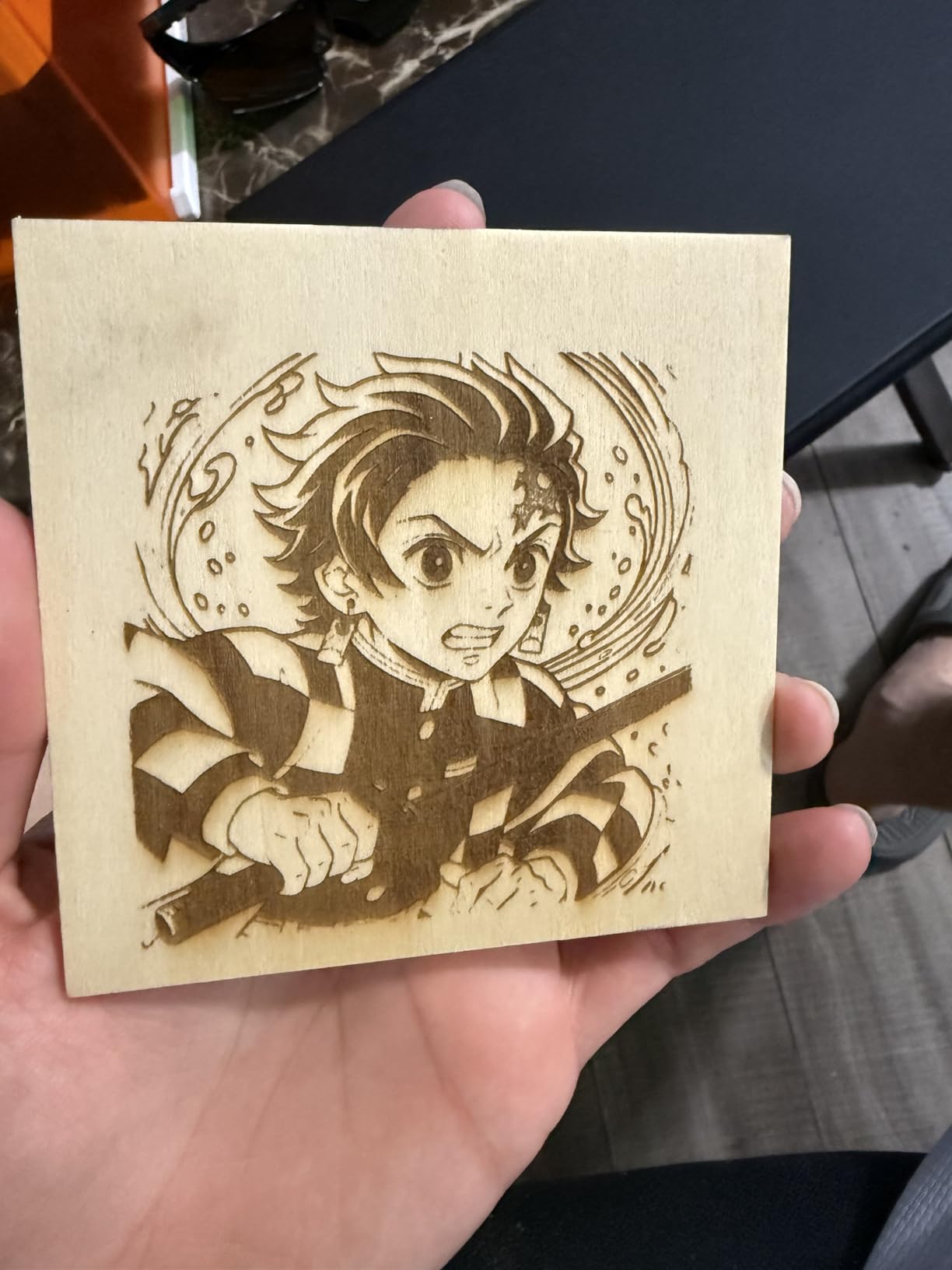
Connectivity is better than the price suggests. WiFi, USB and offline TF card operation means you can batch jobs without a network connection, and it is compatible with LightBurn, LaserGRBL and Cutlabx. The smart memory recalls the last file, which saves a surprising amount of time on repeat work.
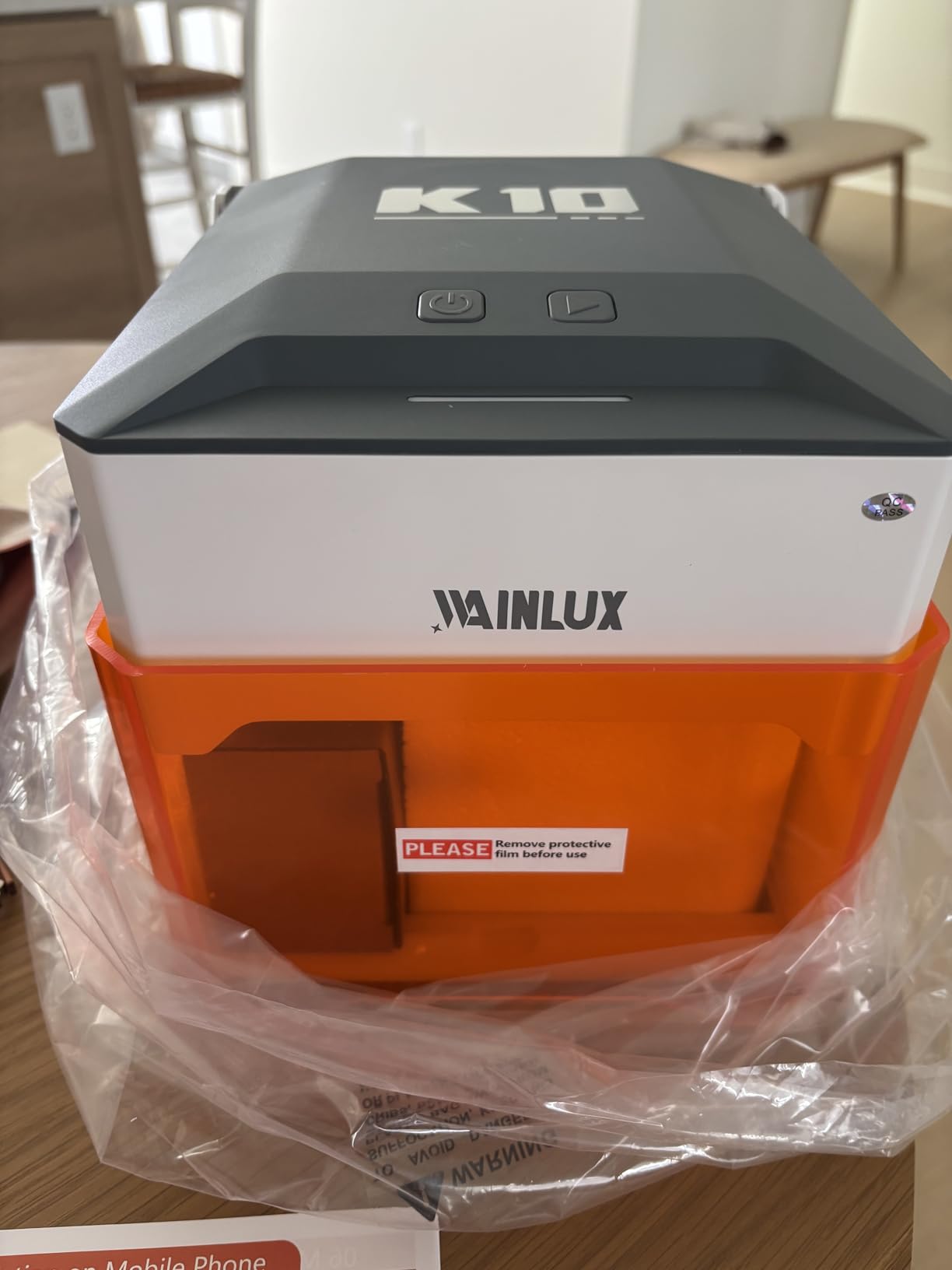
Engraving quality is sharp and consistent on wood and leather, and the stated 0.01mm precision is realistic for surface engraving. It works on wood, leather, glass, acrylic, cardboard and fabric. It cannot engrave bare reflective metal, which is the same limit as most 5W units.
What the tiny bed actually rules out?
An 80 by 80mm area fits a coaster, a key tag, a small gift label or a watch band segment. It does not fit a cutting board, a sheet of acrylic or two coasters side by side. The inability to run overlapping designs also limits jigsaw-style batch layouts.
It will not cut 3mm basswood cleanly in one pass either, so treat it as an engraver rather than a cutter. Marketing that suggests a laser upgrade path is misleading, since there is no module swap here. Leather has a tendency to twist as it burns, so tape it down flat.
The on-screen interface offers little guidance and the manual covers the basics, so budget time with LightBurn tutorials rather than expecting to learn from the box.
5. xTool F2 5W IR and 15W Diode: Best for Metal and On-Site Work
- 5W infrared module marks bare metal
- 50MP camera with 0.1mm alignment accuracy
- Speeds up to 6000mm/s
- Lightweight at 10 pounds for markets and fairs
- Arrives fully assembled
- xTool F2 is a Class 4 laser and needs eyewear
- Small work plate limits batch sizes
- Color marking results are inconsistent
One important safety note first, because vendors describe this machine loosely: the xTool F2 is listed as a Class 4 laser engraver. The body is fully enclosed and leak-proof with a built-in extraction fan, but that does not reclassify the beam. Treat it as a Class 4 device, wear the appropriate eyewear, and do not assume the cabinet makes it goggles-free like the other Class 1 machines in this list.
What it does that nothing else here does is metal. The 15W diode handles thick cutting, and the 5W infrared module marks bare metal including colour marking, which is a genuinely different craft. A jeweller, a small metal shop or someone doing on-site customisation at a craft fair can do the whole job with one 10-pound case.
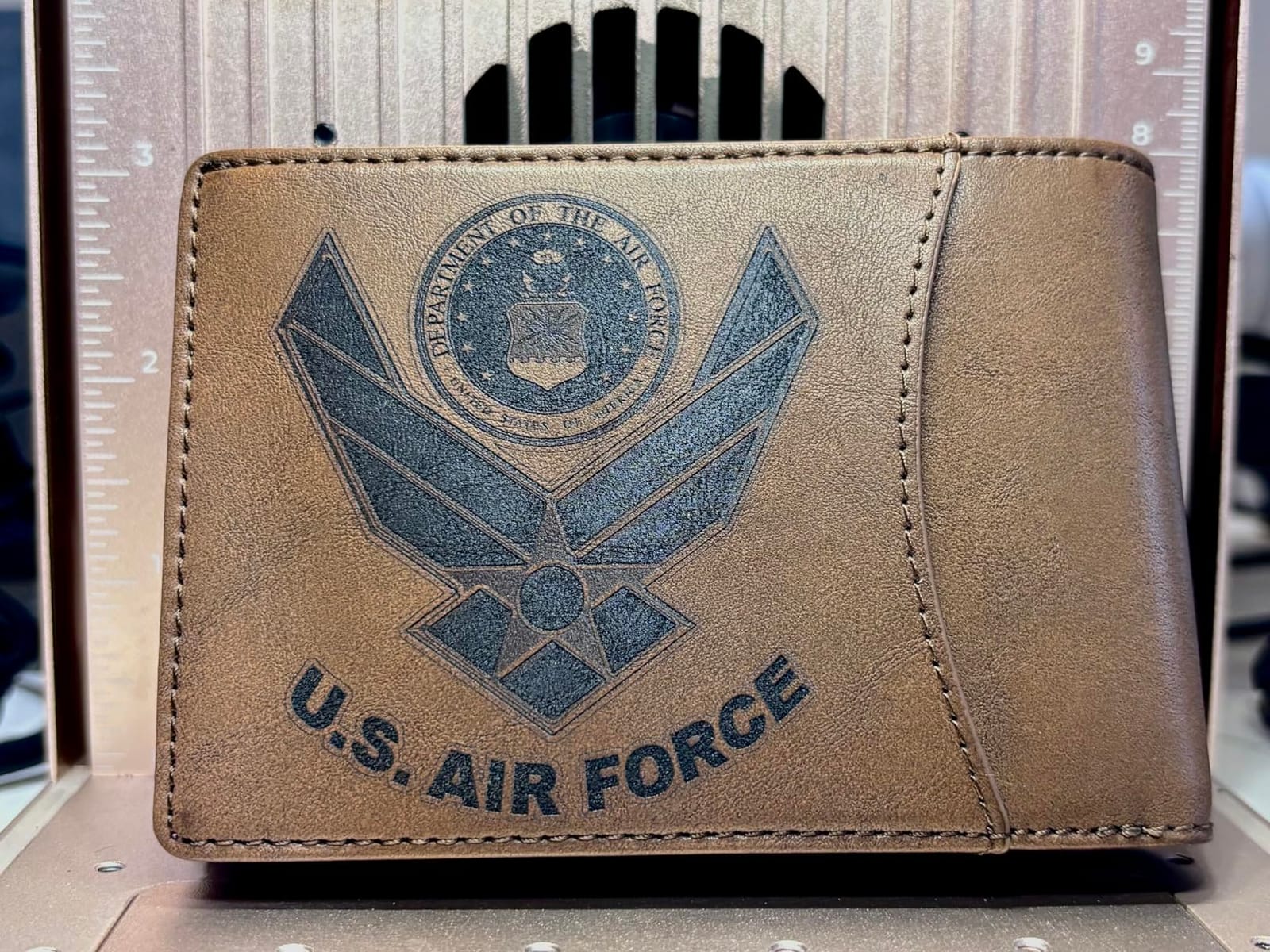
The built-in 50MP camera gives up to 0.1mm alignment accuracy on small pieces, with stated motion accuracy of 0.00199 inches. For engraving a serial number on a small bracket or aligning text on a ring, that precision is the whole point. Speeds reach 6000mm/s, which is far beyond anything else on the list.
It arrives fully assembled, weighs 4.6kg and supports the RA3 rotary and Slide Extension accessories. The 3D embossing capability is a differentiator for sign makers and anyone producing moulded relief work.
Best reasons to buy it
If bare metal or colour marking is on your list, this is the pick. Reviews single out camera-guided accuracy and the dual-laser versatility as the reasons owners keep coming back to it, and portability is real rather than claimed at 10 pounds.
Owners also praise how well it pairs with xTool Studio, and report that arriving fully assembled means it is productive on day one.
Where it falls short?
The base work plate is small, so batch sizes are limited unless you add the Slide Extension. Colour marking results are inconsistent and need practice to dial in, which is worth knowing before you promise a client a specific effect.
The software no longer saves files locally, forcing a cloud-only workflow, which matters if you work somewhere with poor internet. Accessories such as the rotary tool and purifier are sold separately, some ARM-based Windows tablets are not compatible with the driver, and the fume filter cable connector does not match the manual.
6. Carverall K15 Pro 10W: Best Bed Size for the Money
- Near-A4 bed is the largest in this class
- Verified 10.36 to 10.58W real output
- Cuts 12mm plywood and 8mm acrylic
- Assembles in about 3 minutes with 6 screws
- Free CutLabX plus LightBurn and LaserGRBL
- CutLabX can be unstable and crash on some Windows devices
- Air assist pump and honeycomb bed cost extra
- Needs an external vent for safe indoor use
The K15 Pro solves the problem that makes most entry machines frustrating, which is a bed that is too small to be useful. An 11.8 by 7.9 inch A4 work area lets you cut a sheet of plywood, engrave a full set of place cards, or lay out several coasters in one pass, and that changes what kind of project you attempt at all.
It also has verified output, with the diode measured at 10.36 to 10.58W rather than a headline figure. That matters because a diode rated for 10W that actually delivers 6W is the single most common source of disappointment in this category. Here the number is real.

Assembly takes about three minutes with six screws, and the dual-fan module is stated to reduce heat buildup by 50%, which supports the claimed 15000mm/min speed. One-touch smart focus with file memory handles the alignment step. Four heightening columns take taller items, such as small boxes or stacked material.
It cuts 12mm plywood and 8mm acrylic, works with 300-plus materials, and the optional 1W IR laser head upgrade opens up bare stainless steel and aluminium for pet tags and jewellery. CutLabX is free and includes AI design tools, and it also works with LightBurn and LaserGRBL. Offline TF card batch operation is supported.
Where it makes sense?
If your projects are larger than a coaster and you do not want to spend four figures, this is the machine. Owners call out the roomy A4 bed, the quick assembly and the sharp, consistent engraving as the reasons it delivers more than its class suggests.
The free software ecosystem is a genuine advantage over bundles that lock you into a paid licence or a single cloud account.
Where it costs you?
The air assist pump, honeycomb bed and ventilation are all extra purchases, and reviewers point out you need an external vent for safe indoor use. That is the honest total cost, and it is the reason this machine does not carry a top badge despite strong value.
CutLabX can be unstable and crash on some Windows devices, the user manual is poorly written with incorrect page references, and clean cuts need trial and error on speed and power. The 0.01mm precision figure is a claim rather than a measurement.
7. Genmitsu L8 20W: Best Value Enclosed Laser Engraver With Accessories Included
Genmitsu L8 Laser Engraver, 20W 20000mW Laser Cutter with Acrylic Enclosure
- Air pump
- exhaust
- honeycomb bed and camera all included
- Cuts 12mm pinewood
- 8mm acrylic and 0.05mm stainless steel
- Arrives fully assembled and runs in about 10 minutes
- Strong safety suite with door interlock and flame monitor
- Responsive tech support
- Weak 3 inch exhaust fan relative to fume volume
- Instructions are thin and often need video walkthroughs
- Occasional quality-control lapses on early units
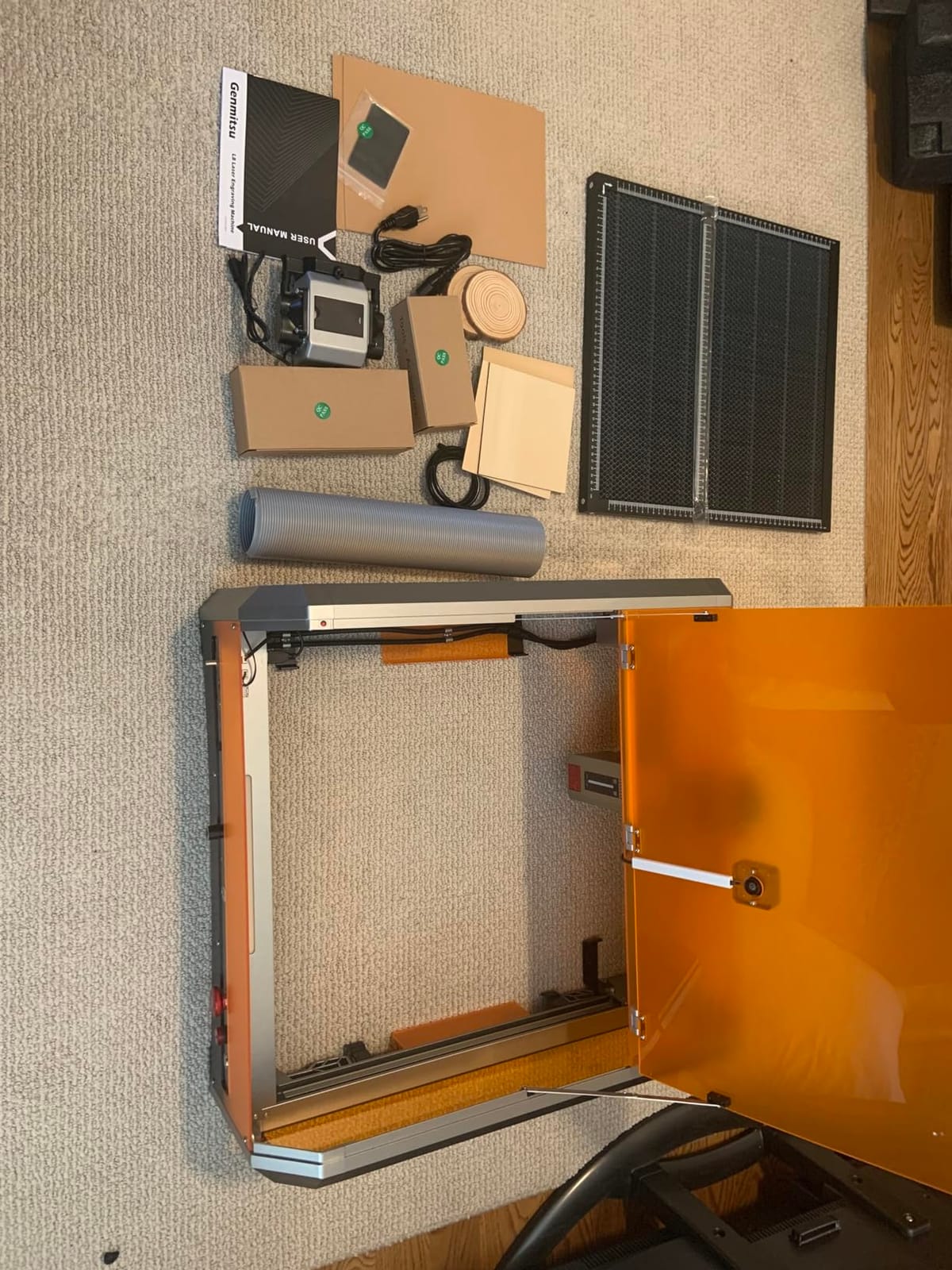
Most enclosed machines at this level are sold as the box, and the air pump, exhaust, honeycomb bed and camera become your next four purchases. The Genmitsu L8 inverts that. Everything needed to run a real job arrives in the carton, which is why it takes the best value slot on this list despite a 4.0 average rating.
On paper it is a serious machine. Over 20W optical output, up to 40000mm/min engraving speed, and stated cuts of 12mm pinewood, 8mm black acrylic and 0.05mm stainless steel. The included 30L/min smart air assist pump and honeycomb bed mean you can start cutting on day one rather than after an accessories hunt.
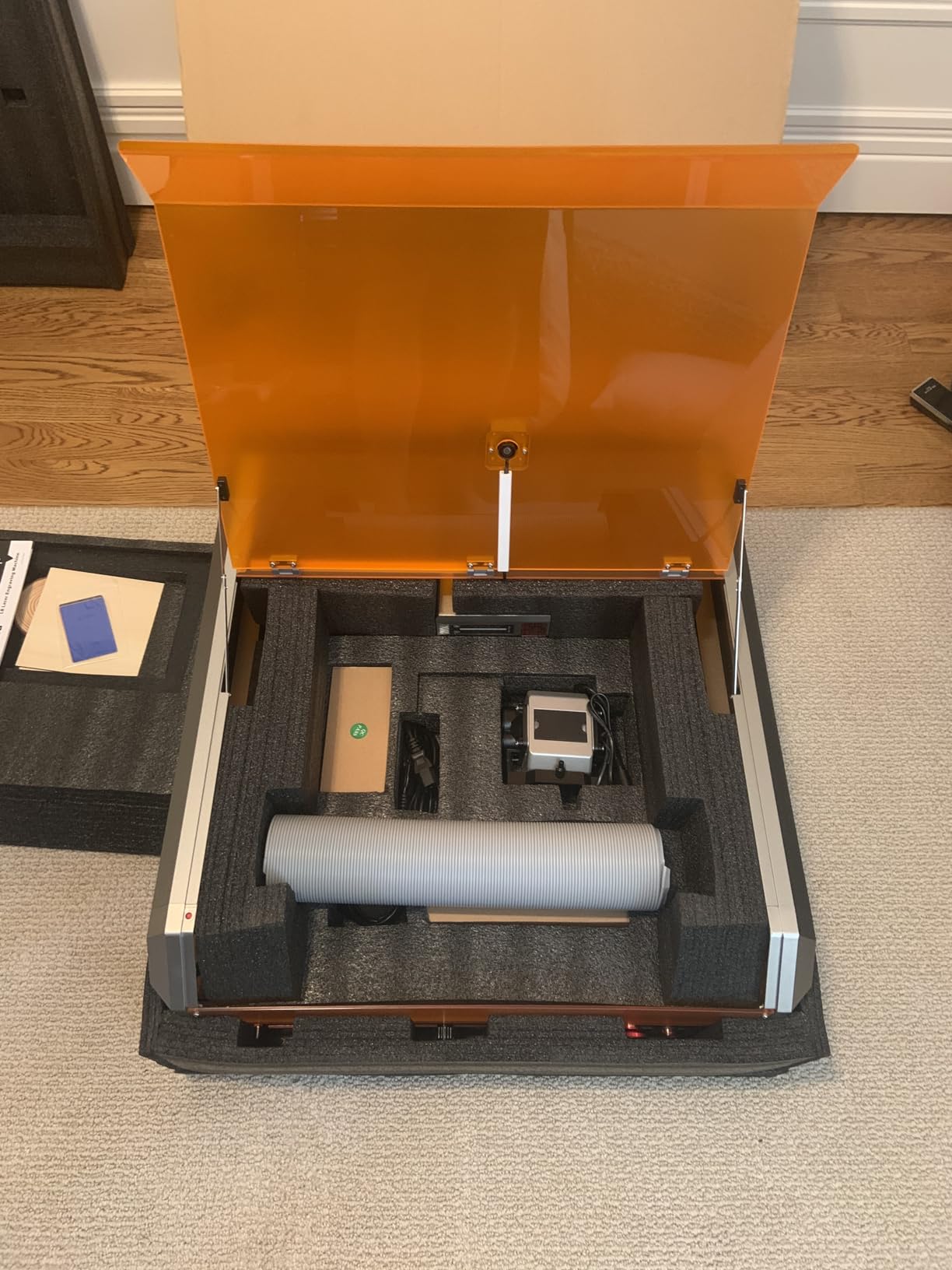
The safety hardware is the most comprehensive spec sheet in this roundup. It is Class 1 certified with a door sensor, tilt auto-stop, flame monitor buzzer, limit switches, an e-stop and a child safety lock, wrapped in a 360-degree acrylic laser shield enclosure. For a family home, that combination of interlocks is exactly what you want.
The LightBurn-compatible camera handles positioning, and a power indicator bar, fault reporting light and airflow detection give you early warning when something is wrong. It arrives fully assembled and is running within about ten minutes of unboxing.
Why the value rating holds?
You are buying a complete working setup, not a platform. That is the difference between this machine and every other list where accessories are the hidden cost. Owners consistently report that the machine is capable and that support is recognised and responsive.
If you want to compare the broader field of budget machines, our guide to the best diode laser engravers for beginners covers the open-frame and cheaper options we left out of this list.
Where it disappoints?
The 3 inch exhaust fan is weak relative to the volume of a 20W cut, so replace it early. Instructions are thin and often require a video walkthrough, and internal lighting is dim for camera overlay work.
Some units arrived with a loose screw, an unreadable USB drive or flaky connections, and there are occasional sensor faults and gantry misalignment that need support involvement. Quality control is the weak point, not capability.
8. WECREAT 20W Vision: Best Enclosed Laser Engraver for Drinkware
- Rotary kit handles tumblers
- mugs
- rollers
- chucks
- spheres and rings
- Automatic Z-axis lift removes the need for a riser
- Built-in HD camera with 3D preview and 1000-plus material presets
- Cuts 10mm wood and 8mm opaque black acrylic in one pass
- Fully enclosed FDA Class 1 with 99% light filtering
- Weighs 66.9 pounds and needs a sturdy dedicated surface
- Requires ventilation for indoor cutting
- Air purifier sold separately
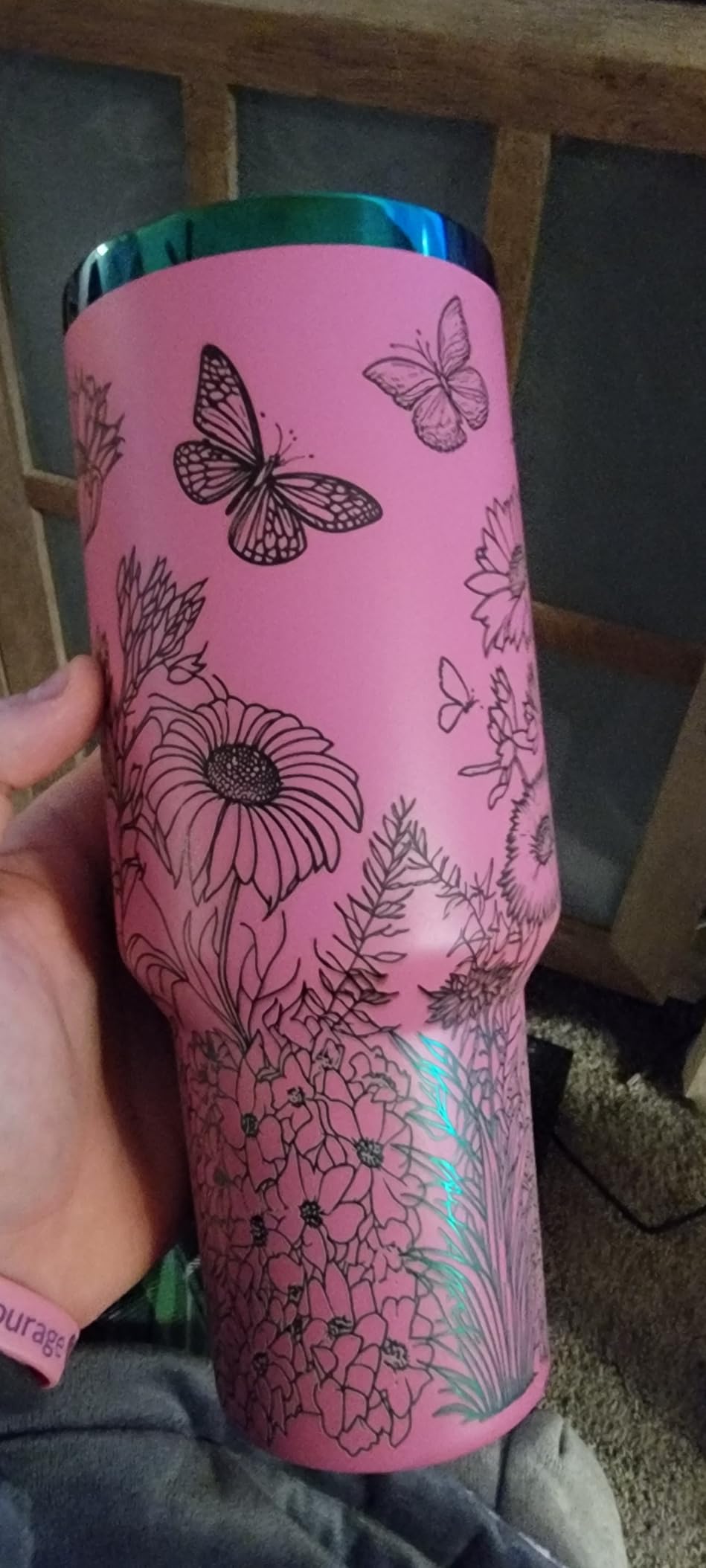
Tumblers and mugs are the single most popular personalized gift category, and this is the machine built around them. The included rotary system handles tumblers, mugs, rollers, chucks, spheres and rings, so the batch that normally needs a separate attachment purchase is already in the box.
The automatic Z-axis lift from 0 to 140mm is the feature owners mention most. It raises and lowers the bed automatically to match your material, which removes the riser problem entirely. Most enclosed units force you to stack a stand or work out the focus height yourself, and that is a constant source of frustration for batch work.
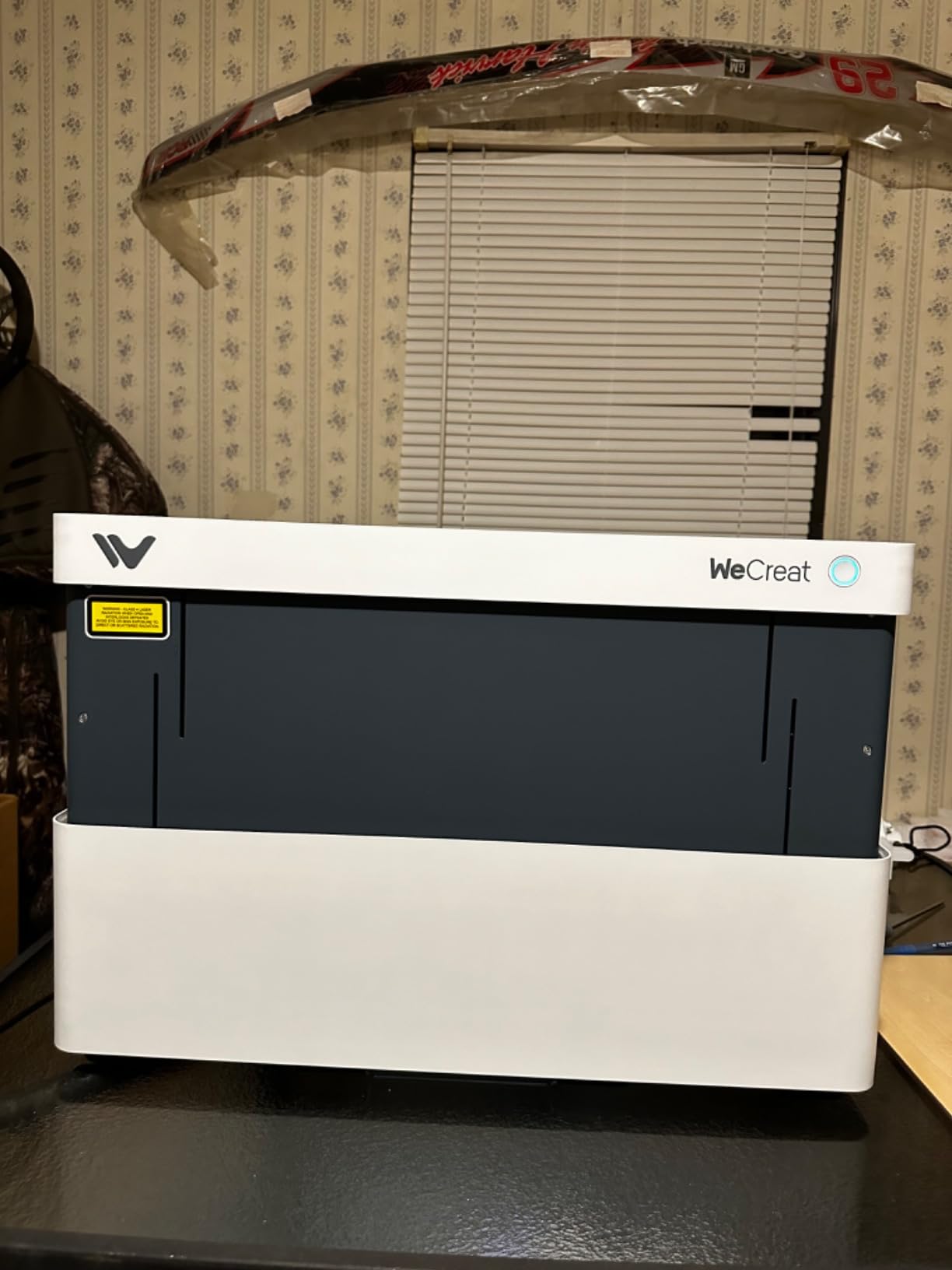
Power is more than adequate for gift work. 20W at up to 600mm/s cuts 10mm wood and 8mm opaque black acrylic in a single pass, with a 0.06 by 0.08mm laser spot that is fine enough for small text. Smart Air Assist moves up to 30L/min, which is a genuine cut-quality improvement on paper and card stock as well as better fume capture.
Safety-wise it is fully enclosed FDA Class 1 with a lid-open auto stop and 99% light filtering. The built-in HD camera offers quick view, a matrix of over 1000 material presets and a 3D preview, and it works with WeCreat MakeIt and LightBurn.
Best for a gift business
If drinkware is your main product, the combination of an included rotary, automatic bed height and 20W cutting power is hard to argue with. Reviewers highlight the 20W cutting, the auto-lifting bed, the built-in camera and the fully enclosed Class 1 safety as the standouts.
We also use this as the reference point for our broader look at laser engravers for hobbyists, where the trade-offs between bed size and power get explored in more depth.
Where it weighs you down?
At 66.9 pounds it needs a sturdy dedicated surface, and the 24 by 21 by 10 inch footprint is not a corner-of-the-sofa machine. Reviewers note it requires ventilation for indoor cutting, and the air purifier is sold separately.
Only three cons appear in the reviews, which tells you the machine is fairly trouble-free. Budget the surface and the ventilation before you order, not after.
9. Woxcker 5.5W 300x300mm: Best Budget Bed Size
Laser Engraver 5.5W Enclosed 300×300mm Engraving Area Class 1 5500mW
- 300 x 300mm bed is unusually large at this power level
- Sharp professional-looking results on wood
- acrylic
- leather and glass
- Lightweight at 5.5 pounds and easy to build
- Works reliably with LightBurn
- Good smoke evacuation when vented outside
- Some units need extra weight to hold the door closed
- Connection and driver issues with the bundled app
- Air assist and purifier needed for practical cutting
Most sub-300-dollar enclosed machines give you an 80mm square, which is barely bigger than a coaster. The Woxcker gives you 300 by 300mm for very little more money, and that is the single most useful thing about it. At 5.5W and 11.81 by 11.81 inches, it is still light enough to store away between projects.
Speed is a genuine strength, with engraving up to 20000mm/min and a 0.01mm compression fixed focus. Owners report sharp, smooth, professional-looking engravings across wood, acrylic, leather and glass, which is more than you would expect from a 5500mW diode.
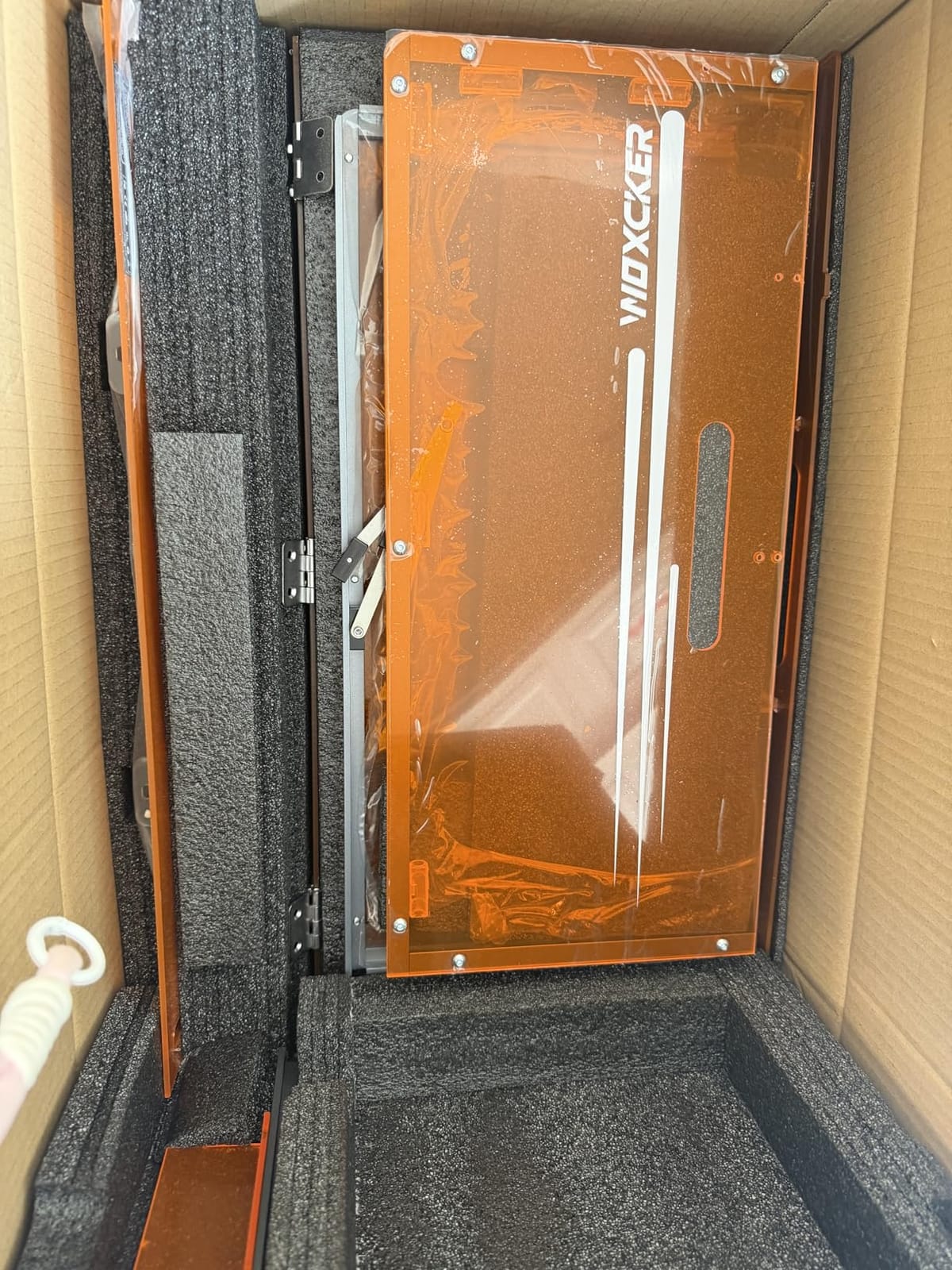
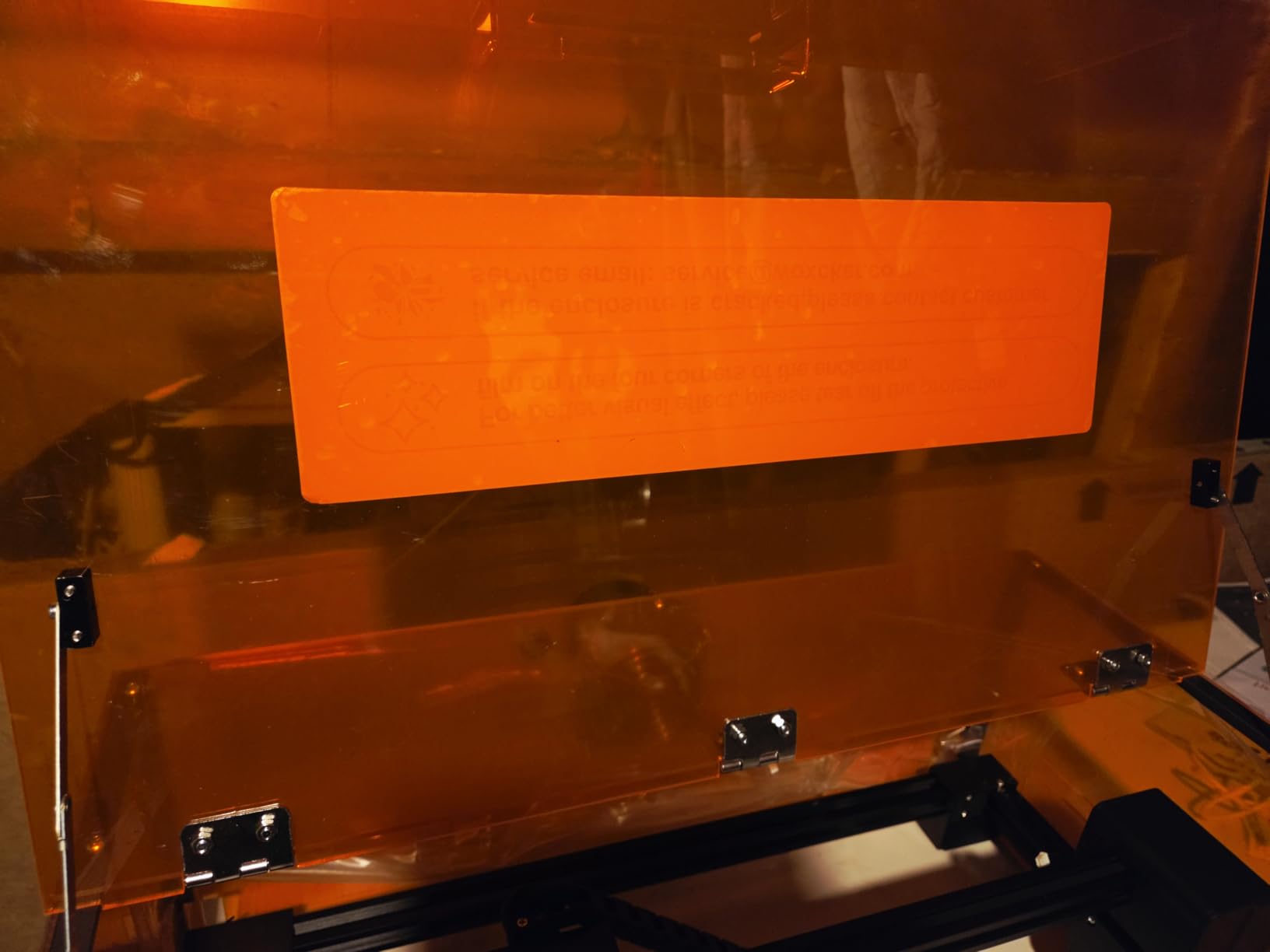
The safety suite is unusually complete for the money: a flame sensor, e-stop button, safety lock and a 15-degree tilt stop alongside the fully enclosed body with auto-stop on opening. It reads JPEG, PNG, SVG, DXF and AI files, and it works with LightBurn, LaserGRBL and Cutlabx over WiFi, USB, an app or an offline TF card.
The modular five-part assembly is a practical choice, and owners say it saves 30 to 40 minutes of build time compared with a single-piece frame. Clear, concise instructions and spare hardware in the box are small things that matter on first setup.
What you can realistically make?
A 300 by 300mm bed fits a small cutting board, a set of coasters, a set of labels or a batch of key tags. It will not cut thick hardwood at 5.5W, so this is an engraver and a light cutter rather than a fabrication machine.
Owners report good smoke evacuation from the enclosure when vented outside, which is the correct setup and worth saying plainly: the machine exhausts properly if you give it somewhere to exhaust to.
Where it needs work?
Some units need extra weight in the base to hold the door closed after assembly, which is an easy fix but an annoying discovery. Connection and driver issues are reported by some buyers, and the bundled app can be a paid option rather than fully free.
You will need to add an air assist and a purifier for practical cutting work, so the real cost is higher than the machine alone. LightBurn is the software owners recommend, and where that connection works reliably the output quality is there.
10. xTool M2 10W: Best Enclosed Laser Engraver for Creative Makers
xTool M2 10W Laser Engraver, Built-in Dual Cameras, Class 1 Enclosed Safe Laser Engraving Machine for DIY Craft on Wood, Leather, Felt, Fabric, Paper
- Dual cameras make positioning far easier than single-camera machines
- Walkthrough setup guides new users through first jobs
- A3-capable work area is unusual for an entry-level machine
- xTool Studio includes templates and an AI image generator
- Height clearance limited to about 1 inch without a honeycomb bed
- Honeycomb bed not included
- LightBurn does not work with the built-in cameras
The M2 is the most interesting machine here for someone who designs as much as they cut. Dual built-in cameras give real-time workspace preview, and the ACS vision with motion control does Place and Go positioning, so you place the object and the machine locks onto it. Owners describe positioning as dramatically easier than on single-camera machines.
It supports A3-size engraving with a side bleed area, which is a large bed for an entry-level 10W machine and reduces the need to tile large designs. The walkthrough setup guides are genuinely helpful, walking a new user through initial jobs and alignment rather than leaving them to a manual.
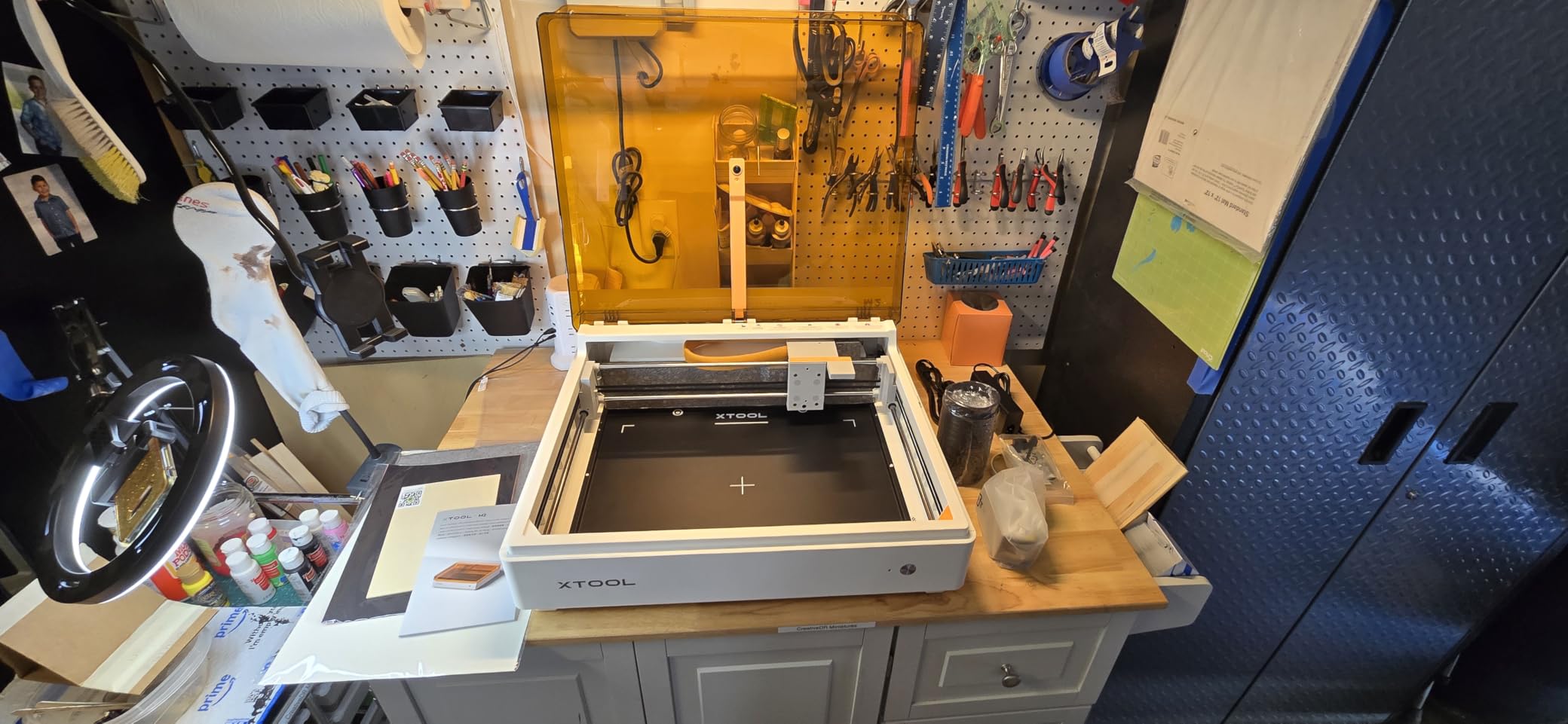
The optional modules are where it gets interesting. A CMYK inkjet module adds print-then-cut capability, and an optional 3W IR laser opens up metal and plastic engraving. Both are sold separately, and the RA3 rotary requires an adapter. The colour path turns the machine from a cutter into a print-and-cut platform.
xTool Studio is intuitive, with templates and an AI image generator built in. The 10W diode is rated Class 1 at 10000mW output, and the machine is fully enclosed for home use.
Who will love it?
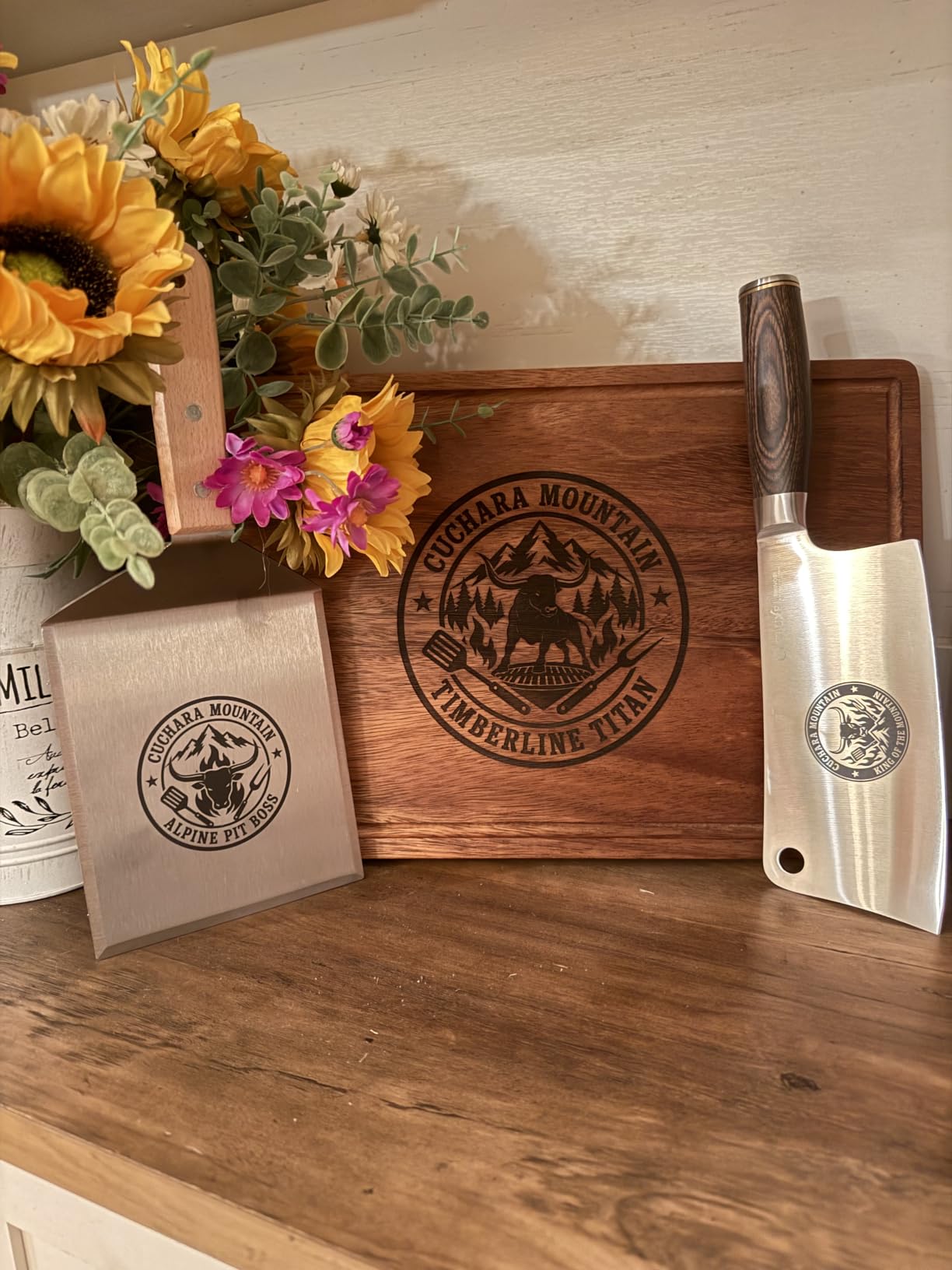
Anyone making stickers, labels, layered paper projects or printed items rather than thick solid material. The A3 bed and the camera system suit short production runs of designed pieces, and the AI image generator shortens the path from idea to file for people who are not illustrators.
At a 4.5 average it is rated well, though the 39 reviews are the smallest sample here, so treat the score as encouraging rather than settled.
Where the limits bite?
Height clearance is limited to roughly 1 inch without a honeycomb bed, and no honeycomb bed is included. There is no official riser support, so taller items need 3D-printed solutions. The RA3 rotary needs a separate adapter.
LightBurn does not support the integrated cameras, so if you prefer that software you lose the best feature. Power and speed settings are not intuitive for newcomers, which sits oddly with the guided setup.
Enclosed vs Open-Frame: The Honest Trade-Off
An enclosure costs you money, weight, bed size and light, and the honest version of this article should say so. Open-frame 20W and 40W diode machines are cheaper, lighter and often have larger beds. They are also Class 4 devices that put a moving beam in open air, which is why none of them appear in this list for a home.
The weight difference is the most surprising. The K10 weighs 4.36 pounds and the xTool F2 weighs 10 pounds, while the xTool S1 at 86.8 pounds and the WECREAT at 66.9 pounds are closer to a small commercial machine. If your home setup cannot hold 80 pounds on a proper table, the top of this list is not for you.
Light transmission is a real but lesser issue. Filtered covers at 99% mean the interior is dimmer, which is why cameras on enclosed machines often need built-in lighting. Several owners mention dim internal lighting as a complaint, so check for a light source before you buy.
The trade-off runs the other way too. An enclosed machine is quieter, contains dust and debris, and lets you leave the room without wondering. The best of the enclosed options in this list also include a flame monitor and tilt stop, which open frames never have.
How Much Wattage Do You Actually Need?
Most home projects never need more than 20W. The jump from 10W to 20W roughly doubles what you can cut in a single pass, and the jump from 20W to 40W mainly buys thicker hardwood and faster batch work. If you are engraving rather than cutting, 5W to 10W is genuinely enough.
Read the cut claims as single-pass figures. The xTool S1 at 40W cuts 18mm cherry wood in one pass, the Genmitsu L8 at 20W cuts 12mm pinewood, the Creality Falcon A1 Pro at 20W cuts 10mm basswood, and the Carverall K15 Pro at 10W cuts 12mm plywood. Those are four different materials at four different thicknesses, so compare like with like before concluding one machine is stronger.
Speed matters as much as power for small production runs. The xTool F2 reaches 6000mm/s, the Genmitsu L8 up to 40000mm/min and the Carverall K15 Pro 15000mm/min, while several machines sit at 600mm/s. Higher speed does not mean better results, but it does mean a batch of coasters takes minutes rather than an evening.
Ventilation: What an Enclosure Does Not Do?
Do you need ventilation for a laser engraver? Yes. An enclosure contains fumes; it does not remove them. This is the most common misunderstanding in the laser communities we reviewed, and it matters most in an apartment with family in it. A sealed cabinet concentrates smoke, and the built-in fan only moves that smoke towards a filter or an outlet you provide.
There are three workable setups. Window exhaust means running a duct from the machine to an open window, which is the most effective option and the one people in apartments usually recommend. A recirculating filter unit cleans the air and returns it to the room, which is fine for intermittent hobby use. An external duct to a garage or shed outlet is the best option for regular production work.
Users in the r/lasercutting discussions consistently describe the dedicated room with an openable window as the setup that works, rather than improvising a window vent in the main living area. Forum consensus also treats ventilation as the number-one requirement for indoor use, more important than the enclosure itself. The same threads note that the dominant noise source is the exhaust fan rather than the motion system, which matters for the next section.
One Reddit thread title is a fair summary of the failure mode: an axe head was engraved and the apartment smelled for days. That is a fume problem, not a beam problem, and no enclosure prevents it.
Noise Levels in a Shared Home
An enclosed laser engraver is roughly as loud as a 3D printer, according to owners in the r/lasercutting noise threads who compared the two directly. The stepper motors, rails and fans are not the problem. The exhaust fan is. If you are planning to run one at night in a flat with thin walls, the exhaust fan is what your neighbours will hear.
That leads to a practical ranking. The Falcon A1 10W is repeatedly described as containing smoke and noise, which reviewers cite as a benefit. The Falcon A1 Pro is reported as noisy, especially with an air purifier attached. Machines with stronger built-in extraction such as the xTool F2 are quieter in absolute terms but still need a duct run, and a duct through a wall is itself a noise leak.
Short jobs help. A single engraved coaster takes under a minute, and the fan is running for seconds rather than minutes. Long cutting sessions with a large exhaust unit are what generate complaints, so batch your work and pick one time of day.
If you have read guides to laser distance measures for home use and are now planning a small workshop, the noise question is worth answering before the machine arrives, not after.
Materials You Should Never Laser Engrave
What should you not laser engrave? PVC, vinyl and unknown plastics, full stop. PVC releases chlorine gas when heated, which is genuinely dangerous to you, your family and your pets, and it corrodes the machine. Clear vinyl is a PVC product sold in craft aisles, and the danger is not obvious from the packaging. No enclosure on this list changes that.
Also avoid unknown plastics with no material identification, any material with a metallic or mirror finish including mirrored acrylic, PVC-coated wire and cable, and anything you cannot identify with certainty. Several machines in this list state the same limit from the manufacturer side: the Falcon A1 cannot engrave highly reflective materials such as mirror-finished metals or mirrored acrylic, and the K10 cannot engrave bare reflective metal.
Be careful with coated and plated metals. A diode laser can mark anodised aluminium, painted steel and powder-coated surfaces beautifully, but a bare reflective surface reflects the beam rather than absorbing it, which is both a safety issue and a burnt-material risk.
Fire is the remaining hazard. That is why flame sensors and flame monitors appear in the safety lists for the xTool S1, the Genmitsu L8 and the Woxcker. Never leave a running machine unattended, and keep a water extinguisher or a fire blanket within reach of an indoor setup.
Software, Offline Modes and Running Costs
Check for offline operation before you buy, not after. A cloud-only workflow means your files live on someone else’s server, and if the service is down or your internet drops mid-project, the job stops. Several machines here support offline TF card batch operation, including the K10, the K15 Pro and the Woxcker. The Creality Falcon A1 supports LightBurn, LaserGRBL and Cutlabx. The xTool F2 is the counterexample, with software that no longer saves files locally.
LightBurn is the most common enthusiast control software across this list, and LaserGRBL is the free alternative. CutLabX is bundled free with the K15 Pro but owners report instability on some Windows devices. On the Creality machines, camera-based positioning is better in Falcon Design Space than in LightBurn, so keep camera work in the vendor app.
Running costs are where home laser budgets go wrong. Air assist pumps, exhaust units, replacement filters, honeycomb beds, risers and rotary attachments are frequently sold separately. In the r/Laserengraving discussions, owners quote air assist upgrades at well over 100 dollars and ask openly whether they are worth it. The answer depends on how much you cut, but the filter media is a genuine recurring cost that people forget.
On maintenance, a monthly wipe of the lens and mirrors, a check of the focus and the rails, and a periodic look at the cooling will keep a diode machine running for years. Older cheap CO2 machines of the K40 and S150 class have a poor reputation in hobby forums for reliability, cheap software and expensive repairs, which is part of why every machine in this list is diode-based. If you need CO2 cutting thickness for a business rather than a hobby, look at our large-format laser engravers for sign businesses instead.
Frequently Asked Questions
Is it safe to use a laser engraver indoors?
Yes, an enclosed Class 1 laser engraver is safe to run indoors because the sealed cabinet contains the beam and cuts power when the door opens, so you can use it in a room with children and pets without safety glasses. You still need ventilation, since the enclosure contains fumes rather than removing them, and you must keep PVC, clear vinyl and unknown plastics off the bed.
Do you need ventilation for a laser engraver?
You do, and an enclosure does not replace it. A sealed cabinet concentrates smoke and the built-in fan only moves fumes toward a filter or outlet you provide. The practical options are ducting to an open window, using a recirculating filter unit for intermittent hobby work, or ducting to a garage or shed outlet for regular production runs.
What should you not laser engrave?
Never engrave PVC, clear vinyl or any plastic you cannot positively identify, because heated PVC releases chlorine gas that is dangerous to people and pets and corrosive to the machine. Also avoid mirror-finished metals, mirrored acrylic and any highly reflective surface, and do not leave a running machine unattended.
How loud is an enclosed laser engraver?
Owners in laser community threads compare an enclosed engraver to a 3D printer, noting that the stepper motors and rails are not the problem but the exhaust fan is. Enclosure also dampens noise compared with an open frame. Short engraving jobs run the fan for seconds, while long cutting sessions with a large exhaust unit are what generate complaints in shared walls.
What is the lifespan of a laser engraver?
A well-maintained enclosed diode machine commonly runs for years, and the maintenance that extends it is simple: clean the lens and mirrors monthly, check focus and rails periodically and keep the cooling path clear. Expect to replace filters regularly, to add accessories such as air assist and exhaust units, and to treat module upgrades rather than whole-machine replacement as the upgrade path.
Conclusion: The Best Enclosed Laser Engravers for Home Use in 2026
The xTool S1 40W Rotary Bundle is the best enclosed laser engraver for home use overall, because it is the only machine here that cuts thick hardwood in a single pass, works on a full sheet, and includes the rotary attachment that drinkware and jewellery work depends on. Its Class 1 enclosure with 99% light filtering, five flame sensors and a lid-open stop make it the safest to run in a family space, provided you vent the fumes.
For a smaller footprint and less commitment, the Genmitsu L8 20W is the best value because the air pump, exhaust, honeycomb bed and camera are all in the box, and the Creality Falcon A1 Pro is the best pick for beginners because the camera-guided autofocus removes the most common first-project failure. If you are working in leather, our guide to laser engravers for leather crafting goes deeper on material settings.
One thing to take away from all ten: the enclosure handles the beam, not the air, and the noise, not the fumes. Plan your exhaust before the machine arrives, keep PVC and unknown plastics away from the bed, and pick the smallest machine that covers your materials.