
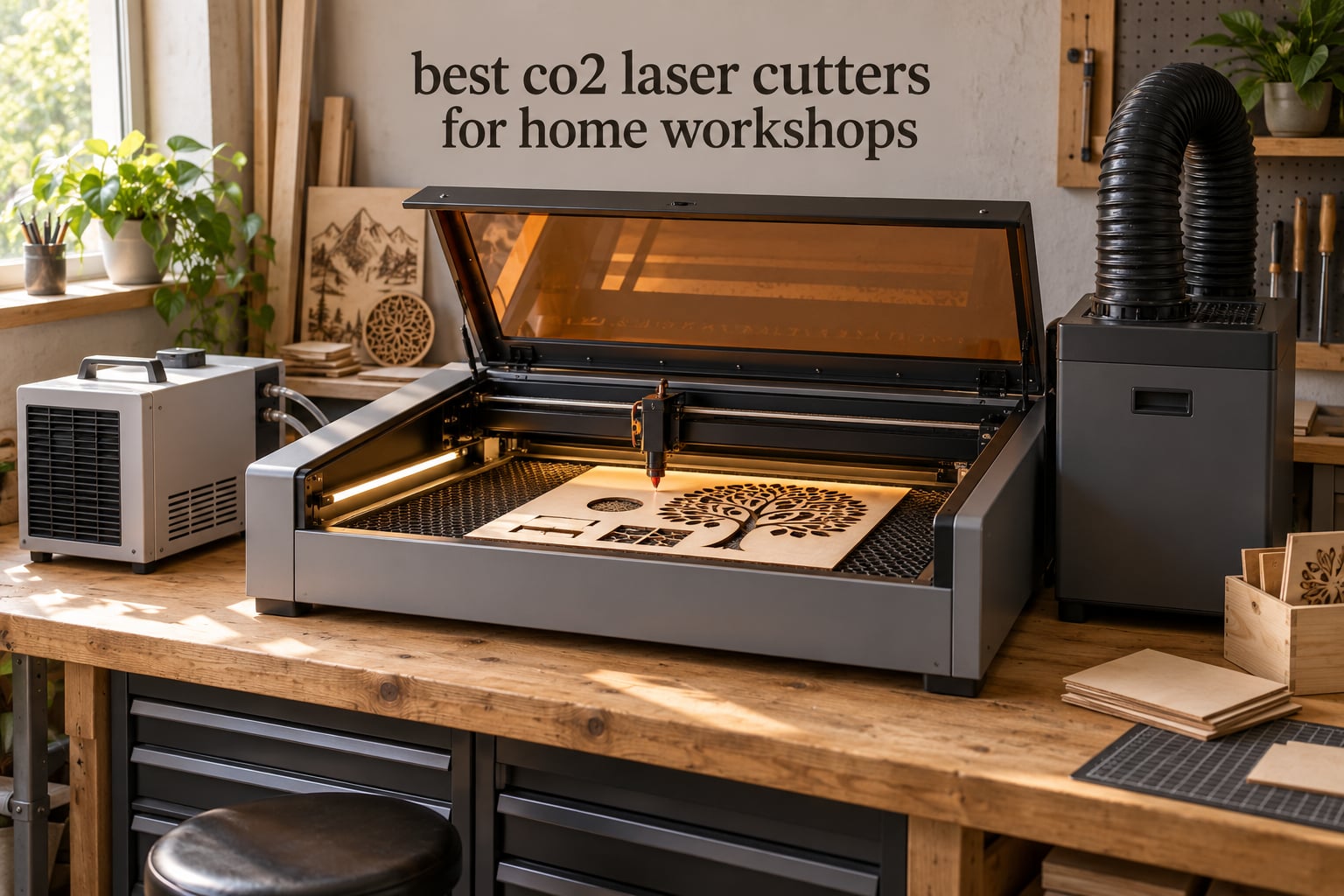
A CO2 laser cutter uses a carbon-dioxide gas beam at a 10.6 micron wavelength to cut and engrave non-metal materials such as wood, acrylic, leather, fabric and glass. Nothing physical touches the material. For a home workshop, that combination of clean edges, no blade changes and no dedicated dust collector is why people keep asking us which machines are actually worth the money.
We went through specification sheets, cut-test photos and owner reports for nine genuine CO2 machines. This guide covers the best co2 laser cutters for home workshops, from a 45W desktop unit that fits on a spare-room desk to an 80W enclosed platform built for paid production runs. We also cover what most guides skip: chillers, circuit requirements, and the materials that will wreck your machine.
One warning before we start. The search results for this topic are full of diode engravers wearing a CO2 costume in the thumbnail. A diode laser cannot cut clear acrylic because the beam passes straight through it, and it will not touch plywood in any thickness that matters. If acrylic edge glow or plywood signage is on your list, you need a gas-laser CO2 machine like the ones below. Our CO2 laser engraver guide for wood and acrylic goes deeper on material behavior.
Table of Contents
Top 3 Best Co2 Laser Cutters For Home Workshops (October 2026)

OMTech K40+ 45W
- 45W CO2 power
- 10mm acrylic and 8mm wood cuts
- LightBurn and LaserGRBL ready
- 300 mm/s engraving

xTool P3 80W
- 80W CO2 power
- 36x18 inch bed
- Class 1 enclosed
- LiDAR autofocus and dual cameras

Orion Motor Tech 50W
- 50W CO2 tube
- 12x20 inch bed
- Ruida LCD controller
- Built-in air compressor
The OMTech K40+ takes our Editor’s Choice because it is the only machine here with both a healthy review count and an ownership record that stays calm. Owners consistently report the support team doing video calls to walk them through setup, which is exactly what you want from your first CO2 machine.
The xTool P3 earns the premium slot for anyone running paid orders. Eighty watts, a Class 1 enclosure and LiDAR autofocus handle thick acrylic and plywood without babysitting. The Orion Motor Tech 50W is the value pick: a full 12×20 inch bed and a Ruida controller with real-time power readout at a fraction of the flagship cost.
Quick Overview: 9 CO2 Laser Cutters Side by Side in 2026
| Product | Specifications | Action |
|---|---|---|
| OMTech K40+ 45W Desktop |
|
Check Latest Price |
| Orion Motor Tech 50W |
|
Check Latest Price |
| xTool P3 80W Flagship |
|
Check Latest Price |
 OMTech Maker 60W OMTech Maker 60W |
|
Check Latest Price |
 VEVOR 45W Desktop VEVOR 45W Desktop |
|
Check Latest Price |
 VEVOR 80W Large Format VEVOR 80W Large Format |
|
Check Latest Price |
 Monport 70W MEGAS Monport 70W MEGAS |
|
Check Latest Price |
 OMTech Polar Lite 55W OMTech Polar Lite 55W |
|
Check Latest Price |
 Monport 60W Auto Focus Monport 60W Auto Focus |
|
Check Latest Price |
Read the review counts as carefully as the wattages. Six of these nine machines have fewer than ten reviews, which means the specifications come from the manufacturer and the performance reports come from a very small sample. We flag that in each section rather than pretending the data is stronger than it is.
1. OMTech K40+ 45W Desktop CO2 Laser Engraver – Best Overall Pick
- Largest review base in this lineup at 37 reviews
- Support team does video setup calls
- 45W cuts 10mm acrylic and 8mm wood in one pass
- Works with LightBurn and LaserGRBL
- Door and water protection plus emergency stop
- Arrival QC issues reported including dents and a misaligned gantry
- Water hose fittings are easy to install backwards
- Only a 12x8 inch bed
The K40+ has been the first CO2 machine many home makers meet, and it earns the top spot here on the strength of repeat ownership rather than spec sheet bragging. The SH-K40 chassis weighs 81.8 pounds and ships at 31.9 x 19.7 x 9.8 inches, which means two people can carry it down stairs without planning a remodel.
Power was bumped from the original 40W to 45W, and that difference shows in practice: owners report clean single-pass cuts through 10mm acrylic and 8mm wood. The honeycomb bed holds small parts without clamps, and the detachable base lets you swap in a slatted bed later. Built-in air assist adjusts its angle to 45 degrees and scales airflow with the power setting, so you are not hand-tuning nozzles on day one.

What separates this machine is the support. Owners describe technicians walking them through alignment over video, which matters enormously when the alternative is a forum thread full of conflicting advice. Safety hardware includes door and water protection, an emergency stop, a flame-retardant acrylic panel and an exhaust fan. The output is rated Class 2 at 0.827 mW with the panel closed.
The knock-on downside is real: several buyers report shipping damage, loose hardware or a gantry that needed re-leveling on arrival. None of that traced to the machine itself once it was adjusted, but budget an afternoon for assembly and calibration.

Why this is the right first CO2 laser?
Because it cuts real materials at hobby-friendly thicknesses without a separate chiller or proprietary software. If your projects are engraved keychains, layered coasters, leather patches and thin acrylic earrings, 10mm acrylic and 8mm wood is plenty of headroom. Rotary axis support means tumblers and bottles are a later add-on rather than a different machine.
It also weighs less than most alternatives in this guide, so a garage, a rented bench or a craft room in a house all work without a reinforced floor. Our home workshop 3D printer guide covers the other half of a typical small fabrication setup if you are building out a bench.
Where you will feel the limits?
A 12×8 inch bed forces you to split 12×12 sheet material, and the 45W tube will not chew through thick plywood in one pass. Owners moving from diode lasers praise the jump in edge quality, but anyone expecting to slice 15mm hardwood will be disappointed. Plan for two passes and air assist at full pressure on thicker stock.
The bundled documentation also leaves water connections ambiguous, and a few reviewers connected the chiller hose backwards on their first attempt. Read the manual before you fill anything, and verify the focus gauge against a scrap cut rather than trusting the printed scale alone.
2. Orion Motor Tech 50W CO2 Laser Engraver – Best 12×20 Workhorse
- Full 12x20 inch bed covers standard sheet goods
- Ruida controller with real-time power readout
- Accepts LightBurn AutoCAD CorelDRAW and RDWorks
- Built-in air compressor and vent piping
- Auto-shutdown when the door opens
- 165 pounds means it is a two-person move
- RDWorks runs on PC only
- Warranty is 6 months on the tube and power supply
This is the machine you buy when you have outgrown a 12×8 desktop and want standard sheet material without climbing into a large-format tier. The 12×20 inch work area covers 2.5 square feet of bed, which is the size most hobbyists wish they had from day one.
The Ruida digital LCD controller with a transparent window is a genuine step up from hobby control boards. It reports live power during a job, which makes dialing in a new material far less guesswork. Engraving runs from 0 to 500 mm/s and cutting from 0 to 80 mm/s, with resolution up to 4500 dpi.
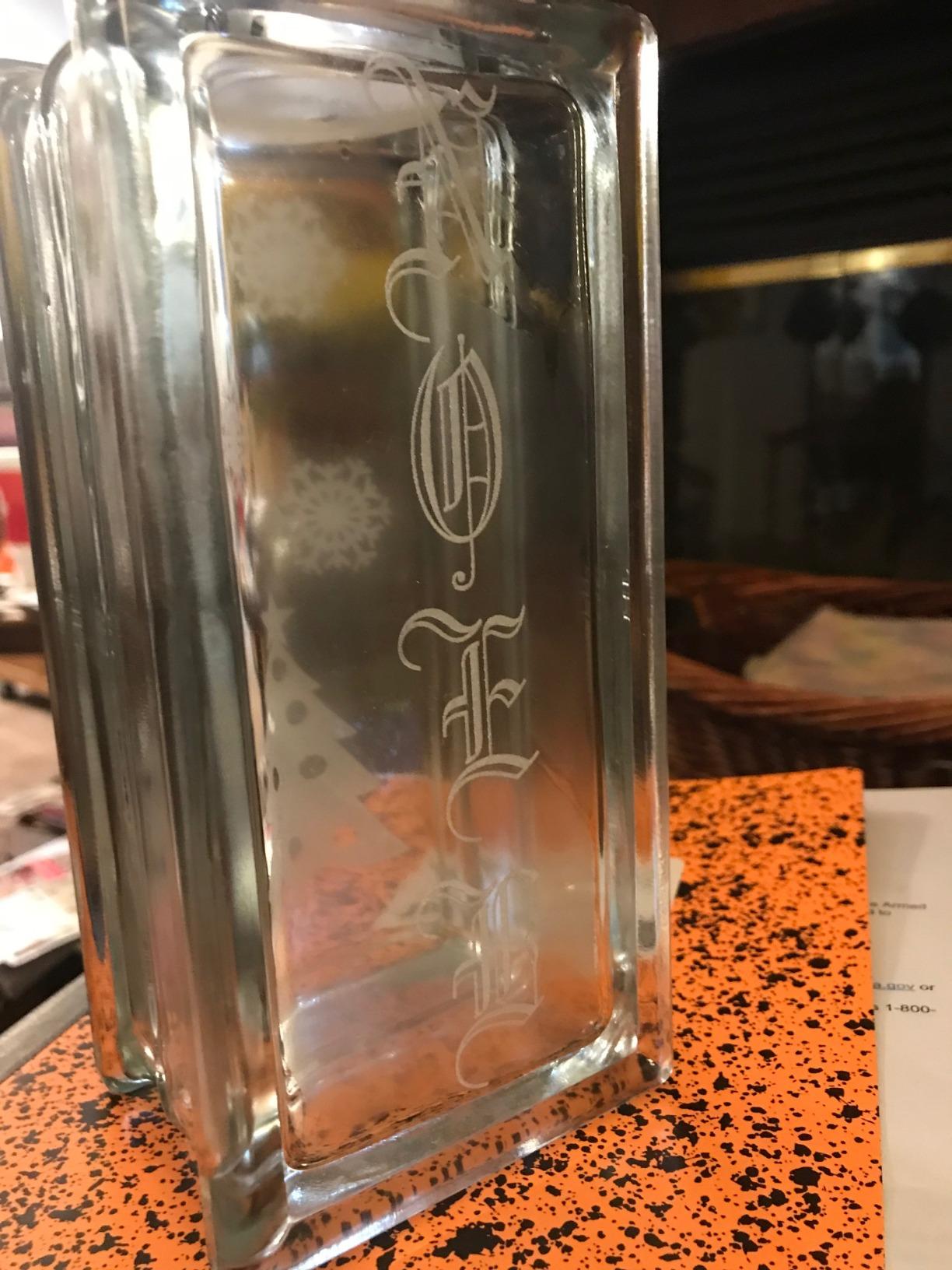
Software flexibility is the sleeper feature. It reads AI, GIF, JPG, JPEG, PDF, PNG, PLT, DXF, SVG, NC, DST, DSB, UD5 and BMP files, and you can push jobs by USB stick or direct upload. Owners coming from design software use CorelDRAW or AutoCAD directly rather than exporting into a bundled tool. The built-in air compressor and foil vent piping mean smoke handling is already partly solved.
It is also rated CE and FDA approved, and the door sensor shuts the machine down when the lid opens. Be aware of the warranty structure: 6 months on wear parts including the laser tube and power supply, 12 months on everything else.
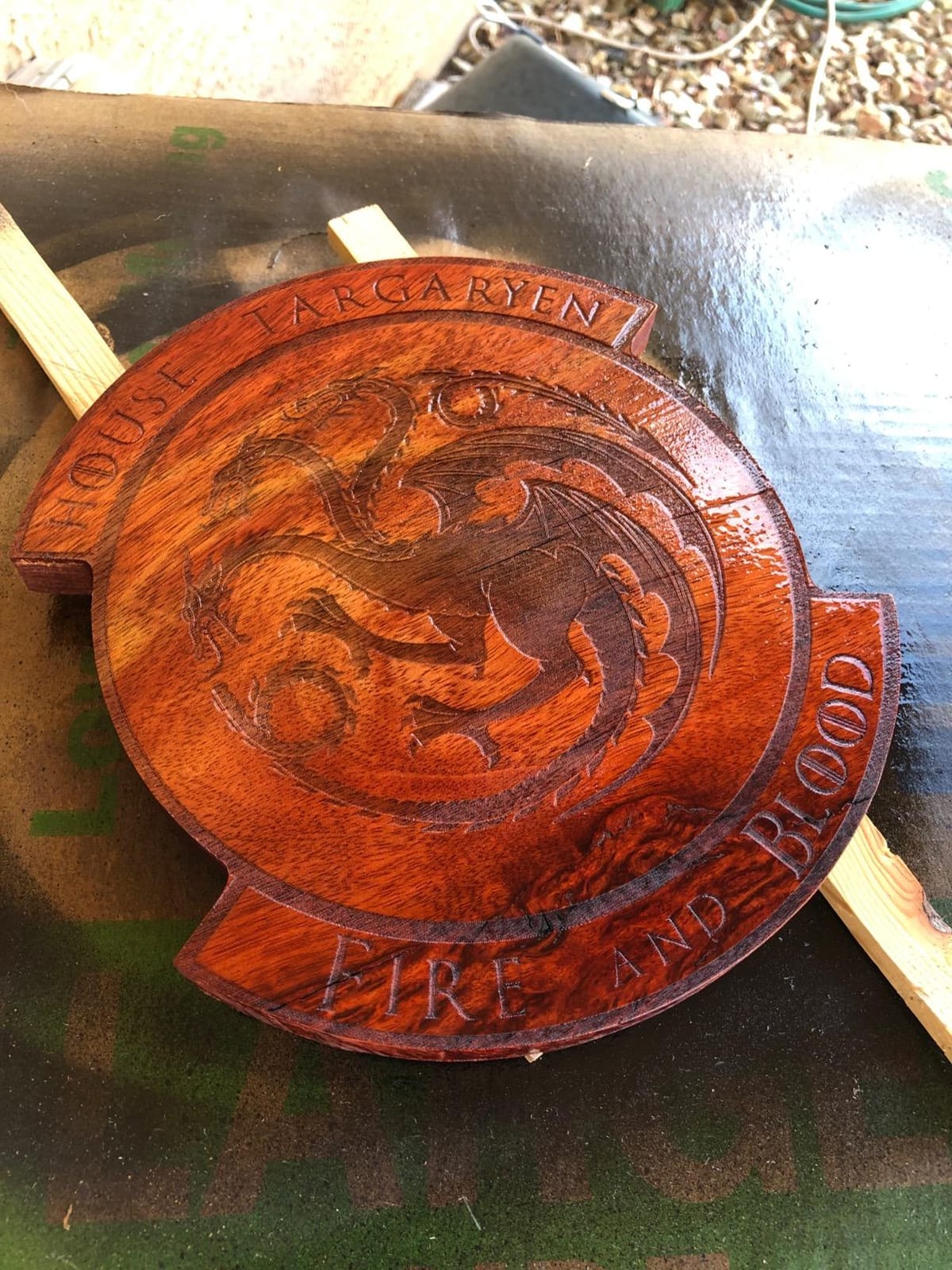
Why home workshops pick this one?
A 12×20 bed changes your project list overnight. You can drop in a full sheet of birch plywood, cut a batch of keychains in one session, and still have room for a jigsaw puzzle or a set of drawer dividers. Fifty watts gives you faster through-cuts than the 45W machines without the 60W-plus footprint.
The controller is the deciding factor for anyone who plans to learn LightBurn. RDWorks is included for people who want offline control without a subscription, and LightBurn handles the rest. Our small business laser cutter guide covers how this class of machine behaves once you are taking paid orders.
Where you will feel the limits?
At 165 pounds and 25 x 26 x 25 inches, this is not a desktop toy. Plan the route into your workshop before the delivery crew is at your door, and check that your bench will hold the weight without flexing.
It also has no camera system and no autofocus, so setup means measuring focus by hand with a gauge. That is fine once you learn it, but it costs you time on every material change. RDWorks being PC-only is a minor annoyance if you work from a Mac.
3. xTool P3 80W CO2 Laser Cutter – Best for Production Work
- 80W handles 20mm wood and 25mm acrylic in one pass
- Class 1 enclosure with lid interlocks
- LiDAR autofocus and motorized AutoLift base
- Dual cameras covering 16MP overview plus close detail
- Expansion path to conveyor feeder and rotary
- Highest price in this lineup by a wide margin
- xTool Studio has a learning curve for LightBurn users
- Working area a little under the advertised figure
- Support response reported as slow
The P3 is the machine you buy when the laser stops being a hobby and starts being a production line. Eighty watts at 1200 mm/s across a 36×18 inch bed is a different category from everything else in this roundup. It cuts 20mm wood and 25mm acrylic.
Automation is the real story. The ACS package adds LiDAR autofocus, and the AutoLift Base raises the bed up to 8.7 inches so you can load thick stock without crouching. A dual HD camera system pairs a 16MP SkyView overview with a close-range detail camera, and alignment accuracy is quoted at 0.0079 inch. Smart Nesting claims 98.7 percent material utilization.
Safety is engineered in rather than added on. It is a Class 1 fully enclosed machine with lid interlocks, active detection and suppression, and alerts when scrap builds up on the bed. That matters in a home workshop because it means you can run it in a finished room rather than a detached garage.
The ecosystem extends properly. A Conveyor Feeder, MagSwap RA3 rotary, a 5W IR laser and the AP2 Max Air Purifier all bolt onto the same chassis, so growing capacity does not mean a second machine. Warranty is 12 months.
Why production shops want it?
Because the automation removes the boring part of a job. Smart Nesting and Variable Batch Fill mean one operator can queue a whole sheet of parts and step away. At 360 pounds and 49.21 x 30.71 x 19.53 inches, this is a floor-standing commitment, so treat the location as part of the purchase decision.
It is also the machine here rated Class 1 for output, meaning the enclosure does the containment work your extraction unit would otherwise do. In a spare room that is a meaningful difference in how the fumes reach the rest of the house.
Where you will feel the limits?
Accessories are sold separately, and the total cost of a full production setup climbs quickly from there. Preset cut settings are aggressive enough that some owners worry about tube longevity when running at maximum power on every job.
The bigger issue is software. If you already run LightBurn, xTool Studio is a genuine relearning curve rather than a drop-in. Support responsiveness is also reported as slower than the OMTech teams. Neither is a dealbreaker at this tier, but both deserve an honest look if support matters to you.
4. OMTech Maker 60W CO2 Laser Engraver – Best with Chiller and LightBurn Included
OMTech Maker 60W CO2 Laser Engraver with LightBurn & Water Chiller
- Water chiller ships in the box
- LightBurn licence included rather than sold separately
- 20x28 inch bed with four-way pass-through
- Honeycomb and aluminum blade beds both included
- Flame-retardant viewing window
- Only 6 reviews so reliability is unproven
- 249 pounds is a fixed-in-place machine
- Highest price of the OMTech machines here
Most manufacturers treat the water chiller as an accessory you discover you need three weeks after delivery. OMTech bundles it here alongside a LightBurn licence, which removes two separate costs and two separate learning curves from your first week.
The 60W tube drives a 20×28 inch bed with honeycomb and aluminum blade beds in the package, plus four-way pass-through doors so long boards can feed straight through. Focus is handled by preinstalled autofocus with a button-adjusted workbed, so you set thickness once rather than measuring by eye. Built-in air assist and a flame-retardant viewing window round out the safety package.
This is the configuration experienced owners on laser forums keep asking for. A recurring question in r/lasercutting is whether chillers are mandatory or whether machines with built-in cooling are preferable, and the honest answer is that running a 60W tube continuously without chilled water shortens tube life. Having it in the box answers the question before it becomes a problem.
The variant list is also unusually broad for this class, covering 60W, 90W, 100W and 150W builds with and without LightBurn and chiller. If you buy the 60W now, the same chassis family scales up later.
Why you would choose the bundle?
Because the two costs buyers forget are already covered. Chiller plus LightBurn is real money that this package folds into the machine, and both are items you would otherwise research for weeks before adding.
The 20×28 bed is the sweet spot for signage work. Wedding welcome signs, business hours boards and layered wood art all fit on a single sheet, and the pass-through doors handle raw sheet stock without forcing you to resize material at the door.
Where you will feel the limits?
The rating is excellent at 4.7 across 6 reviews, which is a small enough sample that it tells you little about long-term reliability. A 249 pound footprint at 47.2 x 34.3 x 36.6 inches is a permanent fixture in a room, not a portable tool.
It is also a Class 2 rated unit at 0.827 mW rather than a fully sealed Class 1 enclosure, so ventilation planning still matters in an indoor space. Budget for an extraction unit if the machine lives in a basement or an attached room.
5. VEVOR 45W Desktop CO2 Laser Engraver – Best Budget Starter With Rotary
- Rotary axis included for tumblers and bottles
- Water pump cooling built into the chassis
- Runs on Windows macOS and Linux
- Tube rated for 3500+ hours
- Pull-out waste tray keeps cleanup simple
- Manual focusing with a knob and red dot only
- Cuts limited to 5mm acrylic and 3mm wood
- Only 3 reviews and a new listing
- Not suitable for bare metal
The VEVOR 45W is the cheapest way onto the CO2 ladder, and the surprising part is how much it includes. A rotary axis ships in the box, which is the first thing buyers add later, and a water pump cooling loop is built into the chassis at this price tier.
Software is open. It runs LightBurn, GRBL, CorelDraw and AutoCAD on Windows, macOS or Linux, with USB plug-and-play connection. The 12×8 inch bed matches the K40+ footprint and the tube is rated for 3500+ hours. Cutting is limited to 5mm acrylic and 3mm wood in a single pass, so think coasters, keychains, phone cases and name tags rather than thick panels.
Multiple bed sizes exist in this family, including 12×20, 16×24, 24×35 and 35×55 inch versions, so the entry chassis is not a dead end if your project list grows. The red-dot pointer and a printed focusing scale make manual focus manageable once you know the technique.
Owners flag one thing consistently: the cooling is functional but not impressive, and several recommend adding a dedicated chiller. That is a small extra cost against a machine that arrives ready to cut.
Why beginners land here?
Because nothing essential is missing and the learning curve is the shortest in this lineup. Three software options, a rotary in the box and a tray that slides out for cleaning means you spend your first weekend making things rather than sourcing accessories.
It is the lightest machine here, so it moves between a garage and a craft fair without drama. If your goal is engraving mugs, tumblers and thin wood blanks, this is the shortest path.
Where you will feel the limits?
The material ceiling is low. Three millimeters of wood and five millimeters of acrylic is genuinely limiting for anyone who wants signage or furniture parts. There is no autofocus, so you re-measure focus whenever material thickness changes.
It is explicitly not a metal machine. Coated and anodized surfaces engrave fine; bare metal does nothing useful. And with only three reviews, treat the perfect rating as encouraging rather than proven.
6. VEVOR 80W CO2 Laser Engraver – Best for Oversized Sheet Goods
- Pass-through doors on front and back handle long stock
- Honeycomb bed supports material across 560 square inches
- Works on Windows Mac and Linux with LightBurn
- Intelligent laser head with linear guide rail
- Movable wheels for shop repositioning
- Lowest rated machine in this lineup at 2.8
- Only 6 reviews with a heavy share of one-star feedback
- No warranty listed
- 282 pounds plus a 57 inch frame
We include this machine because the specification sheet is genuinely attractive and the review data is genuinely poor, and you should see both. Eighty watts across a 20×28 inch bed with front and back pass-through doors is a lot of capability for the money.
Cut speed reaches 0.59 inch in a single pass and engraving runs to 19.7 ips, or 500 mm/s. The intelligent laser head has a red-dot pointer and a linear guide rail, the honeycomb bed spreads across 560 square inches, and two-way pass air assist clears debris from both the cut and the optics. File transfer works by USB disk, cable or network, and the frame sits on movable wheels.
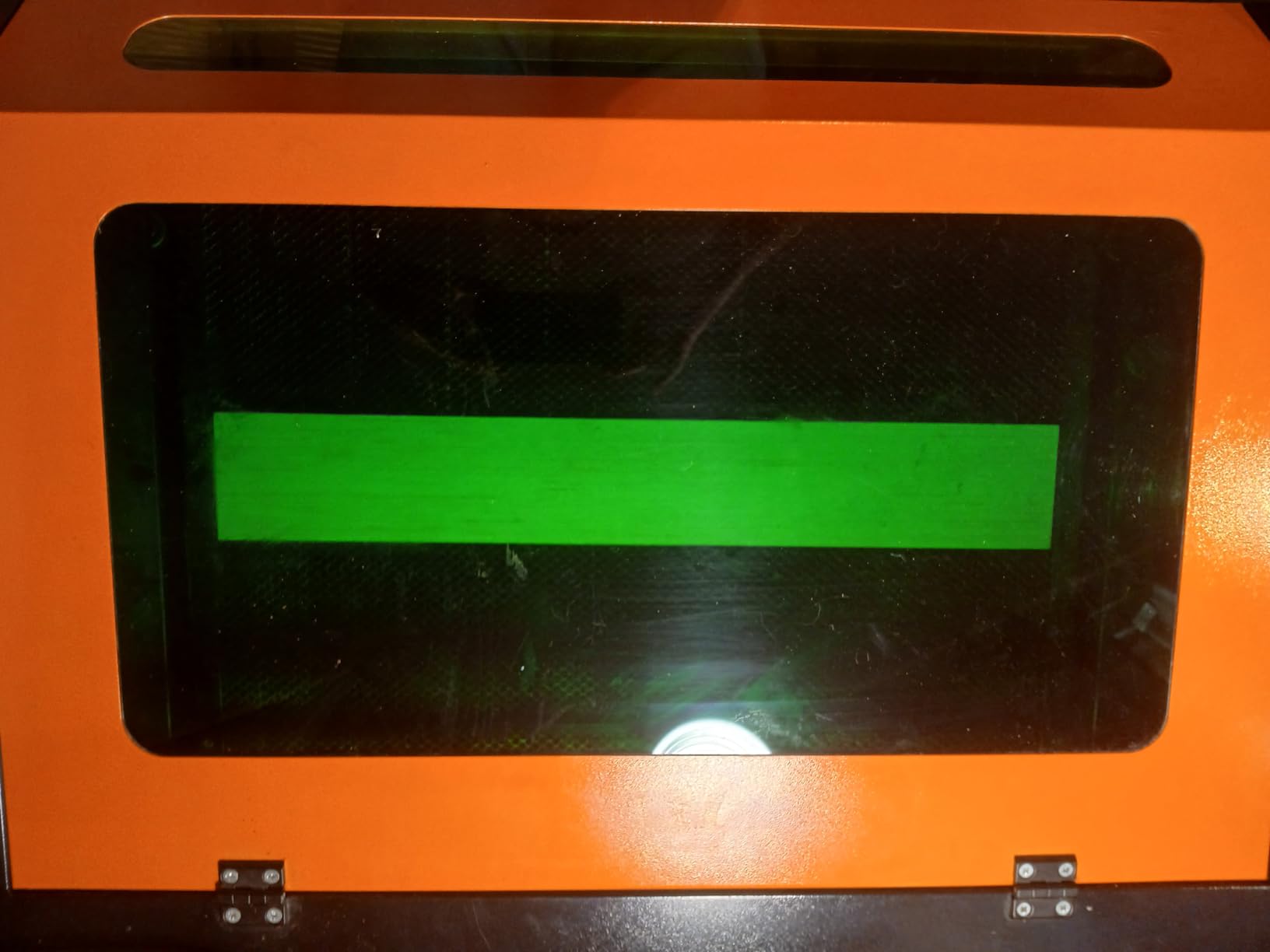
LightBurn, CorelDRAW and AutoCAD all work, across Windows, Linux and macOS. Safety features include a tinted eye-protection window, automatic power-off when the door opens, an emergency stop and air assist. It is rated Class 1 under IEC 60825-1:2014 at 2.161 mW output.
That is where the good news stops. Across 6 reviews the machine holds a 2.8 average, with roughly 36 percent of ratings at one star. There is also no warranty listed on the listing, which for a machine weighing 282 pounds is a meaningful gap.
Why the hardware deserves a second look?
The pass-through doors solve a problem most machines this size ignore. You can feed a long board in one end and out the other instead of rotating the material mid-job, which cuts waste on long signage pieces. At 57.09 x 35.43 x 29.53 inches it needs real floor space and a helper to move.
If the spec sheet is what you are shopping against, this is one of the most capable frames per dollar in the guide. Cross-platform software support is also better than several more expensive rivals.
Why we would not buy it today?
Because a 2.8 average with a third of reviews at one star is a pattern, not noise. Polarizing reviews at this stage usually mean build quality or assembly varies from machine to machine, and you have no warranty to absorb that risk.
If you are set on an 80W machine, the OMTech Maker 60W or xTool P3 carry far better owner feedback for a similar or lower outlay. We would only revisit this one after enough new reviews accumulate to give the rating statistical weight.
7. Monport 70W MEGAS Desktop CO2 Laser – Best for Camera-Guided Setup
Monport 70W Desktop CO2 Laser Engraver & Cutter(28″ X 14″) – MEGAS| Built-in Water Cooling, 8MP HD Camera, AutoFocus
- Built-in water cooling removes a separate chiller purchase
- 8MP camera with autofocus for fast material setup
- 0.03mm minimum spot and up to 1000 DPI for engraving
- Five-minute alignment with a low-power visible laser
- Smart batch fill increases nesting efficiency
- Only 2 reviews so reliability is unproven
- One review reports safety sensor failures and missing grounding
- Support has been reported to suggest disabling safety sensors
- Requires LightBurn or equivalent for full operation
The MEGAS is built around removing the two things that slow a home maker down: getting the material in focus and getting fumes out. The 8MP HD camera with autofocus handles the first, and built-in water cooling handles the second without a separate chiller on the floor.
Seventy watts cuts up to 20mm acrylic and 18mm basswood, with roughly a 25 percent boost when paired with a telephoto lens and booster pump. Minimum spot size is 0.03mm with a 1.5 inch focusing lens, running to 1000 DPI, and 600+ DPI settings for deep engraving work. An air duct system handles smoke removal, and alignment takes about five minutes with the low-power visible laser.
Smart batch fill keeps nesting tight across repeated jobs, which is where production time actually gets lost. The 28×14 inch bed is an unusual aspect ratio that suits long narrow items like shelf brackets, box blanks and knife sheath parts.
What holds this back is evidence. Two reviews cannot tell you whether the machine is reliable, and the one-star account is serious: it describes safety sensor failures, alignment and motion problems, a missing ground connection, and support suggesting the sensors be disabled. We would not advise disabling a safety interlock on any machine.
Why the design is worth watching?
The camera plus autofocus combination is genuinely useful for batch work. When you run the same job fifty times, material height does not change, so autofocus stops being a convenience and becomes consistent throughput.
Built-in water cooling also shortens the setup compared with bolting an external chiller to a bench. At 221 pounds and 25 x 15 x 10 inches for the machine body, it is heavy but not absurd for a 70W unit.
Why we would wait before buying?
Because a listing dated April 2026 with two reviews has no track record, and the negative review raises safety questions that only a support conversation can settle. Ask them directly about the grounding and the sensor behavior before you commit.
Also confirm what software you need at setup. Owners report that proper operation may depend on LightBurn or an equivalent rather than a fully bundled interface. We would revisit this machine once the review base grows past a few dozen.
8. OMTech Polar Lite 55W CO2 Laser Engraver – Best for Portable Setups
OMTech Polar Lite 55W CO2 Laser Engraver with Rotary Axis Attachment
- Only 90.4 pounds so it moves between rooms or events
- Rotary axis attachment ships with the machine
- One-click software autofocus
- Pass-through doors for material up to 0.28 inch
- Two-year support with local demos
- Rated 1.0 across 2 reviews with both at one star
- Ships as two separate boxes with the rotary axis
- Engraving limited to 500 mm/s
- 0.61 inch wood is the practical ceiling
The Polar Lite solves a constraint most machines ignore: weight. At 90.4 pounds and 38.2 x 22.3 x 9.2 inches, it is the machine in this guide you can load into a hatchback on a Saturday and set up at a craft fair.
Specification-wise it is strong. Fifty-five watts cuts wood up to 0.61 inch and acrylic up to 1 inch, with a 20×12 inch removable workbed and front and back pass-throughs for material up to 0.28 inch thick. The rotary axis attachment is included, focus is handled by one-click software autofocus, and airflow comes from an 18.8 cfm air pump plus 282.5 cfm of exhaust. A 0.5 gallon tank handles cooling.
Support is the other strength. OMTech offers 24/7 global coverage with a two-year comprehensive service period and local demonstrations, which matters most if you are the one setting it up at each venue.
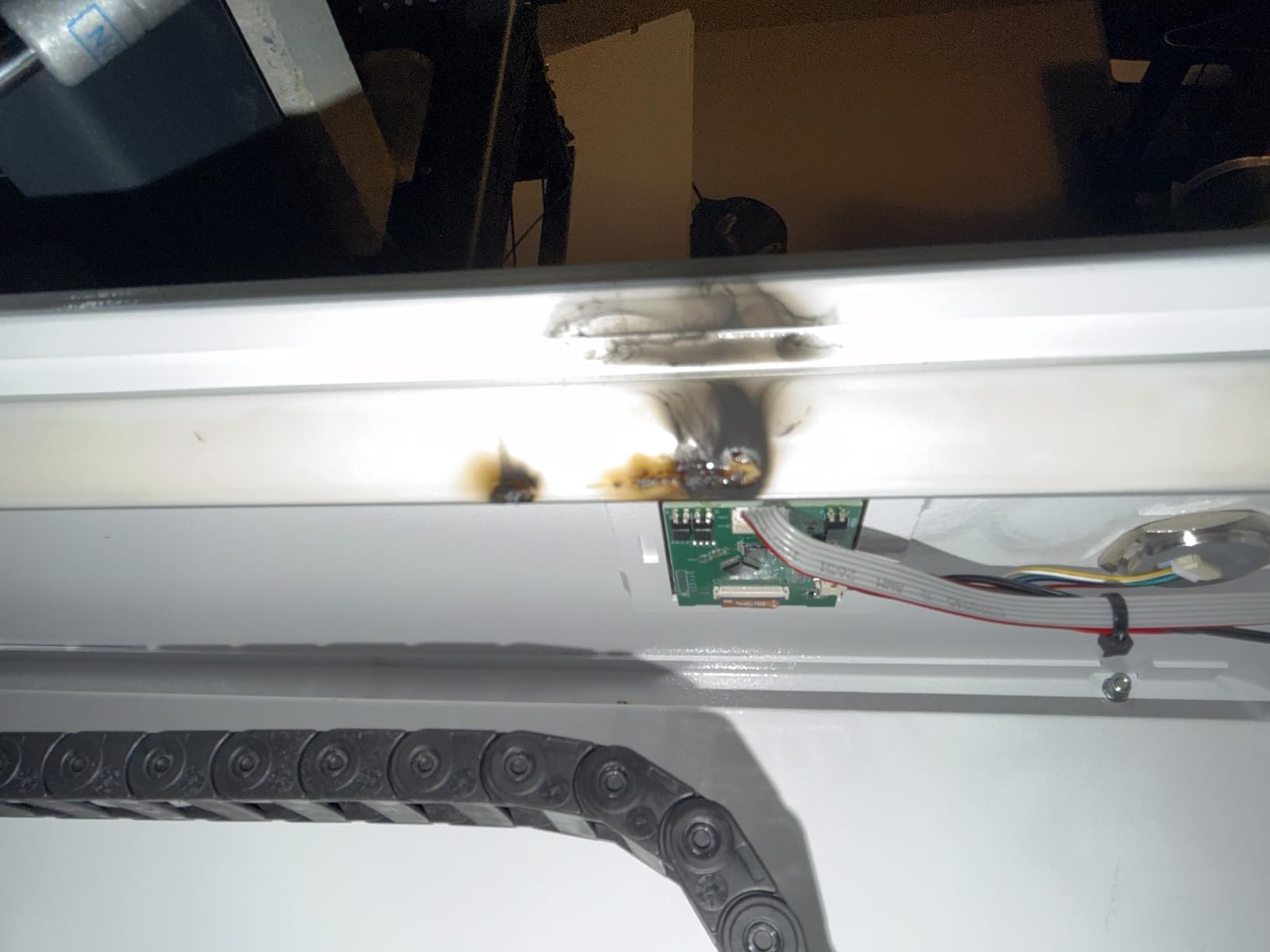
The problem is the review record, and it is the worst in this guide. Two reviews, both one star, producing a 1.0 average. The specification sheet and the user experience are telling opposite stories here, and we would not resolve that in the manufacturer’s favor without more data.
Why portability matters more than most guides admit?
For a lot of home makers, the laser is a market stall product rather than a garage product. If your income depends on showing up at a particular venue, a 90 pound machine that fits in one car is worth more than a 250 pound machine with a wider bed you can never transport.
The pass-through doors also let you run long strips, which suits cutting blanks for jewelry, keychains and bookmark sets.
Why the rating gives us pause?
A 1.0 average is not a rounding artifact; both available reviews are at the floor. We are including this machine for the spec sheet and the support commitment, not as a recommendation.
Also note that the laser and the rotary axis arrive as separate packages, so plan for two deliveries. If portability is your priority and you want a proven ownership record, the VEVOR 45W is lighter still and carries a far better rating.
9. Monport 60W Auto Focus CO2 Laser Engraver – Best for Speed-Oriented Shops
Monport 60W Auto Focus CO2 Laser Engraver with Lighburn,16″x 24″ Laser Engraving Cutting Machine with 2 Way Pass Air Assist Digital Control Panel RDWorks,Commercial Laser Cutter
- Highest engraving speed in this roundup at 800 mm/s
- One-button autofocus from the control panel
- Ruida controller running LightBurn and RDWorks
- Enclosed aeronautical aluminum rails
- Focal distance of 2.0 inch for fine text etching
- Only 1 review so reliability is unknown
- Class 4 output means stricter safety handling
- Full unit dimensions are not published
- Low sales volume and limited support history
Speed is the headline on this one. Engraving runs to 800 mm/s and cutting to 400 mm/s, which is faster than anything else in this guide and unusually quick for a 60W gas laser at the hobby scale. Resolution goes up to 4500 dpi with a 2.0 inch focal distance for small font etching.
The 16×24 inch bed sits between the desktop and large-format tiers, and the build quality claims are good: enclosed aeronautical aluminum rails with X and Y stepper motors, a Ruida digital controller with display, and a fireproof polyester viewing window rated to a 432-488 degree melting point and over 1000 degree ignition temperature. Air assist runs through the laser head nozzle, and a safety sensor stops the job if the window cover opens.
Red dot guidance shows the laser position, marks the path and frames the project, which shortens setup for batch jobs. Software covers LightBurn, RDWorks, AutoCAD and CorelDRAW.
The catch is that this is a single-review machine. One 4-star rating cannot tell you how it holds up after six months of daily use, and the listing does not publish full unit dimensions, which makes planning a bench harder than it should be.
Why speed changes your workflow?
If you are engraving rather than cutting, throughput is the metric that pays. At 800 mm/s you can finish a large batch of tumblers or tags in a session that would otherwise take most of a weekend, and the red dot framing means less test cutting and wasted material.
The 2.0 inch focal distance is tuned for fine detail work, which suits serial numbers, instrument dials and small text on plaques.
Why we treat it as a watch-list machine?
One review is not a track record. The Class 4 output rating also means laser safety glasses and stricter enclosure discipline than the Class 2 units, which is a real consideration in a shared family home.
Ask the seller for full dimensions and the tube warranty terms before you buy, and confirm the return window in writing. If those answers are solid, the underlying machine looks well specified for the speed class it competes in.
How to Choose a CO2 Laser Cutter for a Home Workshop?
Match wattage to the thickness you actually cut
Buy the wattage your thickest common material demands, not the highest number on the page. Forty-five watts handles 10mm acrylic and 8mm wood, which covers most hobby and gift work. Fifty-five to sixty watts moves you into plywood signage and 15mm acrylic. Seventy to eighty watts is for thick hardwood, laminated stacks and production runs.
The relationship roughly scales with material thickness per watt, but air assist, focus and optics matter as much as the number. A well-tuned 60W machine will outperform a poorly focused 80W one every time.
Pick a work area you will not outgrow
Standard sheet goods are the honest benchmark. A 12×8 inch bed forces you to split 12×12 material, which wastes stock and doubles your setup time. A 12×20 inch bed covers full sheets of the common sizes, and 20×28 inch beds suit signage work with pass-through doors for long pieces.
Account for pass-through too. If you cut long strips, front and back doors matter more than raw bed area. And remember that usable area is usually a little under the advertised figure once frame clearance is counted.
Understand why CO2 beats a diode for your materials
A CO2 machine emits at 10.6 microns, which lines up with wood, acrylic, leather, fabric, paper and glass. A diode laser emits around 355 nanometers and is superb for marking, but a focused diode beam passes straight through clear acrylic and will not cut plywood in any thickness that matters for craft work.
Fiber lasers handle metal marking and are the wrong tool for wood or acrylic. For a home workshop that wants both engraving and cutting, CO2 is the do-it-all option, and it is the reason experienced owners on forums describe CO2 as the best general-purpose machine despite the higher cost.
Never cut these materials
Never cut PVC or vinyl. They release chlorine gas that damages your machine’s extraction components and is genuinely hazardous to breathe. That includes PVC-backed faux leather, vinyl table covers, and any unlabelled plastic you found in a drawer.
Also avoid polycarbonate, vinyl floor covering, any plastic containing chlorine or fluorine, and unknown blends such as ABS and ABS/PVC. Materials containing halogens are the core problem, and a plastic recycling code on the scrap does not always tell you what is inside a composite sheet. When in doubt, cut a small test off an offcut first.
Plan cooling before the machine arrives
Yes, you need a water chiller, and it is the most commonly skipped requirement. Forum questions about whether chillers are mandatory come up constantly because manufacturer pages rarely mention them. Running a 60W or higher tube continuously without chilled water measurably shortens tube life.
Two machines in this guide solve it in the box. The OMTech Maker 60W bundles a chiller with LightBurn, and the Monport MEGAS has built-in water cooling. The VEVOR 45W uses a water pump loop that owners consider adequate but basic. For everything else, plan a small chiller as a line item rather than a surprise.
Ventilation and electrical requirements
A CO2 laser needs fume extraction regardless of enclosure class. Even a Class 1 machine pushes particulates out through its exhaust port, and the guidance that circulates online is that you vent outdoors or filter through a unit rated for laser use, not a standard dust collector.
On power, budget a dedicated circuit. Machines in the 45W to 55W range generally run on a standard 110V outlet, while 60W and above often want 220V with a proper breaker for reliable operation. Confused household circuits are a common cause of brownouts and controller resets that owners misdiagnose as a bad power supply. Ask the manufacturer for the machine’s rated current before you plan the circuit.
Check the software before you fall for the hardware
LightBurn is the standard for good reason: it handles Ruida and DSP controllers, supports camera alignment, and runs on the file formats people already design in. Some machines here ship with it, including the OMTech Maker 60W, while others rely on bundled RDWorks or vendor software that may be PC-only.
The xTool P3 runs xTool Studio instead, which is a capable automation suite with smart nesting but a real relearning curve if you already know LightBurn. Decide which software ecosystem you want before choosing a machine, not after.
Count the total cost, not the sticker price
The machine is the smallest part of owning one over three years. Add a fume extraction unit and its replacement filters, a water chiller if not included, spare lenses, air nozzles and tubing, mirror and lens cleaning consumables, and electricity for the hours the compressor and extraction fan run.
On the used market, ask for tube hours, controller brand, bed and rail condition, and bellows condition before you commit. The risk buyers describe in forums is exactly this: paying for a machine with a burned-out tube or a warped bed that was never disclosed. A chiller-inclusive new machine often beats a cheaper used unit with unknown history.
Frequently Asked Questions
What is the best CO2 laser cutter for home use?
The OMTech K40+ 45W is our top pick for home workshops. It cuts 10mm acrylic and 8mm wood, works with LightBurn and LaserGRBL, weighs 81.8 pounds, and carries the largest review base in our comparison at 37 reviews averaging 4.4 stars. Owners repeatedly mention video support calls that walk them through setup.
What materials should you never cut in a CO2 laser cutter?
Never cut PVC or vinyl. They release chlorine gas that damages your machine and is hazardous to breathe. That includes PVC-backed faux leather, vinyl tablecloths and unlabelled plastics. Also avoid polycarbonate, any plastic containing chlorine or fluorine, and unknown ABS blends. Test a small offcut first when unsure.
Do CO2 laser cutters need a water chiller?
Yes, and it is the most commonly skipped requirement. Running a 60W or higher tube continuously without chilled water shortens tube life. The OMTech Maker 60W bundles a chiller with LightBurn, and the Monport MEGAS has built-in water cooling. The VEVOR 45W uses a water pump loop that owners find basic.
Do CO2 laser cutters need ventilation?
Yes. Every CO2 laser needs fume extraction, even a Class 1 enclosed unit, because smoke and particulates still exit through the exhaust port. Vent outdoors where possible, or use a unit rated for laser fumes rather than a standard dust collector. Filter replacement costs belong in your budget from day one.
Can CO2 laser cutters cut metal?
No, not bare metal. CO2 lasers cut and engrave wood, acrylic, leather, fabric, paper and glass. They can mark coated, anodized or painted metal surfaces, but cutting steel or aluminium needs a fiber laser. Engraved markings on coated tumblers and bottles are one of the most common home workshop jobs.
What electrical circuit does a CO2 laser cutter need?
Most 45W to 55W home machines run on a standard 110V outlet, while 60W and above often want 220V with a dedicated breaker. A shared household circuit can cause brownouts and controller resets that owners mistake for a bad power supply. Confirm the machine rated current with the manufacturer before planning the circuit.
Our Final Verdict for the Best CO2 Laser Cutters in 2026
The OMTech K40+ 45W is our pick for most home workshops in 2026. It handles 10mm acrylic and 8mm wood, weighs under 82 pounds, runs standard LightBurn, and has the deepest review base and the most responsive support team of anything we reviewed. For a first CO2 machine in a spare room, garage or shared studio, that combination is hard to beat.
Move up to the Orion Motor Tech 50W when you need full 12×20 sheet coverage with a Ruida controller, or to the OMTech Maker 60W when you want the chiller and LightBurn already in the box. The xTool P3 80W earns its place the day paid orders outgrow hobby work.
Two machines here, the VEVOR 80W and the OMTech Polar Lite 55W, have weak review records despite capable specifications. We would not buy either without watching the review base for a few more months, and every machine in this guide deserves the same scrutiny: read the one-star reviews, check the warranty terms in writing, and confirm the current price before you commit. Our laser printer guide for the home office covers the related desktop workflow if you want both machines on one bench.