
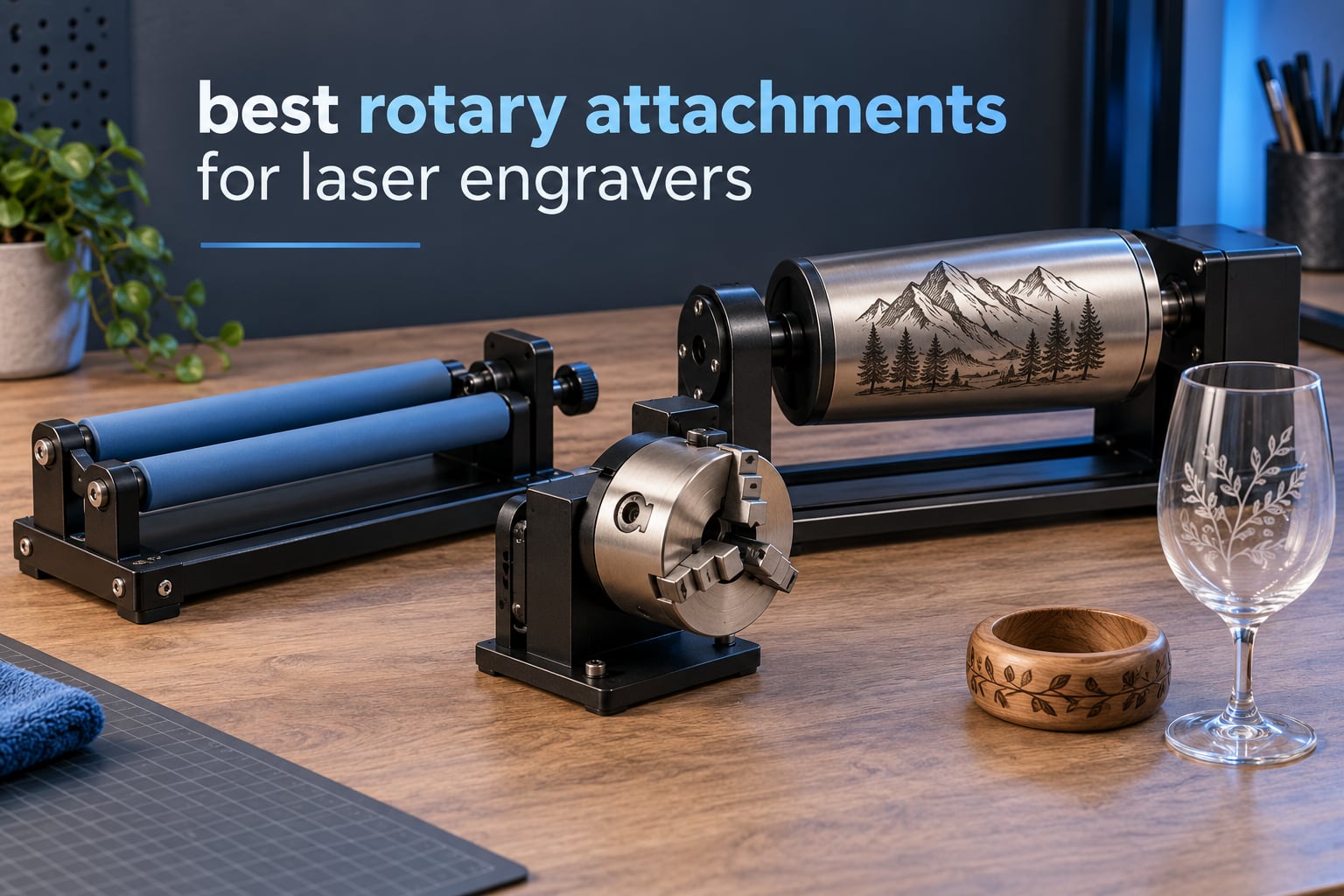
A laser engraver only ever touches the flat front of whatever you put under it, which is why curved products like tumblers, water bottles, wine glasses and stainless tumblers have historically been the one job an engraver could not take. A laser rotary attachment fixes that by adding a fourth, rotary axis: a motor-driven roller or chuck spins the workpiece under the laser head while the software unwraps your design around the full circumference. If you have been comparing options, the best rotary attachments for laser engravers below cover every fixture type and machine family we could find, from a plain friction roller to a multi-mode chuck that also handles spheres and rings.
We built this roundup around published specifications and the aggregated owner reviews attached to each product rather than claiming bench testing we cannot back up. That distinction matters here more than in most categories, because review volume is genuinely thin: the most-reviewed module in this group has 723 ratings and the least-reviewed has 42. Where owners report a specific behaviour, we say so. Where a figure comes from a manufacturer listing, we say that too.
If you have not settled on a machine yet, our diode laser engraver beginner guide and fiber laser guide for jewelry work cover the source side of the decision, because the laser you own decides which rotary fixtures you can actually use.
Table of Contents
Top 3 Best Rotary Attachments For Laser Engravers (October 2026)

Ortur Laser Rotary Roller
- 8mm to 110mm in 7 steps
- Stepper driven Y-axis
- Works with LaserGRBL and LightBurn
- 723 owner ratings

xTool RA2 Pro 4-in-1 Rotary
- Roller
- chuck
- sphere and ring modes
- 360 degrees per second rotation
- Adjustable Z-axis and chuck diameter

SCULPFUN R1 Rotary Roller
- 6-150mm range with metal booster feet
- 70A high-friction rubber shafts
- Pre-installed
- plug in the Y-axis cable
Best Rotary Attachments for Laser Engravers in 2026: Quick Overview
Every module in the table below runs on the same principle: it occupies the Y-axis slot in your engraver and spins the workpiece while the head works. The differences are in grip type, diameter range, motor and how much machine the fixture demands of you. Full verdicts follow each product in the reviews below.
| Product | Specifications | Action |
|---|---|---|
| Ortur Laser Rotary Roller |
|
Check Latest Price |
| xTool RA2 Pro 4-in-1 |
|
Check Latest Price |
 Longer Rotary Roller Series Longer Rotary Roller Series |
|
Check Latest Price |
| SCULPFUN R1 Rotary Roller |
|
Check Latest Price |
 Ortur YRC1.0 Chuck Rotary Ortur YRC1.0 Chuck Rotary |
|
Check Latest Price |
 Creality Rotary Roller Creality Rotary Roller |
|
Check Latest Price |
 Creality Rotary Roller Pro Creality Rotary Roller Pro |
|
Check Latest Price |
 OMTech 4-Wheel Rotary OMTech 4-Wheel Rotary |
|
Check Latest Price |
 OMTech 3-Jaw Chuck Rotary OMTech 3-Jaw Chuck Rotary |
|
Check Latest Price |
 ACMER M4 Rotary Roller ACMER M4 Rotary Roller |
|
Check Latest Price |
How a Laser Rotary Attachment Works?
A rotary attachment bolts or clamps into the Y-axis position at the front of your engraver, the same slot the sliding bed normally occupies. A motor turns either a pair of rubber rollers or a chuck shaft, and the workpiece sits between them, centered on the axis of rotation. The laser head then behaves exactly as it does on a flat bed while the object turns underneath it.
The software side is what makes this work rather than smearing your design. You measure the workpiece diameter, enter a steps-per-rotation value so the controller knows exactly how many motor steps equal one full turn, set a rotary pulse or cycle pulse, and the machine drives the X axis and the rotation together so your flat artwork is projected around the cylinder at true scale. Get the diameter or the step count wrong and the wrap comes out stretched along the axis or compressed around it.
Who needs one? Anyone whose products are round: tumbler and drinkware sellers, wedding and gift shops, craft-show vendors, small engraving businesses, and makers working with glasses, bottles, pens, rings, bats or industrial tubes. Who can skip it? If nearly everything you engrave is flat and smaller than the focal field, curved-surface scanning in LightBurn handles a narrow design on a gentle curve without a rotary at all, and you keep your budget for a better lens or fume extraction.
Roller, Chuck or Multi-Mode: The Three Rotary Types Explained
The difference between a roller rotary and a chuck rotary is friction versus positive drive. A roller spins the object by gripping it between two rubber shafts, which loads in seconds and suits straight tumblers and batch drinkware. A chuck clamps the object mechanically in jaws, which centers tubes, rods, pens and precision parts far more accurately but takes longer to change between sizes. Most mistakes in this category come from buying the fixture that matches the brand logo rather than the geometry of the product you actually engrave.
Roller modules are the entry point. They are light, cheap relative to chucks, and quick to swap between pieces, but they cannot center a tapered glass, a handled mug sitting on its side, or anything with a flat face. The seven-diameter-step Ortur roller and the dual-harness Longer roller sit here, and both are honest workhorses for straight-sided cylinders.
Chuck modules clamp instead of friction-grip. The ORTUR YRC1.0, the Creality Rotary Roller Pro and the OMTech jaw kit all fall into this group, and all three hold shapes a roller would push out of alignment. The catch is jaw changes: swapping jaw sets or re-centering takes practice, and a chuck that is not concentric shows up immediately as a doubled or blurred line.
Multi-mode modules bundle several fixtures into one frame. The xTool RA2 Pro is the clearest example, combining a roller, a chuck, a sphere module and a ring stud so you can engrave a bauble or a wedding band on the same attachment that handles your tumblers. The ORTUR YRC1.0 does three of those modes, and it is the reason ring and sphere work appears in a mid-priced option at all.
The 10 Best Rotary Attachments, Reviewed
1. Ortur Laser Rotary Roller: The Best Overall Rotary Attachment for Most Engravers
- Widest ownership base in this group at 723 ratings
- 7-step diameter adjustment from 8mm to 110mm
- Cross-brand wiring via a blue and green wire swap
- Light 2.4 lb build suits hobby laser beds
- Roller grip is weak on tapered and handled items
- Fixed frame height limits tall bottles
- Non-ORTUR machines need a wire swap at the cable end
The Ortur roller is the module we recommend to most people, and the reason is ownership volume rather than headline features. With 723 ratings it carries roughly three times the review history of anything else in this roundup, which means the failure modes are well documented and the software behaviour is well trodden. It was the first item available in the Jewelry Making Engraving Machines and Tools category in our data set, and it stays there because it does not break.
Mechanically it is a straightforward friction roller with a stepper driving the shaft. Diameter adjustment runs in seven discrete steps from 8mm up to 110mm, so it covers a pen barrel at the low end and a large tumbler at the high end without any accessory purchase. At 2.4 pounds and 5.08 by 7.24 by 3.19 inches it is genuinely portable, which matters if your engraver lives on a shared bench.
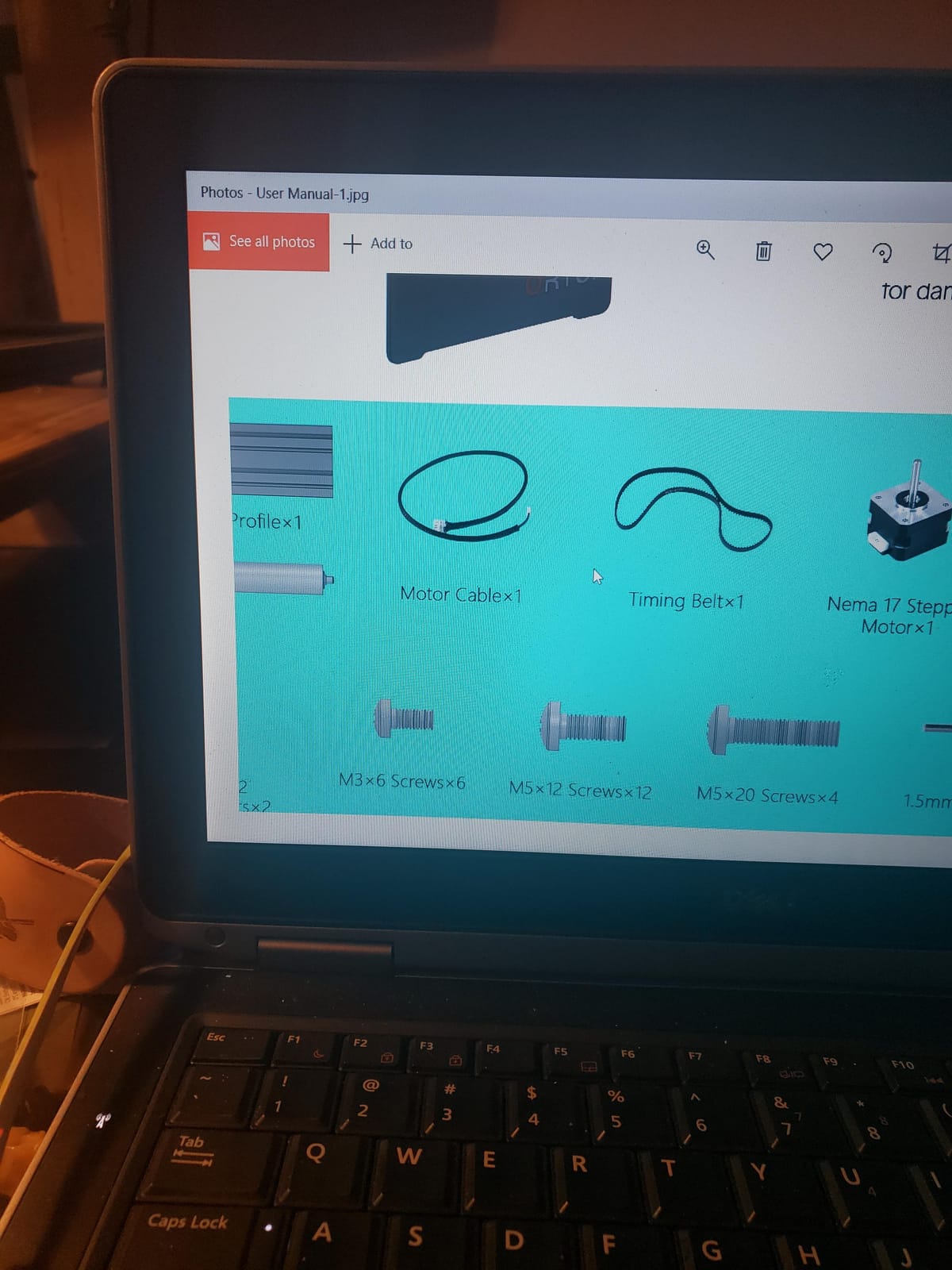
Cross-brand use is the underrated part. The Y-axis cable works as supplied with LaserGRBL and LightBurn, and buyers moving from an ORTUR machine to another brand report swapping the blue and green wires at the cable end gets it recognised. The software runs on Windows, macOS and Linux, so the same setup carries across a machine change.
What you give up is grip on anything that is not a clean cylinder. Owners report that tapered shapes and handled drinkware sit unevenly between the shafts, and the fixed frame height becomes the constraint once you try a tall bottle. Those are real limits rather than defects, but they are the reason the roller is not our pick for wine glasses.
Who the Ortur Roller Suits?
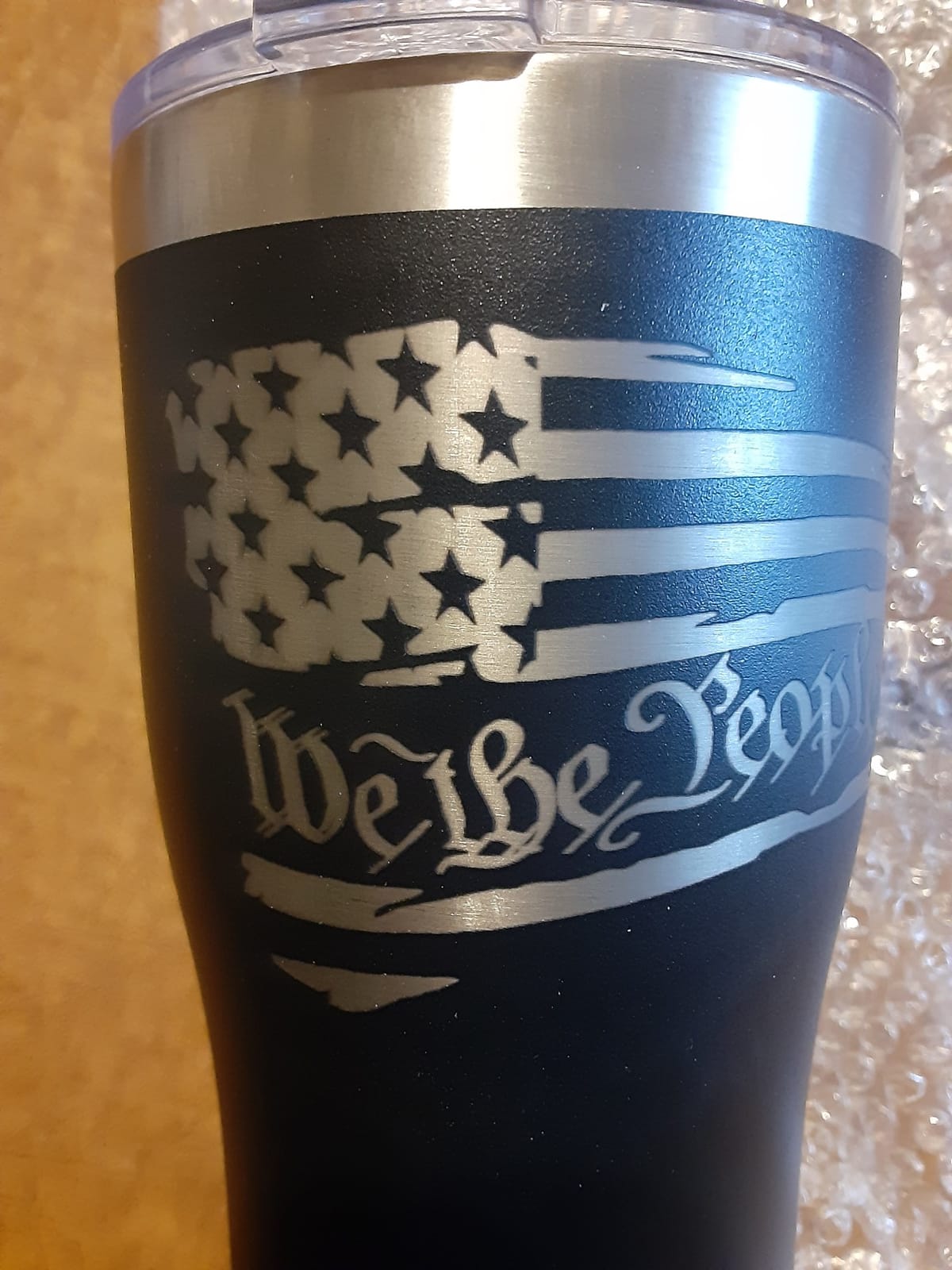
Straight-sided drinkware is the sweet spot: stainless tumblers, water bottles, cans, pipes, wooden bowls and anything with an even cylindrical wall. If you are producing in batches and reloading constantly, a friction roller is faster than any chuck in this group because there is no jaw to re-center.
It is also the safest first rotary for a beginner. No assembly, no riser to source separately, and a diameter range wide enough that you will not outgrow it in your first year. If you are still choosing a machine, our hobby laser engraver guide covers the bed sizes that pair well with a roller of this size.
Who Should Skip the Ortur Roller?
Skip it if your core product is tapered glassware, handled mugs engraved on the body, or long items taller than the fixed frame. A chuck or multi-mode module handles those with fewer failed attempts.
Skip it if you need the highest possible concentricity on round stock, such as thin-walled tubes where a wobble shows as a doubled line. The four-wheel and three-jaw OMTech modules exist for exactly that reason.
2. xTool RA2 Pro: The Best Multi-Mode Rotary for One Machine Family
- Carries the highest average rating in this group at 4.6
- Four fixture modes in one attachment
- Chuck holds tumblers mugs rings and balls
- Pre-assembled modular setup
- Adjustable Z-axis and chuck diameter
- Requires a separate xTool riser to mount
- Default jaw height is low for handled mugs and tall tumblers
- Highest cost of the hobby-class modules
- Chuck can slip slightly under load
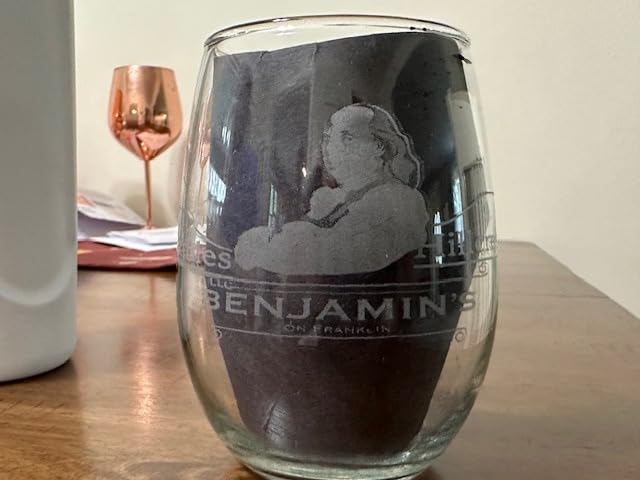
The RA2 Pro is the most capable attachment in this group and the highest rated, sitting at 4.6 stars across 396 ratings. Where a roller gives you one fixture, this gives you four: a roller, a chuck, a sphere module and a ring stud, all on the same anodized aluminum alloy frame. That is why owners in r/Laserengraving repeatedly single it out as the four-in-one to beat when they want tumblers, rings and spheres from one box.
Speed and precision are the headline specifications. Maximum rotational speed is 360 degrees per second with a minimum of 36, and the stepper motor holds a 0.45-degree minimum angle, which is what keeps a full-wrap design from stair-stepping around the circumference. The chuck diameter and the Z-axis both adjust, so one setup covers mixed batch sizes without a rebuild.
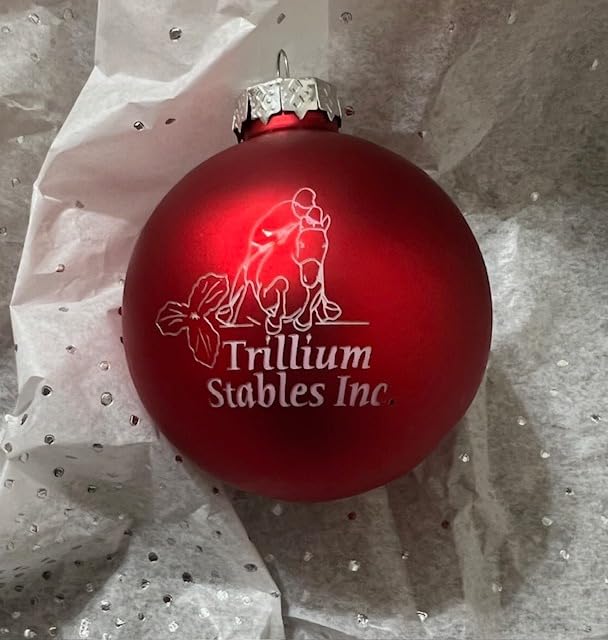
The catch everyone mentions is mounting height. The module needs the matching xTool riser to sit at the correct Z height, and the default jaw height is too low for some handled mugs and large tumblers until you raise the Z-axis. Buyers also report a small amount of chuck slip under load and adjustment ranges that feel tighter than the specification sheet suggests.
Setup is close to plug-and-play rather than a build. The unit arrives as pre-assembled modules, and owners put the whole thing together in roughly half an hour. If you own an xTool S1, F1, F1 Ultra, P2, D1 Pro or M1 Ultra, pairing is seamless; outside that family you are relying on Laserbox Basic, LaserGRBL or LightBurn.
Who the xTool RA2 Pro Suits?
It fits makers whose catalogue spans shapes: a gift shop doing tumblers in the morning and engraved rings or baubles in the afternoon gets four fixtures from one purchase. Ring and sphere modes are the differentiator, because most rollers in this roundup cannot center either.
It also suits anyone who wants the shortest path to a working full-wrap job and will buy the riser. Our large-format engraver guide covers bed sizes if you need to run bigger stock alongside the rotary.
Who Should Skip the xTool RA2 Pro?
Skip it if you do not own an xTool and are not willing to confirm your controller and connector work with it, because the risk concentrates at install time. Skip it if you are on a strict budget and only engrave straight-sided tumblers, where a roller does the same job.
Skip it if your products are consistently larger than the chuck range or need tail support, because a heavier four-wheel unit will serve you better. Also expect to raise the Z-axis before a handled mug design will rotate cleanly.
3. Longer Rotary Roller Series: The Best Roller When Connector Fit Is Uncertain
- Dual wiring harness removes connector guesswork
- Adjustable height handles small trinkets and tall vases
- Mounting bracket included in the box
- Strong category sales rank among hobby laser owners
- Good value at the budget end of the roller class
- Roller-only grip leaves tapered items uneven
- Some machines need the alternate wiring head first
- Generic instructions and a LightBurn setup learning curve
The Longer roller exists to solve one problem well: you do not know what connector your engraver wants. Two wiring harnesses are included, a white connector for the Longer RAY5, the Laser B1 series and roughly 80 percent of engravers on the market, and a black connector for the remainder. That removes the guesswork and the manual wire swapping that other cross-brand modules require.
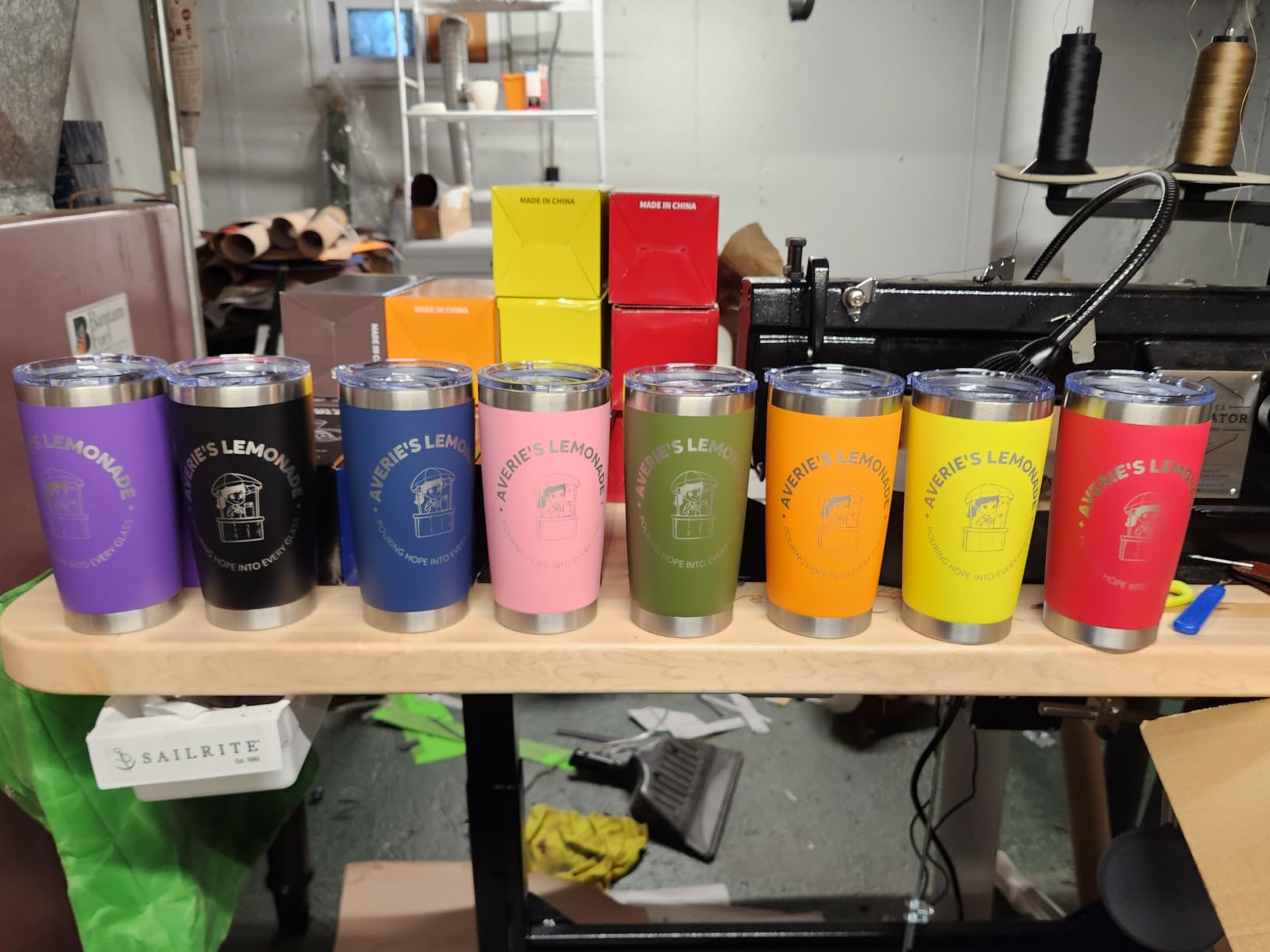
It also sits at 4.4 stars with 222 ratings and ranks strongly inside Jewelry Making Engraving Machines and Tools, which tells you hobby laser owners are buying it in volume. The 360-degree auto-rotating roller handles irregular cylinders including wine glasses and mugs, and the adjustable height range covers both small trinkets and tall vases, which is more than most fixed-height rollers can claim.
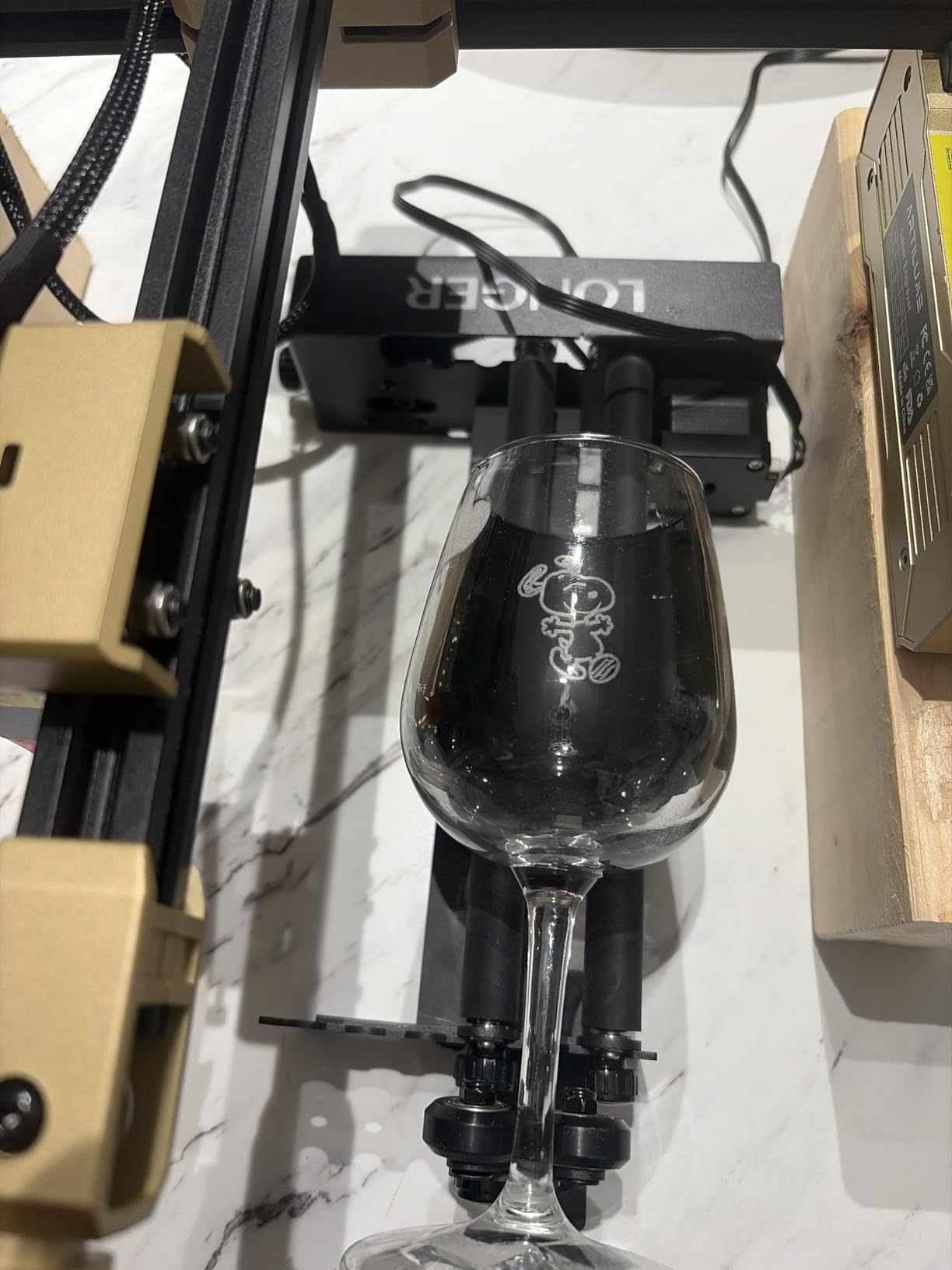
The bracket is in the box, so there is no separate mount to source. At 3.14 pounds and 13.58 by 9.84 by 4.13 inches it is compact enough for a hobby bench, and it works with both LaserGRBL and LightBurn.
The limitation is the same one every roller shares. Because it grips by friction, tapered or handled items sit unevenly and the engraving inherits that unevenness. A minority of buyers also find the machine does not detect the module until they fit the alternate wiring head, and the written instructions are thin enough that LightBurn setup takes trial and error.
Who the Longer Roller Suits?
It fits first-time buyers who own an unfamiliar machine and want the connector question resolved before they start. If you have already had a wire-swap troubleshooting session on another brand rotary, this is the module that skips that step.
It also suits anyone alternating between short pens and taller bottles, because the adjustable height is doing work that fixed frames cannot. For leather and wood projects on a flat bed, the leather crafting engraver guide covers the other half of a small workshop setup.
Who Should Skip the Longer Roller?
Skip it if you need precision centering on rods, tubes or rings, because a friction roller will not hold a non-cylindrical item centered. Skip it if you want documentation you can follow, because the setup guidance is generic and owners report working it out themselves.
Skip it if you engrave products with permanent handles or a taper as your main line, because you will fight the leveling on every job. A multi-mode chuck removes that fight.
4. SCULPFUN R1: The Best Value Roller for the Widest Diameter Spread
- Metal booster feet give a 6-150mm range beyond plastic-foot rivals
- Arrives pre-installed so setup is just the Y-axis cable
- 70A high-friction rubber shafts hold artwork at true scale
- Hand-knob shaft adjustment is faster than multi-hole fixing
- 4.5 stars across 221 ratings
- Limited height adjustment for tapered tumblers
- Thin LightBurn documentation and weak support responses
- Booster foot screws must be removed and retightened when swapping
The SCULPFUN R1 is the roller we would pick on value, and the reasoning is the booster feet. Four 150mm metal feet lift the shafts clear of the bed and extend the engraving diameter range from 6mm all the way to 150mm, which is a wider spread than plastic-foot rollers in the same class manage. That single design choice is why it holds a 4.5 average across 221 ratings.
Everything else about it removes friction from setup. It ships pre-installed, so unboxing and plugging in the Y-axis cable is the whole install. The sliding shaft adjustment uses a hand knob rather than multi-hole fixing, so changing diameter takes seconds between jobs, and the 70A high-friction rubber shafts are grippy enough that owners report artwork holding at true scale without slippage.
It works with LightBurn and LaserGRBL on Windows and Mac with no parameter setup, and it is listed as compatible with the SCULPFUN S6 Pro, S9, S10 and S30 series, the SF-A9 40W, and roughly 95 percent of engravers. That compatibility claim is the manufacturer’s, so confirm your model before you commit.
The weakness is height. There is no multi-level height adjustment, so tapered or non-uniform tumblers need a homemade adapter to stay level, and that is the single most common complaint owners raise. Owners also report thin LightBurn documentation and support responses that did not help, and note that the rubber roller diameter can clip larger cylinders where the supports sit.
One practical annoyance comes with the booster feet themselves: their screws have to come out and go back in each time you swap the module between machines. If you move between a bench engraver and a portable unit daily, count that friction before you buy.
Who the SCULPFUN R1 Suits?
It fits makers whose products span from pens to wide-bodied cans and who want that span from one module. The 6-150mm range covers the widest mix of straight cylinders in the roller class, and the knob adjustment makes batch runs quick.
It also suits anyone who dreads a build. Pre-installed means no assembly, no calibration jig and no missing hardware, which is why first-time buyers gravitate to it.
Who Should Skip the SCULPFUN R1?
Skip it if tapered tumblers or conical glassware are a regular product, because the height limitation shows up as a wobble you cannot tune out. Skip it if you switch machines often, since the booster foot screws are a recurring step.
Skip it if support quality matters to your business. Owners report unhelpful responses, and a thin instruction set means you will be looking for setup help elsewhere.
5. Ortur YRC1.0: The Best Chuck for Small Diameters and Rings
- Chuck
- ring and sphere modes in one frame
- Very wide 1mm to 120mm chuck range
- Holds 360 degrees per second with stable rotation
- Works with all ORTUR engravers plus most other brands
- Light 1.69 kg aluminum body is easy to reposition
- Jaw changes need practice and setup beats a roller
- Not the cheapest route into a chuck module
- Ring and sphere studs are small and easy to misplace
The YRC1.0 is the ORTUR-priced middle ground between a plain roller and a premium smart rotary, and its distinguishing number is the chuck range. It grips from 1mm to 120mm, which means a pen barrel at one end and a large tumbler at the other without changing fixtures, and owners cite that range most often as the reason to buy it.
It is also genuinely multi-mode. The all-in-one frame carries chuck, ring and sphere capability, with a sphere range of 25-150mm and a ring range of 11-100mm, and it runs up to 360 degrees per second with 180-degree angle adjustment. Jaws can be assembled on different holes, so the same chuck adapts to workpiece size rather than forcing one fixed opening.
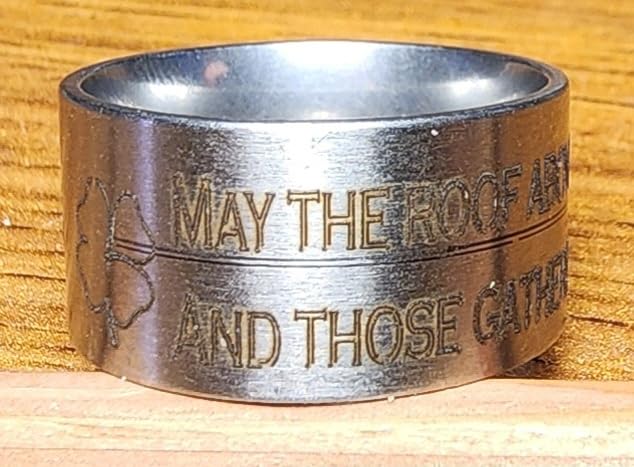
At 1.69 kg in an aluminum build it is light enough to move between machines, which separates it from the heavier shop kits further down this list. Installation is four steps, and the chuck key or spanner is included. Compatibility covers all ORTUR engravers plus most other brands through Laser Explorer, LaserGRBL or LightBurn on Windows, Mac and Linux.
The cost of the chuck approach is muscle memory. Owners report that swapping and aligning jaws takes practice, and that the ring and sphere studs are small add-ons easy to misplace in a drawer. If your workflow is one straight cylinder after another, a roller is faster every day.
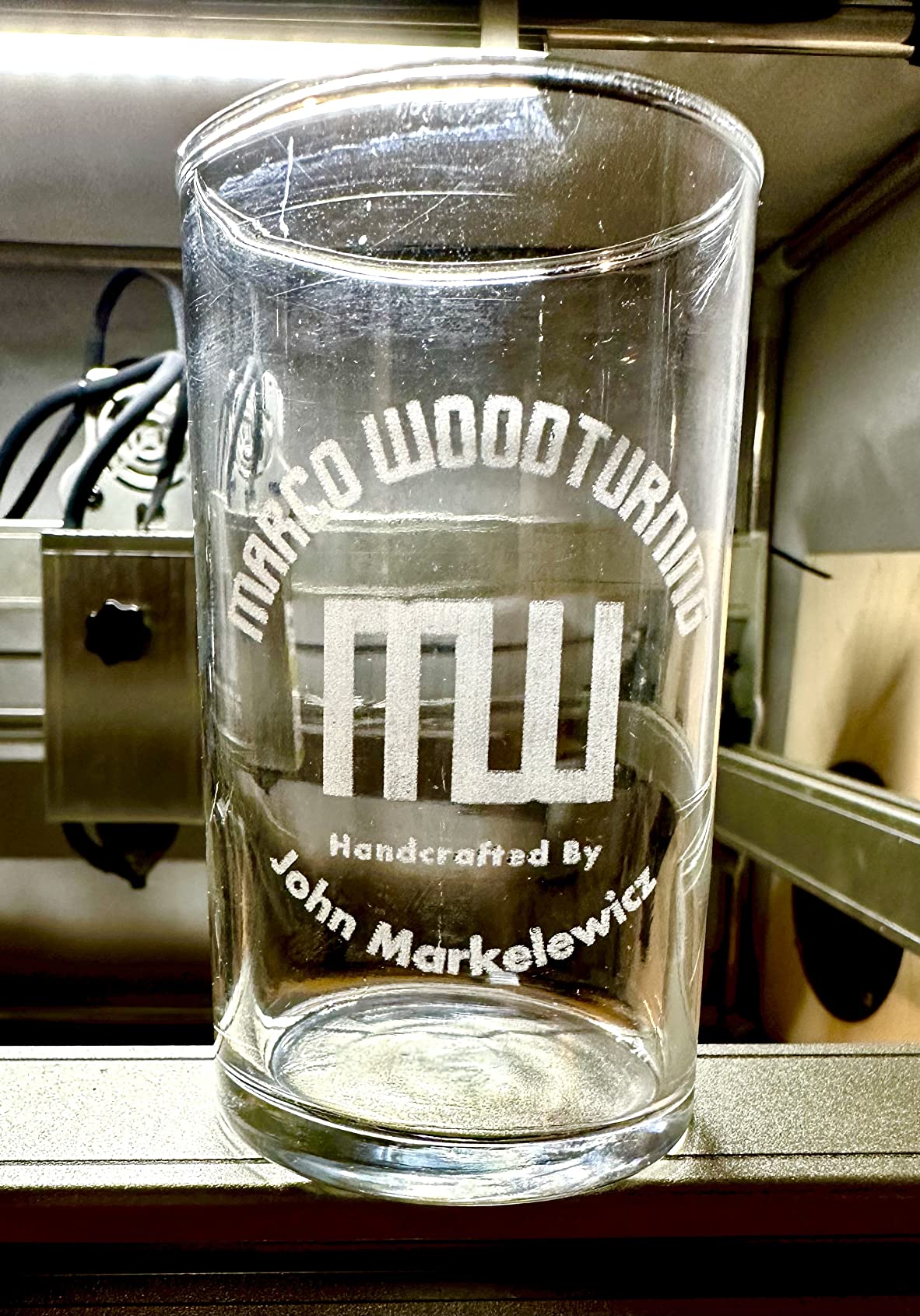
Who the YRC1.0 Suits?
It fits engravers whose catalogue includes thin items: pens, markers, ring stock and narrow bottles are exactly what a 1mm minimum chuck opening is for. Adding rings and spheres in the same frame means you can expand from tumblers into jewelry without a second purchase.
It also suits shops that move the module between machines, since at 1.69 kg it is one of the lighter multi-mode units available.
Who Should Skip the YRC1.0?
Skip it if you engrave heavy, out-of-round stock where a three-jaw chuck with a tailstock is needed to stop the workpiece wobbling under load. Skip it if you run high volume of identical straight tumblers, because re-centering jaws is wasted motion in that workflow.
Skip it if you lose small parts easily, because the ring and sphere studs are the size of a coin and go missing.
6. Creality Rotary Roller: The Best Budget Roller for Conical Items
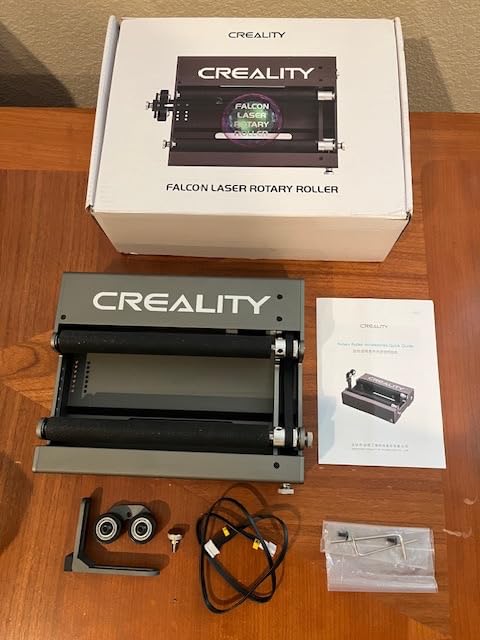
Creality Laser Rotary Roller for Engraving Curved Surface Objects
- Seven gear levels give a 5-120mm range
- Adjustable support module handles irregular and conical items
- 24-month manufacturer guarantee exceeds most rivals
- Works with LaserGRBL and LightBurn
- Metal and plastic build from an established maker
- Firmware parameter 101 must be edited before and after use
- Compatibility listed for Creality engravers so cross-brand fit is unconfirmed
- Heavy 7.9 kg package is awkward to store
- Average rating of 4.3 with the smallest star share
The Creality roller earns its place on two details: seven gear levels covering 5mm to 120mm, and an adjustable support module that handles irregular cylinders such as yeti cups, wine glasses and bottles. That support module is the reason it appears in a roller category where most competitors simply tell you tapered shapes will not sit level.
The guarantee is a genuine differentiator too. A 24-month Creality quality guarantee is longer than most competitors in this class offer, and the build is metal and plastic from a company with an established device business. It runs with LaserGRBL and LightBurn, and it holds 4.3 stars across 90 ratings with most of the feedback positive on range and support.
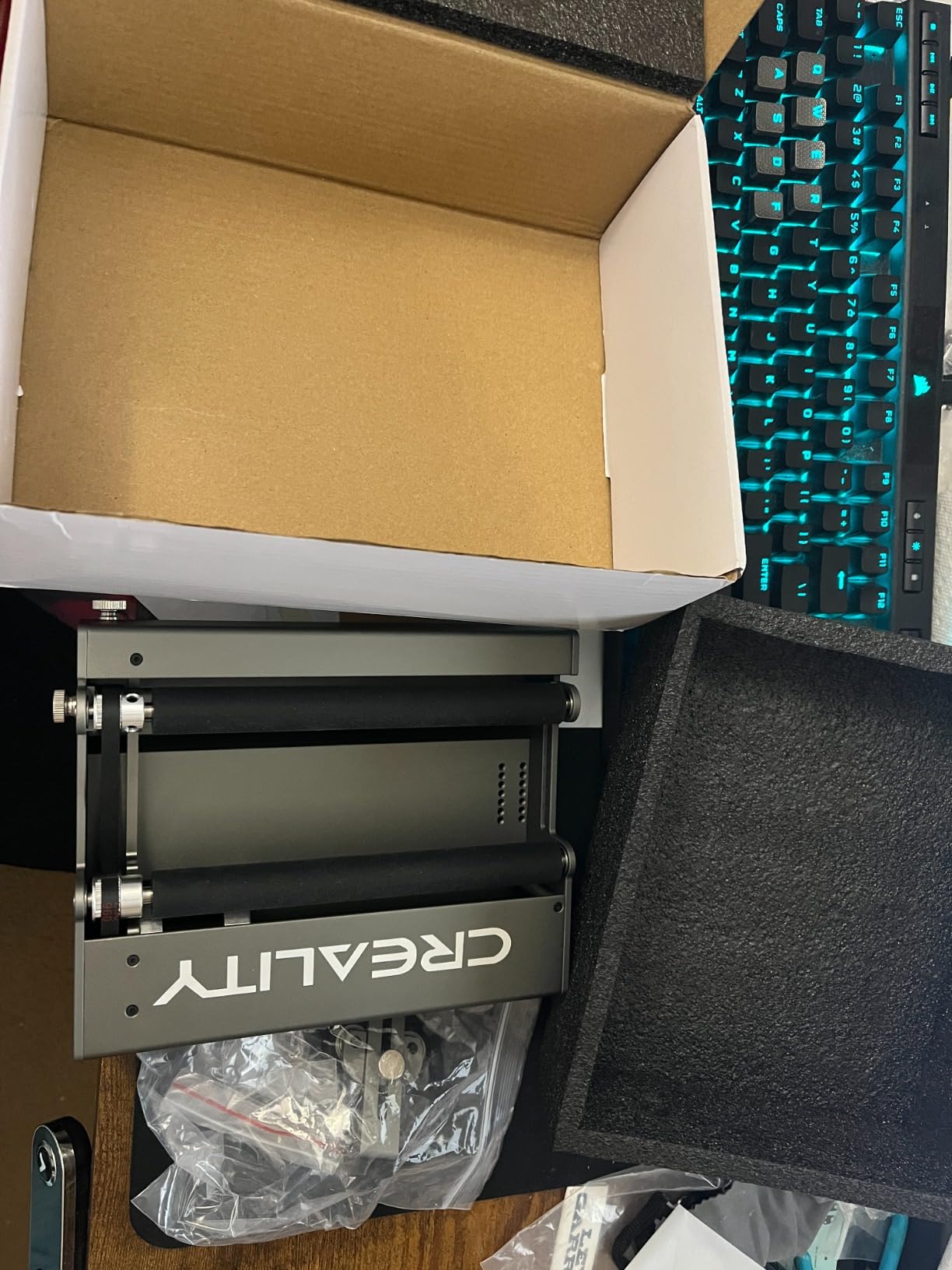
The catch is firmware, and it is the one that catches people out. Before you use the module you set firmware parameter 101 to 60.375, and you set it back to 80 afterwards. Owners who read the manual in advance rate this as no problem; owners who discover it mid-project rate it as the reason the module will not spin.
Two more cautions. Listed compatibility is with Creality laser engravers, so cross-brand fit is not guaranteed the way it is for modules advertising a universal harness, and at 7.9 kg the package is heavy to store and reposition compared with the 2.4 and 3.14 pound rollers in this roundup.
Who the Creality Rotary Roller Suits?
It fits owners of a Creality engraver who work on tapered drinkware. The adjustable support is the deciding feature, because a yeti cup or a wine glass will sit level here in a way it will not on a fixed-height roller.
It also suits buyers who value a long guarantee more than a lightweight package, and who are comfortable with one firmware change to gain a wider 5-120mm range than a basic seven-step roller offers.
Who Should Skip the Creality Rotary Roller?
Skip it if you do not own a Creality machine, because the cross-brand path is not documented the way it is for a dual-harness roller. Skip it if firmware edits sound risky, because the parameter change is required every time you switch between rotary and normal bed work.
Skip it if you need to move the module frequently, since 7.9 kg is more than triple the weight of the smaller rollers here.
7. Creality Rotary Roller Pro: The Best Chuck Kit for Irregular Shapes
- Trapezoidal
- L-shaped and hexagonal jaws cover shapes one chuck cannot
- Anti-slip soft pads grip while protecting glass and delicate items
- No assembly required
- Works with Creality Falcon series and most other engravers
- True jaw chuck at a mid-tier cost
- Mounting risers are not included and must be sourced separately
- Some buyers report early failure and hard warranty service
- Software setup takes getting used to
- PH2.0-6P port should be checked for non-Creality machines
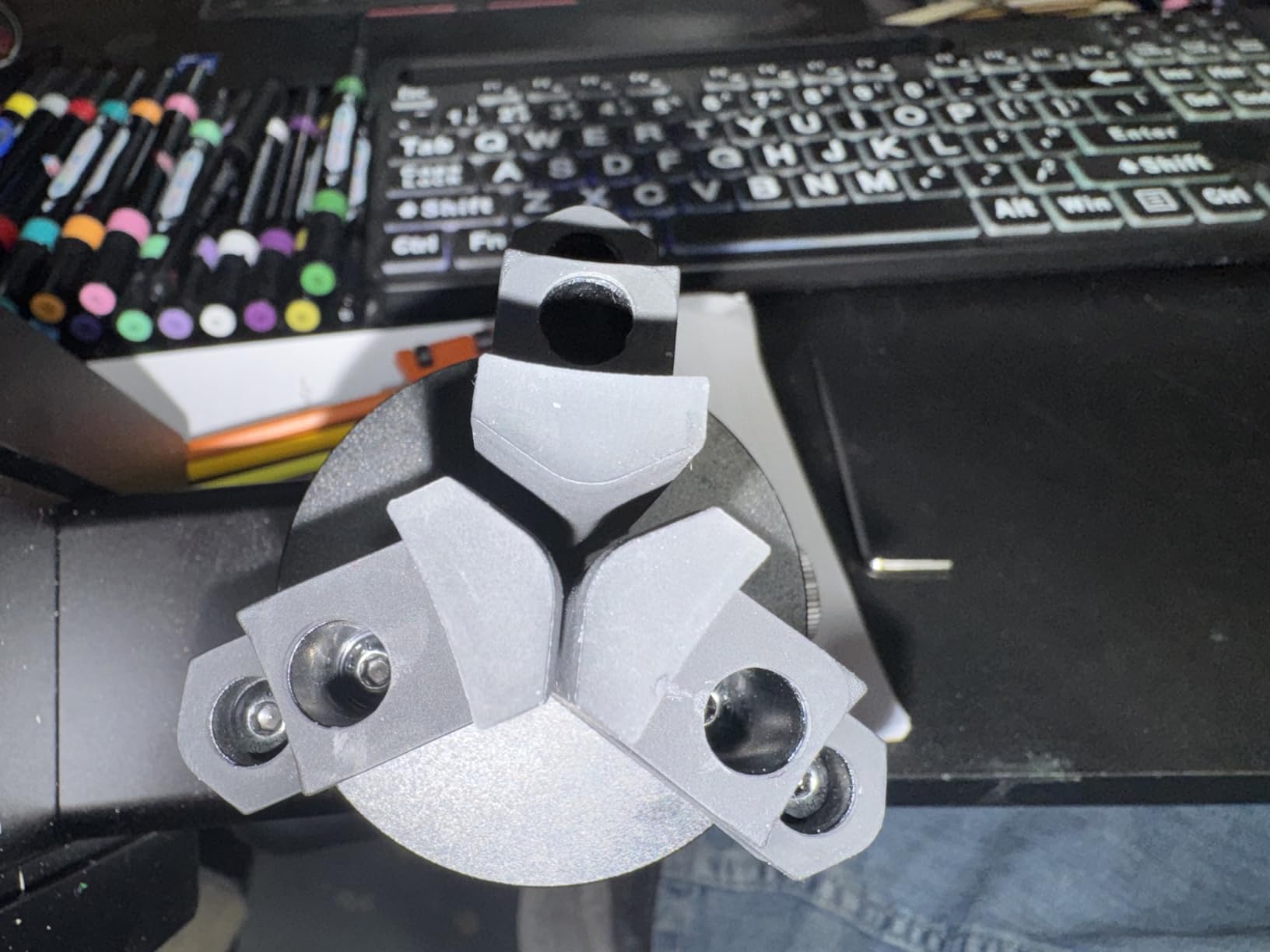
The Rotary Roller Pro answers a question the single-jaw chuck cannot: what do you do with a mug handle, a hexagonal bar or a tapered tumbler? Its 3-in-1 gripper set includes trapezoidal, L-shaped and hexagonal jaws, and owners say that swap is what lets it hold items a plain three-jaw chuck would wobble on. It holds 4.3 stars across 53 ratings, with most feedback positive on versatility and grip.
The stated ranges are unusually specific. Cylinders and cans cover 1-110mm, shaped items such as handled mugs 25-75mm, spheres 10-130mm, and rings and bracelets 15-100mm. That listing is unusual in a category where most modules publish only a diameter maximum, and it is genuinely useful when you are checking whether your product fits before you buy.
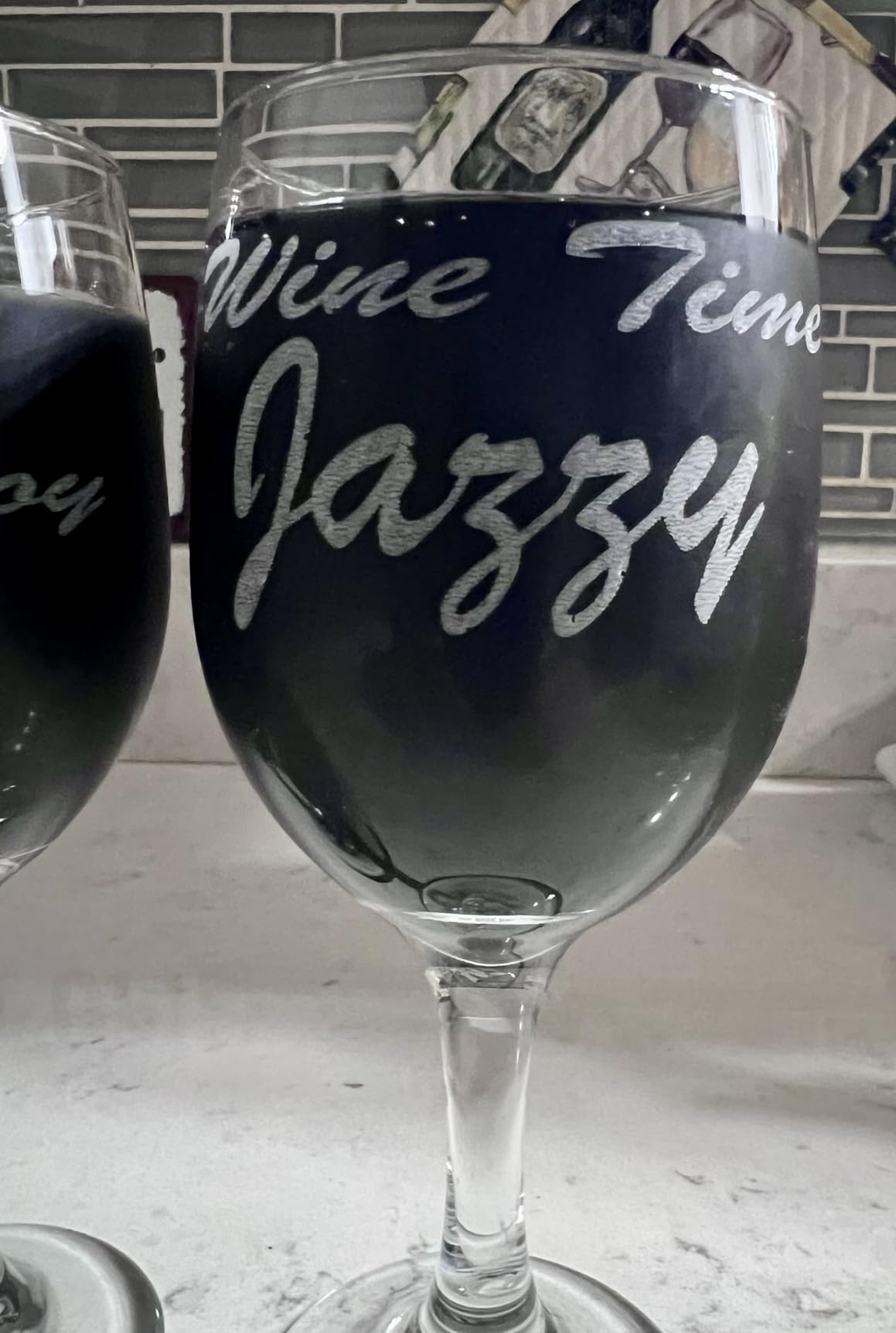
Grip itself is handled by anti-slip soft pads that increase friction while protecting fragile items, and owners specifically single out glass staying put. There is no assembly, and the connection is a PH2.0-6P six-pin interface listed as working with the Creality Falcon series and roughly 95 percent of laser engravers on the market.
Two things to plan for. The mounting risers are not included, so the module is unusable in the laser until you source them separately, and a small number of buyers report the unit failing within weeks and difficulty getting warranty service. If you are not on a Creality machine, confirm the PH2.0-6P port before ordering.
Who the Creality Rotary Roller Pro Suits?
It fits engravers whose work includes handled mugs, glassware and bar stock, which are the shapes a friction roller cannot hold. Three jaw shapes also mean one attachment covers cylinders, spheres and rings without buying separate studs.
It also suits glass and delicate work, because the soft pads grip without marking the piece. New users should budget a session with the software, since several owners mention a learning curve in setup.
Who Should Skip the Creality Rotary Roller Pro?
Skip it if you want a box that works out of the package, because you are sourcing risers separately regardless of machine. Skip it if you need long workpiece support with tail support, because there is no tailstock here.
Skip it if your machine does not use a PH2.0-6P connection, and if warranty service matters to you more than jaw versatility, given the reports of early failure and slow responses.
8. OMTech 4-Wheel Rotary: The Best Rotary for Long Workpieces on a 50W CO2
- Four-wheel drive grips irregular stock better than two-roller designs
- Handles objects 2-14 inches long and 0.4-6 inches in diameter
- Nema 23 two-phase stepper gives industrial torque
- Tailstock keeps long workpieces stable and quiet
- Installs with a single 4-wire cable
- Lowest average rating in the group at 4.1 with a 13 percent one-star share
- Requires a 50W or higher CO2 laser which rules out most diode machines
- Large industrial format rather than a compact bed accessory
- Four-wheel contact must stay even or cylinders wobble
This is the CO2-focused industrial pick, and it solves a capacity problem the hobby rollers cannot. The working envelope covers round and irregular objects 2 to 14 inches long and 0.4 to 6 inches in diameter, with up to 12 inches between the drive wheels, so a length of timber, a pipe section or a large blank is within reach rather than needing two jobs.
Four-wheel drive is the technical difference. Two driven wheels contact the cylinder at two points; four spread the load and grip irregular stock better. The Nema 23 two-phase stepper supplies the torque for heavy workpieces, and a precision-engineered tailstock keeps long pieces stable during rotation with low noise.
Installation is a single 4-wire attachment cable into the dedicated rotary port plus a software configuration, so there is no build step. It suits 50W, 60W, 80W, 100W and 130W CO2 laser engravers, and the frame measures 19.3 by 6 by 9.1 inches.
Its rating is the lowest in this roundup at 4.1, and the one-star share is what pulls it down. The complaints are structural rather than quality failures: the 50W-plus CO2 requirement rules out most diode machines outright, the format is bulky rather than a compact bed accessory, and the four wheels must all make even contact or a cylinder will wobble through the cut.
Who the OMTech 4-Wheel Rotary Suits?
It fits a 50W-or-higher CO2 shop engraving long items: bats, timber, pipe, dowel stock and oversized blanks are the workloads that break a small roller. Four-wheel contact also helps on hex stock and other non-round material.
It suits operators who care more about rigidity at the cut than about a compact footprint, and who have the bench space for a 19-inch frame.
Who Should Skip the OMTech 4-Wheel Rotary?
Skip it if you own a diode laser, because it is listed for 50W and higher CO2 platforms only. Skip it if your work is drinkware-sized, since the capacity here is wasted on a tumbler.
Skip it if you want something you can lift between machines without thinking about it, and expect to spend time adjusting all four wheels to keep contact even on every new diameter.
9. OMTech 3-Jaw Chuck Rotary Axis: The Best Rotary for CO2 Shops Needing Centering
OMTech Rotary Axis Attachment with 3-Jaw Chuck for CO2 Laser Engravers
- Three-jaw chuck centers round stock far more accurately than friction rollers
- Iron and aluminum alloy body with corrosion-proof coating
- Quiet smooth rotation from the 2-phase stepper
- Backed by OMTech warranty and support
- Four-wire install to a dedicated rotary port
- Restricted to 50W-plus CO2 platforms and not for diode or fiber machines as listed
- 9 kg weight and 22.8 inch frame need a sturdy dedicated bench
- Highest cost in this selection
- Chuck jaws need regular cleaning to stay concentric
The OMTech 3-Jaw Chuck is the choice when centering accuracy matters more than load speed. Owners gravitate to it because a three-jaw chuck centers cylinders far more accurately than any friction roller in this roundup, and that accuracy is what keeps a fine line from doubling on a round or tapered part. It holds 4.4 stars across 42 ratings.
Durability is the second argument. The body is iron and aluminum alloy with a corrosion-proof coating, which is what a shop floor with wood dust and resin needs, and the 2-phase stepper with a precision tailstock gives smooth, low-noise rotation. Installation is the included 4-wire attachment cable to the dedicated rotary port plus software configuration.
It suits 50W, 60W, 80W, 100W and 130W CO2 laser engravers. The frame measures 22.8 by 5.9 by 7.1 inches and the unit weighs 9 kg, so it is a bench fixture rather than something you lift casually.
Two honest constraints. It is listed for 50W-plus CO2 platforms, so it does not serve a diode or fiber machine as published, and at 9 kg with a 22.8 inch frame it needs a sturdy bench or a dedicated mounting point rather than an improvised shelf.
Maintenance is the quiet requirement. Chuck jaws need regular cleaning to stay concentric once wood dust and resin build up, and skipping that is how a jaw chuck starts producing off-round work that gets blamed on the rotary settings.
Who the OMTech 3-Jaw Chuck Suits?
It fits a production CO2 shop running round stock daily where concentricity drives repeatability across a batch. If the same job has to come out identical on the twentieth piece as on the first, positive drive beats friction every time.
It also suits operators engraving wood, bamboo and composite cylinders where jaw centering keeps a fine design from wandering off-round mid-cut.
Who Should Skip the OMTech 3-Jaw Chuck?
Skip it if your machine is not a 50W-plus CO2, and skip it if you change workpiece diameter constantly, because re-centering jaws is slow by design. Skip it if bench space or lifting matters, since 9 kg and a 22.8 inch frame are not compact.
Skip it if you are unwilling to clean the jaws regularly. A chuck that has not been cleaned is a worse result than a well-kept roller.
10. ACMER M4: The Best Roller for the Widest Adjustable Gap and Ring Work
- 3-150mm adjustable span is the widest roller gap in this group
- Arrives fully assembled with no build or calibration step
- High-friction rubber rollers on a rigid aluminum frame cut slipping
- Works with Acmertool
- LightBurn and LaserGRBL
- Ring engraving is explicitly supported
- Roller-only design cannot center tapered or odd shapes
- 4.2 average with a 7 percent one-star share
- Fixed height makes taller tumblers harder to level
- Newer listing with a smaller review base than rivals
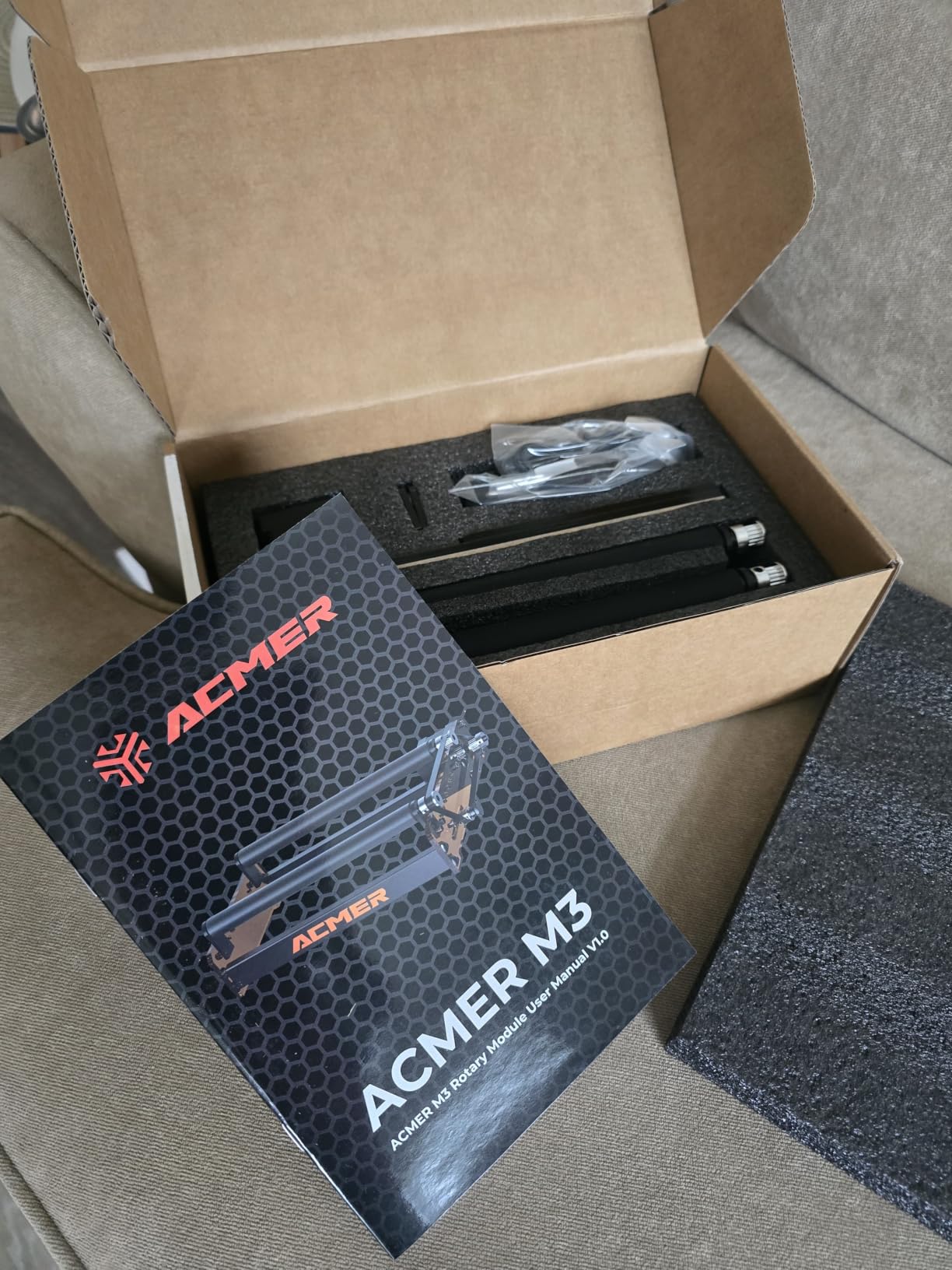
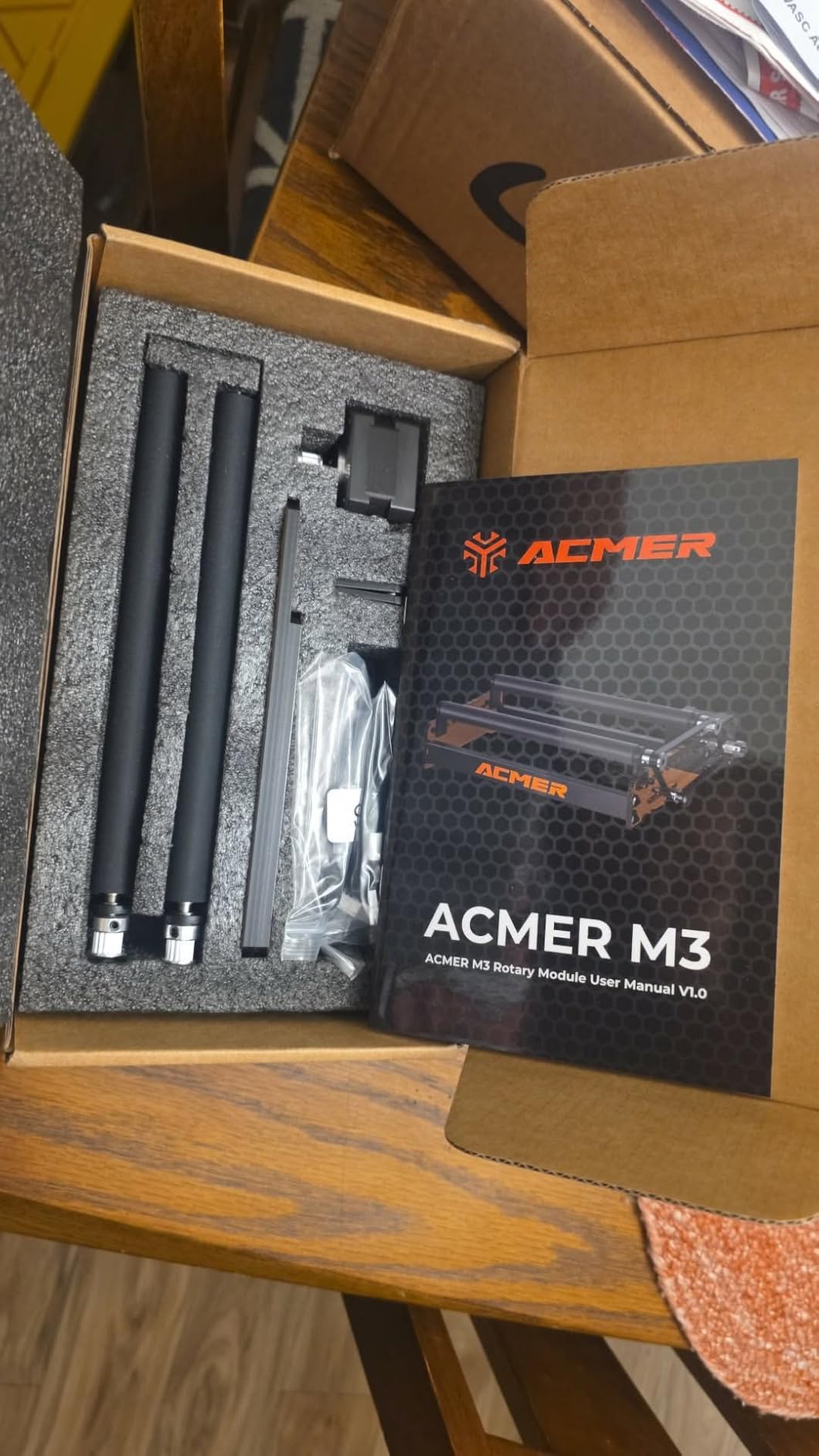
The ACMER M4 is the newest listing in this group and the answer for two specific needs. First, its adjustable engraving space spans 3mm to 150mm, which is the widest roller gap here and covers a ring at one end and a large can at the other. Second, ring engraving is explicitly supported, which several competing rollers cannot do at all.
It is also the least work to install. It arrives pre-assembled as a plug-and-play Y-axis attachment, so there is no build step and no calibration jig. The frame is aluminum with high-friction rubber rollers, and owners credit that pairing with grip on long or heavy workpieces, which is where cheaper plastic frames flex and slip.
On the software side it works with Acmertool, LightBurn and LaserGRBL, so you are not locked out of the two tools most hobby laser owners use. The listing names ACMER S2, P1, P2 and P3 plus most diode laser engravers, which is a useful signal about which machines it was designed around.
The trade-off is the same one every roller carries, and it is worth stating plainly. A friction roller cannot center a tapered or oddly shaped item, the fixed height makes taller tumblers harder to level, and at 4.2 stars across 46 ratings with 7 percent one-star reviews it has the thinnest feedback base in this roundup.
Who the ACMER M4 Suits?
It fits engravers who want the broadest roller span available and do not want to assemble anything on arrival. A 3mm opening also makes it the pick here for small jewelry-scale work that a 6mm or 8mm minimum cannot reach.
It also suits makers who want ring engraving without buying a chuck module, since the listing names rings as a supported workpiece.
Who Should Skip the ACMER M4?
Skip it if you need to hold non-round items centered, because a friction roller will not do it. Skip it if your products are tall and tapered, because the fixed height fights you on leveling.
Skip it if you want a long public review history to lean on, since 46 ratings is the thinnest base here. A more established roller is the lower-risk purchase for a first setup.
How to Choose a Laser Rotary Attachment: 7 Checks Before You Buy?
Compatibility is the blocker that stops most purchases, and it is worth resolving before you think about fixtures. Work through these seven checks in order, because each one can disqualify a product that looked perfect on the listing.
Machine ecosystem and controller. Some modules are built for one brand and list compatibility explicitly; others claim to work with most engravers. Confirm the controller as well as the machine, because the software side decides whether the rotary tab appears at all.
Connector type and pinout. A four-wire attachment cable to a dedicated rotary port, a PH2.0-6P six-pin connector, a white or black harness, or a blue and green wire swap are four different arrangements. A module with the wrong connector is scrap, regardless of how good the fixture is.
Minimum and maximum diameter. Most listings advertise a maximum only. Check the minimum too, because a 6mm or 8mm floor will not hold a pen barrel or a ring, and a low minimum is often what makes a module useful across mixed products.
Workpiece length and tail support. A tailstock or long drive-wheel spacing is what keeps a 12-inch workpiece from whipping. Short rollers handle drinkware; long stock needs a different class of fixture entirely.
Z-axis height and enclosure clearance. Mounting height decides whether a handled mug can rotate without the handle hitting the frame or the laser head. Some modules need a separate riser, and that riser is a real part of the decision.
Motor type and build material. A stepper motor gives repeatable, position-aware rotation. Metal frames and ball-bearing-supported shafts resist the runout that makes fine lines double. The difference is visible in the output long before it is visible in a spec sheet.
Software and calibration support. Confirm the module appears correctly in LightBurn, LaserGRBL, RDWorks, LaserMaker or Acmertool, and check whether written setup instructions exist. A module with no documentation costs you an evening and several test cuts.
Two questions settle most of the hesitation. Do you need to engrave a full wrap, or a narrow design on a gently curved surface? If the design is narrow, curved-surface scanning in LightBurn may remove the purchase from your list. And what is the actual diameter and shape of your most common product? Answer that before the machine, not after.
For context on the machine side, our large-format engraver guide covers the bed sizes that suit long stock, and the fiber laser guide covers the setups that pair with small-diameter chucks.
Setup and Calibration in Plain English
Every rotary in this roundup follows the same six-step sequence once it is mechanically mounted. The differences are how many steps the manufacturer has pre-done for you: the SCULPFUN R1 arrives pre-installed, while a build-it-yourself roller takes closer to an hour before you reach step two.
Mount and level the fixture. Set the module on a flat surface, confirm the workpiece axis sits at the same height as the laser focal plane, and lock the carriage height. If the fixture has an adjustable support, set it now rather than mid-job.
Measure the workpiece diameter. Measure across the part you are actually holding, not the nominal size. A tumbler that measures 67mm instead of 68mm is enough to stretch the wrap visibly.
Set the rotary type in your software. Tell LightBurn or LaserGRBL that you are using a rotary attachment and which axis it occupies. Getting this wrong makes the machine treat rotation as a normal X-axis move.
Enter steps per rotation. This tells the controller how many motor steps equal one full turn of the workpiece. It depends on your motor, gear ratio and microsteps, which is why there is no universal value.
Set rotary pulse or cycle pulse. The pulse pauses the rotation briefly at the start and end of a pass so the laser has a settled surface to hit. Too short and the laser fires while the object is still moving.
Run a low-power test. Cut a simple line at reduced power, check the wrap is level and the width is even, then increase power. If the design is stretched, re-measure the diameter before touching anything else.
One warning carries more weight than any of the steps. Do not copy steps-per-rotation or cycle-pulse values from a different rotary attachment, because gear ratio and motor configuration change the correct numbers for your unit. Values that work on a four-wheel CO2 module will produce a smeared or compressed result on a small roller, and the usual reaction is to blame the machine rather than the copied setting.
What Owners Say About Rotary Attachments?
Sentiment in laser communities clusters around a small set of recurring themes, and they are worth weighing before you buy. On the LightBurn forum, the most-engaged thread on premium rotaries opens by discounting recommended products from people carrying affiliate links, which tells you exactly what kind of evidence buyers in this category want.
That thread also contains the strongest counter-argument to buying expensive hardware. A highly upvoted reply describes a rotary attachment as a fairly simple device, and a separate post calls premium units overly complicated, designed by a committee and expensive. Whether you agree depends on whether you need the anti-backlash precision. If you are engraving single tumblers, the simple answer is often correct.
On value, one owner of both an xTool diode machine with an RA2 Pro and an Ortur with the YRR roller reports the xTool chuck module as roughly double the cost but better quality, more versatile and easier to assemble, with sturdy all-metal construction and thick roller rods, and notes it comes almost fully assembled at about ten minutes against closer to an hour for the Ortur roller. That is the clearest cost-versus-time comparison we found.
On product choice, r/Laserengraving repeatedly recommends the PiBurn rotary as the best option for beginners, and that recommendation appears in no competitor roundup we reviewed. Users also favour O-ring rollers over other styles when size is the binding constraint, and Glowforge owners are repeatedly told rotary support requires an adapter, which is the kind of ecosystem caveat that decides a purchase before you spend.
Matching Your Rotary to Your Laser Source
The laser you own narrows the fixture field before price or features enter the picture. CO2, diode and fiber sources respond to different materials, and two of the modules in this roundup are explicitly restricted to 50W and higher CO2 platforms.
CO2 machines handle wood, acrylic, leather, paper and coated metals well, and the heavy four-wheel and three-jaw OMTech modules exist because that class of machine works on large stock. Diode machines in the 10W to 30W range work with the same attachments but demand lighter fixtures, which is why most of the roller modules in this roundup live in the 2 to 5 pound range.
Fiber and MOPA sources at 1064nm are the ones that reach bare metal and mark jewelry, and they pair with small-diameter chucks rather than rollers. The ORTUR YRC1.0 with its 1mm minimum and 11-100mm ring range, the Creality Rotary Roller Pro with its 15-100mm ring and bracelet range, and the ACMER M4 with ring support are the three options here that make sense for that work.
Two modules carry a hard restriction. The OMTech 4-Wheel Rotary and the OMTech 3-Jaw Chuck Rotary Axis are both listed for 50W and higher CO2 laser engravers, so neither serves a diode or fiber machine as published. Verify this against your own machine before you order either.
Frequently Asked Questions
What is a good rotary tool for engraving?
A good rotary attachment is one whose grip type matches your product. A roller module suits straight-sided tumblers and bottles, a chuck module centers pens, tubes, rods and rings, and a multi-mode unit adds sphere and ring fixtures. Match diameter range, connector and software support before features.
What is the best rotary laser?
A rotary is an attachment, not a laser, so the best unit depends on the machine. The Ortur roller leads on ownership history and diameter range, the xTool RA2 Pro covers roller, chuck, sphere and ring modes in one body, and the SCULPFUN R1 gives the widest roller span with plug-in setup.
What is the difference between a roller rotary and a chuck rotary?
A roller turns the object by friction between rubber shafts, which loads fast and suits straight cylinders. A chuck clamps the object mechanically in jaws, which centers tubes, rods, pens and precision parts more accurately but takes longer to change sizes. Most mistakes come from choosing by brand rather than product geometry.
How do I calibrate a laser rotary attachment?
Measure the actual workpiece diameter, set the rotary axis in LightBurn or LaserGRBL, enter steps per rotation for your motor and gear ratio, set rotary pulse or cycle pulse, level the workpiece, then run a low-power test cut. Never copy steps-per-rotation values from a different rotary, because ratios differ.
Why is my rotary engraving stretched or distorted?
A stretched wrap usually means the entered diameter is wrong, so re-measure the workpiece. Distortion also comes from copied steps-per-rotation values, a workpiece that is not level in the fixture, an uncentered chuck, or slippage on a friction roller under a heavy or fast job.
What are the most profitable laser engraved items?
The highest-margin laser engraved products are drinkware and gift items: stainless tumblers, water bottles, wine glasses, wooden boards and cutting boards, plus jewelry rings, pendants and bracelets. A rotary is what makes the cylindrical items in that list possible at all.
Which Rotary Should You Buy?
Start from your product, not the brand. If your most common job is a straight-sided tumbler, take the Ortur Laser Rotary Roller as our editor’s choice: 723 ratings, seven diameter steps from 8mm to 110mm, and the deepest support history in the category. If you need the widest roller span and a zero-install setup, the SCULPFUN R1 covers 6-150mm out of the box. If you need rings, spheres and handled mugs, the xTool RA2 Pro covers four fixture modes in one body.
Match the fixture to the geometry. Tapered glassware and conical drinkware point to the Creality Rotary Roller with its adjustable support module. Pens, thin stock and jewelry point to the Ortur YRC1.0 with its 1mm chuck opening, or the Creality Rotary Roller Pro with three jaw shapes. Long timber, pipe and bats on a 50W-plus CO2 point to the OMTech 4-Wheel Rotary, and a production CO2 shop that needs concentricity points to the OMTech 3-Jaw Chuck.
Skip the whole purchase if your designs are narrow and your surfaces only gently curved, because curved-surface scanning covers that without a rotary. Otherwise, verify the connector, the controller and the diameter range before you order, and run the low-power test cut before the first real job. That single check catches the majority of the problems owners report in this category.